How to Capture High-Intent Emergency Dentist Searches
Posted on 1/18/2026 by WEO Media |
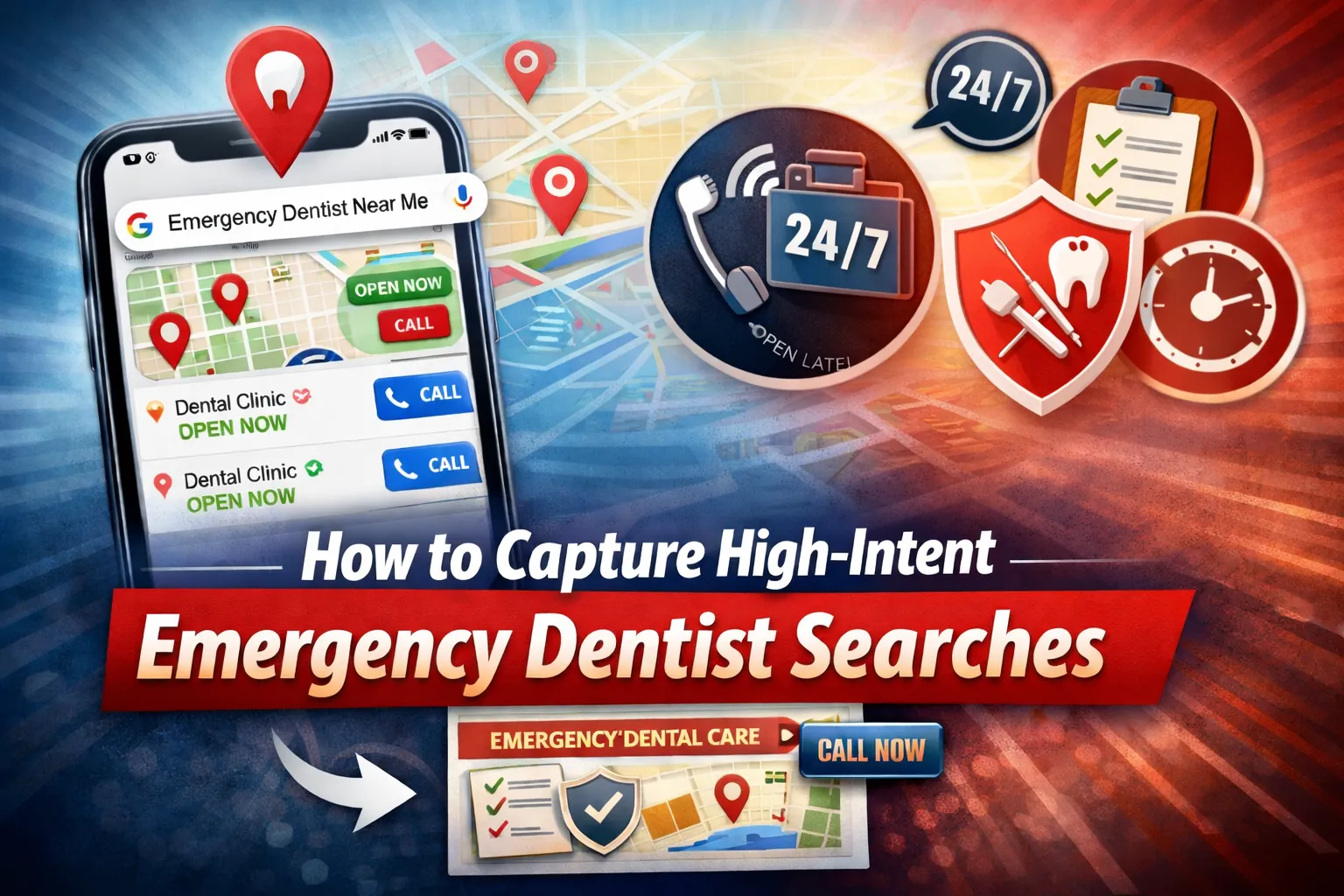 This guide is for practice owners, DSOs and multi-location leaders, plus marketing and operations teams who want to win more “emergency dentist” and “urgent dental care” searches—and turn that demand into calls and booked evaluations. This guide is for practice owners, DSOs and multi-location leaders, plus marketing and operations teams who want to win more “emergency dentist” and “urgent dental care” searches—and turn that demand into calls and booked evaluations.
What you’ll learn:
- Show up in Google’s local results (Maps/Business Profile) for high-intent queries like “near me,” “open now,” and “same-day.”
- Convert urgent clicks into calls with an emergency landing page that answers the “10-second trust scan.”
- Prevent missed calls and mismatched expectations by aligning hours, after-hours handling, and routing so marketing matches operations.
The core idea: emergency performance improves most consistently when local visibility, page clarity, and call handling are treated as one integrated workflow.
Quick start (skim this, then jump):
- If you’re not showing in Maps → start with High-Impact Wins + Google Business Profile Optimization
- If you’re getting traffic but not calls → go to Build an Emergency Landing Page That Converts
- If you’re missing calls / after-hours confusion → go to Technical SEO, Structured Data, and Call Routing Reliability + Quarterly Emergency Accuracy Audit
Important: only publish “open now,” “open late,” “weekend,” or “24-hour” language when it’s operationally true for that specific location.
Table of Contents
Tip: Use the table of contents to jump to the section you need first, then return for the governance and conversion layers that prevent missed calls and mismatched expectations.
How to Use This Guide
Use this as a build-and-audit checklist for an “emergency search system” across the map pack, Google Business Profile, your emergency landing page, and call routing. When this guide references search results pages (SERPs), it means what users see after typing a query into Google.
| • |
Visibility - Improve map pack eligibility and trust signals for urgent searches.
|
| • |
Conversion - Remove friction that prevents calls and booked evaluations.
|
| • |
Operations - Align hours, after-hours handling, and intake so marketing matches reality.
|
| • |
Coverage - Build a hub-and-symptom-page structure that captures long-tail emergency queries.
|
| • |
Measurement - Track qualified calls and booked evaluations, not clicks alone. |
Any time you publish time-based claims like “open now,” “open late,” or “weekend,” publish them only when operationally true for that location.
> Back to Table of Contents
Key Terms in Emergency Local SEO
| • |
Map pack
- The local results block with a map, often showing call buttons, hours, and reviews.
|
| • |
GBP - Google Business Profile, the listing that powers map pack visibility and call actions.
|
| • |
NAP - Name, Address, Phone consistency across your site and listings.
|
| • |
Citations - References to your business details on directories and platforms.
|
| • |
Prominence - How established the business appears locally; often described as “popularity” in plain language.
|
| • |
Cannibalization - When multiple pages target the same intent and compete with each other. |
These concepts matter because emergency searchers typically compare only a few local options and call the listing that feels reachable and trustworthy.
> Back to Table of Contents
Keyword Strategy for Emergency Intent
Emergency keywords split into two buckets: solution-aware queries (they want an emergency dentist now) and symptom-aware queries (they describe pain, swelling, trauma, or a broken restoration). Strong performance comes from building both: one conversion-focused emergency hub page and several symptom pages that funnel into it.
Primary targets (for the emergency hub page)
| • |
“emergency dentist near me”
|
| • |
“emergency dentist [city]” |
High-intent modifiers
| • |
“open now”
|
| • |
“same-day”
|
| • |
“walk-in”
|
| • |
“urgent dental care”
|
| • |
“emergency dental clinic” |
Time modifiers
| • |
“Saturday emergency dentist”
|
| • |
“Sunday emergency dentist”
|
| • |
“open late” (only when true) |
Cost and access modifiers
| • |
“emergency dentist cost”
|
| • |
“emergency dentist no insurance”
|
| • |
“new patient”
|
| • |
“payment plan”
|
| • |
“pediatric emergency dentist” |
High-frequency symptom phrasing
| • |
“lost crown”
|
| • |
“lost filling”
|
| • |
“broken tooth sharp edge”
|
| • |
“cracked tooth pain when biting”
|
| • |
“gum swelling”
|
| • |
“jaw swelling”
|
| • |
“wisdom tooth emergency”
|
| • |
“tooth infection swelling face” |
Other frequent emergency searches
| • |
knocked-out tooth (avulsed tooth)
|
| • |
orthodontic wire pain
|
| • |
broken denture
|
| • |
broken bridge
|
| • |
broken veneer
|
| • |
post-extraction bleeding
|
| • |
dry socket |
Use “24 hour emergency dentist” language only if there is reliable 24/7 clinical coverage and call handling. If not, publish a precise after-hours protocol and capacity-based “call to confirm” language.
Evergreen URL examples
| • |
/emergency-dentist-[city]/
|
| • |
/toothache-emergency/
|
| • |
/lost-filling/
|
| • |
/lost-crown/
|
| • |
/dental-abscess-swelling/
|
| • |
/knocked-out-tooth/
|
| • |
/dry-socket/
|
| • |
/post-extraction-bleeding/ |
Avoid dates in URLs so emergency content never looks stale.
> Back to Table of Contents
What High-Intent Emergency Dentist Searches Are and Why They Convert
High-intent emergency dentist searches are urgent queries with action signals like “near me,” “open now,” or “same-day,” or high-stakes symptoms like swelling, trauma, or uncontrolled pain. These searches convert quickly because patients compare a small set of local options, then call the first listing that looks available, credible, and easy to reach.
Definition
High-intent emergency dentist searches are urgent queries that include action cues like “near me,” “open now,” or “same-day,” or urgent symptoms like swelling and trauma. They often convert quickly because the patient evaluates only a few local options, then calls the listing that appears reachable, trustworthy, and clear about next steps.
Rankings alone rarely win emergency demand if the urgent questions are unanswered. The friction is often emotional and practical at the same time: embarrassment, anxiety, fear of being pressured, uncertainty about cost, uncertainty about what “same-day” really means, and uncertainty about whether the situation needs a dentist or emergency medical care.
Callout: The 10-second trust scan checklist
| • |
Respect - A calm, non-judgment tone that reduces embarrassment and fear.
|
| • |
No-pressure expectations - Options and costs reviewed before decisions whenever possible.
|
| • |
Availability clarity - What “same-day” means and what determines “next available.”
|
| • |
Phone confidence - Tap-to-call plus a clear fallback if the call is missed.
|
| • |
Proof - Recent reviews and competence cues.
|
| • |
Logistics - Directions, parking, entrance, elevator, and after-hours access details. |
When any one of these is unclear, urgent patients often keep searching even if the listing ranks well.
> Back to Table of Contents
High-Impact Wins: Show Up in the Map Pack for Emergency Dentist Near Me
For many urgent queries, the map pack drives the highest-intent actions because it shows call buttons, “open now” behavior, hours, and reviews before a user clicks a website.
Google’s local ranking guidance is commonly summarized as relevance, distance, and prominence (often described in everyday language as popularity).
| • |
Relevance - How well your listing and site match the searcher’s intent (categories, services, content).
|
| • |
Distance - How close the practice is to the searcher’s location or specified area.
|
| • |
Prominence - How established the practice appears through reviews, citations, and local presence. |
Hours accuracy and phone coverage do not guarantee ranking changes. They frequently reduce conversion drop-off, especially for “open now” behavior where trust is built in seconds.
Callout: Mistakes to avoid in emergency local visibility
| • |
Hours mismatches - GBP says open, the website says closed, and voicemail language is unclear.
|
| • |
Voicemail dead ends - No callback expectations, no backup method, and no safety escalation language.
|
| • |
Generic landing experience - Urgent traffic lands on a homepage or general services page that doesn’t answer urgent questions.
|
| • |
“24/7” language without coverage - Creates trust problems and policy risk if not operationally true.
|
| • |
Wrong GBP appointment URL - The appointment button goes to a generic page instead of the emergency page.
|
| • |
Duplicate listings - Multiple profiles split reviews and confuse patients.
|
| • |
Tracking number sprawl - Multiple public phone numbers weaken NAP consistency.
|
| • |
Chat overlays blocking calls - Widgets cover the call button or phone number on mobile. |
Localization templates that feel natural
Place these in the GBP description, the emergency page hero area, and near the call button in the fast-find module:
| • |
Neighborhood - “Emergency dental care near [Neighborhood] and surrounding areas.”
|
| • |
Landmark - “Near [Hospital or Landmark], minutes from [Major Intersection].”
|
| • |
ZIP - “Serving patients in [ZIP] and nearby neighborhoods.” |
Mini case example: hours alignment reduced “open now” confusion
A common issue is GBP showing open while special hours or voicemail messaging implies something different. When teams align special hours across GBP, the website, and voicemail language, urgent callers are less likely to abandon after one unanswered attempt.
> Back to Table of Contents
Google Business Profile Optimization for Emergency Intent
GBP is often the highest-leverage asset for emergency visibility and conversion. In urgent contexts, the best GBP approach is to remove uncertainty, answer practical questions, and make calling frictionless.
| • |
Categories
- Choose the most accurate primary category and a small set of true secondary categories.
|
| • |
Services - Add emergency-relevant services with plain-language descriptions.
|
| • |
Hours and special hours - Keep exception hours current and consistent across all channels.
|
| • |
Business description - Explain call flow, what “same-day” means, and what urgent patients can expect.
|
| • |
Photos - Exterior, signage, entrance, parking, operatories, team, accessibility cues.
|
| • |
Appointment URL - Link to the emergency landing page, not a generic page.
|
| • |
Messaging surfaces - Use posts and Q&A to answer the questions patients ask before they call. |
GBP business name compliance and competitor spam cleanup
Business name compliance matters because keyword-stuffed names can distort map results and create confusing expectations. Best practice is to keep the GBP business name aligned with the real-world practice name used in branding and signage.
| • |
Keep your name compliant - Avoid adding terms like “Emergency Dentist” to the business name unless it is truly part of the real-world name.
|
| • |
Document real-world proof - Keep branding and signage consistent with the published name.
|
| • |
Handle competitor issues - Use official “suggest an edit” workflows and evidence rather than copying noncompliant tactics. |
Duplicates and practitioner-vs-practice listings
Multi-location groups and multi-provider practices commonly accumulate duplicates across practitioner listings and practice listings. Cleanups should prioritize patient clarity and routing accuracy.
| • |
Find duplicates - Look for multiple GBP profiles for the same practice location and old addresses.
|
| • |
Decide ownership - Practice listing is typically the primary conversion surface; practitioner listings should not create competing phone routes.
|
| • |
Merge or remove - Reduce confusion that splits reviews and sends patients to the wrong number. |
GBP tracking that doesn’t break NAP
Use tracking methods that preserve a single public phone identity. A practical approach is adding UTM parameters to GBP Website and Appointment URLs for analytics attribution while keeping the published phone number stable across listings.
Template: GBP Q&A set for urgent intent
Use location-true details and keep answers factual:
| • |
Do you accept walk-ins? - Calling first is recommended so the team can confirm the fastest evaluation time and guide the safest next step based on symptoms.
|
| • |
What is the next available evaluation time today? - Availability changes throughout the day; calling is the quickest way to confirm the next opening and whether you should come in now.
|
| • |
What does “same-day” mean? - Same-day typically means the next available evaluation slot; treatment timing depends on findings, time, and what’s safest for your situation.
|
| • |
How do you prioritize emergencies? - Examples include swelling, trauma, and severe pain being prioritized based on safety and urgency.
|
| • |
Can you see new patients today? - New patients may be seen based on schedule and urgency; call to confirm options.
|
| • |
Do you treat kids? - Pediatric emergencies may be treated within age guidelines; parent or guardian consent is typically required for minors.
|
| • |
What if a tooth is knocked out? - Call immediately for guidance and urgent evaluation; recommendations can differ for baby teeth versus permanent teeth, so avoid reinserting without clinician direction.
|
| • |
What documentation is needed for minors or caregivers? - Bring ID and any required consent documentation; mention complex custody situations during the call so the team can guide you.
|
| • |
Can I bring a support person or translator? - Often yes; mention it during the call so communication needs can be supported.
|
| • |
Can you help if I’m anxious? - Many practices can accommodate a gentle pace and step-by-step explanations; request this during scheduling.
|
| • |
Do you offer online booking for emergencies? - Many practices prefer call-first for emergencies to confirm urgency and timing. If online booking is offered, it may reserve an evaluation slot and follow with a confirmation process.
|
| • |
Do you offer texting for directions or updates? - If two-way text is available, it can be used for directions and coordination. Calling is still the fastest way to confirm clinical timing.
|
| • |
How long does an emergency visit take? - Visits vary; many focus on evaluation and next steps, and time depends on diagnostics and the care needed.
|
| • |
Do you take my insurance? - The practice can verify benefits by phone; bring your insurance card and ID, and costs are reviewed before treatment decisions whenever possible.
|
| • |
What if I call and no one answers? - Follow voicemail instructions and any listed backup method. For red flags, seek emergency medical care. Examples include trouble breathing or swallowing, rapidly spreading facial or neck swelling, uncontrolled bleeding, significant trauma, fever with facial swelling, or severe systemic symptoms. |
> Back to Table of Contents
Build an Emergency Landing Page That Converts Calls and Reduces Anxiety
An emergency landing page should work like a calm, structured intake guide. It reduces embarrassment, avoids pressure, clarifies logistics, and sets realistic expectations about evaluation versus definitive treatment.
Required above-the-fold fields checklist
These should be visible without scrolling on mobile:
| • |
Tap-to-call - A prominent call button and a readable phone number.
|
| • |
Hours and after-hours handling - Staffed call hours plus what happens after hours (answering service, on-call pathway, or voicemail instructions).
|
| • |
“Right now” language - Capacity-based “call to confirm the next available emergency evaluation time.”
|
| • |
What to bring - ID, insurance card if applicable, and a current medication and allergy list.
|
| • |
Fast-find location - Address, GPS link, parking, entrance, elevator, and after-hours access details if the building locks.
|
| • |
Trust proof - A review highlight or recent review cues presented responsibly. |
Definition
Same-day availability is best communicated as capacity-based, not guaranteed. It usually means the next available evaluation slot, which depends on schedule openings, urgency, visit length, and safety considerations. Clear wording reduces mismatch and improves call quality.
Template: “Right now” availability module
| • |
Right now - Call to confirm the next available emergency evaluation time today.
|
| • |
How scheduling is prioritized - Examples include swelling, trauma, and severe pain being prioritized based on safety and urgency.
|
| • |
After work or school - Share your earliest arrival time so the team can offer the best available window.
|
| • |
Traveling or out of town - Visitors can often be evaluated; call to confirm timing and what to bring. |
Template: “What happens when you call” micro-flow
| 1. |
Share what’s happening (pain level, swelling, bleeding, trauma, timing).
|
| 2. |
Confirm the safest next step: come in now, schedule the next available evaluation, or seek emergency medical care for red flags.
|
| 3. |
Review what the visit includes at a high level (evaluation and diagnostics when needed).
|
| 4. |
Confirm what to bring (ID, insurance card if applicable, medication list, allergy info, guardian documentation for minors if needed).
|
| 5. |
Send directions and fast-find instructions (parking, entrance, elevator, after-hours building access). |
Template: “No judgment, no surprises, no pressure” reassurance block
| • |
Respect - Patients should be treated respectfully, including if they feel embarrassed about delayed care or dental health.
|
| • |
Explain-first - Findings and options are explained step-by-step before decisions whenever possible.
|
| • |
No-pressure - Patients can ask questions, request a gentle pace, and choose the safest next step.
|
| • |
Support person - If a support person or translator is needed, note it during scheduling so the team can plan appropriately. |
Template: “What we can do today” scope-of-care block
| • |
Today’s emergency visit often includes - Focused evaluation, diagnostics when needed, and a plan for next steps.
|
| • |
Urgent stabilization - Temporary measures to protect the tooth or reduce pain may be possible depending on findings and time.
|
| • |
Common same-day procedures - Some locations may be able to perform extractions, start root canal therapy, or place temporary restorations when clinically appropriate and time allows, when offered at that location.
|
| • |
Referral coordination - Complex cases may require referral to an endodontist or oral surgeon; clarify whether coordination can be supported with patient permission. |
Insurance and payment module
Insurance and payment uncertainty is one of the biggest drivers of abandoned calls. A simple module reduces friction without listing every plan:
| • |
Insurance verification - Benefits can be verified by phone; bring your insurance card and ID.
|
| • |
Estimates - Recommended options and costs are reviewed before proceeding whenever possible.
|
| • |
Emergency exam and imaging - If published, list separate ranges for the emergency evaluation and common imaging, only when accurate and compliant.
|
| • |
No insurance - Discuss payment options and any financing or payment plans offered; eligibility may apply.
|
| • |
Program coverage - If your practice accepts Medicaid or state programs, confirm details by phone to prevent mismatched expectations. |
Sedation and anxiety support micro-section
Many urgent patients search for “emergency dentist sedation” or “I’m panicking and can’t tolerate treatment.” This is best handled with precise, truthful language:
| • |
Set expectations - Offer a gentle pace and step-by-step explanations as a baseline approach.
|
| • |
Options when offered - If nitrous or oral sedation is available, clarify that eligibility and timing depend on evaluation and safety.
|
| • |
Sensory support - Encourage patients to disclose sensory needs (noise, light, touch) so the team can plan the visit. |
After-hours definition module
Remove ambiguity so after-hours handling does not feel like “maybe someone will call back”:
| • |
After-hours means - Specify whether calls go to an answering service, an on-call pathway, or voicemail instructions.
|
| • |
Expected response - Provide a realistic callback window if your operation supports it.
|
| • |
After-hours entrance - If the building locks, specify which entrance to use and what to do upon arrival. |
Template: “If we miss your call” escalation ladder
| 1. |
Call the primary number and follow voicemail instructions if the line is busy or unanswered.
|
| 2. |
If a second method is available (answering service, second number, two-way text, or chat), use it for coordination and directions.
|
| 3. |
If symptoms worsen, call back and state what changed (new swelling, fever, spreading pain, bleeding, trauma).
|
| 4. |
Seek emergency medical care immediately for red flags. Examples include trouble breathing or swallowing, rapidly spreading facial or neck swelling, uncontrolled bleeding, significant trauma, fever with facial swelling, or severe systemic symptoms. |
Template: If capacity is full (warm handoff)
| • |
Safety first - If symptoms suggest urgent medical risk, emergency medical evaluation is recommended.
|
| • |
Next safest option - If the schedule is full, provide the next safest option based on symptoms, including referral guidance.
|
| • |
Documentation support - With patient permission, coordination details can be shared with a referred provider when appropriate. |
Template: Accessibility and language strip
| • |
Mobility - If a patient uses a wheelchair or has limited mobility, encourage mentioning it during the call so access and positioning can be planned.
|
| • |
Reclining limits - If a patient cannot recline fully, encourage mentioning it so seating options can be discussed.
|
| • |
Communication support - If hearing or vision accommodations are needed, request written instructions or other support during scheduling.
|
| • |
Language support - If multilingual staff or interpretation is available, list languages and how to request help. |
> Back to Table of Contents
Common Emergency Queries Patients Search and the Modules That Answer Them
Emergency SERPs are crowded with symptom queries, cost questions, and “dentist vs ER” uncertainty. Covering these topics in dedicated modules makes the emergency hub feel complete and reduces call friction.
Definition: What counts as a dental emergency?
A dental emergency is a sudden problem involving pain, swelling, trauma, bleeding concerns, or a broken tooth or restoration that needs prompt evaluation. When symptoms suggest medical risk, emergency medical evaluation may be safer. Any escalation cues should be presented as examples, not an exhaustive list.
| • |
High-frequency queries to cover - severe toothache, swelling or abscess, broken or cracked tooth, lost crown or lost filling, knocked-out tooth, orthodontic wire pain, broken denture or bridge, post-extraction bleeding, dry socket.
|
| • |
Cost and access queries - emergency dentist cost, no insurance, payment plan, new patient today, pediatric emergency.
|
| • |
Time queries - dentist open now, open late, Saturday and Sunday emergency dentist, published only when operationally true. |
Toothache module including a common safety misconception
Toothache searches often include home-remedy questions. Keep guidance general and direct patients to evaluation.
| • |
What people search - “emergency toothache relief,” “throbbing tooth pain,” “pain when biting.”
|
| • |
High-level guidance - Encourage calling for the next available evaluation and discourage unsafe self-treatment, including placing aspirin directly on the tooth or gums.
|
| • |
What to expect - Evaluation determines whether decay, infection, trauma, or another issue is causing pain and what the safest next step is. |
Swelling or abscess module
Swelling queries often include fear-driven “is this dangerous” language. Your content should answer urgency without practicing medicine.
| • |
What people search - “swollen face tooth infection,” “gum swelling,” “jaw swelling,” “abscess tooth.”
|
| • |
Safety framing - Encourage calling for urgent evaluation and include red-flag examples that require emergency medical care, such as trouble breathing or swallowing, rapidly spreading facial or neck swelling, fever with facial swelling, or severe systemic symptoms.
|
| • |
Operational clarity - Explain how urgency is triaged and what “same-day” means. |
Knocked-out tooth (avulsed tooth) module
Knocked-out tooth searches are time-sensitive. Keep guidance high-level, emphasize urgency, and direct patients to immediate phone guidance and urgent evaluation.
| • |
Urgency framing - Time matters; call immediately for guidance and the fastest evaluation pathway.
|
| • |
Handling basics - Examples include holding the tooth by the crown and avoiding scrubbing.
|
| • |
Keeping it moist - If safe and feasible, keep the tooth moist during transport; common examples include milk, inside the cheek, or a tooth preservation kit.
|
| • |
Pediatric nuance - Recommendations can differ for baby teeth versus permanent teeth; encourage immediate phone guidance and evaluation rather than reinsertion attempts at home.
|
| • |
Boundary statement - These tips are general and informational; call immediately for guidance and urgent evaluation. |
Broken or cracked tooth module (sharp edge, pain when biting)
| • |
What people search - “broken tooth sharp edge,” “cracked tooth pain when biting.”
|
| • |
High-level guidance - Encourage prompt evaluation; keep any first-step language general and safety-first.
|
| • |
What to expect - Evaluation determines whether stabilization, restoration, or referral is the safest next step. |
Lost filling or lost crown module
Lost restoration searches are extremely common and often include “what do I do until I’m seen?”
| • |
What people search - “lost filling urgent,” “crown fell off,” “lost crown pain.”
|
| • |
Messaging that converts - Clarify whether the visit is for evaluation and stabilization and what same-day expectations are realistic.
|
| • |
Operational guidance - Encourage calling so the team can confirm timing and reduce the chance of worsening damage. |
Orthodontic wire pain and prosthetic emergencies
These issues can be urgent even when they are not life-threatening, especially when soft tissue is irritated or a device has broken.
| • |
Orthodontic wire pain - Clarify whether the practice can provide urgent relief if the patient is not an established orthodontic patient.
|
| • |
Broken denture, bridge, or veneer - Set expectations about stabilization versus definitive repair and whether lab time may be required.
|
| • |
What to expect - Encourage calling for the next available evaluation slot and bring any pieces if safe to do so. |
Post-extraction bleeding and dry socket module
These terms are common “after procedure” emergency searches and benefit from safety-first framing.
| • |
Post-extraction bleeding - Provide high-level guidance and clear escalation language; uncontrolled bleeding may require urgent medical evaluation.
|
| • |
Dry socket - Set expectations that evaluation is needed to confirm and treat; encourage calling for the earliest available evaluation slot.
|
| • |
If pain worsens while waiting - Encourage calling back and stating what changed so urgency can be reassessed. |
Dentist vs ER module outline
This content should stay high-level and clearly informational.
| • |
Seek emergency medical care now - Examples include trouble breathing or swallowing, rapidly spreading facial or neck swelling, uncontrolled bleeding, significant trauma, fever with facial swelling, or severe systemic symptoms.
|
| • |
Call an emergency dentist - Severe toothache, cracked or broken tooth, lost filling or crown, localized swelling, knocked-out tooth, painful orthodontic wires, suspected infection without severe systemic symptoms.
|
| • |
If unsure - Encourage urgent medical evaluation for airway concerns or rapidly worsening symptoms. |
> Back to Table of Contents
On-Page SEO Without Cannibalizing Other Services
Emergency SEO works best when site architecture reflects distinct intent. If emergency language is forced onto every service page, it can blur topical signals and create cannibalization.
| • |
Emergency hub page - The primary conversion destination for “emergency dentist [city]” and “urgent dental care.”
|
| • |
Symptom pages - One page per urgent scenario that targets symptom queries and funnels to the hub.
|
| • |
Location variants - For DSOs, each location has a unique emergency variant that matches that location’s hours, routing, directions, and access details.
|
| • |
Service pages - Root canal therapy, extractions, crowns, and other services remain focused on treatment intent, with careful linking from emergency content. |
A practical topical cluster approach is reciprocal linking: symptom pages link to the emergency hub for conversion, and the hub links back to symptom pages as supporting resources.
Internal link anchors per symptom page (symptom → hub)
| • |
Toothache page - “emergency dental evaluation” and “urgent dentist in [city].”
|
| • |
Abscess or swelling page - “urgent dental care for swelling” and “emergency dentist [city].”
|
| • |
Broken tooth page - “broken tooth emergency visit” and “same-day dental evaluation when available.”
|
| • |
Lost crown or lost filling page - “urgent dental evaluation for lost restoration” and “emergency dentist near me.”
|
| • |
Cracked tooth pain when biting page - “urgent evaluation for cracked tooth pain” and “emergency dental care.”
|
| • |
Knocked-out tooth page - “knocked-out tooth emergency dentist” and “urgent dental evaluation today.”
|
| • |
Dry socket page - “dry socket urgent evaluation” and “emergency dental care.”
|
| • |
Post-extraction bleeding page - “urgent dental evaluation for bleeding” and “emergency dentist near me.” |
> Back to Table of Contents
Meta Title and Description Examples for Emergency Pages
Meta titles and descriptions should match urgent intent while staying truthful about availability.
Example 1
| • |
Title: Emergency Dentist in [City] — Same-Day Evaluations When Available
|
| • |
Description: Call to confirm the next available emergency evaluation time. Directions, pricing basics, and what to expect are clearly explained. |
Example 2
| • |
Title: Urgent Dental Care [City] — Toothache, Swelling, Broken Tooth
|
| • |
Description: Tap to call for urgent evaluation options. After-hours instructions and fast-find parking and entrance details included. |
Example 3
| • |
Title: Weekend Emergency Dentist [City] — Call to Confirm Availability
|
| • |
Description: Weekend availability varies by schedule and urgency. Call to confirm the safest next step and best arrival window. |
Example 4
| • |
Title: New Patient Emergency Dentist [City] — Call to Confirm Options
|
| • |
Description: New patient availability depends on schedule and urgency. Call to confirm timing, what to bring, and next steps. |
> Back to Table of Contents
Directory and Citation Cleanup That Supports Emergency Visibility
Citations help reinforce local trust, but they can also cause patient confusion if hours, phone numbers, or addresses drift across platforms. A lightweight, repeatable cleanup process often improves conversion quality quickly.
| 1. |
Identify the platforms that actually send calls in your market, then prioritize those first.
|
| 2. |
Audit for wrong hours, duplicate listings, outdated addresses, and inconsistent phone numbers.
|
| 3. |
Fix the sources of truth first (GBP and the website), then update top citations to match.
|
| 4. |
Remove or merge duplicates that split reviews and confuse patients.
|
| 5. |
Re-audit after any move, phone system change, rebrand, or new location launch. |
> Back to Table of Contents
Technical SEO, Structured Data, and Call Routing Reliability
Emergency searchers are typically on mobile and quick to abandon slow or confusing pages. Technical reliability matters most where it affects calling, directions, and intake.
| • |
Page speed and Core Web Vitals
- Prioritize fast load, stable layout, and responsive interactions on emergency pages.
|
| • |
Tap-to-call reliability - Large call buttons and correct tap targets across iOS, Android, and common browsers.
|
| • |
Avoid intrusive overlays - Prevent popups, cookie banners, or chat widgets from covering the call button or phone number.
|
| • |
Older-device usability - Forms and scheduling tools should work on older phones and slower connections.
|
| • |
Indexing hygiene - Clean URLs, proper canonicals, and no broken links to the emergency hub.
|
| • |
Structured data basics
- Use widely supported Dentist or LocalBusiness schema and keep phone and hours consistent with the site content.
|
| • |
Hours consistency - Avoid publishing conflicting hours across schema, page content, and listings. |
Call tracking without changing your public phone identity
| • |
Keep one official primary number - Consistent across GBP, the website footer, and core citations.
|
| • |
Use on-site dynamic number insertion - Attribute channels without altering citations or public schema phone data.
|
| • |
QA every call path - Test calls from GBP, ads, and the website to confirm correct routing and fallback handling. |
Mini case example: overlay fix restored mobile calling
A common issue is a chat bubble or popup overlapping the tap-to-call button on smaller screens. When teams reposition the widget and retest on iOS and Android, emergency page conversions often recover because the primary action is no longer blocked.
> Back to Table of Contents
Reviews, Reputation, and Ethical Proof
Emergency patients often choose based on reassurance and safety. Reviews frequently decide the call, even when rankings are similar.
| • |
Recency - Maintain steady recent reviews so patients see current experiences.
|
| • |
Content themes - Explained options, no judgment, calm with anxiety, same-day evaluation, helped with swelling or toothache.
|
| • |
Response quality - Prompt, empathetic, privacy-safe responses improve trust without oversharing.
|
| • |
Compliance - No incentives, no scripting, and permission-based use of testimonials where applicable. |
> Back to Table of Contents
Paid Search That Captures Emergency Demand Without Wasting Spend
Paid search can capture urgent demand quickly when campaigns mirror intent. Emergency keywords should be separated from general dentistry and cosmetic campaigns so budget and messaging match urgency.
| • |
Campaign separation - Isolate emergency intent so budget and messaging stay aligned to urgency.
|
| • |
Call-focused formats - Consider call-centric formats where appropriate, and run them only during staffed coverage windows.
|
| • |
Location assets QA - Verify each location’s address, hours, and routing so ads do not send patients to the wrong place.
|
| • |
Landing page alignment - Route emergency ads to the emergency hub page, not the homepage or a general services page.
|
| • |
Schedule to coverage - Align ad scheduling with staffed phones and truthful after-hours handling.
|
| • |
Centralized calls - If calls are centralized, ensure agents can provide location-specific directions, parking, and building access details. |
Negative keyword starter themes
| • |
Employment - jobs, career, salary, hiring.
|
| • |
Education - school, class, course, training.
|
| • |
DIY intent - home remedy, fix at home, self-treatment, how to.
|
| • |
Research-only intent - definition, symptoms, pictures, images, causes, depending on strategy.
|
| • |
Retail intent - wholesale, supplies, equipment, kits.
|
| • |
Non-patient intent - insurance credentialing, provider login, payer portal, claim forms. |
> Back to Table of Contents
Multi-Location DSOs: Routing, Ownership, and Accuracy Governance
Multi-location groups often lose emergency conversions due to mismatches: an ad points to one location while GBP shows another, centralized calls lack location-specific directions, or special hours are updated in one system but not everywhere else.
| • |
Clinical leadership - Defines safety thresholds, escalation language, and what phone triage can and cannot advise.
|
| • |
Operations - Owns staffing, routing, answering service setup, and front desk training.
|
| • |
Marketing - Publishes truthful hours, routing details, and modules consistently across GBP, site, ads, and directories. |
Mini case example: routing QA reduced wrong-location bookings
A common DSO failure mode is one location’s ads or appointment link routing to a shared page while calls land in a centralized queue that cannot provide location-specific access details. When teams align location-specific emergency pages, location assets, and call routing rules, patients reach the correct location more consistently.
> Back to Table of Contents
Compliance, Privacy, and Patient Safety
Emergency marketing should prioritize safety and operational truth. Keep clinical statements high-level, explicitly informational, and aligned with applicable regulations and internal policies.
| • |
Informational boundary - Website guidance is informational and not medical advice; urgent symptoms should be evaluated appropriately.
|
| • |
Phone triage limits - Scheduling and general guidance may be possible by phone, but diagnosis and prescribing decisions require evaluation.
|
| • |
Consent - Consent is required for evaluation, imaging, procedures, and sedation when applicable.
|
| • |
Privacy basics
- For covered entities and business associates, limit sensitive details in voicemail, SMS, chat, and forms; use appropriate vendor safeguards.
|
| • |
Call recording - If calls are recorded, consent language should align with state rules; consult counsel for one-party or two-party consent requirements.
|
| • |
Medication messaging - Avoid implying antibiotics or pain medication can be provided without appropriate evaluation; align with safe prescribing and stewardship policies. |
> Back to Table of Contents
Measurement That Reflects Reality
Emergency marketing should be measured by outcomes, not only clicks. Qualified calls and booked evaluations matter more than raw call volume.
| • |
Qualified call - Symptoms and timing assessed and a next step offered (appointment, referral, or safety guidance).
|
| • |
Booked evaluation - A scheduled visit with confirmed location and arrival instructions.
|
| • |
Operational dashboard - Speed-to-answer, missed-call rate, booking rate, and after-hours abandonment are the core indicators to watch. |
> Back to Table of Contents
Quarterly Emergency Accuracy Audit
Emergency performance breaks most often during change: holiday hours, staffing shifts, phone system updates, and location additions. A quarterly audit reduces “open now” mismatches and helps prevent missed-call losses.
| • |
Hours alignment - GBP special hours, website hours, ad schedules, and voicemail language match.
|
| • |
Routing alignment - Calls from GBP, ads, and the website route correctly, including backups.
|
| • |
Directory alignment - Top citations match official NAP and do not show outdated numbers.
|
| • |
Content alignment - Emergency modules match real policies: pricing, after-hours handling, and scope of care.
|
| • |
Training alignment - Front desk scripts reflect current policies and escalation language. |
> Back to Table of Contents
Conclusion: Priority Rollout Plan
Emergency search performance improves most reliably when you remove the top friction points first: hours accuracy, reachability, scope clarity, and a calm, no-pressure patient experience.
24 hours
| 1. |
Confirm GBP hours and special hours match the website and voicemail language.
|
| 2. |
Test end-to-end: GBP call button, website tap-to-call, and after-hours voicemail fallback.
|
| 3. |
Publish the “what happens when you call” micro-flow and the “if we miss your call” escalation ladder on the emergency hub page. |
7 days
| 1. |
Add the scope-of-care block plus the insurance and payment module using truthful, location-specific language.
|
| 2. |
Publish symptom pages for toothache, swelling or abscess, broken tooth, lost filling or lost crown, and knocked-out tooth, each linking to the emergency hub.
|
| 3. |
Align GBP Q&A with emergency page modules so patients see consistent answers before they call. |
30 days
| 1. |
Expand symptom coverage for dry socket, post-extraction bleeding, orthodontic wire pain, and broken denture, bridge, or veneer emergencies.
|
| 2. |
Clean up citations and duplicates on the platforms that drive calls, protecting NAP consistency.
|
| 3. |
Review qualified call patterns, missed-call rate, and callback times, then refine routing, staffing, and after-hours coverage language. |
> Back to Table of Contents
FAQs
What is a “high-intent” emergency dentist search?
A high-intent emergency dentist search is an urgent query with action signals like “near me,” “open now,” or “same-day,” or with high-stakes symptoms like swelling, trauma, or uncontrolled pain. These searches usually lead to quick calls because patients compare only a few local results before choosing.
How should an emergency page explain “same-day availability” without overpromising?
Same-day is best framed as capacity-based: the next available evaluation time depends on schedule openings, urgency, visit length, and safety considerations. Language like “same-day evaluations when available” sets realistic expectations and often improves call quality.
Should emergency pages prioritize online booking or call-first?
Many practices perform best with call-first for emergencies because it confirms urgency, timing, and safety guidance quickly. If online booking is offered, it can work well when it clearly reserves an evaluation slot and is followed by a confirmation process that aligns expectations.
What should a practice publish as a missed-call fallback?
Best practice is an escalation ladder: voicemail instructions, a backup method if available (answering service, second number, two-way text, or chat), and clear expectations for callbacks when supported. For red flags such as trouble breathing or swallowing, rapidly spreading facial or neck swelling, uncontrolled bleeding, significant trauma, fever with facial swelling, or severe systemic symptoms, messaging should direct patients to emergency medical care.
What should emergency pages say about toothache relief and home remedies?
Content should stay high-level and encourage evaluation. Practices often discourage unsafe self-treatment, including placing aspirin directly on the tooth or gums, and instead focus on scheduling the next available evaluation and explaining what will happen during the visit.
What can an emergency dental visit usually accomplish the same day?
Many emergency visits include evaluation, diagnostics when needed, and a plan for next steps, with urgent stabilization sometimes possible depending on findings and time. Some locations may be able to perform certain same-day procedures when clinically appropriate and when offered at that location, but definitive treatment timing varies by diagnosis, safety needs, and scheduling capacity.
How can DSOs prevent wrong-location emergency calls and confusion?
Multi-location groups perform best when clinical leadership defines safety guidance, operations owns staffing and routing, and marketing publishes truthful hours and routing details consistently across GBP, the website, ads, directories, and voicemail. Location-specific emergency pages should match each location’s actual hours, directions, and call routing. |
|





