Dental Marketing SOPs: Templates and Workflows That Scale Your Practice
Posted on 2/4/2026 by WEO Media |
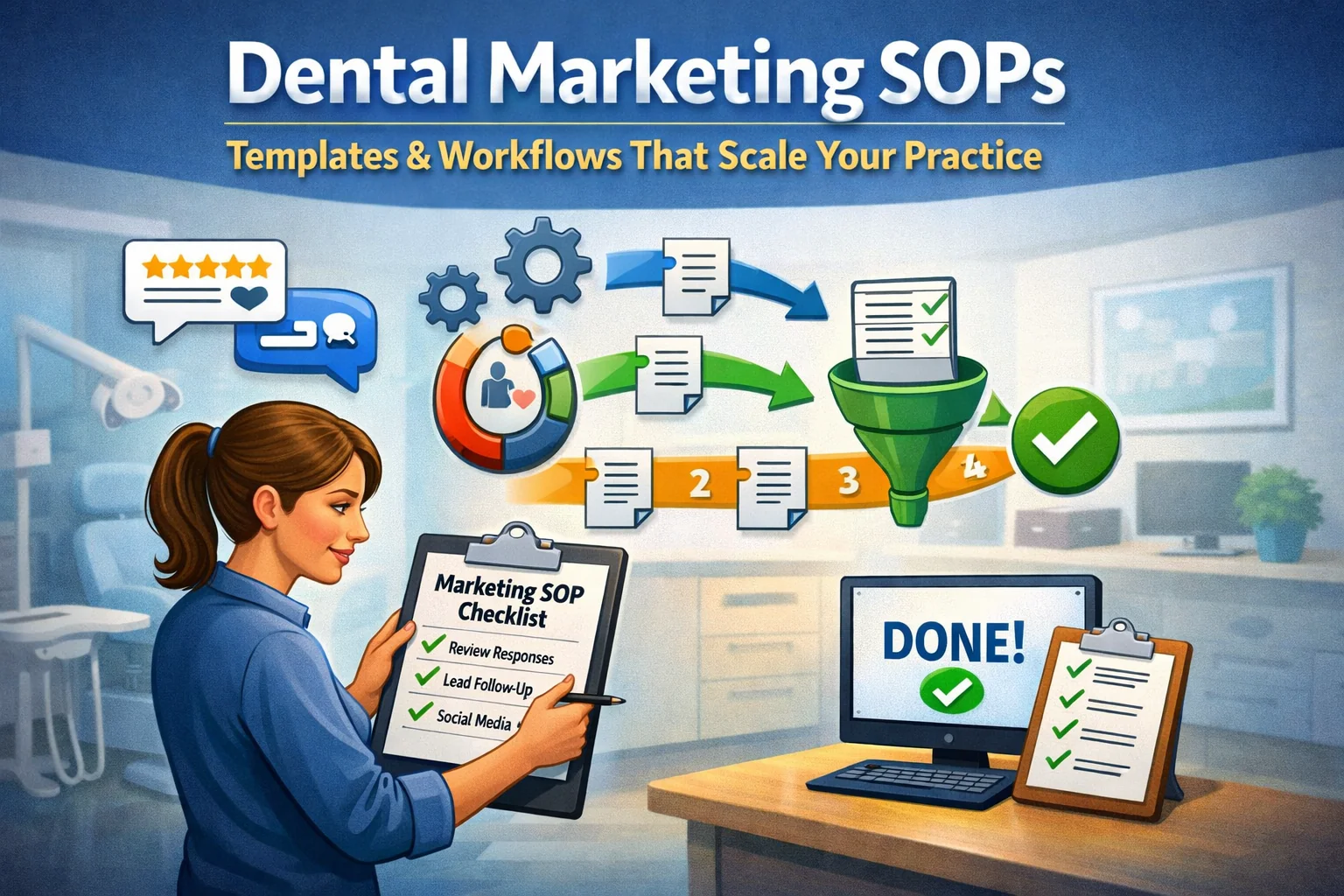 By documenting the marketing tasks your team already does—and turning them into repeatable, trainable workflows. If your practice’s marketing depends on one person’s memory, you don’t have a system. You have a single point of failure. When that person is out sick, quits, or just forgets a step, your patient acquisition stalls and nobody knows why. By documenting the marketing tasks your team already does—and turning them into repeatable, trainable workflows. If your practice’s marketing depends on one person’s memory, you don’t have a system. You have a single point of failure. When that person is out sick, quits, or just forgets a step, your patient acquisition stalls and nobody knows why.
The pattern we see constantly: a practice invests in SEO, paid ads, or social media, but the internal execution is inconsistent. Review responses go out late. Follow-up emails get missed. Social posts happen sporadically. The marketing itself isn’t broken—the handoff between strategy and execution is. Standard Operating Procedures (SOPs) fix this by turning tribal knowledge into documented workflows that anyone on your team can follow.
This guide focuses on marketing-specific SOPs. For front desk and intake SOPs, see our guide on intake process optimization.
Below, you’ll learn how to identify which marketing tasks need SOPs first, write SOPs that actually get used, implement them without overwhelming your team, and measure whether they’re working. We’ll include copy/paste templates, prioritization frameworks, and the common mistakes that turn SOPs into shelf-ware.
Start here: Which tasks need SOPs first, 30-minute SOP creation process, Common mistakes to avoid
Written for: dental practice owners, office managers, and marketing coordinators who want to systematize their marketing operations so they can scale without chaos—or dependence on any single team member.
TL;DR
If you only do five things, do these:
| • |
Start with your highest-frequency, highest-stakes tasks - review responses, lead follow-up, and social posting typically leak value first when undocumented
|
| • |
Write SOPs with the person who does the task - not for them; this ensures accuracy and builds ownership
|
| • |
Use the trigger → steps → done format - every SOP needs a clear start condition, numbered actions, and a definition of complete
|
| • |
Store SOPs where work happens - a Google Doc folder beats a binder; link directly from your task management system
|
| • |
Schedule quarterly reviews - SOPs decay; build a 15-minute check-in into your calendar before they become outdated |
Table of Contents
Why dental marketing specifically needs SOPs
General business SOPs cover things like opening procedures or inventory management. Dental marketing SOPs are different because marketing tasks are time-sensitive, reputation-facing, and directly tied to revenue. A late review response doesn’t just look bad—it costs you the patient who read it and moved on. A missed lead follow-up doesn’t just waste ad spend—it hands that patient to a competitor.
What makes dental marketing tasks uniquely SOP-worthy:
| • |
They’re repetitive but not routine - you respond to reviews weekly, but each response requires judgment; an SOP provides guardrails without scripting every word
|
| • |
They cross multiple systems - a single task might touch your CRM, Google Business Profile, social scheduler, and email; SOPs map the path so nothing gets skipped
|
| • |
They’re often delegated to non-marketers - your front desk or office manager handles tasks that affect your online reputation; SOPs give them confidence and consistency
|
| • |
Quality varies invisibly - unlike a dirty waiting room, a poorly written review response doesn’t trigger immediate feedback; SOPs set the standard before problems compound |
In our work with dental practices, we find that marketing execution fails most often at the handoff points—where a lead comes in, where a review needs response, where content needs approval. SOPs don’t replace marketing strategy. They ensure strategy actually reaches the patient.
> Back to Table of Contents
Which marketing tasks need SOPs first
You can’t document everything at once, and you shouldn’t try. Start with tasks that score highest on two dimensions: frequency (how often it happens) and consequence (what breaks if it’s done wrong or late).
High-priority marketing tasks for SOPs
| 1. |
Review response workflow - frequency: daily to weekly; consequence: public reputation, affects new patient decisions; typical time to document: 30–45 minutes (see our review response SOP guide for templates)
|
| 2. |
New lead follow-up sequence - frequency: daily; consequence: lost patients, wasted ad spend; typical time to document: 45–60 minutes
|
| 3. |
Social media posting process - frequency: 2–5 times weekly; consequence: inconsistent presence, missed engagement; typical time to document: 30 minutes
|
| 4. |
Google Business Profile updates - frequency: weekly to monthly; consequence: outdated information, missed features; typical time to document: 20 minutes (see GBP posting examples)
|
| 5. |
Monthly reporting and review - frequency: monthly; consequence: decisions made on incomplete data; typical time to document: 45 minutes |
Medium-priority tasks
| • |
Blog content approval and publishing - if you work with a marketing agency or freelancer
|
| • |
Photo and video collection - for social media, website updates, and ads
|
| • |
Patient testimonial requests - timing and scripting for asking satisfied patients
|
| • |
Email newsletter process - content gathering, approval, scheduling, list hygiene (see email newsletter best practices)
|
| • |
Referral program tracking - logging referrals, sending thank-yous, measuring sources |
Start with one SOP per week
A common mistake is trying to document everything in a single “SOP day.” This leads to shallow documentation that misses important details. Instead, commit to one SOP per week for five weeks. By week six, you’ll have your five highest-impact marketing processes documented, and you’ll have built the habit of continuous documentation.
> Back to Table of Contents
How to create a marketing SOP in 30 minutes
The goal isn’t a perfect document. It’s a usable document that captures the task well enough that someone else can do it correctly. You can refine later; the first version just needs to work.
Step 1: Name the task specifically (2 minutes)
Bad: “Social Media”
Good: “How to Schedule Weekly Social Media Posts in [Platform Name]”
The name should tell someone exactly what this SOP covers and what it doesn’t. If you can’t name it specifically, you’re probably combining multiple tasks that need separate SOPs.
Step 2: Define the trigger (3 minutes)
Every SOP needs a start condition—what event or schedule initiates this task? Examples:
| • |
Time-based trigger - “Every Monday at 9 AM” or “First business day of the month”
|
| • |
Event-based trigger - “When a new Google review is posted” or “When a lead form is submitted”
|
| • |
Threshold-based trigger - “When we have 5+ photos ready for posting” or “When the review count drops below 4.7 stars” |
Without a clear trigger, SOPs become reference documents that nobody remembers to use.
Step 3: List the steps by doing the task (15 minutes)
This is the critical step. Don’t write from memory—actually perform the task while documenting. Open the software, click the buttons, and write down exactly what you do. Include:
| • |
Which system or tool to open - include login instructions or links if relevant
|
| • |
Where to click and what to look for - be specific: “Click the blue ‘Compose’ button in the top right”
|
| • |
Decision points - “If the review is negative, follow the negative review response template”
|
| • |
What ‘done’ looks like - “The post should show as ‘Scheduled’ with the correct date and time” |
Step 4: Add resources and links (5 minutes)
Include direct links to templates, tools, reference documents, and examples. A great SOP is a launchpad—everything someone needs is one click away.
Step 5: Define “done” and handoff (5 minutes)
How does the person doing this task know they’re finished? And who needs to know it’s complete? Examples:
| • |
Done condition - “Review response is published and shows as live on Google”
|
| • |
Handoff - “Log the response in the tracking spreadsheet and notify [Office Manager] via Slack”
|
| • |
Verification - “Screenshot the published response and save to the Reviews folder” |
> Back to Table of Contents
SOP format that actually gets used
The best SOP is the one your team will actually open. That means short, scannable, and accessible. Avoid long paragraphs, buried instructions, and formats that require special software to view.
Recommended format structure
| • |
Title - specific task name
|
| • |
Purpose - one sentence explaining why this matters (helps with buy-in)
|
| • |
Trigger - what initiates this task
|
| • |
Time required - sets expectations (“~15 minutes”)
|
| • |
Tools needed - with links
|
| • |
Steps - numbered, action-oriented, starting with a verb
|
| • |
Done condition - how to know you’re finished
|
| • |
Troubleshooting - 2–3 common issues and fixes
|
| • |
Last updated - date and who updated it |
Where to store SOPs
Best: A shared Google Drive folder with clearly named documents, linked from your task management system (Asana, Monday, Trello, or even a shared checklist).
Acceptable: A dedicated Notion workspace, a SharePoint folder, or a practice management system with document storage.
Avoid: Printed binders (outdated instantly, not searchable), individual hard drives (inaccessible to others), email attachments (buried and version-confused).
The test: Can someone on your team find the SOP they need in under 30 seconds? If not, reorganize. This accessibility principle applies to all your marketing operations—if team members can’t quickly find what they need, they’ll default to asking or guessing.
> Back to Table of Contents
How to implement SOPs without overwhelming your team
A binder of SOPs that nobody uses is worse than no SOPs at all—it creates false confidence that processes are documented when they’re actually still tribal knowledge.
The “use it to train” method
The most effective implementation approach: introduce each SOP by having someone use it. When you finish documenting the review response workflow, don’t just share it. Have another team member follow it step-by-step to respond to an actual review while you watch. This accomplishes three things:
| 1. |
Validates the SOP - you’ll immediately see what’s unclear or missing
|
| 2. |
Trains the team member - they learn the task with the SOP as their guide
|
| 3. |
Builds ownership - they can now improve the SOP based on their experience |
Gradual rollout beats big launch
Don’t announce “we now have SOPs for everything” in a staff meeting. Instead:
| • |
Week 1 - introduce one SOP to one person; have them use it for real tasks
|
| • |
Week 2 - that person trains the next person using the SOP; gather feedback
|
| • |
Week 3 - refine based on feedback; introduce the next SOP
|
| • |
Week 4+ - continue the pattern; reference SOPs in regular team check-ins |
Build SOPs into existing workflows
SOPs work best when they’re integrated, not separate. Examples:
| • |
Task management integration - when a “Respond to reviews” task is created, include a link to the review response SOP directly in the task description
|
| • |
Calendar reminders - monthly reporting reminder includes a link to the reporting SOP
|
| • |
Onboarding checklist - new team member checklist includes “Complete SOP training for [task]” with links |
This approach aligns with the broader principle of automating your marketing funnel—systematize where possible, but keep humans in the loop for judgment calls.
> Back to Table of Contents
Common SOP mistakes that kill adoption
In our experience working with dental practices, these are the patterns that turn well-intentioned documentation into unused shelf-ware.
Mistake 1: Writing for the expert, not the learner
The person who writes the SOP knows the task deeply. They skip “obvious” steps, use jargon, and assume context. Fix: Write for someone doing this task for the first time. If you’re unsure, have a new team member follow the SOP and note every place they get stuck.
Mistake 2: Over-documenting decisions
Some tasks require judgment: “How do I respond to a negative review about wait times?” Don’t try to script every scenario. Instead, provide principles and examples. Include 2–3 sample responses with notes on why they work. Let the person apply judgment within guardrails. For review-specific guidance, our dental reputation strategies guide covers tone and approach in detail.
Mistake 3: No version control
SOPs without dates become unreliable. Tools change, processes evolve, and an outdated SOP is worse than no SOP. Fix: Every SOP includes a “Last updated” date and an owner responsible for keeping it current. Schedule quarterly reviews.
Mistake 4: Creating SOPs for everything
Not every task needs formal documentation. Quick, low-stakes tasks that happen rarely aren’t worth the documentation overhead. Rule of thumb: If you’d spend more time documenting it than training someone verbally, skip the SOP.
Mistake 5: No feedback loop
If the people using SOPs can’t easily suggest improvements, the documentation stagnates. Fix: End each SOP with “Questions or suggestions? Contact [owner]” and actually respond when feedback comes in.
> Back to Table of Contents
How to measure if your SOPs are working
Documentation for documentation’s sake doesn’t help your practice. The goal is consistent execution that drives results. Here’s how to know if your SOPs are actually working.
Leading indicators (check monthly)
| • |
Task completion consistency - are reviews being responded to on schedule? Is social media posting happening regularly? Track completion rates for SOP-covered tasks.
|
| • |
Training time reduction - when a new team member takes over a task, how long until they’re proficient? With good SOPs, this should shrink measurably.
|
| • |
Question volume - are team members still asking “how do I do X?” for documented tasks? If yes, the SOP needs improvement.
|
| • |
Error rate - track mistakes on SOP-covered tasks. Errors should decrease as SOPs mature. |
Lagging indicators (check quarterly)
| • |
Review response time - average days between review posted and response published (aim for under 48 hours; see review generation strategies)
|
| • |
Lead follow-up speed - average hours between lead submission and first contact (critical for your patient pipeline)
|
| • |
Social engagement trends - are consistent posting schedules improving reach and engagement?
|
| • |
Team confidence scores - ask team members: “On a scale of 1–5, how confident are you executing [task]?” |
The 90-day checkpoint
Three months after implementing your first SOPs, conduct a brief audit:
| 1. |
Are the SOPs being used? - check access logs if using Google Docs; ask directly if not
|
| 2. |
Are they accurate? - have the owner walk through each SOP to verify steps still match reality
|
| 3. |
What’s missing? - identify tasks that still cause confusion and prioritize documenting them
|
| 4. |
What should be retired? - remove SOPs for tasks that no longer exist or have changed completely |
This checkpoint approach mirrors how you should track marketing ROI—measure what matters, adjust based on data, and avoid vanity metrics.
> Back to Table of Contents
Get help systematizing your dental marketing
Creating SOPs is the foundation. But systematizing your entire marketing operation—from SEO and paid advertising to reputation management and patient communications—requires strategy, tools, and ongoing optimization.
WEO Media - Dental Marketing helps dental practices build marketing systems that scale. Our team works with practices to implement the processes, technology, and accountability structures that turn marketing investment into predictable patient growth.
If you’re ready to stop depending on tribal knowledge and start building marketing operations that work whether you’re in the office or not, schedule a consultation to discuss how we can help.
> Back to Table of Contents
FAQs
How detailed should a dental marketing SOP be?
Detailed enough that someone unfamiliar with the task can complete it correctly, but not so detailed that it takes longer to read than to do the task. A good test: if a new team member can follow the SOP and complete the task with fewer than two questions, the detail level is right. Most marketing SOPs are 1–2 pages.
Who should write the SOPs for dental marketing tasks?
The person who currently does the task should write the first draft, or at minimum, dictate the steps while someone else documents. Writing SOPs “for” someone else without their input leads to inaccurate documentation and poor adoption. The office manager or practice owner should review for completeness and clarity.
How often should dental marketing SOPs be updated?
Schedule a quarterly review where the owner of each SOP verifies accuracy. Additionally, update SOPs immediately when tools change, processes evolve, or someone identifies an error while using them. Every SOP should include a “Last updated” date so users know if information might be outdated.
What if my team ignores the SOPs we create?
Adoption problems usually stem from SOPs that are hard to find, hard to use, or don’t match how work actually happens. First, make SOPs accessible—linked directly from tasks and bookmarked in browsers. Second, involve the team in creation and refinement so they have ownership. Third, reference SOPs in team meetings and one-on-ones to normalize their use.
Can I use AI to help write dental marketing SOPs?
AI can help draft SOP templates and structure, but the specific steps must come from your actual process. Use AI to clean up your notes, format consistently, or suggest sections you might have missed. The steps themselves should be verified by doing the task and documenting what you actually do, not what AI thinks you should do.
What’s the difference between an SOP and a checklist?
A checklist confirms completion; an SOP teaches execution. A checklist might say “Respond to new reviews.” An SOP explains how: where to find new reviews, what tone to use, where to log responses, and what “done” looks like. Checklists work for experienced team members; SOPs work for training and consistency.
How many SOPs does a dental practice typically need for marketing?
Most practices benefit from 5–10 core marketing SOPs covering review responses, lead follow-up, social media posting, reporting, and coordination with external marketing partners. Additional SOPs depend on your marketing activities. Start with your highest-frequency, highest-stakes tasks and expand from there based on where inconsistency causes problems.
Should marketing SOPs include screenshots?
Screenshots help for software-specific steps, especially when button locations or menu names aren’t intuitive. However, screenshots require updating when interfaces change. Use them strategically for complex navigation, but don’t over-rely on them. Descriptive text like “click the blue Schedule button in the top-right corner” often ages better than screenshots. |
|





