Patient Reactivation Campaigns for Dentists: How to Win Back Inactive Patients
Posted on 2/11/2026 by WEO Media |
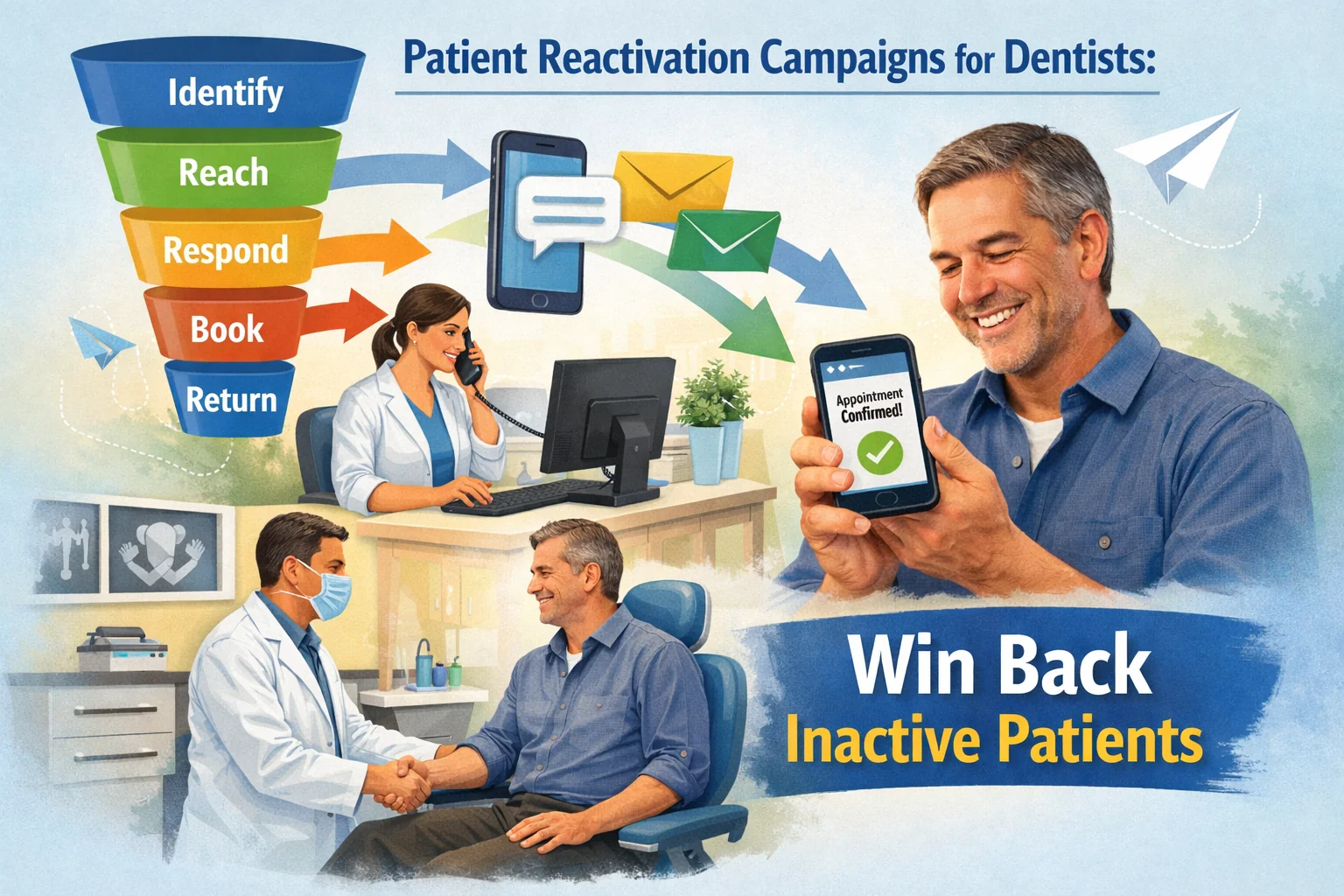 They’re already in your system—and they’re easier to bring back than you think. If your practice has hundreds or even thousands of patients who haven’t been seen in 12–24 months, you’re sitting on one of the most cost-effective growth levers in dental marketing. Patient reactivation campaigns for dentists target people who already know your team, already trust your office, and already have a chart—they just need the right nudge at the right time through the right channel. They’re already in your system—and they’re easier to bring back than you think. If your practice has hundreds or even thousands of patients who haven’t been seen in 12–24 months, you’re sitting on one of the most cost-effective growth levers in dental marketing. Patient reactivation campaigns for dentists target people who already know your team, already trust your office, and already have a chart—they just need the right nudge at the right time through the right channel.
The math makes the case: acquiring a brand-new patient through paid ads or SEO typically costs 5–10 times more than reactivating a lapsed one. Yet most practices treat their inactive list as dead weight instead of an untapped revenue source. In our work with dental practices across the country, we commonly see reactivation campaigns recover 8–15% of contacted patients within the first 60 days—without adding a dollar to the ad budget.
This guide focuses on winning back patients who’ve already visited your practice. If you need to attract patients who’ve never been to your office, start with patient acquisition strategies first.
Below, you’ll learn how to identify your best reactivation candidates
, build a multi-channel outreach sequence
(phone, text, email, direct mail), use copy/paste scripts
that avoid guilt or pressure, track outcomes
so you know exactly what’s working, and avoid the common mistakes
that make reactivation campaigns fall flat.
Written for: dental practice owners, office managers, and marketing coordinators who want to fill the schedule with patients they’ve already earned—without increasing ad spend.
TL;DR
If you only do five things, do these:
| • |
Build your reactivation list with clear criteria - pull patients with no visit in 12–24 months, exclude dismissed or moved patients, and prioritize those with incomplete treatment
|
| • |
Use a multi-channel sequence - combine text, email, phone, and direct mail over 4–6 weeks; single-channel campaigns consistently underperform multi-channel approaches
|
| • |
Lead with value, not guilt - offer a reason to return (updated technology, overdue care, insurance reset) rather than “we miss you” messages that patients ignore
|
| • |
Track outcomes per channel and per wave - log every contact as reached → responded → booked → kept so you know what’s actually converting
|
| • |
Run campaigns in waves, not blasts - contact 50–100 patients per week so your team can follow up properly; mass blasts overwhelm the front desk and kill conversion rates |
Table of Contents
What counts as an inactive dental patient (and why they leave)
Before you launch a reactivation campaign, you need a working definition of “inactive” that your entire team agrees on. Without this, you’ll waste outreach on patients who moved away or spend resources on people who were seen three months ago.
A practical definition: an inactive patient is someone who has visited your practice at least once, has no future appointment scheduled, and has not been seen in 12 months or longer. Most practice management systems let you run this report in under five minutes.
A pattern we commonly see is practices lumping every non-recent patient into one bucket. That’s a mistake. There’s a significant difference between a patient who completed a full treatment plan two years ago and simply hasn’t scheduled hygiene, versus a patient who disappeared mid-treatment after a crown prep. Your messaging, urgency, and channel strategy should reflect that difference. Understanding where each patient sits in the patient journey determines which reactivation approach will actually work.
The most common reasons patients go inactive:
| • |
Life got in the way - they moved, changed jobs, had a baby, or simply forgot; this is the largest group and the easiest to reactivate
|
| • |
Insurance or financial changes - they lost coverage, changed plans, or had a cost concern they didn’t voice; practices with a dental membership plan can re-engage uninsured lapsed patients more effectively
|
| • |
Scheduling friction - they called and couldn’t get a convenient time, or the recall system didn’t follow up; offering online appointment scheduling removes this barrier for returning patients
|
| • |
Experience issues - long waits, billing confusion, or a clinical experience that didn’t meet expectations; proactive reputation management helps surface and resolve these concerns before patients disappear
|
| • |
No perceived need - they feel fine and don’t see the value of preventive care without symptoms |
Understanding why patients leave helps you craft messages that address their actual barriers instead of sending generic “we miss you” postcards that end up in the recycling bin. Maintaining visibility through social media marketing between visits can also reduce the rate at which active patients drift into inactivity in the first place.
> Back to Table of Contents
How to build your reactivation list
Your reactivation list is the foundation of the entire campaign. A sloppy list produces wasted calls, frustrated staff, and misleading results. A clean list lets you prioritize high-value patients and match your outreach to their situation.
Step 1: Pull the raw list from your PMS
Run a report of all patients with no appointment scheduled and no visit in the last 12–24 months. Most systems (Dentrix, Eaglesoft, Open Dental, Curve) have this as a standard report. Export it to a spreadsheet so you can sort and filter.
Step 2: Clean and segment
Remove patients who should not be contacted:
| • |
Dismissed patients - anyone formally dismissed for behavior, non-compliance, or other clinical reasons
|
| • |
Deceased patients - verify against your records
|
| • |
Known relocations - patients who told you they moved out of area
|
| • |
Do-not-contact flags - patients who previously opted out of communications |
Once cleaned, segment the remaining patients into priority tiers:
| • |
Tier 1: Incomplete treatment - patients who had treatment recommended but didn’t move forward (crown preps, phase 2 perio, pending implants); these have the highest urgency and the strongest reason to return
|
| • |
Tier 2: Overdue hygiene (12–18 months) - patients who were regular but drifted; easiest to win back with a simple scheduling message
|
| • |
Tier 3: Long-lapsed (18–36 months) - patients who’ve been gone longer; may need a stronger value proposition or updated contact information
|
| • |
Tier 4: Very long-lapsed (36+ months) - lowest priority; contact info is often outdated, and reactivation rates drop significantly |
Step 3: Verify contact information
Before you launch outreach, verify phone numbers and email addresses. In our experience, 15–25% of contact records are outdated for patients inactive longer than two years. A quick scrub saves your team from chasing dead numbers and keeps your email deliverability healthy.
> Back to Table of Contents
Multi-channel reactivation sequences that work
Single-channel reactivation campaigns consistently underperform. A postcard alone, a single email, or one phone call rarely moves the needle. What we typically find works is a coordinated, multi-touch sequence over 4–6 weeks that meets patients where they are. For deeper guidance on the email component specifically, see our guide to dental email marketing for reactivation.
The recommended 4-week sequence
| 1. |
Week 1: Personalized text message - a short, friendly text from the practice (not a generic blast) with a direct booking link or reply option; texts have the highest open and response rates of any channel
|
| 2. |
Week 2: Email with a value hook - highlight what’s new at the practice (updated technology, expanded hours, new provider) or remind them of unused insurance benefits; include a one-click scheduling link and consider building automated email sequences to scale this step
|
| 3. |
Week 3: Phone call from a trained team member - a warm, scripted call focused on the patient’s specific situation (“I see you had a crown recommended last year—wanted to check in”); this is where Tier 1 patients get prioritized
|
| 4. |
Week 4: Direct mail piece or second text - for patients who haven’t responded to digital channels, a physical mailer with a clear call to action can reach people who ignore screens; alternatively, a second text with a different angle |
Why waves matter: if you blast 500 texts on Monday, your front desk gets flooded with replies they can’t handle. Contact 50–75 patients per week so your team can respond within minutes, not hours. A pattern we see repeatedly is practices launching big campaigns, getting overwhelmed, and then letting responses sit for days—which defeats the entire purpose.
Channel-specific tips
| • |
Text messages - keep them under 160 characters, use the patient’s first name, and send during business hours (Tuesday–Thursday between 9 a.m. and 11 a.m. tends to perform best); always include a way to reply or book directly; review dental SMS best practices for compliance guidance
|
| • |
Email - subject lines that reference the patient personally (“Your smile update from [Practice Name]”) outperform generic lines; avoid spam-trigger words like “free,” “act now,” or “limited time”
|
| • |
Phone calls - mornings between 9 and 11 a.m. have the highest live-answer rates; leave a voicemail if no answer and note the attempt in the log; do not call the same patient more than twice
|
| • |
Direct mail - use a postcard (not a letter in an envelope) for visibility; include one clear action and the practice phone number; best for long-lapsed patients or those with outdated digital contact info |
> Back to Table of Contents
Copy/paste reactivation scripts and messages
The tone of your reactivation outreach matters more than most practices realize. Messages that sound desperate (“We miss you!”), guilt-inducing (“It’s been 2 years since your last cleaning”), or overly promotional (“Special offer just for you!”) consistently underperform messages that lead with genuine value and make scheduling easy.
Text message scripts
Texting is the highest-performing reactivation channel because it’s personal, immediate, and easy to reply to. Here are scripts you can adapt for your two highest-priority tiers.
For overdue hygiene patients (Tier 2):
“Hi [First Name], this is [Staff Name] from [Practice Name]. We noticed it’s been a while since your last visit and wanted to make it easy to get back on the schedule. We have openings this week and next. Reply YES to book or call us at [Phone Number].”
For incomplete treatment patients (Tier 1):
“Hi [First Name], this is [Staff Name] at [Practice Name]. Dr. [Last Name] asked me to follow up on the [treatment type] we discussed. We want to make sure you’re taken care of. Would you like to schedule a visit? Reply or call [Phone Number].”
Phone call script
Opening: “Hi [First Name], this is [Staff Name] calling from [Practice Name]. I’m reaching out because we noticed it’s been a while since your last visit, and I wanted to check in.”
If they engage: “We’d love to get you back on the schedule. We have [mention specific openings]. Would any of those work for you?”
If they mention cost or insurance: “I completely understand. Would it help if I checked your benefits before your visit so you know exactly what’s covered? I can do that and give you a call back.”
If they hesitate: “No pressure at all. I just wanted to make sure you knew we’re here when you’re ready. Can I send you a text with our scheduling link so you have it handy?”
Key principle: never end a reactivation call without offering a next step—even if it’s just sending a link or scheduling a callback. Every touchpoint should move the patient forward in your dental marketing funnel. What we typically find is that the patients who say “not right now” on the phone will book within 30 days if you make the next step frictionless.
Email subject lines that get opened
| • |
“[First Name], your smile check-in from [Practice Name]” - personal, non-threatening, curiosity-driven
|
| • |
“We’ve added something new” - positions the email as news, not a nag
|
| • |
“Your [insurance plan] benefits reset—here’s what’s covered” - financial value hook, especially effective in Q4 and Q1
|
| • |
“Quick question about your care plan” - creates mild urgency for incomplete-treatment patients without being pushy |
> Back to Table of Contents
How to track reactivation campaign results
Without tracking, you’re guessing. And guessing leads to two common problems: continuing campaigns that aren’t working, or abandoning campaigns that need minor adjustments. Tracking turns “we think reactivation is working” into “we measured it and here’s what’s converting.” If you’re not already tracking dental marketing ROI by channel, reactivation is a great place to start because the funnel is short and the data is clear.
The reactivation funnel
Track every patient through these stages:
Contacted → Reached → Responded → Booked → Kept
| • |
Contacted - outreach was sent (text delivered, email sent, call placed, mailer sent)
|
| • |
Reached - the patient received and saw the message (text delivered, email opened, phone answered or voicemail left, mailer not returned)
|
| • |
Responded - the patient replied, called back, or engaged in any way
|
| • |
Booked - an appointment was scheduled
|
| • |
Kept - the patient showed up for the appointment; appointment text reminders help protect this final conversion step |
What good looks like: in our experience, a well-executed multi-channel reactivation campaign typically sees 60–70% reach rate, 15–25% response rate, 8–15% booked rate, and 75–85% kept rate (of those who book). If your numbers are significantly below these, it usually points to a specific bottleneck—bad contact data (low reach), weak messaging (low response), or scheduling friction (low book rate).
Track by channel and by tier
Don’t just measure overall results. Break them down by channel (text vs. email vs. phone vs. mail) and by patient tier (incomplete treatment vs. overdue hygiene vs. long-lapsed). This tells you where to invest more effort and where to cut. A common finding is that texts outperform other channels for Tier 2 patients, while phone calls are essential for Tier 1 patients with incomplete treatment.
Weekly review cadence
Assign one person to own the reactivation log and review results weekly. The review should answer three questions:
| 1. |
How many patients moved through each stage this week? - look at the funnel to find where drop-off is happening
|
| 2. |
Which channels are producing the most booked appointments? - shift effort toward what’s working
|
| 3. |
Are there patterns in who’s not responding? - if an entire tier isn’t converting, adjust messaging or deprioritize that group |
> Back to Table of Contents
Common reactivation mistakes (and how to fix them)
After working with practices on reactivation efforts, certain patterns come up repeatedly. These are the mistakes that quietly kill campaign performance:
| • |
Blasting the entire list at once - sending 800 texts on a Monday morning overwhelms the front desk, and patients who reply hours later get slow responses or no response at all; fix: send in waves of 50–75 per week
|
| • |
Using only one channel - a single postcard or a single email has a response rate of 1–3%; a coordinated multi-channel sequence reaches 8–15%; fix: layer text, email, phone, and mail over 4–6 weeks
|
| • |
Generic messaging - “We miss you! Come back!” doesn’t give patients a reason to act; fix: reference their specific situation (insurance benefits, incomplete treatment, time since last visit) and make scheduling effortless
|
| • |
No tracking or accountability - launching a campaign and never measuring what happened; fix: assign one owner, log outcomes for every patient, and review weekly
|
| • |
Giving up too early - declaring reactivation “doesn’t work” after one round of postcards; fix: commit to a 4–6 week multi-channel sequence before evaluating; most responses come in weeks 2–4
|
| • |
Ignoring the front desk bottleneck - reactivation generates inbound calls and replies, but if the front desk isn’t equipped to handle them, the campaign produces leads that never convert; fix: brief the team before launch, provide scripts, and ensure coverage during response windows |
> Back to Table of Contents
Reactivation readiness self-assessment
Before launching a reactivation campaign, score your practice on these five criteria. Be honest—this assessment helps you identify gaps before they become wasted effort.
| 1. |
We have a clean, segmented reactivation list (dismissed/moved patients removed, tiers assigned, contact info verified)
|
| 2. |
We have multi-channel outreach capability (can send texts, emails, make calls, and send mail—or at least three of four)
|
| 3. |
Our front desk has scripts and bandwidth (team is briefed, scripts are printed, and call/reply volume is manageable with current staffing)
|
| 4. |
We have a tracking system in place (someone owns the log, outcomes are recorded, and weekly review is scheduled)
|
| 5. |
We have scheduling availability (we can actually book returning patients within 1–2 weeks of their response) |
If you score 4–5: you’re ready to launch. Start with Tier 1 patients and expand.
If you score 2–3: fix the gaps first. A campaign without tracking or without front desk preparation will produce disappointing results and make the team resistant to trying again.
If you score 0–1: focus on infrastructure before outreach. Build your list, set up tracking, and train your team. Then launch with a small pilot of 25–50 patients to test your workflow.
> Back to Table of Contents
Start your reactivation campaign
Your inactive patient list is one of the most valuable—and most overlooked—assets in your practice. Every month those patients sit untouched, the likelihood of reactivation drops and the risk of them finding another provider increases. If you want help building a reactivation campaign that integrates with your broader dental marketing strategy, schedule a consultation or call 888-246-6906 to talk with our team about what a structured reactivation program looks like for your practice.
> Back to Table of Contents
FAQs
How long should a dental patient be inactive before starting reactivation?
Most practices define inactive as 12 months or longer without a visit or scheduled appointment. Patients in the 12–18 month window are the easiest to reactivate because their contact information is usually current and they still feel connected to the practice. Waiting beyond 24 months significantly reduces reactivation rates and increases the likelihood of outdated contact data.
What is a good reactivation rate for a dental practice?
A well-structured multi-channel reactivation campaign typically books 8–15% of contacted patients within 60 days. Single-channel efforts (postcards only, for example) usually produce 1–3%. The rate varies by how long patients have been inactive, how clean your contact data is, and whether your front desk can handle the inbound responses effectively.
Should I offer discounts to bring inactive patients back?
Discounts can work as a short-term tactic, but they are rarely the primary reason a patient returns. Most inactive patients left because of scheduling friction, life changes, or a lack of follow-up—not price. Leading with value (insurance benefit reminders, new technology, convenient scheduling) tends to produce higher-quality reactivations than discount-driven offers, which can attract one-time visits without long-term retention.
What is the best channel for dental patient reactivation?
Text messaging consistently produces the highest response rates for reactivation outreach, followed by phone calls, email, and direct mail. However, no single channel works well in isolation. Multi-channel sequences that combine two or more channels over several weeks outperform any single-channel approach by a significant margin.
How many times should I contact an inactive patient before giving up?
A reasonable reactivation sequence includes 4–6 contact attempts across multiple channels over 4–6 weeks. If a patient has not responded after a full sequence, move them to a lower-priority list and try again in 6–12 months with fresh messaging. Patients who actively opt out or ask not to be contacted should be removed from all future reactivation outreach immediately.
Can I send reactivation texts without patient consent?
Text messaging for reactivation falls under TCPA and state-level communication regulations. Generally, practices need prior express consent to send marketing-related text messages. Many practices collect this consent during the new-patient intake process. If you are unsure whether your existing consent forms cover reactivation texts, consult with a healthcare communications compliance advisor before launching a text-based campaign.
How do I handle patients who left because of a bad experience?
If you know a patient left due to a negative experience, a personal phone call from the office manager or doctor is more appropriate than a mass text or email. Acknowledge that their experience may not have met expectations, ask what you could do differently, and offer to schedule a visit at their convenience. Some patients will not return regardless, and that is acceptable—the goal is to demonstrate accountability and leave the door open.
When is the best time of year to run a dental reactivation campaign?
The two highest-performing windows are Q4 (October through December, when patients want to use remaining insurance benefits before they reset) and Q1 (January through March, when patients set health-related goals for the new year). However, reactivation should be an ongoing process rather than a once-a-year event. Running smaller, continuous waves throughout the year produces more consistent results than a single large campaign. |
|





