NAP Consistency for Dentists: How to Audit and Fix Your Listings
Posted on 4/1/2026 by WEO Media |
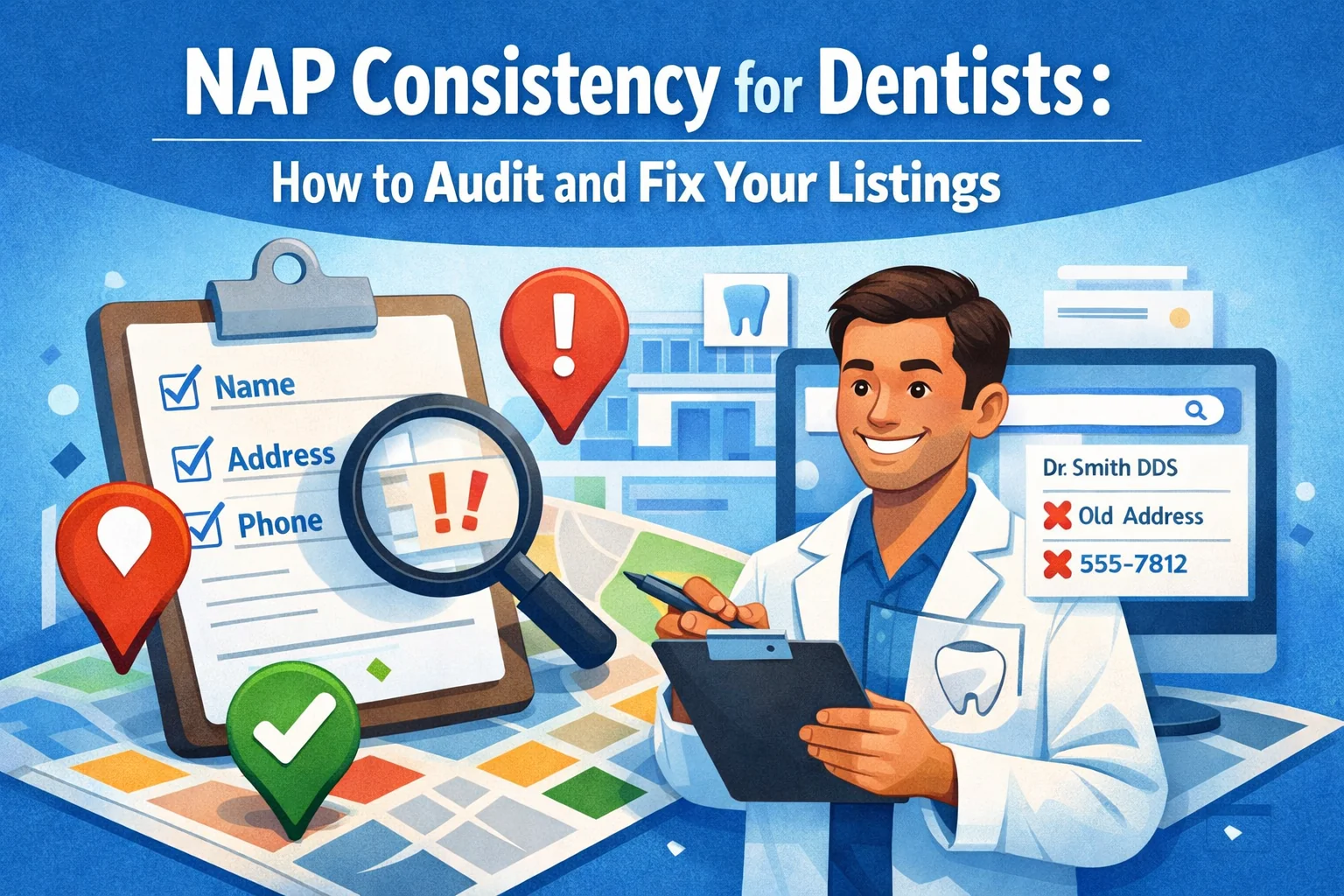 This guide shows dental practices how to audit and fix NAP consistency—the accuracy and uniformity of your Name, Address, and Phone number across every online listing—so search engines trust your practice and patients can actually reach you. This guide shows dental practices how to audit and fix NAP consistency—the accuracy and uniformity of your Name, Address, and Phone number across every online listing—so search engines trust your practice and patients can actually reach you.
NAP inconsistencies are one of the most common (and most damaging) local SEO problems we see when onboarding new dental clients. The practice name is slightly different on Yelp than on Google. The old suite number still lives on Healthgrades. A fax line is listed as the primary phone on three directories nobody remembers creating. Each mismatch sends a conflicting signal to Google, and Google responds by trusting your listing less—which means lower local search rankings, fewer Map Pack appearances, and lost patient calls.
The good news: NAP cleanup is one of the fastest local SEO wins a dental practice can get. It does not require a website redesign or a content overhaul. It requires a methodical audit, a single source of truth for your practice information, and a plan for keeping listings accurate over time. A pattern we commonly see is that practices invest in paid ads, review generation, and website design while sitting on a foundation of conflicting business data—and then wonder why the Map Pack stays out of reach.
Below, you’ll learn what NAP consistency actually means (and what it includes beyond the basics), how to build a master NAP reference document, how to audit and correct your directory listings across every major platform, and how to prevent drift from undoing your work. Each section includes specific steps, real-world examples of common dental NAP errors, and the tools that make the process manageable.
Written for: dental practice owners, office managers, and marketing teams who want to fix listing inconsistencies that are quietly undermining their local search visibility.
TL;DR
If you only do five things, do these:
| 1. |
Create a master NAP document — write down your exact legal business name, full street address (with suite format), and primary phone number; use your Google Business Profile as the baseline and copy/paste from this document every time
|
| 2. |
Audit your top 10 directories first — check Google Business Profile, Yelp, Healthgrades, Facebook, Apple Maps, Bing Places, Zocdoc, WebMD, Yellow Pages, and your own website; fix mismatches in name, address, phone, and URL before moving to smaller directories
|
| 3. |
Claim every listing you find — unclaimed auto-generated profiles are the most common source of outdated information; claiming gives you edit access and prevents unauthorized changes
|
| 4. |
Fix data aggregators at the source — Foursquare (formerly Factual), Data Axle (formerly Infogroup), and Neustar Localeze feed your NAP to hundreds of downstream directories; correcting these three sources prevents errors from multiplying
|
| 5. |
Schedule quarterly audits — set a recurring calendar reminder to spot-check your top listings every 90 days; data aggregators, staff changes, and directory auto-updates will reintroduce errors if you don’t catch them early |
Table of Contents
What NAP consistency means for dental practices
NAP stands for Name, Address, and Phone number—the three identifying details that appear on your website, your Google Business Profile, and every online directory or citation that references your practice. NAP consistency means those three details are identical across every platform where they appear: same spelling, same abbreviations, same formatting.
For dental practices, the concept extends slightly beyond the literal acronym. In practice, what matters is NAPW—Name, Address, Phone, and Website URL. If your website address varies between https://www.yourpractice.com and http://yourpractice.com across directories, that creates an additional inconsistency signal. Some directories also display hours, categories, and provider names, and while those don’t carry the same weight as core NAP data, they still contribute to how confidently Google connects your listings to a single verified business entity.
Why “close enough” is not enough: Google’s local algorithm cross-references your business information across hundreds of sources. When it finds consistent data, it gains confidence that your practice is legitimate, established, and located where you say you are. When it finds conflicting data—even minor variations like “Suite 200” versus “Ste 200” versus “#200”—that confidence drops. The algorithm does not assume good intentions or figure out that two similar listings refer to the same office. It treats conflicting data as unreliable data, and unreliable data gets ranked lower.
> Back to Table of Contents
Why NAP errors hurt your local rankings
Google uses three primary factors to determine which businesses appear in local search results: proximity (how close you are to the searcher), relevance (how well your listing matches the search query), and prominence (how well-known and trustworthy your business appears to be). NAP consistency directly affects prominence and, to a lesser degree, relevance.
How it works mechanically: when a patient searches for “dentist near me,” Google pulls data from your Google Business Profile, your website, and third-party directories to assemble a picture of your practice. If the information aligns across sources, Google treats it as confirmed. If it conflicts, Google has to decide which version is correct—or whether to display your practice at all. In competitive local markets where multiple dental practices are vying for the same three Map Pack positions, that uncertainty can be enough to push your listing below a competitor whose NAP data is clean.
The downstream effects of inconsistent NAP include:
| • |
Lower Map Pack placement — citation consistency is consistently identified as a top-tier local ranking signal in industry surveys; practices with clean citations outperform those with conflicting data, all else being equal
|
| • |
Duplicate listings that split your authority — when Google encounters two slightly different versions of your practice (one with your old address, one with the new), it may treat them as separate businesses, dividing your reviews, engagement signals, and citation strength between two profiles
|
| • |
Lost patient calls and visits — a wrong phone number routes the call to a dead line or a competitor; a wrong address sends a patient to the wrong building; both result in a lost new patient opportunity that your marketing funnel already paid to generate
|
| • |
Weakened trust signals — patients who find conflicting information across platforms may question whether the practice is still operating, has moved, or is legitimate; this is especially damaging for practices that rely on reputation management as a patient acquisition driver |
> Back to Table of Contents
Common dental NAP mistakes (with examples)
What we typically find during a dental NAP audit falls into a few predictable categories. Knowing what to look for makes the audit faster and helps you prioritize corrections by impact.
Business name variations
This is the most frequent issue. The registered business name on your Google Business Profile might say “Lakewood Family Dental,” but older directory listings use “Lakewood Family Dentistry,” Yelp says “Lakewood Dental Care,” and Facebook has “Dr. Smith’s Lakewood Dental.” Each variation creates a separate identity signal. Google cannot reliably confirm that all four listings refer to the same practice.
Best practice: use the exact business name that appears on your Google Business Profile, letter for letter, on every other platform. If you have recently rebranded your practice, update every listing to the new name—do not leave old ones in place.
Address formatting differences
Suite designations are a common source of drift: “Suite 101” versus “Ste 101” versus “Ste. 101” versus “#101.” Street names also vary—“North Main Street” versus “N Main St” versus “N. Main St.” While some search engines can reconcile minor formatting differences, the safest approach is exact uniformity.
Best practice: decide on one address format and document it in your master NAP reference. Match the format Google displays on your Google Business Profile, because that version feeds into Google Maps and is the standard Google trusts most.
Outdated addresses from past relocations
If your practice moved locations—even years ago—old directory listings with the previous address may still be live. Data aggregators may have cached the old address and continued distributing it to downstream directories. We frequently see practices that relocated three or four years ago still showing their old address on 10–15 directory sites.
Phone number mismatches
Some listings have your main office line. Others have an old number, a fax number, or a call tracking number that was used for a previous marketing campaign and never removed. If you use call tracking, the tracking number should appear as a secondary number rather than replacing your primary line, and the primary number should remain consistent across directories.
Best practice: one primary phone number on every listing. If a directory has a secondary phone field, your call tracking number can go there, but the primary field should always match your master NAP document.
Duplicate listings on the same platform
This happens when a staff member creates a new listing on a directory without realizing one already exists, or when a previous marketing vendor set up profiles that were never transferred or consolidated. Duplicate listings on the same platform split your reviews, confuse patients, and weaken your citation strength.
Best practice: search for your practice on each major directory and claim or merge any duplicates you find. On Google specifically, you can request a merge when two profiles clearly represent the same business at the same location.
> Back to Table of Contents
How to create your master NAP document
Before you start fixing listings, you need a single source of truth—a document that defines the exact version of every piece of business information anyone on your team might enter into a directory. This prevents well-intentioned staff from introducing new inconsistencies while you are cleaning up old ones.
Start with your Google Business Profile. The information on your verified GBP is the version Google already trusts. Open your profile and record the following exactly as they appear:
| • |
Business name — the full name as displayed (not abbreviated, not expanded)
|
| • |
Street address — including suite/unit format exactly as shown
|
| • |
City, state, and ZIP code — match Google’s displayed format
|
| • |
Primary phone number — in the exact format displayed (parentheses, dashes, or spaces)
|
| • |
Website URL — include the protocol (https://), whether it uses “www” or not, and the exact landing page path
|
| • |
Business categories — primary and secondary categories (record these for reference when claiming or updating other directory profiles)
|
| • |
Hours of operation — including lunch closures, Saturday hours, or any seasonal variations |
Save this document in a shared location your team can access—a Google Doc, a shared spreadsheet, or an internal wiki. Add a version date so you know when it was last confirmed. Whenever anything changes (a phone number update, a suite renumber, or extended hours), update the master document first, then use it as the reference for updating all external listings.
> Back to Table of Contents
How to audit your dental NAP listings
A NAP audit is a systematic review of every place your practice’s business information appears online. The goal is to find every instance of incorrect, outdated, or conflicting data so you can correct it.
Start with the directories that matter most
Not all directories carry equal weight. Prioritize the platforms that Google references most heavily and that patients actually use to find dental practices:
| 1. |
Google Business Profile — the single most important listing; verify ownership, confirm every field matches your master NAP, and check for duplicate profiles
|
| 2. |
Apple Maps (Apple Business Connect) — feeds data to Siri, Apple Maps, and Safari search; claim and verify your listing
|
| 3. |
Bing Places — powers Bing search results, Cortana, and some in-car navigation systems; set up and optimize your Bing Places listing
|
| 4. |
Yelp — high domain authority and frequently referenced by Google; check for unclaimed or duplicate profiles
|
| 5. |
Facebook — ensure the business page name, address, and phone match your master NAP exactly
|
| 6. |
Healthgrades — a critical directory for dental and medical practices; auto-generated profiles often contain outdated information; consider a Healthgrades Premium Profile for more control
|
| 7. |
Zocdoc — if your practice is listed, confirm NAP accuracy and provider information
|
| 8. |
WebMD and Vitals — auto-generated healthcare provider profiles that frequently have old addresses or phone numbers
|
| 9. |
Yellow Pages / Superpages / Whitepages — legacy directories that still carry citation weight
|
| 10. |
Your own website — check the footer, contact page, and any schema markup embedded in your site code; your website NAP should exactly match your GBP |
Use manual searches to find stray listings
After checking the major directories, search for your practice using variations of your business name, address, and phone number. Try these search queries:
| • |
“[Practice Name]” + [City] — finds most listings associated with your current name
|
| • |
“[Old Practice Name]” + [City] — catches pre-rebrand listings
|
| • |
[Phone Number] — with and without area code formatting; reveals every site using your number (and confirms no one else is using it)
|
| • |
[Street Address] — finds listings that may use a different business name variant |
Consider citation audit tools for scale
If you want a more comprehensive scan, third-party tools can search dozens of directories simultaneously and flag inconsistencies. Popular options include BrightLocal’s Citation Tracker, Whitespark’s Local Citation Finder, and Moz Local. These tools save time on the discovery phase, but you will still need to manually correct most listings, since each directory has its own claim and edit process. For a broader look at your local search health beyond citations, a full dental SEO audit can reveal additional issues affecting your visibility.
> Back to Table of Contents
How to fix NAP inconsistencies step by step
Once your audit is complete, work through corrections in order of priority. Fixing the highest-authority sources first creates a cascade effect, because many smaller directories pull their data from the platforms and aggregators at the top of this list.
Step 1: Fix your Google Business Profile
If anything on your GBP does not match your master NAP document, correct it immediately. This is the listing Google relies on most heavily for local search. While you are in the profile, also confirm that your business categories are accurate (your primary category should be the most specific match for your practice—for example, “Dentist” rather than a broader “Medical Center” category) and that your Google Business Profile categories align with the services you actively promote.
Step 2: Correct data aggregators
The major data aggregators—Foursquare, Data Axle (Infogroup), and Neustar Localeze—distribute your business information to hundreds of downstream directories. Fixing your data at the aggregator level prevents errors from repopulating on sites you have already corrected. Each aggregator has a process for claiming or submitting business data. In our experience, aggregator corrections can take 4–8 weeks to propagate fully, so submit these early in your cleanup process.
Step 3: Claim and correct top directories
Work through the priority directory list from your audit. For each platform, claim your listing (if you have not already), verify ownership, and update every field to match your master NAP document. Pay close attention to:
| • |
Business name spelling — exact match, no abbreviations or additions
|
| • |
Address formatting — exact match, including suite designation
|
| • |
Phone number — primary number in the primary field; call tracking number in secondary field only
|
| • |
Website URL — exact match including protocol and www/non-www preference
|
| • |
Business categories — use the most specific category available on each platform |
Step 4: Merge or remove duplicate listings
If your audit found duplicate profiles on any platform, take action to consolidate them. On Google, you can request a merge through the “Suggest an edit” function or contact Google Business Profile support. On other platforms, look for a “report duplicate” option or contact the directory’s support team directly. Document every duplicate you find and every merge request you submit—some take weeks to process, and you will need to follow up. Duplicate profiles also split your patient reviews across two listings, making both profiles look less established.
Step 5: Update your website
Your dental website is often the last place that gets updated because the team assumes it is already correct. Verify that your footer, contact page, and schema markup all display the exact master NAP. If you use LocalBusiness schema (and you should), the name, address, and telephone values in the structured data must match your GBP letter for letter. Mismatches between your website structure and your GBP are an easy-to-fix problem that we see surprisingly often.
> Back to Table of Contents
How to prevent NAP drift long term
Cleaning up your NAP is not a one-time project. Listings drift over time because data aggregators push updates, directories auto-populate from scraped data, staff members create profiles without checking the master document, and practice details change (new phone system, suite renumber, extended hours). Without a maintenance system, you will be back where you started within a year.
Build a quarterly audit habit
Set a recurring calendar event—once per quarter—to spot-check your top 10 directories. Open each listing, compare it against your master NAP document, and correct anything that has changed. This takes 30–45 minutes per quarter and prevents small errors from compounding into a systemic problem. If you use a citation monitoring tool, set up alerts so you are notified when a listing changes or a new mention is detected.
Assign a single NAP owner
Designate one person on your team (usually an office manager or marketing coordinator) as the owner of your practice’s online listings. This person controls the master NAP document, has login credentials for all major directory profiles, and is the only person authorized to create or edit business listings. This prevents the “too many cooks” problem where multiple staff members enter slightly different information on different platforms.
Update the master document before updating listings
Whenever a practice detail changes—a new phone number, a relocated office, extended Saturday hours—the workflow should be: update the master NAP document first, then update listings starting with Google Business Profile and working outward to other directories. If you reverse the order (update one directory, forget to update the master document, then someone uses the old master document for the next listing), you reintroduce inconsistencies.
Coordinate with your marketing team
If you work with a dental marketing team, make sure your agency has access to your master NAP document and is included in the update workflow when practice details change. At WEO Media, we manage directory listings and data aggregator submissions as part of our local SEO service so that NAP accuracy is maintained alongside other ranking improvements.
> Back to Table of Contents
Get help with your dental NAP cleanup
If your practice needs help auditing and correcting your NAP data across directories, WEO Media can help. Our local SEO team manages citation cleanup, data aggregator submissions, and ongoing listing monitoring as part of a comprehensive dental SEO strategy. Call us at 888-246-6906 or schedule a consultation to see where your listings stand.
FAQs
What does NAP stand for in dental SEO?
NAP stands for Name, Address, and Phone number. These are the three core pieces of business information that search engines use to identify and verify your dental practice across the web. NAP consistency means that these details are identical—same spelling, same formatting, same data—on every online directory, your website, and your Google Business Profile.
How does NAP consistency affect my dental practice’s Google ranking?
Google cross-references your business information across hundreds of sources to determine how trustworthy and legitimate your practice is. Consistent NAP data strengthens the prominence signal in Google’s local algorithm, which directly affects whether your practice appears in the Map Pack. Inconsistent data weakens that signal and can result in lower local rankings or exclusion from the Map Pack entirely.
Does it matter if my address uses “Suite” on one listing and “Ste” on another?
It can. While Google has improved at reconciling minor formatting variations, the safest practice is exact uniformity. Using “Suite 200” on one platform and “Ste 200” on another introduces unnecessary ambiguity. Match the format that your Google Business Profile displays and replicate it everywhere.
What are data aggregators and why do they matter for dental NAP?
Data aggregators like Foursquare, Data Axle, and Neustar Localeze collect business information and distribute it to hundreds of downstream directories and apps. If your NAP data is incorrect at the aggregator level, those errors will propagate across the web and reappear on directories you have already corrected. Fixing your aggregator data early in the cleanup process prevents this cycle.
Which directories should I fix first for NAP consistency?
Start with your Google Business Profile because it carries the most weight in local search. Then correct the major data aggregators (Foursquare, Data Axle, Neustar Localeze) to stop errors from spreading. After that, work through the top consumer-facing directories: Apple Maps, Bing Places, Yelp, Facebook, Healthgrades, and Zocdoc. Finally, check your own website to make sure the footer, contact page, and schema markup all match.
How often should I audit my dental practice’s NAP listings?
At minimum, audit your top 10 directory listings once per quarter. Data aggregators push updates, directories auto-populate from scraped data, and practice details change over time. A quarterly check takes 30 to 45 minutes and prevents small errors from compounding into a systemic problem. If your practice recently moved, rebranded, or changed phone numbers, run an immediate full audit.
Can I use a call tracking number as my primary phone on directory listings?
It is not recommended. Your primary phone number on every directory listing should be your actual practice phone number, matching what appears on your Google Business Profile. If you use call tracking, place the tracking number in a secondary phone field where the directory offers one. Replacing your primary number with different tracking numbers across directories creates exactly the kind of inconsistency that weakens your local SEO signals.
How long does it take to fix NAP inconsistencies across all directories?
The initial audit and correction of your top 10 directories can typically be completed in a few hours. However, data aggregator corrections take 4 to 8 weeks to propagate to downstream directories, and some directory platforms have slow review processes for edits. A full NAP cleanup, including aggregator propagation and follow-up verification, usually takes 2 to 3 months to fully resolve.
|
|





