Dental Website Mobile UX: How to Convert Phone Visitors Into Patients
Posted on 3/22/2026 by WEO Media |
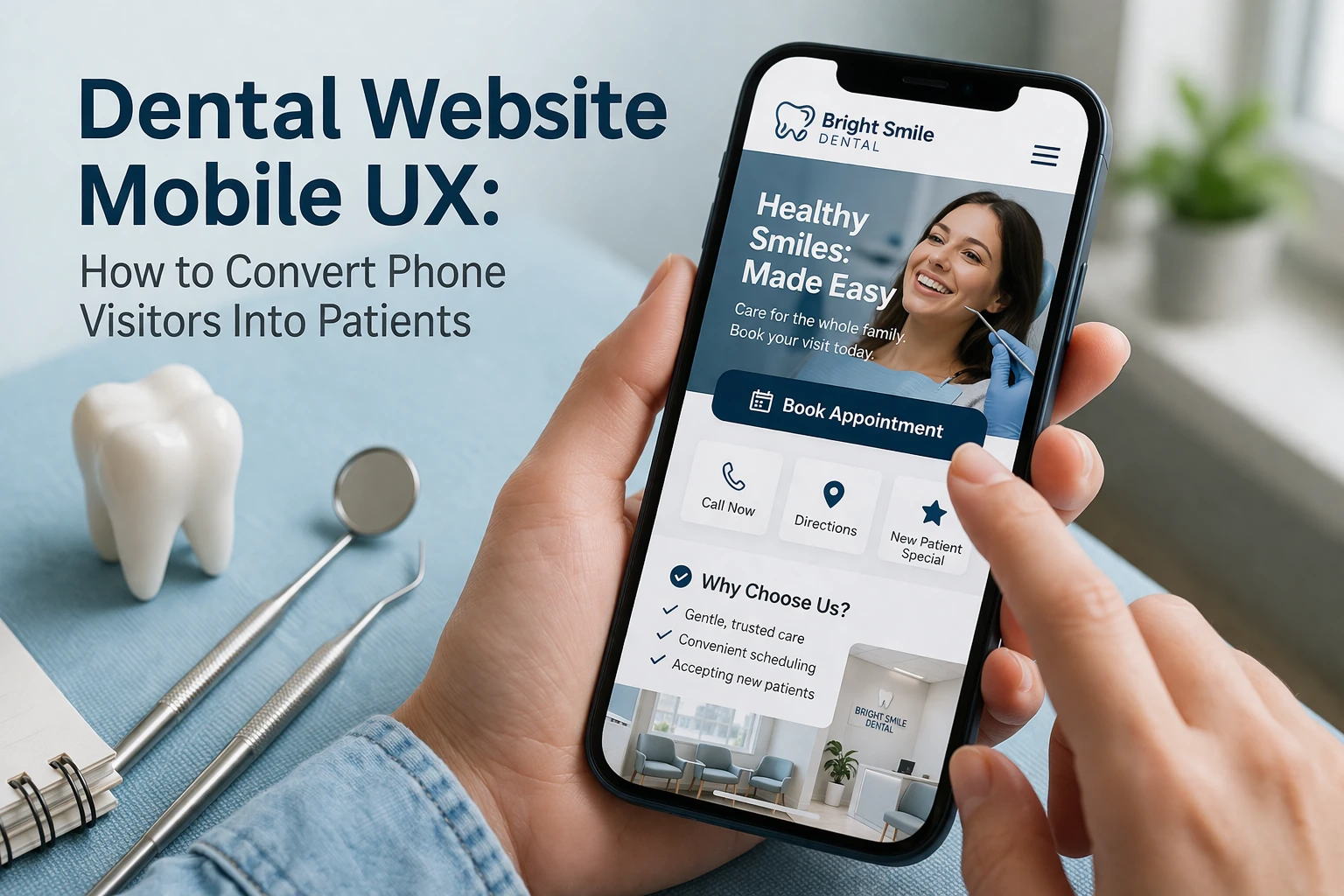 Dental practices convert more phone visitors into patients by optimizing four mobile UX priorities: page speed under 3 seconds, tappable click-to-call buttons on every page, simplified appointment forms, and passing Core Web Vitals—the performance metrics Google uses to rank your mobile site. Most dental websites still treat mobile as a shrunken desktop—same layout, same content hierarchy, same forms—just squeezed onto a smaller screen. The result is predictable: slow load times, buttons too small to tap, forms that require pinching and zooming, and a phone number buried three scrolls deep. Patients leave before they ever reach your intake process. Dental practices convert more phone visitors into patients by optimizing four mobile UX priorities: page speed under 3 seconds, tappable click-to-call buttons on every page, simplified appointment forms, and passing Core Web Vitals—the performance metrics Google uses to rank your mobile site. Most dental websites still treat mobile as a shrunken desktop—same layout, same content hierarchy, same forms—just squeezed onto a smaller screen. The result is predictable: slow load times, buttons too small to tap, forms that require pinching and zooming, and a phone number buried three scrolls deep. Patients leave before they ever reach your intake process.
The math is simple but painful: if your site gets 1,000 monthly visitors and 65% arrive on mobile, that’s 650 people experiencing your mobile UX first. At a typical 2–3% conversion rate, you’re converting roughly 13–20 of them. Raise that to 5% through deliberate mobile optimization, and you’re looking at 33 conversions from the same traffic—no additional ad spend required. Over a year, that gap represents dozens of patients and significant production revenue.
This guide covers the specific mobile UX fixes that move dental websites from “technically responsive” to “built to convert phone users”—from page speed and thumb-zone design to click-to-call placement, mobile form optimization, and Core Web Vitals benchmarks. Every recommendation is grounded in how Google evaluates mobile performance and how real patients behave on 5–6 inch screens.
Written for: dental practice owners, office managers, and marketing teams who want to convert more of their existing mobile traffic into booked appointments without a full website redesign.
TL;DR
If you only do seven things to improve your dental mobile UX, do these:
| • |
Test your own site on a phone — load your homepage, a service page, and your contact page on an actual smartphone and time how long each takes to become usable
|
| • |
Make your phone number tappable everywhere — a sticky click-to-call button in the header or a floating element means patients never have to hunt for your number
|
| • |
Hit the 3-second load threshold — compress images, reduce third-party scripts, and enable browser caching so mobile pages load before impatient visitors bounce
|
| • |
Size all tap targets to at least 44 × 44 pixels — buttons, links, and form fields should be easy to tap with a thumb without accidentally hitting neighboring elements
|
| • |
Simplify mobile forms to 4–5 fields maximum — name, phone, email, preferred time, and one optional note field is enough to book a new patient appointment
|
| • |
Pass Core Web Vitals — aim for LCP under 2.5 seconds, INP under 200 milliseconds, and CLS under 0.1 across all mobile pages
|
| • |
Track mobile conversions separately — split your analytics by device type so you can see exactly where mobile visitors drop off versus desktop users |
Table of Contents
Why mobile UX matters more than desktop for dental websites
The majority of traffic to dental websites now comes from mobile devices. Industry data consistently shows that 60–70% of dental website visitors arrive on smartphones, and for practices that invest in SEO or PPC, that percentage often skews even higher because paid search clicks are disproportionately mobile.
Google uses mobile-first indexing, which means the search engine primarily evaluates the mobile version of your website when determining how to index and rank your pages. This has been standard practice since Google completed the transition in July 2024. If your mobile site has less content, slower performance, or a worse user experience than your desktop version, that’s what Google sees—and that’s what determines your visibility in local search results.
The behavioral reality matters just as much as the technical one. A patient searching “dentist near me” on their phone during a lunch break is in a fundamentally different mindset than someone casually browsing on a laptop at home. Mobile searchers tend to be higher-intent, more time-constrained, and less tolerant of friction. They’re often one tap away from calling a competitor if your site doesn’t load fast or make the next step obvious.
A pattern we commonly see: a dental practice invests in marketing that successfully drives traffic, but the website converts desktop visitors at 5–7% and mobile visitors at 1–2%. The practice blames the marketing when the real problem is a mobile experience that leaks demand. This gap often compounds other friction points in the new patient experience—and fixing it is usually the highest-ROI move available.
> Back to Table of Contents
How to audit your dental website’s mobile experience
Before fixing anything, you need to see what patients actually see. The fastest way to audit your dental website’s mobile UX is to use your own phone—not a desktop browser’s “responsive mode,” which doesn’t replicate real-world conditions like network speed, touch interactions, or processor constraints.
Run this 10-minute mobile audit:
| 1. |
Load your homepage on cellular data (not Wi-Fi) — time how long it takes for the page to become usable, not just for something to appear. If it takes more than 3 seconds, you have a speed problem
|
| 2. |
Try to find and tap your phone number — if it takes more than one thumb tap from any page, it’s buried too deep. Note whether it’s a tappable link or just static text
|
| 3. |
Open your appointment or contact form — count the fields, try filling them out with one hand, and see if the keyboard type matches the field (phone keyboard for phone number, email keyboard for email)
|
| 4. |
Navigate to a service page — check whether the menu is easy to open, whether you can find the page in two taps or fewer, and whether the content loads without horizontal scrolling
|
| 5. |
Scroll through any page — watch for elements that shift position as the page loads (layout shift), images that take too long to appear, or pop-ups that block content |
Record your findings in a simple document with three columns: what you tested, what happened, and pass or fail. This gives you a prioritized fix list you can hand directly to your web design team.
For a more technical audit, use Google’s PageSpeed Insights (free at pagespeed.web.dev) and enter your homepage URL. The tool shows real user data from Chrome browsers alongside lab test results and gives you specific recommendations ranked by impact.
> Back to Table of Contents
Page speed: how to load dental pages in under 3 seconds on mobile
Speed is the foundation of mobile UX. Research consistently shows that more than half of mobile users abandon a site that takes longer than 3 seconds to load, and every additional second of delay can reduce conversions by up to 7%. For dental websites, where the visitor is often comparing two or three practices simultaneously, a slow-loading page doesn’t get a second chance.
What we typically find on underperforming dental sites:
| • |
Uncompressed images — hero photos and team images uploaded at full resolution (3–5 MB each) instead of optimized WebP format (50–150 KB each)
|
| • |
Too many third-party scripts — chat widgets, analytics trackers, social media embeds, and review platform scripts all competing for bandwidth on every page load
|
| • |
No browser caching — returning visitors re-download the same assets every time instead of loading them from local storage
|
| • |
Slow hosting or no CDN — the server response time alone eats 1–2 seconds before any content even starts rendering |
Priority fixes ranked by typical impact:
| 1. |
Compress and convert images to WebP — this single change often cuts page weight by 60–80% and is the fastest path to a measurable speed improvement
|
| 2. |
Audit and remove non-essential scripts — ask whether each third-party tool justifies the load time it adds; if a chat widget generates fewer than 2 leads per month, consider removing it from mobile
|
| 3. |
Enable browser caching and lazy loading — cache static assets so repeat visits are near-instant, and lazy-load images below the fold so they don’t block initial page rendering
|
| 4. |
Use a content delivery network (CDN) — serves your site from the closest geographic server to the visitor, reducing latency for mobile users on cellular networks |
After implementing changes, re-test in PageSpeed Insights and watch the Largest Contentful Paint (LCP) metric. That number tells you how long it takes for the main content element to load. Your target is under 2.5 seconds. For a deeper walkthrough with 12 prioritized fixes, see our guide on fixing a slow dental website.
> Back to Table of Contents
Thumb-zone design and tap-friendly navigation
Most people hold their phone in one hand and navigate with their thumb. The “thumb zone” is the area of the screen that’s comfortably reachable without shifting grip—roughly the lower two-thirds of the screen and the center. Effective dental mobile UX places the most important interactive elements within this zone.
Practical application for dental websites:
| • |
Sticky navigation or floating action button — keep your phone number and primary CTA (“Book Now” or “Call Us”) in a fixed position at the bottom of the screen where thumbs naturally rest
|
| • |
44 × 44 pixel minimum for all tap targets — accessibility standards (WCAG) recommend this minimum size; anything smaller invites mis-taps, which frustrate users and inflate bounce rates
|
| • |
Adequate spacing between links and buttons — at least 8 pixels of padding between adjacent tap targets so a patient doesn’t accidentally open the wrong page
|
| • |
Collapsible, hamburger-style menu — a simplified mobile menu that groups services under clear categories keeps navigation clean without overwhelming the screen |
A common mistake we see: dental websites that stack multiple small text links in the footer—privacy policy, sitemap, terms, accessibility statement—with no spacing. On mobile, these become nearly impossible to tap accurately. Move essential actions (call, book, directions) to prominent positions and keep utility links accessible but out of the primary interaction zone. Tap-target sizing and spacing also factor into ADA compliance for dental websites.
Navigation should follow the “two-tap rule”: a mobile visitor should be able to reach any important page—services, about the practice, contact information, or appointment booking—in two taps or fewer from any starting point.
> Back to Table of Contents
Click-to-call and mobile conversion paths
For dental practices, the phone call remains the dominant conversion action. Industry data suggests that roughly two-thirds of tracked dental conversions come from phone calls rather than form submissions or online booking. On mobile, making that call should require exactly one tap. Pairing click-to-call with dental call tracking lets you attribute every phone conversion to the page and source that generated it.
Click-to-call implementation checklist:
| • |
Use a tappable tel: link — your phone number should be coded as a clickable telephone link, not rendered as static text or embedded in an image
|
| • |
Place it in the sticky header or a floating button — a patient should never need to scroll to find your number; it should be visible and tappable at all times
|
| • |
Label it clearly — “Call to Book” or “Call Now” performs better than just displaying the digits, because the label communicates what happens when they tap
|
| • |
Test it on multiple devices — verify the link opens the phone dialer on both iOS and Android, and that the correct number is pre-populated |
Beyond click-to-call, mobile visitors need clear secondary paths for when they can’t call—during off-hours, during a meeting, or when they prefer not to talk. These paths should be just as prominent:
| • |
Online scheduling — if your practice offers online appointment scheduling, make sure the button is visible above the fold on mobile and that the booking tool itself is fully mobile-optimized
|
| • |
Short contact form — a simple “Request a Call Back” or “Request Appointment” form with minimal fields gives non-callers an easy next step
|
| • |
Text or chat option — for practices that offer SMS communication or live chat, a “Text Us” button using the sms: protocol creates another low-friction conversion path |
The key principle: every mobile page should make the next step obvious without the visitor having to think about it. Effective calls to action for dental websites are even more critical on mobile, where screen space is limited and attention spans are short. If a patient has to search for how to contact you, you’ve already lost the conversion.
> Back to Table of Contents
Mobile forms: reducing friction to book
Forms are where mobile conversions go to die. A form that works fine on desktop—with 8–10 fields, dropdowns, and multi-step validation—becomes a friction wall on a phone screen. Every additional field you add to a mobile form costs you completions.
Mobile form optimization principles:
| • |
Limit fields to 4–5 maximum — name, phone number, email, preferred day/time, and an optional notes field is sufficient to get a new patient inquiry scheduled. Collect insurance details, medical history, and other intake information after the appointment is booked
|
| • |
Use the correct input types — set the input type to “tel” for phone numbers (triggers the phone keypad), “email” for email addresses (triggers the @ keyboard), and “date” for date fields (triggers the date picker). Small details that reduce tapping effort significantly
|
| • |
Make fields tall enough to tap — form input fields should be at least 44 pixels tall with clear labels above each field, not inside them (placeholder text that disappears when you start typing forces patients to remember what the field is for)
|
| • |
Enable autofill — properly labeled form fields allow the phone’s autofill to pre-populate name, phone, and email, reducing the effort to nearly zero for returning users
|
| • |
Provide immediate feedback — show a clear confirmation message or redirect to a thank-you page after submission so patients know their request went through; on mobile, uncertainty about whether a form submitted is a common source of duplicate submissions or abandonment |
An operational detail that matters: if your form redirects to a third-party booking tool, test the entire flow on mobile. Online scheduling platforms vary widely in mobile performance—some load slowly, require their own login, or display poorly on phone screens. The handoff from your website to an external tool is a high-risk drop-off point. If the experience breaks there, the patient is unlikely to come back and try again.
Need to improve how your front desk handles the inquiries that forms generate? Read our guide on front desk conversion.
> Back to Table of Contents
Core Web Vitals benchmarks for dental websites
Core Web Vitals are the three performance metrics Google uses to evaluate the real-world user experience of your web pages. They directly influence search rankings, and Google measures them using data from actual Chrome browser users—not lab simulations. For dental websites competing in local search, passing Core Web Vitals on mobile is a meaningful ranking advantage. These metrics are a core component of technical SEO for dentists.
The three metrics and their targets:
| • |
Largest Contentful Paint (LCP) — under 2.5 seconds — measures how long it takes for the largest visible element (usually the hero image or main heading) to render. This is the metric most affected by image optimization, server response time, and render-blocking scripts
|
| • |
Interaction to Next Paint (INP) — under 200 milliseconds — measures how quickly your site responds when a visitor taps a button, clicks a link, or interacts with a form field. High INP usually means too much JavaScript competing for processing power on mobile devices
|
| • |
Cumulative Layout Shift (CLS) — under 0.1 — measures how much the page layout shifts unexpectedly during loading. When a patient tries to tap “Book Now” and the button jumps because an ad or image loaded late, that’s layout shift—and it’s one of the most frustrating mobile experiences |
How to check your scores: enter your site’s URL in Google PageSpeed Insights. The “field data” section at the top shows real user measurements based on the Chrome User Experience Report (CrUX). This is the data Google actually uses for ranking decisions. The “lab data” below it is a simulated test—useful for diagnosing issues but not what determines your ranking.
Google Search Console also provides a Core Web Vitals report under the “Experience” section, which groups your pages into “Good,” “Needs Improvement,” and “Poor” categories. Start by fixing pages in the “Poor” category, prioritizing your homepage, service pages that rank and convert, and any pages receiving significant traffic from organic search or paid campaigns.
Important context: Core Web Vitals are measured at the 75th percentile of user experiences, which means your scores reflect the experience of your slowest 25% of visitors—often those on older phones or slower cellular connections. Optimizing for these users lifts the experience for everyone.
> Back to Table of Contents
How to test and measure mobile conversions
You can’t improve what you don’t measure, and one of the most common gaps in dental marketing analytics is failing to separate mobile performance from desktop. A blended conversion rate hides the real story. For a broader view of how to track dental marketing ROI by channel and source, device segmentation is one of the most revealing starting points.
Set up device-specific tracking:
| • |
Segment by device in Google Analytics
— create separate views or reports for mobile, desktop, and tablet traffic so you can see conversion rates, bounce rates, and session duration for each
|
| • |
Track click-to-call as a conversion event — set up event tracking for taps on your phone number link so you know exactly how many mobile visitors call, and from which pages
|
| • |
Track form submissions separately — distinguish between mobile and desktop form completions to identify whether your form is a mobile conversion bottleneck
|
| • |
Monitor landing page performance by device — a page that converts well on desktop but poorly on mobile tells you the content is right but the mobile layout needs work |
Benchmarks to measure against: dental website conversion rates typically range from 2–5%, but mobile rates are often lower unless the site is specifically optimized for phone users. If your mobile conversion rate is less than half your desktop rate, that gap represents recoverable demand—patients who wanted to convert but couldn’t because of UX friction. Understanding where mobile visitors fall out of your dental marketing funnel is the first step to recovering them.
A/B testing on mobile: even small changes can produce measurable results. Testing one element at a time—such as changing a CTA from “Contact Us” to “Book Your Appointment”—helps you isolate what drives improvement. Start with the highest-traffic pages and the most common conversion path (usually dental homepage → service page → contact or call).
Review cadence: set a monthly review of your mobile conversion metrics. Compare month-over-month and look for patterns: do mobile conversions drop on specific pages? During specific hours? On specific devices? These patterns reveal exactly where to focus your next round of optimization.
> Back to Table of Contents
Talk to WEO Media about your mobile UX
If your dental website is generating traffic but mobile visitors aren’t converting into booked appointments, the problem is solvable. WEO Media builds and optimizes dental websites specifically for mobile-first performance—from page speed and Core Web Vitals to thumb-zone design, click-to-call implementation, and conversion tracking. Contact us at 888-246-6906 or schedule a consultation to discuss how your mobile UX compares to your competitors and what it would take to close the gap.
> Back to Table of Contents
FAQs
What is a good mobile conversion rate for a dental website?
Dental website conversion rates generally range from 2% to 5%, and mobile rates tend to sit at the lower end unless the site is optimized for phone users. A mobile conversion rate above 4–5% indicates strong mobile UX. If your mobile rate is less than half your desktop rate, that gap signals fixable friction in your mobile experience.
How fast should a dental website load on mobile?
Dental websites should load in under 3 seconds on mobile. Google recommends a Largest Contentful Paint (LCP) of under 2.5 seconds for a “good” rating. Research shows that more than half of mobile users leave sites that take longer than 3 seconds to load, and each additional second of delay can reduce conversions by up to 7%.
What are Core Web Vitals and why do they matter for dental SEO?
Core Web Vitals are three Google performance metrics that measure real user experience: Largest Contentful Paint (loading speed), Interaction to Next Paint (responsiveness), and Cumulative Layout Shift (visual stability). Google uses these as ranking factors, and since Google evaluates the mobile version of your site first, passing Core Web Vitals on mobile directly affects your visibility in local dental search results.
How do I make my dental website phone number clickable on mobile?
Your phone number needs to be coded as a tappable telephone link using the tel: protocol in the HTML rather than displayed as plain text or embedded in an image. When implemented correctly, tapping the number opens the phone’s dialer with the number pre-filled. Place it in a sticky header or floating button so it is always visible without scrolling.
How many fields should a dental appointment form have on mobile?
Four to five fields is the recommended maximum for a mobile dental appointment form: patient name, phone number, email address, preferred day or time, and an optional notes field. Additional intake information like insurance details and medical history should be collected after the appointment is booked, not during the initial inquiry, to minimize form abandonment on mobile devices.
Does Google penalize dental websites that are not mobile-friendly?
Google completed its transition to mobile-first indexing in July 2024, meaning it primarily uses the mobile version of your website for indexing and ranking. Websites that are not accessible on mobile devices risk not being indexed at all. While Google does not apply a direct penalty label, sites with poor mobile performance, slow load times, or failing Core Web Vitals consistently rank lower than mobile-optimized competitors in local search results.
What is thumb-zone design and why does it matter for dental websites?
Thumb-zone design refers to placing interactive elements like buttons, navigation menus, and calls-to-action within the area of the phone screen that is comfortably reachable by a user’s thumb during one-handed use. For dental websites, this means keeping the call button and booking CTA in the lower portion of the screen or in a fixed (sticky) position so patients can take action without stretching or shifting their grip.
How do I check my dental website’s Core Web Vitals scores?
Enter your website URL into Google PageSpeed Insights at pagespeed.web.dev. The field data section at the top shows real measurements from Chrome browser users, which is the data Google uses for ranking decisions. You can also view a site-wide Core Web Vitals report in Google Search Console under the Experience section, which groups pages by performance status. |
|





