Google Ads for Pediatric Dentists
Posted on 5/9/2026 by WEO Media |
How to Build a Campaign Strategy That Books New Patient Families
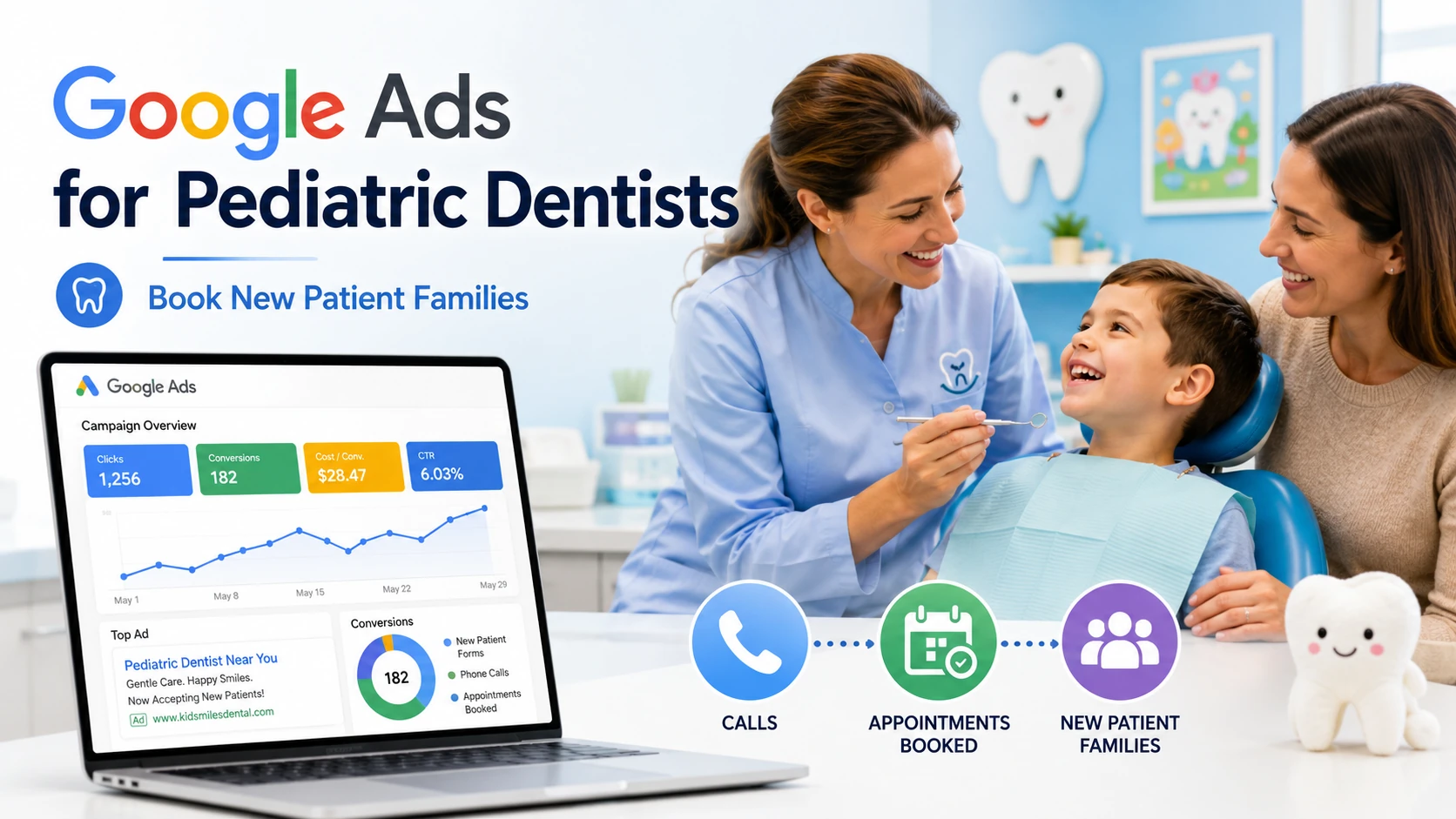 A Google Ads strategy for pediatric dentists books new patient families when campaigns are built around how parents actually search—first-visit anxiety, urgent same-day needs, and trust signals about gentle care—rather than generic dental keywords that compete with adult practices. A Google Ads strategy for pediatric dentists books new patient families when campaigns are built around how parents actually search—first-visit anxiety, urgent same-day needs, and trust signals about gentle care—rather than generic dental keywords that compete with adult practices.
Parents don’t search like adults shopping for themselves. They search as protectors, often anxious, frequently in a hurry, and almost always evaluating whether your practice is the right place for their child.
If your campaigns are built on broad terms like “dentist near me” or your ad copy reads like a general dental ad, you’re paying premium clicks to compete in the wrong auction. Pediatric practices that win on Google Ads do three things differently: they target the keyword themes parents actually use, they write ads that speak to parental concerns, and they send clicks to landing pages built for the parent decision—not a generic homepage.
Already running Google Ads but not seeing results? The fixes are usually in keyword themes, ad copy, and landing pages—not bid strategy alone.
Below, you’ll get a strategic playbook covering keyword themes, campaign structure (Search, Performance Max, and Local Services Ads), parent-focused ad copy, landing page essentials, bidding and budget guidance, conversion tracking with GA4 key events, and the common mistakes we see pediatric practices make.
Written for: pediatric dental practice owners, office managers, and marketing coordinators who want a Google Ads strategy that brings in qualified new patient families—not just clicks.
TL;DR
If you only do five things in pediatric Google Ads, do these:
| 1. |
Build keyword themes around parent intent - first dental visit, kids dentist near me, gentle pediatric dentist, dental emergency for kids—not generic “dentist” terms
|
| 2. |
Separate Search from Performance Max - run a parent-search-themed Search campaign and use Performance Max for branded protection and remarketing, not as your primary acquisition channel
|
| 3. |
Write ads for the parent, not the patient - lead with what parents care about: gentle care, kid-friendly office, easy first visit, accepts our insurance
|
| 4. |
Send clicks to a parent-focused landing page - not your homepage; include the dentist’s photo, what to expect at the first visit, insurance accepted, and one clear next step
|
| 5. |
Track new patient families as your conversion - in GA4, treat “Submit New Patient Form” and “Click to Call” as key events and feed them back to Google Ads |
Table of Contents
Why pediatric Google Ads need a different strategy
The mistake most pediatric practices make is treating Google Ads like a general dental campaign with the word “kids” sprinkled in. Parent searches behave differently from adult searches in three meaningful ways, and your campaign structure should reflect each.
Parents make decisions on behalf of someone else. Adults searching for themselves weigh convenience and cost. Parents weigh those plus emotional safety, the dentist’s temperament, the office vibe, and how their child will react to the experience. The decision criteria are heavier—and that means your ads and landing pages have to do more reassurance work in less time.
Search intent splits into urgency and research. A parent searching “dental emergency for kids near me” on a Saturday afternoon needs a phone number and an open practice. A parent searching “best pediatric dentist [city]” on a Tuesday evening is researching for an upcoming appointment. These are completely different buyers, and one campaign with one ad cannot serve both well.
The buying cycle is short but the trust threshold is high. Parents will book quickly once they trust you, but they need more proof to get there. That proof has to come through in your ad headlines, your landing page above the fold, and your reviews—all in roughly the 30 seconds it takes a parent to scan and decide.
If you’re also working on the organic side, the same parent-intent themes carry over. Practices that pair targeted Google Ads with pediatric-focused SEO tend to compound faster because the keyword research and content investments support both channels.
> Back to Table of Contents
Keyword strategy for pediatric dental practices
Your keyword list is the foundation of the campaign. If it’s built on broad dental terms, you’ll burn budget against general dentists and lose the auctions that actually matter. Build your themes around how parents actually phrase their searches.
The five keyword themes that work for pediatric practices:
| • |
Service plus audience modifier - “pediatric dentist [city],” “kids dentist near me,” “children’s dentist [neighborhood]”
|
| • |
First-visit and milestone searches - “first dental visit for toddler,” “baby’s first tooth dentist,” “when should my child see a dentist”
|
| • |
Trust and temperament searches - “gentle pediatric dentist,” “sedation dentist for kids,” “autism friendly pediatric dentist,” “pediatric dentist for anxious child”
|
| • |
Urgent care searches - “emergency pediatric dentist,” “kids tooth pain dentist,” “chipped tooth child dentist near me”
|
| • |
Insurance and access searches - “pediatric dentist accepts [insurance],” “pediatric dentist Medicaid,” “pediatric dentist new patient” |
Match types matter more than ever. Phrase match has expanded over the past few years to behave more like broad match, so structure your keyword list with intent in mind and rely heavily on negative keywords to keep traffic clean. We typically recommend phrase match for service-plus-audience and first-visit themes, and exact match for branded and high-cost-per-click urgent searches.
Don’t skip branded protection. If your practice has any local recognition, competitors will bid on your name. Allocate a small portion of budget—often single digits as a percent of total spend—to a branded campaign that defends your practice name in the auction.
The keyword themes above also overlap heavily with what parents type into organic search, so the keyword research investment doubles as a foundation for pediatric dental SEO over time.
> Back to Table of Contents
Campaign structure: Search, Performance Max, and LSAs
For a pediatric practice, the right campaign mix usually involves three layers, each playing a specific role. Trying to do everything in one campaign is a common reason performance plateaus.
Search campaigns are still your primary acquisition channel
Search campaigns give you the most control over keyword themes, match types, ad copy, and audience signals. Build separate ad groups for each keyword theme above so the ads in each group can speak directly to that intent. A parent searching “emergency pediatric dentist” should not see the same ad as a parent searching “first dental visit for toddler.”
We typically recommend at least four ad groups to start: service-plus-location, first-visit and milestone, trust and temperament, and urgent care. Add insurance-themed ad groups if you’re in a market where insurance acceptance drives a high share of decisions.
Performance Max should support, not lead
Performance Max can work for pediatric practices, but it’s rarely the right primary acquisition campaign. Because Performance Max blends Search, Display, YouTube, Discover, Gmail, and Maps inventory with limited transparency, it tends to spend a meaningful share of budget on impressions that don’t convert at the rate Search does.
A pattern we commonly see work: use Performance Max for branded protection and remarketing audiences, not as the campaign hunting cold parent traffic. Pair it with audience signals (existing patient lists, website visitors) to give the algorithm a meaningful starting point.
Local Services Ads (LSAs) belong in the mix where eligible
LSAs sit at the very top of search results with the “Google Screened” or “Google Guaranteed” badge, and they charge per lead rather than per click. For pediatric practices, LSAs can be one of the highest-trust placements available because the badge does reassurance work that ad copy alone can’t.
LSA eligibility, lead pricing, and verification requirements have shifted over time, and the dental category is rolled out unevenly across markets. Verify what’s available in your service area before you build budget assumptions around it. When LSAs are available and well-managed, they often pair well with a Search campaign rather than replace it. For a deeper comparison of how LSAs, Performance Max, and traditional PPC fit together, the framework applies to single-location pediatric practices as well as multi-location groups.
> Back to Table of Contents
Writing ad copy that connects with parents
Your ad copy has roughly two seconds to earn the click. Generic dental headlines like “Quality Dental Care, Caring Team, Call Today” lose to copy that names what parents are actually scanning for.
What parents look for in pediatric ad copy:
| • |
Audience clarity - “Pediatric Dentist” or “Kids Dentist” in the headline so parents know they’re in the right place
|
| • |
Temperament cue - “gentle,” “kid-friendly,” “board-certified pediatric specialist” signal the experience without overpromising
|
| • |
Practical reassurance - “new patients welcome,” “most insurance accepted,” “same-week appointments” reduce friction
|
| • |
Visit-specific language - “first dental visit,” “ages 1 and up,” “happy visits” speak directly to milestone searches |
Use responsive search ads with strong asset diversity. Provide at least 10–15 distinct headlines and three to four descriptions so Google has meaningful combinations to test. Pin headlines only when there’s a real reason—for example, pinning “Pediatric Dentist” in position one to ensure audience clarity.
Treat ad extensions as part of the ad, not afterthoughts. Sitelinks should send to specific pages a parent might want next: First Visit, Insurance Accepted, Meet the Doctor, New Patient Forms. Callouts should reinforce reassurance markers. Structured snippets work well for service categories.
Avoid ad copy patterns that hurt pediatric campaigns. Anything that sounds salesy or transactional reads wrong to a parent making a care decision. Phrases like “limited time offer” or pressure-driven language tend to lower click-through rate and worsen Quality Score on pediatric audiences. For more on the structural patterns that work across dental specialties, see our broader guide on dental PPC ad copy.
> Back to Table of Contents
Landing page strategy for pediatric Google Ads
Landing page quality is often the single biggest difference between pediatric Google Ads campaigns that convert and those that don’t. Sending all your ad traffic to your homepage is the most common reason for low conversion rates we see in pediatric account audits.
Build dedicated landing pages by intent theme. The first-visit ad group should send clicks to a first-visit page. The emergency ad group should send clicks to a same-day pediatric emergency page. Each landing page should mirror the ad’s message—what marketers call “message match”—so the parent feels like they landed in the right place. We cover the structural choices in detail in our guide to dental landing pages that convert.
What every pediatric landing page needs above the fold:
| • |
Headline that matches the ad - if the ad said “Gentle Pediatric Dentist for Anxious Kids,” the landing page headline should say roughly the same thing
|
| • |
One clear next step - either “Call 888-246-6906” or “Request an Appointment”—not three competing CTAs
|
| • |
Photo of the actual dentist or office - parents are evaluating fit; stock photography hurts conversion on pediatric campaigns
|
| • |
Insurance accepted - even one short line reduces the “will this work for us?” friction
|
| • |
Trust signals - star rating, review count, association credentials, board certification |
Below the fold, answer the next questions parents ask. What happens at the first visit? What ages does the practice see? What if my child is anxious? Do you offer sedation? What insurance plans? Each answered question reduces the chance a parent leaves to research elsewhere.
If your current website wasn’t built with conversion in mind, even strong ads will underperform. Pediatric practices we work on often need either dedicated landing pages or a refresh of their core service pages before paid traffic produces strong return. A pediatric-friendly website design makes the rest of the campaign easier to optimize, and our guide to pediatric dental website design covers the parent-trust elements that matter most.
> Back to Table of Contents
Bidding, budget, and dayparting
Pediatric practices have meaningful patterns in when parents search and book, and your budget pacing should reflect those patterns rather than running flat across the week.
Start with a bidding strategy aligned to the data you have. When the account has limited conversion history, Maximize Clicks with manual oversight or a manual CPC strategy gives you control while data accumulates. Once you have meaningful conversion volume, Maximize Conversions with a Target CPA setting becomes a useful next step. Note that Target CPA is now a setting within Maximize Conversions rather than a separate strategy—Google consolidated these in recent years, and the practical effect is the same.
Dayparting tends to favor evenings and weekends. Parents commonly search for pediatric dentists in the evening after work or on weekend mornings. We typically see strong conversion patterns in the 6–10 PM weekday window and 8 AM–1 PM Saturday window, with daytime weekday performance varying by market.
Watch for cost-per-click pressure in competitive markets. Pediatric clicks have generally trended upward as dental advertising has grown more competitive. Practices in dense suburban markets often see meaningfully higher costs than rural or smaller-market practices, and the right response usually isn’t bidding higher—it’s tightening keyword themes, improving Quality Score with relevance, and improving landing page conversion rate so each click goes further. We walk through specific tactics in our guide to lowering dental Google Ads cost per acquisition without sacrificing lead quality.
Geographic targeting matters more than budget size. A practice with a tighter geographic radius and strong message match typically outperforms a practice with a broader radius and generic messaging at the same budget. Set your radius around realistic drive times for parents—usually shorter than adults will tolerate—and exclude areas you don’t actually want patients from.
> Back to Table of Contents
Conversion tracking and GA4 key events
You cannot optimize what you cannot measure. Pediatric campaigns need conversion tracking that captures both phone calls and form fills, because parents reach out through both channels at meaningful rates. If you’re still building out your tracking foundation, our guide to dental website conversion tracking with GA4 and call tracking walks through the technical setup step by step.
Set up GA4 with the right key events. Google renamed “conversion events” to “key events” in March 2024, and the practical implication is that the events you mark as key in GA4 are the ones that matter. For pediatric campaigns, the typical key events are:
| • |
Submit new patient form - the form on your appointment request or new patient page
|
| • |
Click to call - phone clicks from mobile devices, ideally with a duration threshold to filter accidental taps
|
| • |
Schedule online (if applicable) - completion of an online booking flow if your practice offers it
|
| • |
Insurance verification request - if you have a separate path for insurance questions |
Import key events back to Google Ads. Google Ads optimizes against the conversions you give it. If you’re feeding back only form fills and not call conversions, the algorithm will skew toward audiences that prefer forms—missing a meaningful share of parents who would have called.
Use call tracking that integrates with Google Ads. Dynamic number insertion at the website level lets you attribute calls to specific keywords and ads. Without that integration, your conversion data is incomplete, and bidding strategies that depend on conversion signals will underperform.
Watch the difference between leads and qualified leads. A meaningful share of pediatric form submissions come from parents whose insurance you don’t accept, who live outside your service area, or who are early in research. Tracking the qualified-lead rate by campaign and ad group—ideally fed back into Google Ads via offline conversion imports—sharpens the algorithm’s targeting over time and avoids the “we’re getting leads but not patients” trap.
> Back to Table of Contents
Negative keywords every pediatric practice needs
A negative keyword list is what stops your budget from leaking against searches that look adjacent to pediatric dentistry but don’t actually drive new patient families. Most pediatric accounts we audit have under-built negative lists, which is one of the fastest ways to recover wasted spend—and one of the highest-leverage fixes covered in our broader review of dental PPC keywords that waste budget vs. drive ROI.
Categories of negatives every pediatric account should have:
| • |
Adult dental terms - “cosmetic,” “veneers,” “dentures,” “dental implants,” “wisdom teeth” (unless you treat young adults)
|
| • |
Career and education searches - “jobs,” “hiring,” “school,” “degree,” “assistant program”
|
| • |
Free and low-intent searches - “free,” “cheap,” “coupon,” “giveaway”
|
| • |
Information-only searches - “how to brush,” “tooth fairy,” “baby teeth chart,” “losing baby teeth ages” (unless you have content marketing infrastructure to support these)
|
| • |
Out-of-scope services - “orthodontist,” “braces” (if you don’t offer them), “oral surgeon,” “veterinary” |
Build negatives at the account level and refine at the campaign level. Account-level negatives catch the obvious irrelevant traffic across every campaign. Campaign- and ad-group-level negatives let you separate themes that should not steal each other’s clicks—for example, keeping urgent care searches from triggering first-visit ad groups.
Audit search terms reports weekly for the first 90 days. Especially with phrase match’s expanded behavior, new irrelevant queries will appear, and the only way to catch them is to read the search terms report regularly and add negatives as needed.
> Back to Table of Contents
Common mistakes pediatric practices make
The patterns we see across pediatric Google Ads accounts are remarkably consistent. If you recognize your account in any of these, fixing them tends to produce meaningful improvement faster than increasing budget. Our broader breakdown of Google Ads mistakes dentists make that waste the most money covers several of these in more depth.
Treating Google Ads like “set it and forget it.” Pediatric campaigns need ongoing management—search terms reviews, ad copy testing, landing page iteration, negative keyword additions. Accounts that aren’t actively managed degrade over time as competitors enter and search behavior shifts.
Letting Google “auto-apply recommendations.” The auto-apply setting in Google Ads will accept recommendations on your behalf without review—including ones that broaden match types, raise budgets, or merge campaigns in ways that hurt pediatric specificity. Turn auto-apply off and review recommendations manually.
Bidding on broad “dentist” without negatives. Bidding on “dentist near me” without aggressive negative keywords puts you in the auction against general dentists at higher cost-per-click and lower conversion rates than pediatric-specific terms.
Using a single landing page for every campaign. The homepage is rarely the right destination for a parent who clicked an ad about a specific concern. Dedicated landing pages tied to ad group themes typically increase conversion rates meaningfully.
Ignoring reviews and reputation signals in ad performance. Google’s seller ratings and review extensions, plus the social proof on your landing page, materially affect click-through rate and post-click conversion. A pediatric practice with strong reputation management will see better paid performance than an otherwise identical practice with weaker reviews.
Tracking only the leads, not the patients. The metric that matters is qualified new patient families booked—not raw form submissions. Practices that don’t close the loop between Google Ads and their practice management system tend to optimize toward the wrong outcomes.
> Back to Table of Contents
Get expert pediatric Google Ads management
Pediatric Google Ads strategy is part of a complete marketing system: keyword research, ad copy, landing pages, conversion tracking, and ongoing optimization all work together. WEO Media specializes in pediatric dentist marketing, and we manage Google Ads campaigns for pediatric practices across the country alongside SEO, website design, and patient pipeline services.
If you’d like a review of your current account or a strategic plan for a new campaign, schedule a consultation or call 888-246-6906.
> Back to Table of Contents
FAQs
How much should pediatric dentists spend on Google Ads per month?
Budget varies by market competitiveness, growth goals, and existing organic visibility. Practices in competitive suburban markets typically need a higher monthly budget to maintain meaningful impression share than practices in less competitive areas. Rather than chasing a fixed number, set a budget that produces enough click volume to make conversion-based bidding strategies work—usually at least 30 to 50 conversions per month per campaign—and adjust based on cost per qualified new patient family.
What is the average cost per click for pediatric dental Google Ads?
Cost per click for pediatric dental keywords varies significantly by market, with dense suburban areas commanding higher costs than smaller markets. Pediatric clicks have generally trended upward as dental advertising has grown more competitive. Rather than focusing on average CPC alone, the more useful benchmark is cost per qualified new patient family, which depends on click cost, click-through rate, conversion rate, and lead quality combined.
Should pediatric practices use Performance Max or Search campaigns?
Search campaigns should be the primary acquisition channel for most pediatric practices because they offer the most control over keyword themes, ad copy, and audience signals. Performance Max can play a supporting role for branded protection and remarketing audiences, but it tends to perform best when paired with a strong Search campaign rather than used as the standalone acquisition strategy. Pediatric audiences benefit from the message specificity that Search delivers more reliably.
What is the best landing page strategy for pediatric Google Ads?
The best strategy is dedicated landing pages by ad group theme, each with message match between the ad and the page headline. Every landing page should include a parent-focused headline, one clear call-to-action, a photo of the actual dentist or office, insurance information, and visible trust signals like reviews or board certifications. Sending all paid traffic to a generic homepage is the most common cause of low conversion rates in pediatric Google Ads accounts.
How do I track new patient families from Google Ads?
Set up GA4 with key events for new patient form submissions, click-to-call phone interactions, online scheduling completions, and insurance verification requests. Import these key events back into Google Ads so the algorithm can optimize toward them. For complete attribution, use call tracking with dynamic number insertion that ties phone calls to specific campaigns and keywords. To close the loop on quality, feed offline conversion data back from your practice management system showing which leads became kept appointments.
Are Local Services Ads worth it for pediatric dentists?
When available in your service area, Local Services Ads can be a strong placement for pediatric practices because the “Google Screened” or “Google Guaranteed” badge does trust-building work that ad copy alone cannot. LSAs charge per lead rather than per click, and they sit at the very top of search results above traditional ads. Eligibility, lead pricing, and category availability for dental have varied over time and by market, so verify current options for your area before assuming LSAs will be part of the mix.
How long until Google Ads start producing results for a pediatric practice?
Search campaigns can start producing leads within the first week of launch if keyword themes, ad copy, and landing pages are solid. Bidding strategies that depend on conversion data, like Maximize Conversions, typically need two to four weeks of meaningful conversion volume before they optimize effectively. Sustainable performance improvement—tightened negatives, refined ad copy, improved landing page conversion rates—usually takes 60 to 90 days of active management. |
|





