Dental Site Crawlability: How to Get Indexed by Google
Posted on 5/13/2026 by WEO Media |
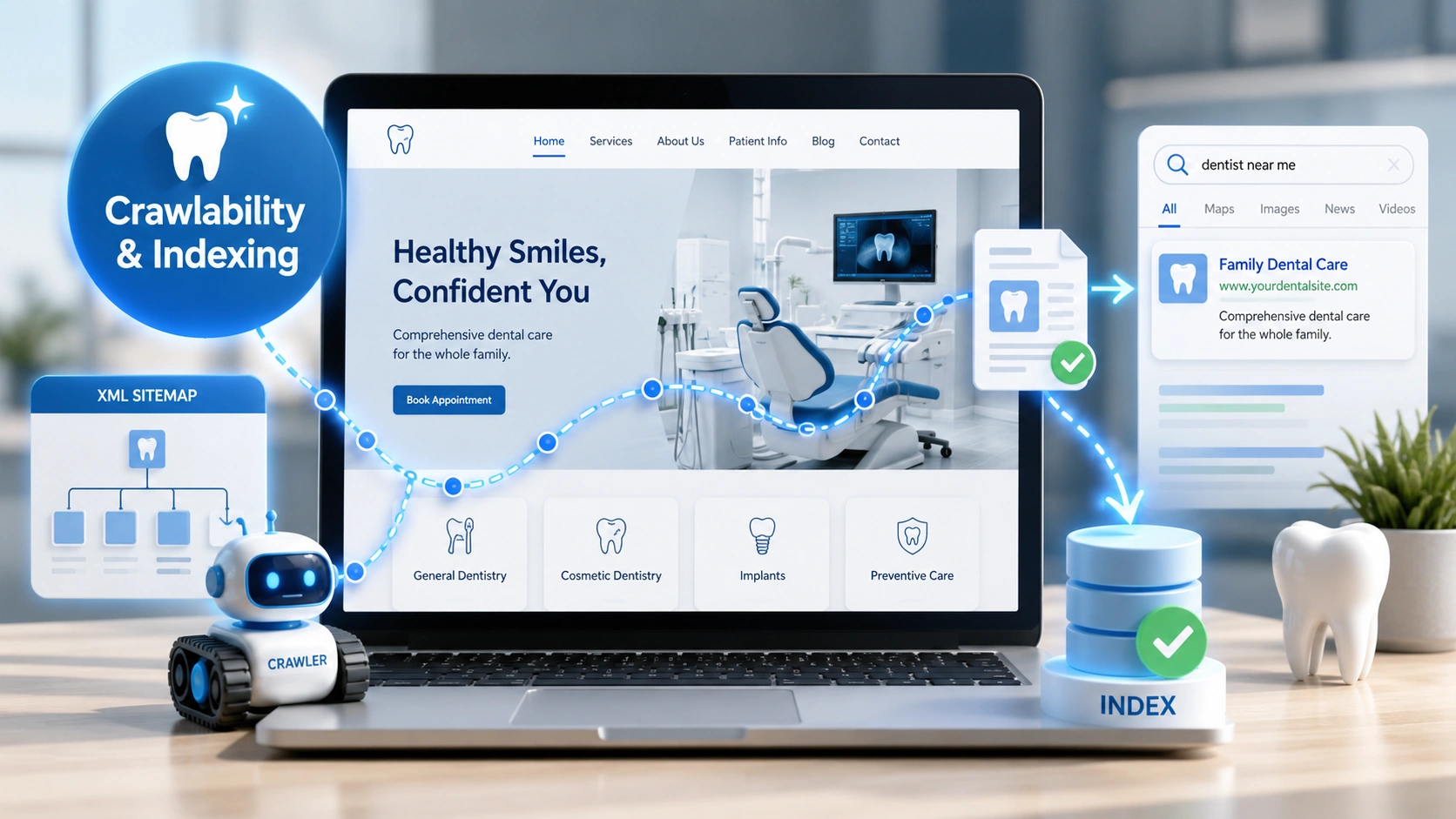 Dental site crawlability is whether Google’s bots can reach, render, and add your practice pages to its search index—and on dental websites, indexing usually breaks for a small set of predictable reasons: resources blocked in robots.txt, missing or stale XML sitemaps, mobile-desktop content mismatches, accidental noindex tags, or orphaned pages with no internal links pointing to them. Dental site crawlability is whether Google’s bots can reach, render, and add your practice pages to its search index—and on dental websites, indexing usually breaks for a small set of predictable reasons: resources blocked in robots.txt, missing or stale XML sitemaps, mobile-desktop content mismatches, accidental noindex tags, or orphaned pages with no internal links pointing to them.
This guide is for dental practice owners, office managers, and the marketing teams supporting them who want a step-by-step way to verify what Google has actually indexed, diagnose the gaps, and fix them in the order that matters most.
The pattern we commonly see: a practice invests in a redesign or a new service page, weeks pass, and it still isn’t ranking. Nine times out of ten, the page isn’t buried—it’s either not indexed at all or it’s indexed against a URL the team didn’t expect. Crawlability, indexability, and ranking are three separate problems, and most dental sites have at least one fixable issue at the first two stages before ranking is even on the table.
If your pages are already indexed but not ranking, this isn’t the right starting point—you’ll want to focus on content quality, internal linking, and on-page dental SEO instead.
Below, you’ll learn how to verify indexing in Google Search Console, work through the five most common dental-site crawlability problems, fix your robots.txt and XML sitemap without breaking anything, navigate mobile-first indexing, and know exactly when to use “Request Indexing” (and the daily limit that catches most teams off guard).
Written for: dental practice owners, office managers, and in-house marketing coordinators who need to verify and improve how Google crawls and indexes their dental practice website.
TL;DR
If you only do six things, do these:
| 1. |
Separate the three problems — crawling, indexing, and ranking are different; fix them in that order
|
| 2. |
Start in Google Search Console — the URL Inspection tool is the only place that tells you what Google actually sees
|
| 3. |
Never block CSS or JavaScript in robots.txt — if Googlebot can’t render your page, it can’t fairly evaluate it
|
| 4. |
Treat your mobile site as the real site — since July 2024, mobile-first indexing is the only path in; desktop-only content is invisible
|
| 5. |
Skip the Google Indexing API — it’s restricted to JobPosting and live-video schema; Google has explicitly warned against using it for other content
|
| 6. |
Use Request Indexing sparingly — the daily limit is roughly 10–12 URLs per property; reserve it for high-priority pages, not bulk submissions |
Table of Contents
Crawlability vs. indexing vs. ranking on a dental website
These three terms get used interchangeably across technical SEO conversations, but they are three distinct stages, and a problem at one stage hides problems at the next.
| • |
Crawling — Googlebot reaches your URL, downloads the HTML, and follows the resources (CSS, JavaScript, images) the page needs to render
|
| • |
Indexing — after rendering and evaluating the page, Google decides whether to add it to its search index; not every crawled page is indexed, and Google’s search relations team has been explicit that submitting a URL is not the same as getting it included
|
| • |
Ranking — for a specific query, Google decides where the indexed page belongs in the results based on relevance, quality, authority, and dozens of other signals |
Why the order matters: if your dental implants page isn’t indexed, it cannot rank for “dental implants near me” no matter how strong the content is. And if it’s indexed against the wrong URL (a www vs. non-www mismatch, a trailing-slash duplicate, or a leftover /index.html version), the page may be competing with itself for ranking signals. Crawlability problems mask indexing problems, and indexing problems mask ranking problems. You can’t skip steps.
> Back to Table of Contents
How to check what Google has actually indexed
Before you fix anything, you need a baseline. Google Search Console (GSC) is the only place that tells you what Google has actually crawled, indexed, and chosen as the canonical version of each page. Third-party tools are useful, but they’re estimates—GSC is the source of truth.
The three GSC checks every dental practice should run
| 1. |
Page Indexing report — gives you the indexed page count and a breakdown of every reason pages aren’t indexed (noindex, robots.txt blocked, duplicate, soft 404, redirect, and so on)
|
| 2. |
URL Inspection tool — paste any individual URL to see when Google last crawled it, what canonical Google chose, what the rendered HTML looked like to Googlebot Smartphone, and whether the page is currently indexable
|
| 3. |
Sitemaps report — confirms Google has read your sitemap, when it last did, and how many URLs it discovered |
What to do with the data: compare the number of indexed URLs to the number of pages you actually have. A dental practice site of 30–80 pages should have nearly all of its service, location, and team pages indexed. If you see a 30% gap or more, you have a fixable problem hiding in the reports. Open the Page Indexing report’s “Why pages aren’t indexed” section and start with the largest bucket.
One caveat about the site: search operator. A quick “site:yourpractice.com” query in Google returns an approximate set of indexed pages, but Google’s search relations team has been clear that this count is rough and shouldn’t be treated as a precise audit. Use it as a 30-second sanity check, not a diagnosis.
> Back to Table of Contents
Five common crawlability problems on dental websites
A pattern we commonly see across dental practice websites: when pages aren’t indexed, the cause is almost always one of these five issues, in order of how often we encounter them.
1. CSS and JavaScript blocked in robots.txt
This is the most damaging and the most common. Older dental site templates—or developers being overly cautious with crawler access—sometimes block entire /wp-content/ or /assets/ directories. The result: Googlebot fetches the HTML but can’t render the page the way a real visitor sees it. Google’s mobile-first indexing guidance is explicit that resources required to render the page must be crawlable, and that blocking them can stop a site from being properly indexed.
2. Mobile and desktop content mismatches
Since Google completed the move to mobile-first indexing in July 2024, the mobile version is the only version being indexed and ranked. If a dental site hides service descriptions in mobile accordions that don’t load by default, removes patient testimonials below a certain screen width, or uses a separate m. subdomain that doesn’t carry all of the desktop content, that hidden content is effectively invisible to Google.
3. Accidental noindex tags from staging environments
A common scenario: a developer launches a redesign, the staging-environment noindex tag gets left in the live site’s template, and weeks go by before anyone notices traffic has cratered. This is the single fastest way to wipe out organic visibility, and it’s the first thing to check after any redesign or platform migration. Use the URL Inspection tool on three or four key pages immediately after launch.
4. Orphaned pages with no internal links
Service pages, location pages, and team-member bios that aren’t linked from the main navigation, footer, or related-content blocks become orphans. Google can sometimes find them through the XML sitemap, but pages with no internal links signal “not important” and may sit in “Discovered – currently not indexed” indefinitely. Every important page needs at least two or three internal links pointing to it from contextually relevant pages—building a deliberate dental internal linking strategy solves this systematically across the site.
5. Stale or polluted XML sitemaps
The sitemap should be a curated list of your canonical, indexable URLs—and only those. Sitemaps that include 301-redirected URLs, noindexed pages, 404s, or duplicate www/non-www versions confuse Google’s crawl prioritization and signal that the site isn’t well-maintained. Most dental CMS platforms auto-generate sitemaps, and most of those defaults need cleanup.
> Back to Table of Contents
How to configure robots.txt for a dental practice website
Your robots.txt file sits at yourpractice.com/robots.txt and tells crawlers which paths they may or may not request. It’s not a security measure—anything you list as Disallow is publicly visible—but it’s the gatekeeper for crawl behavior.
What to allow: everything required to render your pages. That means CSS, JavaScript, image directories, and any third-party scripts that load fonts, schema, or layout elements. Google’s mobile-first indexing documentation is explicit that blocking these resources can prevent indexing or cause ranking drops.
What to disallow on a typical dental site:
| • |
WordPress admin paths — /wp-admin/ is typically blocked by default; leave it alone
|
| • |
Internal search result pages — /?s= or /search/ patterns that generate thin, duplicate pages
|
| • |
Filtered or faceted URL parameters — rare on dental sites, but worth checking if you have insurance filters or location search
|
| • |
Patient-portal login and account pages — never useful in search results and often sensitive |
What to never block: /wp-content/uploads/ (your images), CSS files, JavaScript files, any directory holding rendering resources, and your sitemap URL itself.
One directive Google no longer supports: Crawl-delay. Google stopped honoring this directive, and the Search Console crawl-rate limiter tool was retired in January 2024. Googlebot now adjusts its crawl rate automatically based on server response: if your server slows down or returns 5xx errors, crawling slows; if responses are fast and stable, crawling can speed up. Bing and other engines still respect Crawl-delay, so it can stay in your file, but don’t expect it to influence Google.
Reference your sitemap in robots.txt. Add a Sitemap: directive on its own line pointing to the full URL of your XML sitemap. This is a low-effort signal that helps crawlers discover the sitemap even if you haven’t submitted it in Search Console.
> Back to Table of Contents
Building and maintaining a clean XML sitemap
For a dental practice site, the XML sitemap should be the curated, canonical list of every page you want Google to find, rank, and refresh. Most dental websites have somewhere between 25 and 150 pages, well under Google’s technical limit of 50,000 URLs or 50 MB per sitemap file—so size isn’t the issue. Quality is.
What a clean dental site sitemap should contain:
| • |
Homepage and service category pages — general dentistry, cosmetic, restorative, and so on
|
| • |
Individual service pages — one per treatment (implants, Invisalign, veneers, crowns, periodontal care)
|
| • |
Location pages — one per office location if multi-location
|
| • |
Team and About pages — the canonical version only
|
| • |
New-patient and contact pages
|
| • |
Indexable blog posts — not tag pages, not author archives, not pagination URLs |
What should never be in your sitemap:
| • |
Noindex pages — thank-you pages, internal landing pages, gated content
|
| • |
301-redirected URLs — only the destination URL belongs in the sitemap
|
| • |
404 or 410 URLs — remove deleted pages from the sitemap promptly
|
| • |
Non-canonical duplicates — the www version and the non-www version, the trailing-slash and non-trailing-slash, the /index.html alternate
|
| • |
Tag archives, author archives, and date archives — almost never useful in search |
On lastmod values: Google now uses the lastmod date in sitemaps if it’s consistently accurate. If your CMS auto-updates lastmod to today’s date every time anyone touches the page (including footer copyright-year changes), Google has explicitly said an update to a copyright date is not significant and that an inaccurate lastmod history will lead Google to ignore the tag entirely. Treat lastmod as a signal of meaningful content change, not template change.
Submit the sitemap in GSC. Under Indexing → Sitemaps, enter the path and submit. Check back weekly for the first month after submission to confirm GSC reports “Success” and that the discovered URL count matches what you expect.
> Back to Table of Contents
Mobile-first indexing in plain language
Google completed its transition to mobile-first indexing in July 2024, and the company has confirmed that all indexing and ranking signals now come from the smartphone crawl. For a dental practice, this means three things in practice:
| 1. |
The mobile version of your site is the version Google ranks — if your desktop site has paragraphs of detail that your mobile site collapses or hides entirely, those paragraphs effectively don’t exist for SEO purposes
|
| 2. |
Responsive design is the recommended setup — a single URL serving the same HTML to every device, adapting layout by screen size, is the simplest way to guarantee content parity
|
| 3. |
Mobile rendering speed affects crawl rate — slow Largest Contentful Paint (LCP) and high Interaction to Next Paint (INP) values can reduce how often Googlebot returns to refresh your pages, which makes passing Core Web Vitals a crawl-health issue, not just a ranking issue |
A practical content-parity check: open any service page on your phone and on your desktop side by side. Read every word on both. If any benefit, FAQ, testimonial, or detail appears on one but not the other, that’s a content-parity gap. Hidden-by-default mobile accordions are usually fine—Google generally reads them—but content that requires a user action to load (a “Read more” tap that fetches text via JavaScript) often does not get indexed.
Structured data parity matters too. Your Dentist, LocalBusiness, FAQPage, and any service-specific dental schema markup needs to be identical between the mobile and desktop versions. Mismatched schema is one of the most common causes of rich-result eligibility loss after a mobile redesign.
> Back to Table of Contents
When to use Request Indexing (and the daily limit no one warns you about)
Inside Google Search Console’s URL Inspection tool, the Request Indexing button pushes a URL into a priority crawl queue. It does not guarantee indexing—Google still applies its quality and duplicate checks—but it accelerates discovery.
The daily limit catches most teams off guard. Google has confirmed that there are limits on this feature, and in practice most properties hit a quota after roughly 10 to 12 individual URL submissions per day. That makes Request Indexing useful for high-priority pages (a brand-new service launch, a corrected canonical, a recently de-noindexed page) but unsuitable for bulk submissions after a redesign with hundreds of new URLs. For bulk, rely on a clean XML sitemap and solid internal linking.
What about the Google Indexing API?
The Indexing API is widely misunderstood. Google’s documentation is explicit: it may only be used for pages containing JobPosting structured data or BroadcastEvent embedded in a VideoObject. Senior Google staff have repeatedly warned against using it for other content. In 2025, Google’s John Mueller publicly cautioned that the API is widely misused by spammers and recommended sticking only to the documented use cases.
For a dental practice, this means the Indexing API is not an option. Tools, plugins, and agencies that claim to push your dental service pages or blog posts through the Indexing API are using it outside Google’s documented scope. Those submissions are not part of the API’s supported use cases and are largely ignored by Google; Google engineers have specifically warned site owners to avoid this pattern. Stick to sitemaps, internal linking, and the in-Search-Console Request Indexing button.
IndexNow for Bing and Yandex
IndexNow is a separate protocol that lets you ping Bing, Yandex, and several other search engines (but not Google) when content changes. Many modern dental CMS platforms can be configured to support IndexNow with little setup. It’s a reasonable add-on for sites that care about Bing visibility, though it does not affect Google indexing.
> Back to Table of Contents
Fixing “Discovered – currently not indexed” and “Crawled – currently not indexed”
These two GSC statuses look similar but mean very different things, and the fixes are different.
Discovered – currently not indexed
Google knows the URL exists (usually from your sitemap or an internal link) but hasn’t crawled it yet. On a small dental site, this almost always points to one of two things: the page has very few or no internal links, or Google has assessed the site’s overall quality and decided to crawl less aggressively. Fixes that tend to work: add three to five contextual internal links to the page from related, well-trafficked pages; tighten the sitemap so it’s not padded with low-value URLs; and improve the page itself if it’s thin or duplicative.
Crawled – currently not indexed
Google crawled the page and decided not to index it. This is almost always a quality signal, not a technical one. Common causes on dental sites: near-duplicate service pages (one “dental implants” page and another “tooth implants” page with 80% overlapping copy), thin location pages that share the same boilerplate across multiple cities, or template pages with little unique content. The fix is editorial: differentiate the pages with location-specific details, treatment specifics, before-and-after context, and original information; our guide to building dental service pages that rank and convert walks through the structure that holds up. Re-request indexing after substantive revision—not before.
A reality check on timing. Indexing decisions can take days to weeks even after a fix. Don’t panic-resubmit the same URL daily; Google’s stance is that repeated submissions don’t accelerate the decision. Patience and quality fixes outperform pressure tactics.
> Back to Table of Contents
7-point crawlability checklist for new dental websites and redesigns
Use this immediately after launch, after a dental website redesign, or whenever you suspect an indexing issue. Working through the list takes most teams 45–60 minutes.
| 1. |
Check robots.txt at yourpractice.com/robots.txt — confirm no Disallow rule is blocking /wp-content/, /assets/, /css/, /js/, or your sitemap URL
|
| 2. |
Check for accidental noindex — in GSC’s URL Inspection, test the homepage and three key service pages; if any show “Excluded by ‘noindex’ tag,” pull the tag immediately
|
| 3. |
Verify the canonical URL of each page — the canonical reported by GSC should match the URL you actually want indexed; mismatches usually point to a www/non-www, trailing-slash, or http/https issue
|
| 4. |
Submit a clean XML sitemap — only canonical, indexable URLs; resubmit any time you add or remove a page
|
| 5. |
Audit mobile content parity — pull up three pages side-by-side on phone and desktop and confirm all text, structured data, and key images are present on both
|
| 6. |
Confirm internal linking — every service page should be reachable from the homepage and main navigation within two clicks
|
| 7. |
Monitor Page Indexing weekly for the first month — new sites and redesigns have an indexing settling-in period; the “Why pages aren’t indexed” section will surface the issues that need attention |
What to track over time: the ratio of indexed pages to total pages, the “Discovered” and “Crawled – not indexed” bucket sizes, and the Sitemaps report “Last read” date. These three together give you a 30-second monthly health read on dental site crawlability.
> Back to Table of Contents
Get expert help with dental site indexing
Dental site crawlability is one of those problems where the diagnosis takes longer than the fix. Most dental practices don’t need an in-house technical SEO; they need someone who can audit the site, identify the specific blockers, and either fix them directly or hand the development team a precise punch list.
If your pages aren’t indexing, your traffic has dropped after a redesign, or you’re not sure whether your dental website is even discoverable, our team at WEO Media specializes in dental SEO, dental website design, and technical site audits built specifically for dental practices. Call us at 888-246-6906 to talk through what’s happening on your site.
> Back to Table of Contents
FAQs
What does it mean if my dental website page is “Crawled – currently not indexed”?
It means Google’s crawler reached and read your page but chose not to add it to the search index. On dental sites, this is almost always a content-quality signal rather than a technical block. The most common causes are near-duplicate service pages, thin location pages that share boilerplate across cities, or content Google judges as not adding new value. The fix is editorial: differentiate the page with unique, locally-specific information, then request indexing once after the substantive revision is complete.
How long does it take Google to index a new page on my dental website?
For a healthy dental site with an existing presence in Google, new pages typically get indexed within a few days to a few weeks. Brand-new domains can take longer because Google hasn’t established crawl patterns yet. You can accelerate the first crawl by submitting the URL through GSC’s URL Inspection tool, but Google’s stance is that repeated submissions don’t speed up the indexing decision once the request is in the queue.
Can I force Google to index my dental practice website?
No. Indexing is always Google’s decision, and the search relations team has stated that search inclusion is never guaranteed. You can make it as easy as possible by removing crawlability blockers, submitting a clean XML sitemap, building strong internal links, and producing genuinely useful content. The Google Indexing API is restricted to JobPosting and BroadcastEvent schemas and is not a valid option for general dental content.
Does my dental practice need an XML sitemap if the site is small?
Yes, even small dental sites benefit from a clean XML sitemap. While Google can technically discover pages on a small, well-linked site without one, a sitemap removes ambiguity about which URLs you consider canonical, gives Google verifiable lastmod data for refresh decisions, and lets you monitor sitemap-specific indexing performance in Search Console. The cost of having a sitemap is essentially zero, and most dental CMS platforms generate one automatically.
Why aren’t my dental pages showing up on Google even though they’re indexed?
Indexing and ranking are two different problems. Indexed pages are eligible to appear in search results; whether they actually appear depends on relevance to the query, content quality, on-page optimization, internal linking, authority signals, and local SEO factors like your Google Business Profile. If your pages are indexed but invisible, the issue is ranking, not crawlability, and the fix is usually content depth, keyword targeting, and local SEO rather than technical work.
Does blocking a page in robots.txt remove it from Google’s index?
No. Robots.txt only controls crawling, not indexing. A page blocked in robots.txt can still appear in search results if Google has discovered it through other links, often with a generic title and no description. To genuinely remove a page from the index, use a noindex meta tag on the page itself (and make sure robots.txt isn’t blocking the crawler from seeing that tag), or use the Removals tool in Search Console for urgent cases.
How often should I check Google Search Console for dental site crawlability issues?
For an established dental site, a 10-minute monthly review of the Page Indexing report and Sitemaps report is usually enough. After any redesign, platform migration, or major content change, check weekly for the first month. If you publish new service pages or blog posts regularly, spot-check each one in URL Inspection within a week of publishing to confirm Google has discovered, crawled, and indexed it.
What’s the difference between robots.txt and a noindex tag?
Robots.txt is a crawl directive that tells search engine bots which URLs they may or may not request. A noindex tag is an indexing directive placed in the page’s HTML head (or returned as an HTTP header) that tells Google not to include the page in the search index even after crawling it. For a page you want fully excluded from search, use noindex—not robots.txt—and make sure the page itself is crawlable so Google can read the noindex instruction. |
|





