Dental Internal Linking Strategy for SEO
Posted on 2/20/2026 by WEO Media |
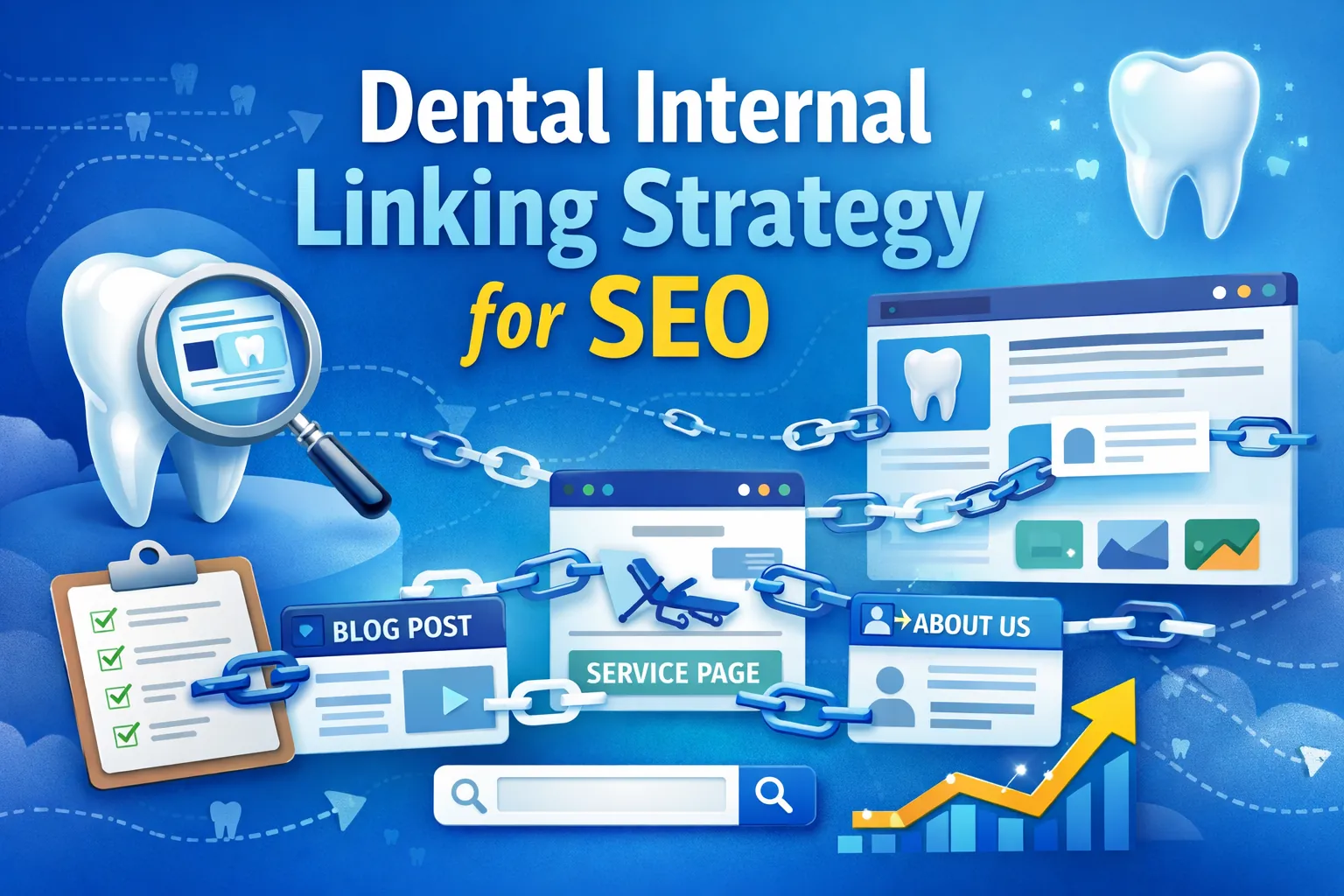 A dental internal linking strategy is an SEO technique that improves your practice’s Google rankings by deliberately connecting service pages, blog posts, and location pages across your website. Internal links are hyperlinks that point from one page on your domain to another page on the same domain. Unlike backlinks from external sites, internal links are entirely within your control—and they are one of the most underused SEO tools in dental marketing. When implemented well, they help Google crawl your site more efficiently, distribute ranking authority to your most important pages, and guide visitors from general interest to appointment-ready decisions. A dental internal linking strategy is an SEO technique that improves your practice’s Google rankings by deliberately connecting service pages, blog posts, and location pages across your website. Internal links are hyperlinks that point from one page on your domain to another page on the same domain. Unlike backlinks from external sites, internal links are entirely within your control—and they are one of the most underused SEO tools in dental marketing. When implemented well, they help Google crawl your site more efficiently, distribute ranking authority to your most important pages, and guide visitors from general interest to appointment-ready decisions.
The problem most dental websites have isn’t missing content—it’s disconnected content. A practice might have a strong implant service page, a dozen blog posts about implant candidacy, recovery, and cost, and a location page targeting their city—but none of those pages link to each other. Without internal links tying them together, Google treats each page as an isolated document instead of recognizing the site as a comprehensive resource on the topic. In our work building dental SEO programs, we consistently find that reorganizing internal links produces measurable ranking improvements—often growing organic traffic within weeks—without publishing a single new page.
If your site doesn’t have enough content to link between yet, start with our guide on identifying and filling dental content gaps. Internal linking works best when you have a foundation of quality pages to connect.
Below, you’ll learn how internal linking affects dental SEO rankings, how to audit your current link structure, which pages to prioritize, how to write effective anchor text, and how to build a repeatable linking workflow—with dental-specific examples throughout. Start here: how internal links affect rankings, auditing your current links, building your link hierarchy, anchor text best practices, your linking workflow.
Written for: dental practice owners, marketing coordinators, and agency teams who want to turn a collection of disconnected pages into a strategically linked website that ranks better and converts more patients.
TL;DR
If you only do five things, do these:
| • |
Link every service page to related blog posts and vice versa - this is the single highest-impact internal linking action for most dental websites and builds the topical authority Google rewards
|
| • |
Use descriptive anchor text, not generic phrases - “dental implant recovery timeline” tells Google and readers exactly what the linked page covers; “click here” or “learn more” tells them nothing
|
| • |
Audit for orphan pages quarterly - any page with zero internal links pointing to it is invisible to Google’s crawler and unlikely to rank, no matter how good the content is
|
| • |
Build a clear hierarchy: homepage → service pages → blog posts → location pages - link equity should flow deliberately from your strongest pages to the pages you most want to rank
|
| • |
Make linking part of your publishing process - every new blog post should include 3–5 internal links to existing pages, and 2–3 existing pages should be updated to link back to the new post |
Table of Contents
How internal links affect dental SEO rankings
Internal links serve three core functions that directly influence how your dental website performs in search results: crawlability, authority distribution, and contextual relevance signaling. Understanding each one helps you make strategic linking decisions rather than adding links randomly.
Crawlability determines whether Google can find your pages at all. Google’s crawler discovers new and updated pages by following links. If a blog post about dental implant recovery has no internal links pointing to it, the crawler may never find it—or may find it so late that it takes months to index. Crawl efficiency also depends on technical factors like site speed and page performance—a slow site forces the crawler to spend more of its budget waiting rather than discovering. For dental websites with 30–100+ pages, poor internal linking often means that a significant portion of the site is effectively invisible to search engines.
Authority distribution (sometimes called link equity or PageRank flow) determines how much ranking power each page receives. Your homepage typically carries the most authority because it accumulates the most external backlinks. Internal links pass a portion of that authority downstream. A well-linked service page that receives internal links from your homepage, related blog posts, and your navigation menu will rank better than an identical page that only appears in a buried submenu. If you’ve ever questioned whether SEO is worth the investment, internal linking is one of the strongest arguments—it improves rankings using assets you already own. This is why how you structure your dental website matters so much for SEO—structure determines where authority concentrates.
Contextual relevance signaling tells Google what each page is about and how it relates to the rest of your site. When your blog post about “foods that stain teeth” links to your teeth whitening service page using the anchor text “professional teeth whitening,” Google understands the relationship between those pages and the topic they share. Multiply this across dozens of pages, and you build what Google recognizes as topical authority—the signal that your site is a comprehensive, trustworthy resource on a subject. Pairing strong internal links with schema markup further reinforces how search engines interpret and present your content.
What this means in practice: a dental website with 40 pages and strong internal linking will often outrank a competitor with 80 pages and weak linking. Volume alone doesn’t build authority—connected, well-organized content does. This is especially true as Google’s AI-driven search era places even more weight on topical depth and semantic relationships between pages.
> Back to Table of Contents
How to audit your dental website’s internal links
Before adding new links, you need to understand your current link structure. A link audit reveals orphan pages, thin connections, over-linked pages, and broken links—all of which undermine your SEO. If you haven’t conducted a broader dental SEO audit recently, this is a natural place to start.
What to look for in a link audit
| • |
Orphan pages - pages with zero incoming internal links; these are invisible to crawlers and should be your first priority to fix
|
| • |
Thin connections - pages with only one or two incoming internal links, especially high-value service pages that should receive many more
|
| • |
Over-linked pages - pages (usually the homepage or a single popular blog post) that receive a disproportionate number of internal links while deeper pages get none
|
| • |
Broken internal links - links that point to pages that no longer exist, returning 404 errors and wasting link equity
|
| • |
Generic or missing anchor text - links using “click here,” “read more,” or naked URLs instead of descriptive, keyword-relevant phrases |
How to run the audit
Google Search Console provides a free internal links report under Links → Internal links. This shows which pages receive the most internal links and which receive the fewest. Sort by lowest link count to identify orphan and under-linked pages. Fixing the worst offenders first often delivers quick ranking wins with minimal effort. For a more complete picture, tools like Screaming Frog or Ahrefs can crawl your entire site and map every internal link, showing you exactly which pages link to which and where the gaps are. Pairing crawl data with Google Analytics lets you cross-reference link structure with actual user behavior—pages that receive traffic but have no internal links pointing elsewhere are missed conversion opportunities.
A practical starting point for smaller dental sites: open a spreadsheet with three columns—page URL, number of incoming internal links, and number of outgoing internal links. Walk through every page on your site (service pages, blog posts, location pages, about pages) and record the counts. A pattern we commonly see is that dental blogs have plenty of outgoing links to service pages but almost no links flowing back from service pages to blogs. This one-directional flow limits how much authority your blog content receives.
> Back to Table of Contents
Building your dental site’s link hierarchy
Effective internal linking follows a deliberate hierarchy. Not every page on your dental website is equally important, and your link structure should reflect that. The goal is to direct the most link equity to the pages that drive the most business value—typically your core service pages and location pages—while still supporting blog content and deeper resources.
The four-tier dental website hierarchy
| 1. |
Homepage - your highest-authority page; a well-designed dental homepage links to main service categories and key location pages through navigation and in-page content
|
| 2. |
Service category pages - your primary revenue-driving pages (dental implants, cosmetic dentistry, orthodontics, general dentistry); each should receive links from the homepage, related blogs, and location pages. Whether the page promotes dental website design, PPC advertising, or clinical services, the linking principle is the same
|
| 3. |
Supporting content - blog posts, FAQ pages, patient resource pages, and condition-specific guides that target long-tail keywords and link upward to service pages
|
| 4. |
Location pages - city and neighborhood pages for service area targeting; these should link to relevant service pages and receive links from blog posts that reference geographic areas |
This hierarchy mirrors how patients actually navigate—from broad interest to specific treatment decisions—and it mirrors how Google distributes authority through a site. The key principle is that links should flow both upward and downward. Service pages link down to supporting blog posts for depth. Blog posts link up to service pages for conversion. Horizontal links between related blog posts within the same topic cluster strengthen the entire group.
Where content clusters fit in: if you’ve built content clusters for dental SEO, your internal linking strategy is what holds each cluster together. The pillar page (usually a comprehensive service or topic page) links to every cluster article, and every cluster article links back to the pillar. Without deliberate internal linking, the cluster structure exists in your content plan but not on the actual website—and Google can’t see what’s in your spreadsheet.
> Back to Table of Contents
Anchor text best practices for dental websites
Anchor text is the clickable, visible text in a hyperlink. It is one of the strongest signals Google uses to understand what the linked page is about. Getting anchor text right is one of the simplest ways to improve your internal linking effectiveness without adding a single new link. Using the most important dental keywords as a starting point for anchor text variations ensures your links reinforce the topics you most want to rank for.
What works
| • |
Descriptive and specific - “dental implant recovery timeline” is clear and helps Google associate the linked page with that exact topic
|
| • |
Natural within the sentence - the link should read as part of normal content, not feel bolted on; a reader should want to click because the anchor text promises useful information
|
| • |
Varied across the site - if ten different pages all link to your implant page with the exact same anchor text, it looks unnatural; use natural variations like “implant healing process,” “what to expect after dental implants,” and “dental implant recovery”
|
| • |
Concise - aim for 2–6 words; long anchor text (full sentences) dilutes the keyword signal |
What to avoid
| • |
Generic phrases - “click here,” “learn more,” “read this,” and “this page” waste the anchor text signal entirely; Google can’t determine topic relevance from these phrases
|
| • |
Naked URLs - pasting a raw URL as the link text provides no contextual information and creates a poor reading experience
|
| • |
Over-optimized exact match - using the identical keyword-rich anchor text for every link to the same page can trigger over-optimization signals; keep it natural
|
| • |
Misleading anchors - if the anchor text says “teeth whitening cost” but the linked page is about cosmetic dentistry in general, you’re sending a confusing signal to both readers and search engines |
A practical dental example: suppose your blog post about how website messaging affects case acceptance discusses the importance of clear treatment descriptions. When you mention implants in that context, linking to your dental implant service page with anchor text like “dental implant treatment overview” is far more effective than linking the word “here” at the end of a sentence.
> Back to Table of Contents
Linking strategies for dental service pages
Service pages are your highest-value conversion pages. Patients who land on a service page are closer to booking than someone reading a blog post, which means these pages deserve the most internal link support. They are the core of your patient pipeline—the path from first visit to scheduled appointment. In our experience, most dental service pages are dramatically under-linked—they receive links from the navigation menu and almost nowhere else.
How to strengthen service page links
| • |
Link from every related blog post - if you have a blog post about “signs you need a dental crown,” it should link to your crowns service page; this is the most common missed opportunity we see
|
| • |
Cross-link between related services - your dental implant page should link to your bone grafting page, your cosmetic dentistry overview should link to individual procedure pages like veneers and whitening; an orthodontic marketing page should link to Invisalign, braces, and teen orthodontics pages; these horizontal links reinforce topical relationships
|
| • |
Link from location pages - each location page should link to the specific services offered at that location, creating a geographic + service relevance signal
|
| • |
Link from your homepage content - beyond navigation links, include contextual links in homepage body text that point to your 3–5 most important service pages; this same principle applies to dedicated landing pages built for paid campaigns
|
| • |
Link from patient resource pages - pages about insurance, financing, or new patient information naturally reference treatments and should link to the relevant service pages; the same applies to reputation management content and review generation guides that reference specific services patients are reviewing |
How many internal links should a dental service page have?
There is no fixed number, but a strong dental service page typically has 5–15 incoming internal links from various pages across the site. The exact number depends on your site’s size. A 30-page site won’t have as many linking opportunities as a 100-page site. What matters more than raw count is relevance and diversity of source pages. Five links from five different, topically related pages are worth more than ten links from a single blog post.
Each service page should also contain 3–5 outgoing internal links to related blog posts, FAQs, or patient resources. This creates the bidirectional flow that strengthens both the service page and its supporting content. For example, your dental implant marketing program benefits when your implant service page links out to blog posts about candidacy, recovery, and cost—patients get deeper information, and Google sees a content ecosystem rather than an isolated page.
> Back to Table of Contents
Linking strategies for dental blog posts
Blog posts serve a different role than service pages in your internal linking strategy. While service pages are conversion-focused, blog posts typically target informational queries—questions patients ask before they’re ready to book. These questions map to specific stages of the dental patient journey, and internal links within blog posts guide readers toward conversion pages and pass topical authority in both directions. When done well, this is how blog content supports dental patient acquisition—by building the trust and information bridge that leads to a booked appointment.
Every blog post should include these links
| • |
At least one link to a relevant service page - this is the most important internal link in any dental blog post because it creates the bridge from informational content to conversion content
|
| • |
1–2 links to related blog posts - if you’re writing about Invisalign for teens, link to your post about adult orthodontics or your general orthodontic FAQ; this horizontal linking builds topic cluster strength
|
| • |
One link to a broader resource or pillar page - this could be your main cosmetic dentistry page, your dental marketing funnel overview, your overall marketing strategy guide, or another comprehensive page that serves as a hub
|
| • |
A contextual CTA link near the end - rather than a banner ad, include a natural sentence that links to your scheduling or contact page when it fits the content flow; our guide on effective dental website CTAs covers how to make these conversion links work harder |
Updating existing blog posts with new links
One of the highest-ROI internal linking activities is going back through your existing blog posts and adding links to newer content. When you publish a new blog post about refreshing old dental content for better SEO, you should also open 3–5 existing posts on related topics and add a link to the new article. This two-way linking process ensures that new content inherits authority from established pages and that older pages stay current. If you’re revisiting older posts, it’s also a good time to optimize that content for SEO more broadly—updating anchor text, headers, and keyword targeting alongside the new links.
A practical cadence: every time you publish a new blog post, spend 15–20 minutes finding 2–3 existing posts where a link to the new content fits naturally. This single habit will transform your internal link structure over time without requiring a massive one-time overhaul.
> Back to Table of Contents
Internal linking for multi-location dental practices
Multi-location practices and DSOs face unique internal linking challenges because their sites have multiple location pages competing for geographic keywords. Without intentional linking, location pages often become isolated silos that don’t benefit from the authority of the rest of the site. Practices operating across multiple locations need a linking strategy that reinforces both service relevance and geographic targeting. The local SEO ranking factors that drive map pack visibility depend heavily on how well your location pages are connected to the rest of your site.
Location page linking rules
| • |
Each location page links to all services available at that location - this creates a geographic + service association that strengthens local search rankings
|
| • |
Service pages link to all relevant location pages - your implant page should mention and link to each location that offers implants, reinforcing that you serve those areas and strengthening “near me” search visibility
|
| • |
Blog posts reference locations where relevant - if a blog post discusses emergency dental care, linking to your location pages in cities where you offer emergency services adds geographic context; the same approach applies to content about Google Business Profile optimization, where linking to the location page reinforces the geographic signal
|
| • |
Location pages link to each other sparingly - a “see all locations” link or a brief mention of nearby offices is fine, but excessive cross-linking between locations can dilute each page’s geographic focus
|
| • |
Avoid duplicate content across locations - each location page needs unique content; the internal links pointing to them should also use varied anchor text that reflects the specific city or neighborhood |
Hub-and-spoke model: treat your main service pages as hubs and your location pages as spokes. Each spoke (location page) links inward to the hub (service page) and receives links back. This distributes authority while maintaining geographic differentiation. For DSOs managing this at scale, aligning internal linking with your DSO marketing structure ensures consistency across locations.
> Back to Table of Contents
Building a repeatable internal linking workflow
Internal linking is not a one-time project. It’s a recurring process that should be built into your content creation and site maintenance routines. The practices that see the strongest SEO results from internal linking are the ones that systematize it—making it a standard step in every content workflow rather than an occasional cleanup task.
When publishing new content
| 1. |
Before writing, identify 3–5 existing pages to link to - review your site’s service pages and recent blog posts; choose the most relevant ones and plan where in the new content each link will fit naturally
|
| 2. |
While writing, place links contextually - embed internal links where they add value for the reader, not in forced introductions or generic CTAs; prioritize links early in the content and within key paragraphs
|
| 3. |
After publishing, update 2–3 existing pages - open related blog posts or service pages and add a link to the new content; this bidirectional linking is what most dental sites skip
|
| 4. |
Record the links in a tracking spreadsheet - note which pages link to the new content and which new links were added; this prevents over-linking to certain pages and helps identify under-linked content over time; over the long term, this data also supports tracking your dental marketing ROI by connecting content investments to ranking outcomes |
Quarterly link maintenance
| • |
Run a broken link check - use Google Search Console or a crawler tool to identify any internal links that return 404 errors; fix or redirect these immediately
|
| • |
Review orphan page report - identify any pages with zero incoming internal links and add at least 2–3 links from relevant existing content
|
| • |
Check link distribution balance - make sure your most important service pages are receiving the most incoming links; if a blog post is getting more internal links than your primary implant page, rebalance
|
| • |
Update anchor text where needed - if you’ve updated a page’s content focus or target keyword, review the anchor text pointing to it from other pages and adjust for accuracy |
Building documented SOPs for your dental marketing processes makes it much easier to maintain internal linking consistency across team members. When everyone follows the same checklist, linking quality stays high even as your content library grows.
> Back to Table of Contents
Common dental internal linking mistakes
Even practices that understand the value of internal linking often make structural mistakes that limit their results. These are the patterns we encounter most frequently during dental SEO audits.
Linking only from the navigation menu. Navigation links count as internal links, but they carry less contextual weight than in-content links. A link to your implant page from within a paragraph about implant candidacy is far more valuable than the same link sitting in a dropdown menu. Navigation links provide baseline crawlability; contextual links provide topical relevance signals.
Creating link islands. Some dental websites have a blog that links heavily within itself but never connects to service pages, and service pages that never link to blog posts. This creates two disconnected islands on the same domain. The authority each section earns stays trapped instead of flowing across the site. A blog post about front desk processes and marketing results should link to relevant service pages just as naturally as a clinical topic would.
Using the same anchor text everywhere. If every blog post links to your whitening page with the anchor text “teeth whitening,” Google sees a repetitive pattern that provides diminishing returns. Vary your anchors naturally: “professional whitening options,” “in-office teeth whitening,” “our whitening treatments”—each variation reinforces relevance without triggering over-optimization signals.
Adding too many links to a single page. There’s no hard rule, but when every other sentence contains an internal link, the page becomes difficult to read and the value of each individual link gets diluted. For a typical dental blog post of 1,000–1,500 words, 5–10 internal links is a reasonable range. For longer content pieces, you might use more, but every link should be genuinely useful to the reader.
Ignoring old content. Publishing new blog posts with links to existing content is only half the equation. The other half—going back to existing posts and adding links to new content—is where most dental practices fall behind. Content that is never updated with new internal links gradually becomes less connected and less valuable to your site’s SEO structure.
Linking to pages you don’t want to rank. Privacy policies, terms of service, and login pages don’t need internal link authority. Every link to a low-value page is authority that could have gone to a service page or a high-quality blog post instead. Be intentional about where your links point.
> Back to Table of Contents
Next steps
Internal linking is one of the few SEO strategies that can produce measurable results without additional content investment or external outreach. Whether you’re working within a tight dental marketing budget or scaling aggressively, you already have the pages. The work is connecting them strategically.
Start with a link audit to identify your orphan pages and under-linked service pages, then use the hierarchy and workflow frameworks above to build connections systematically. If you want a team that handles dental SEO strategy including site architecture, internal linking, technical SEO, and content planning, schedule a consultation with WEO Media to see where your site stands and what strategic linking can unlock.
> Back to Table of Contents
FAQs
What is an internal link on a dental website?
An internal link is a hyperlink that connects one page on your dental website to another page on the same website. Examples include a blog post about dental implant recovery linking to your implant service page, or your homepage linking to your cosmetic dentistry page. Internal links help search engines discover and understand your content and help patients navigate between related topics on your site.
How many internal links should a dental blog post have?
A dental blog post of 1,000 to 1,500 words typically performs well with 5 to 10 internal links. The exact number depends on the content length and how many relevant pages exist on your site. The priority is relevance and reader value over raw count. Every internal link should point to a page that genuinely helps the reader understand more about the topic or take a next step.
What is an orphan page and why does it hurt dental SEO?
An orphan page is a page on your website that has zero internal links pointing to it from other pages. Because Google’s crawler discovers pages by following links, orphan pages are often never crawled, never indexed, and never appear in search results. Dental websites commonly have orphan pages in older blog posts or service pages that were published without connecting them to the rest of the site.
Does anchor text matter for internal links?
Yes. Anchor text is one of the strongest signals Google uses to understand what a linked page is about. Descriptive anchor text like “dental implant recovery guide” helps Google associate the target page with that topic. Generic anchor text like “click here” or “read more” provides no topical context and wastes the ranking signal that internal links can provide.
How often should I audit my dental website’s internal links?
A quarterly internal link audit is a solid cadence for most dental websites. During each audit, check for broken links, identify orphan pages, review link distribution to make sure your most important service pages are receiving enough incoming links, and update anchor text where page content or target keywords have changed. Practices that publish new content frequently may benefit from monthly checks.
Should internal links open in a new tab?
Internal links on a dental website should generally open in the same tab. Opening internal links in a new tab disrupts the expected user experience because visitors anticipate staying within the same browsing flow on a single site. New tabs are more appropriate for external links that take users to a different website entirely. Keeping internal links in the same tab also supports a cleaner navigation path that search engines can follow more easily.
What is the difference between internal links and backlinks for dental SEO?
Internal links connect pages within your own dental website. Backlinks are links from external websites pointing to your site. Both contribute to SEO, but they serve different functions. Internal links help Google understand your site structure and distribute authority between your own pages. Backlinks from reputable external sources signal to Google that other websites trust your content. An effective dental SEO strategy uses both: internal links to organize and strengthen your site, and backlinks to build external credibility.
Can too many internal links hurt my dental website’s SEO?
Excessive internal links on a single page can dilute the value each link passes and make the content harder to read. Google has not published a specific limit, but conventional guidance suggests keeping total links (including navigation, footer, and in-content links) reasonable for the page length. For most dental content pages, the risk is not having too many links but having too few relevant ones. Focus on linking intentionally to pages that genuinely serve the reader rather than linking for volume. |
|





