Dental Email Subject Lines That Get Opened
Posted on 5/31/2026 by WEO Media |
Examples and How to Write Them
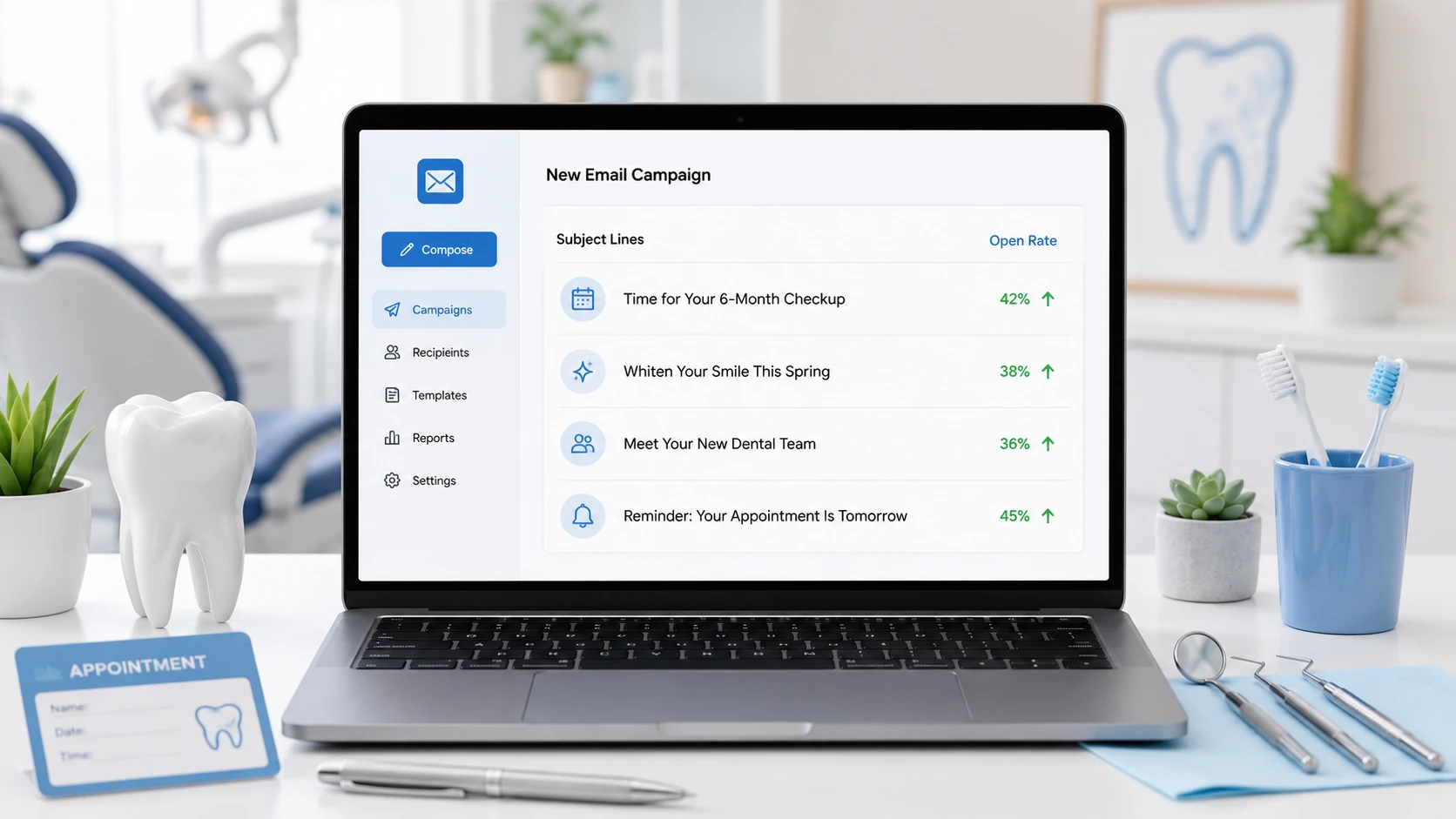 To write dental email subject lines that get opened, keep them short enough to display fully on mobile, specific about what is inside, and free of anything that looks like spam or reveals protected health information. To write dental email subject lines that get opened, keep them short enough to display fully on mobile, specific about what is inside, and free of anything that looks like spam or reveals protected health information.
For dental practices, the subject line is the single line standing between a recall reminder and an unopened message—and most patients decide whether to open it in about a second, on a phone, before they ever see your content.
The pattern is consistent across dental email: the practices that fill the schedule are not writing cleverer subject lines, they are writing clearer ones. A reactivation email that says exactly what it is, sized for a small screen, and sent from a recognizable name will beat a vague “We miss you!” every time. Open rate is the gate; everything downstream—clicks, booked cleanings, recovered patients—depends on getting through it first.
Already sending email but opens are flat? Skip to the campaign-type examples and the spam-trigger list—those two fixes recover the most opens fastest.
Below, you’ll get the mobile-first length rule, personalization that lifts opens without crossing HIPAA lines, copy/paste subject-line examples for every common dental email campaign, the words that quietly route you to spam, and a simple A/B testing method so you stop guessing and start measuring.
Written for: dental practice owners, office managers, and marketing coordinators who send recall, reactivation, newsletter, and promotional email and want more of it opened.
TL;DR
If you only change five things, change these:
| 1. |
Write for the phone - keep the front of your subject line under about 40 characters so it survives mobile truncation, where most dental email is read
|
| 2. |
Say what’s inside - specific and plain beats clever and vague; “Your cleaning is due” outperforms “A little reminder for you”
|
| 3. |
Personalize the relevant detail - a first name or the patient’s situation lifts opens, but never name a diagnosis, treatment, or anything that reveals PHI in the subject line
|
| 4. |
Strip the spam triggers - drop ALL CAPS, exclamation pileups, “FREE,” and money symbols that route you to the junk folder before anyone reads a word
|
| 5. |
Test one variable at a time - A/B test subject lines on a meaningful split, change only one thing, and let opens—not opinions—decide |
Table of Contents
What makes a dental email subject line get opened
A dental email subject line gets opened when it answers three questions in the half-second a patient spends scanning the inbox: Who is this from? What is it about? Why should I care right now? Get those three right and the rest is refinement.
In practice, the subject lines that win for dental practices share a short list of traits:
| • |
Recognizable sender - the “from” name reads as your practice, not a generic platform address, so the subject line is trusted before it’s read
|
| • |
Front-loaded clarity - the most important words come first, because mobile cuts off the end
|
| • |
One clear idea - a single reason to open (a due cleaning, a new-patient welcome, a limited slot), not three competing ones
|
| • |
Honest framing - the subject matches what’s inside; misleading lines get opened once and then trained into “ignore”
|
| • |
Zero PHI - nothing that names or implies a patient’s condition, procedure, or treatment |
The biggest mistake we see is treating the subject line as decoration. It is the offer. A patient who has not been in for 14 months is not deciding whether to read your newsletter—they are deciding, in one glance, whether your practice still belongs in their life. Clarity wins that decision.
> Back to Table of Contents
The mobile-first length rule
Most dental email is opened on a phone, and phones truncate subject lines hard. Desktop clients may show 60 or more characters, but mobile inboxes commonly display only the first 33–40 characters before cutting to an ellipsis. If your reason to open lives past that cutoff, it effectively does not exist.
The working rule: put the payoff in the first 40 characters, and aim for roughly 2–7 words. Industry data consistently shows shorter subject lines—often in the 2–4 word range—earning the highest open rates, because they are fully visible and instantly scannable. Longer is not automatically worse, but every additional word past the cutoff is a word no one on mobile reads.
A simple test before you send:
| 1. |
Count the characters - if the front of the line runs past 40, move the key word forward or cut a word
|
| 2. |
Read only the first three words - if those three words alone don’t tell a patient what the email is, rewrite
|
| 3. |
Preview on an actual phone - send yourself a test and look at it in the mobile app you expect patients to use, not just desktop |
“Time for your cleaning?” survives any screen. “A friendly reminder from our team that it may be time to schedule your routine visit” does not—the patient sees “A friendly reminder from our team…” and nothing that compels a tap.
> Back to Table of Contents
Personalization that lifts opens (without crossing HIPAA lines)
Personalization reliably increases opens. Across email marketing studies, personalized subject lines outperform generic ones by a meaningful margin—often cited around a 30% lift or more—because relevance is the strongest reason to open anything. For dental practices, the catch is that the most “relevant” details are exactly the ones you must keep out of the subject line.
The safe, effective personalization levers:
| • |
First name - “Sarah, your cleaning is due” reads as addressed to a person, not a list
|
| • |
Timing and life stage - “back-to-school checkups” or “before your benefits reset” speaks to a situation without naming a condition
|
| • |
Relationship, not record - “We’d love to see you back” references the patient relationship, not their chart
|
| • |
Segment-level relevance - tailor the line to a group (overdue for recall, new patients, families) so it feels specific without exposing any individual’s data |
The line you cannot cross: a subject line must never reveal or imply protected health information. “John, your root canal follow-up” names a procedure tied to a person in a channel anyone might glance at. “Your treatment plan for periodontal disease is ready” does the same. Personalize the relationship and the timing, never the diagnosis or the treatment. The next section covers exactly where that line sits.
> Back to Table of Contents
Subject lines by campaign type (copy/paste examples)
Different dental campaigns ask the patient to do different things, so the subject line job changes with each. Below are field-tested patterns you can adapt—keep them short, front-loaded, and PHI-free.
Hygiene recall (due for a cleaning)
Recall is the highest-volume, highest-ROI dental email, so clarity beats creativity here.
| • |
“Time for your cleaning?”
|
| • |
“[Name], you’re due for a visit”
|
| • |
“Let’s get your 6-month cleaning booked”
|
| • |
“Keep your smile on track” |
Reactivation (lapsed patients)
For lapsed patients who haven’t been in for a year or more, a reactivation campaign needs a low-pressure reason to return.
| • |
“We’d love to see you again”
|
| • |
“It’s been a while, [Name]”
|
| • |
“Your spot is still here”
|
| • |
“Ready to get back on schedule?” |
New-patient welcome
Welcome emails enjoy unusually high open rates—the patient just gave you their address—so confirm and set expectations.
| • |
“Welcome to the practice, [Name]”
|
| • |
“You’re all set—here’s what’s next”
|
| • |
“Glad you’re here” |
Benefits and seasonal timing
Tie the open to a benefits deadline or a natural fresh-start moment without naming any treatment.
| • |
“Use your benefits before they reset”
|
| • |
“Back-to-school checkups are open”
|
| • |
“Don’t leave benefits on the table” |
Promotions and newsletters
Promotional and newsletter emails compete hardest in the inbox, so lead with the single most useful thing inside.
| • |
“New patient openings this month”
|
| • |
“3 quick ways to a brighter smile”
|
| • |
“What’s new at the practice” |
A note on framing: for prevention messages, gain-framed lines (“keep your smile strong”) tend to land better with low-risk patients, while a gentle risk frame can fit patients who are genuinely overdue. Match the tone to the segment, and keep any framing general enough that it never implies a diagnosis.
> Back to Table of Contents
The HIPAA line you cannot cross in a subject line
A subject line is visible on lock screens, in notification banners, and to anyone glancing at a patient’s phone, which is why it gets special scrutiny. A subject line can create a HIPAA compliance problem when it identifies a patient and reveals or suggests their condition, treatment, or care—for example, naming a procedure, a diagnosis, or a specific treatment plan alongside a name.
Two distinctions worth keeping straight:
| • |
Treatment communications vs. marketing - appointment reminders and post-visit care messages are generally treatment-related, while promotional email about services typically requires the patient’s prior authorization under the HIPAA Privacy Rule
|
| • |
The platform matters - any email workflow that touches protected health information should run on a platform willing to sign a Business Associate Agreement (BAA); consumer tools like a standard Gmail account are not built for PHI, and some popular marketing platforms decline to sign BAAs |
Practical guardrails for subject lines specifically: keep the diagnosis and procedure out of the subject, personalize with name and timing rather than clinical detail, and always include a working unsubscribe in marketing email. This is general guidance, not legal advice—HIPAA application depends on your setup and your vendors, so confirm your specifics with your compliance officer or counsel and get a signed BAA from every platform that handles patient data.
> Back to Table of Contents
Words and patterns that trigger spam filters
The best subject line never matters if it lands in the junk folder. Modern spam filters weigh many signals, but several subject-line habits raise your risk and quietly suppress opens before a patient ever decides.
| • |
ALL CAPS and excessive punctuation - shouting and exclamation pileups (“ACT NOW!!!”) read as spam to filters and to people
|
| • |
Money and hype words - “FREE,” “$$$,” “guaranteed,” and “risk-free” are classic filter triggers, especially stacked together
|
| • |
Misleading bait - “RE:” or “FWD:” on a first send, or a subject that doesn’t match the email, trains both filters and patients to distrust you
|
| • |
Emoji overload - a single emoji can help in some audiences and hurt in others; multiple emojis or symbol clutter tilt toward spam, so test before you commit
|
| • |
Weak sender setup - subject lines can’t fix a domain that isn’t authenticated; proper sending-domain authentication protects deliverability so your good subject lines actually arrive |
The reliable move is to write the way you would speak to a patient at the front desk: clear, calm, specific. That voice rarely trips a filter and consistently earns trust.
> Back to Table of Contents
How to A/B test subject lines and read the results
Opinions about subject lines are cheap; opens are data. A/B testing replaces “I think this one’s catchier” with “this one booked more cleanings.” The method is simple and the discipline is everything.
| 1. |
Change one variable - test length against length, or personalized against generic—never two changes at once, or you won’t know which one moved the number
|
| 2. |
Split a meaningful sample - the segment needs to be large enough that the difference isn’t random noise; tiny lists produce coin-flip results
|
| 3. |
Pick the metric that matters - subject lines drive opens, so judge them on open rate, then watch whether those opens convert to booked visits downstream
|
| 4. |
Give it time, then standardize - let the test run, declare a winner, make it your new baseline, and test the next idea against it |
A pattern worth knowing: subject lines influence opens more than almost any other element, so they are usually the highest-leverage thing to test first. Once you have a few winners, you’ll notice your audience has preferences—maybe short and plain beats clever, or first-name personalization reliably wins—and you can build house rules from your own marketing KPIs instead of generic advice.
> Back to Table of Contents
Preview text: your subject line’s silent partner
The preview text—the snippet of body copy most inboxes show next to or beneath the subject line—is the second half of your open decision, and most dental practices waste it. Left blank, it pulls in whatever comes first in your email, often “View in browser” or an image alt tag, which sells nothing.
Treat the subject and preview as a pair:
| • |
Subject states it, preview extends it - “Time for your cleaning?” pairs with “Book online in under a minute—evenings available.”
|
| • |
Don’t repeat the subject - the preview is free real estate; use it to add the detail the short subject couldn’t fit
|
| • |
Keep it tidy - aim for a useful, self-contained line and avoid trailing PHI or clutter that mobile will truncate awkwardly |
Written together, the subject and preview act like a tiny headline-and-subhead, and that one extra line of context measurably nudges more opens into clicks.
> Back to Table of Contents
Get help building dental email that gets opened
Subject lines are one piece of a system: clean lists, smart segmentation, a HIPAA-appropriate platform, authenticated sending, and content patients actually want. WEO Media - Dental Marketing helps dental practices build that full system—from recall and reactivation campaigns to the automated email sequences that keep follow-up running. If you want email that fills the schedule, call 888-246-6906 or schedule a consultation to talk through your current setup.
> Back to Table of Contents
FAQs
How long should a dental email subject line be?
Aim for roughly 2 to 7 words and keep the key message within the first 40 characters. Most dental email is opened on mobile, where inboxes commonly display only the first 33 to 40 characters before truncating, so front-load the reason to open. Shorter, specific subject lines consistently earn the highest open rates.
Can a dental email subject line violate HIPAA?
Yes. A subject line can create a HIPAA problem when it identifies a patient and reveals or suggests their condition or treatment, such as naming a procedure or diagnosis next to a name. Personalize with first name and timing instead, keep clinical details out of the subject, and run any email that touches protected health information on a platform that will sign a Business Associate Agreement. This is general guidance, not legal advice; confirm your specifics with your compliance officer.
Does personalizing a subject line really increase opens?
Generally yes. Email marketing studies consistently show personalized subject lines outperform generic ones, often by around 30% or more, because relevance is the strongest reason to open. For dental email, personalize the safe details, such as first name, timing, or life stage, and never the diagnosis or treatment.
What words should dental practices avoid in subject lines?
Avoid ALL CAPS, exclamation pileups, money symbols, and classic spam-trigger words like FREE, guaranteed, and risk-free, especially stacked together. Avoid misleading RE: or FWD: prefixes on first sends. Write the way you would speak to a patient at the front desk: clear, calm, and specific.
Should I use emojis in dental email subject lines?
Sometimes. A single, relevant emoji can lift opens in some audiences and hurt in others, and multiple emojis or symbol clutter can tilt filters toward spam. If you want to use one, test it against an emoji-free version with your own list before making it a standard practice.
What is a good open rate for dental practice email?
Dental and healthcare marketing emails commonly average in the high 20s to mid 30s percent range, with welcome emails running much higher. Results vary by list quality, segmentation, and sender reputation, so treat published benchmarks as a reference point and compare each campaign against your own past performance.
How do I A/B test dental email subject lines?
Change only one variable at a time, split a sample large enough to be meaningful, and judge the result on open rate before watching whether those opens convert to booked visits. Declare a winner, make it your new baseline, and test the next idea against it so improvements compound over time. |
|





