HIPAA Privacy Risks in Dental Digital Marketing (And How to Avoid Them)
Posted on 2/12/2026 by WEO Media |
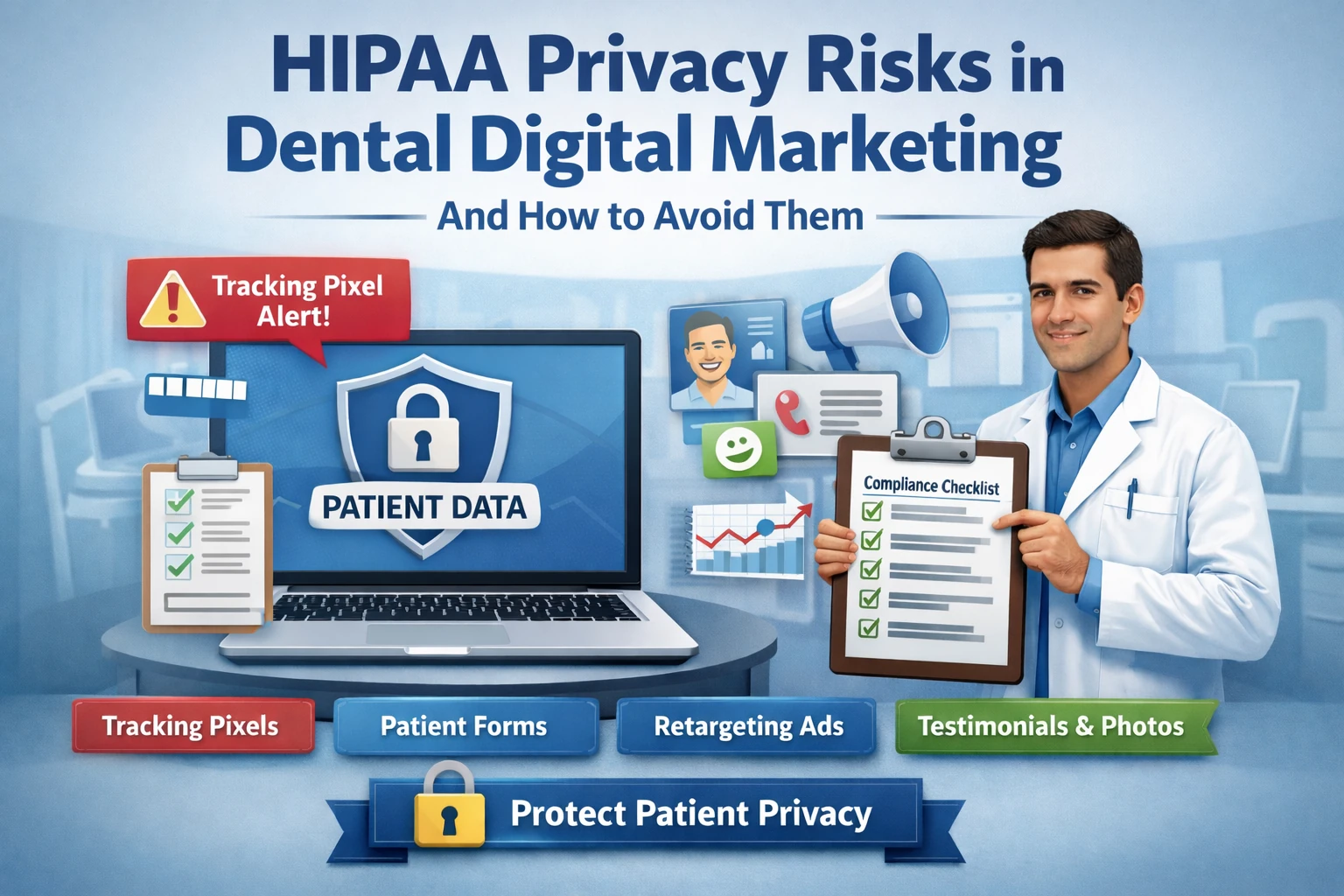 HIPAA privacy risks in dental digital marketing are real, common, and most dental practices don't realize they have them. If your practice runs paid ads, uses tracking pixels, collects online form submissions, or posts patient testimonials, there is a good chance your digital marketing stack is handling protected health information in ways that create regulatory exposure. The gap between what marketing platforms can do and what healthcare providers are allowed to do is where most privacy violations happen—and where enforcement agencies are now focused. HIPAA privacy risks in dental digital marketing are real, common, and most dental practices don't realize they have them. If your practice runs paid ads, uses tracking pixels, collects online form submissions, or posts patient testimonials, there is a good chance your digital marketing stack is handling protected health information in ways that create regulatory exposure. The gap between what marketing platforms can do and what healthcare providers are allowed to do is where most privacy violations happen—and where enforcement agencies are now focused.
The core issue is straightforward: dental practices are covered entities under HIPAA. Most marketing platforms—Google, Meta, analytics tools—are not designed to respect that distinction. When a patient clicks your ad, fills out your form, or visits your website, data flows to third parties automatically unless you’ve specifically configured it not to. In our work with dental practices, we find that the majority of privacy risks aren’t intentional. They’re the result of marketing tools being installed the standard way, without healthcare-specific safeguards.
This is not legal advice. We strongly recommend working with a healthcare compliance attorney for your specific situation. This blog covers the marketing-side risks we see most often and the operational steps that reduce exposure.
Below, you’ll learn where the most common privacy gaps hide in dental marketing (tracking pixels → form data → retargeting → testimonials → analytics), how HIPAA, FTC, and state privacy laws apply to your marketing channels, and how to audit and fix your marketing stack—with a practical checklist you can work through this week.
Written for: dental practice owners, office managers, and marketing teams who want to promote their practice effectively without creating unnecessary privacy risk.
TL;DR
If you only take five steps, take these:
| • |
Audit your tracking pixels - Meta Pixel, Google Ads tags, and analytics scripts on pages where patients enter health information can transmit protected data to third parties without a Business Associate Agreement
|
| • |
Lock down your online forms - patient intake and appointment request forms should route to HIPAA-compliant platforms, not generic email inboxes or marketing CRMs without BAAs
|
| • |
Get written authorization for testimonials and photos - a verbal “sure, go ahead” does not meet HIPAA authorization requirements for using patient information in marketing
|
| • |
Separate health-related retargeting audiences - retargeting visitors to specific treatment pages (like “dental implants” or “periodontal therapy”) can expose health conditions to ad platforms
|
| • |
Document your compliance decisions - regulators look for evidence that you evaluated risks and made informed choices, not that you achieved perfection |
Table of Contents
Why dental marketing carries unique privacy risks
Every dental practice is a HIPAA-covered entity. That’s not a technicality—it means that any tool, platform, or vendor that receives protected health information (PHI) on your behalf must either have a signed Business Associate Agreement or must be configured so that PHI never reaches it. The problem is that modern digital marketing is built on data collection, and most of the platforms dental practices use were designed for retail, restaurants, or e-commerce—industries with no PHI restrictions.
What makes dental marketing different from other industries:
| • |
Website visitors reveal health intent - someone browsing your “dental implants” or “sleep apnea treatment” page is signaling a health condition; when tracking pixels capture that visit and tie it to an identity, it becomes PHI
|
| • |
Form submissions contain PHI by default - name, phone number, email, and reason for visit on an appointment request form are PHI the moment they’re submitted; where that data goes next determines your compliance posture
|
| • |
Ad platforms are not business associates - Google and Meta do not sign BAAs for their standard advertising products, which means any PHI that flows through their pixels creates a compliance gap
|
| • |
Patient stories are powerful but regulated - testimonials, before-and-after photos, and case studies require specific HIPAA authorization, not just general consent |
A pattern we commonly see: a practice installs Meta Pixel or Google Ads conversion tracking the same way a retail business would—site-wide, on every page, including forms and treatment pages. This is standard practice for e-commerce. For a dental practice, it can mean that ad platforms receive data connecting a real person to a specific health interest, without a BAA in place and without the patient’s knowledge.
> Back to Table of Contents
The most common privacy mistakes in dental marketing
These aren’t edge cases. In our work supporting dental marketing strategies, these are the issues that come up most frequently. None of them require bad intent—they happen when standard marketing practices are applied without healthcare-specific guardrails.
Tracking pixels on health-related pages
When Meta Pixel or Google Ads tags fire on treatment-specific pages—implants, orthodontics, periodontal therapy, sedation dentistry—the platform receives a signal that a specific user (identified by cookies, IP address, or logged-in account) visited a health-related page. Both the FTC and HHS Office for Civil Rights (OCR) have issued guidance stating that this type of tracking can constitute an impermissible disclosure of PHI when the website belongs to a covered entity. While parts of the OCR guidance have been legally challenged, the core compliance concern remains: sharing identifiable patient data with third-party tracking vendors without a BAA creates regulatory risk.
Where this gets missed: pixel installation is often site-wide by default. If your web developer or marketing agency installed tracking the standard way, it’s likely firing on every page, including pages that reveal health conditions or treatment interest.
Online forms routing to non-compliant tools
Appointment request forms, new patient intake forms, and contact forms collect PHI. If those submissions route to a standard email inbox (Gmail, Outlook without a BAA), a marketing CRM that hasn’t signed a BAA, or a third-party form builder without healthcare compliance, the data is being stored and processed outside your HIPAA-compliant environment.
A common scenario: a form plugin sends submissions to a Google Sheet or a Mailchimp automation. Both are useful tools—neither is HIPAA-compliant in its standard configuration.
Retargeting based on treatment page visits
Retargeting (showing ads to people who previously visited your website) is one of the most effective paid advertising tactics in digital marketing. However, when you retarget visitors to specific treatment pages, you’re using health-related browsing behavior—which may be considered PHI—as the basis for ad targeting. This creates risk even if the ad itself doesn’t mention the treatment, because the targeting logic is built on health data.
Patient testimonials and photos without proper authorization
HIPAA requires a specific, written authorization before using patient information—including photos, video testimonials, or even a first name and treatment type—in marketing materials. This authorization must describe what information will be used, the purpose, and the patient’s right to revoke. A general consent form signed at intake typically does not meet this standard.
What we typically find: practices have verbal permission or a general media release but not a HIPAA-compliant authorization that specifies the marketing use, the information disclosed, and the patient’s revocation rights.
Analytics tools collecting identifiable health data
Google Analytics, heatmap tools (Hotjar, Clarity), and session recording software can capture identifiable information alongside health-related page visits. If a patient is logged into their Google account and visits your periodontics page, standard analytics can connect that browsing behavior to an identity—creating a PHI exposure point.
> Back to Table of Contents
HIPAA, FTC, and state privacy laws—what applies to your marketing
Privacy compliance in dental marketing isn’t just HIPAA. Three layers of regulation intersect, and understanding where each one applies helps you prioritize fixes.
HIPAA and your marketing channels
HIPAA’s Privacy Rule restricts how covered entities use and disclose PHI. In a marketing context, this means you cannot share patient information with marketing vendors unless you have a signed BAA or the patient has provided a specific written authorization. The HHS Office for Civil Rights issued guidance in December 2022 (revised March 2024) specifically addressing the use of tracking technologies on covered entity websites. A federal court subsequently vacated part of the guidance in June 2024 as it applied to unauthenticated public webpages, but OCR continues to enforce the core principle: when tracking technologies on a regulated entity’s site collect individually identifiable health information and transmit it to third parties without a BAA or patient authorization, that can constitute an impermissible disclosure of PHI. The regulatory landscape here is still evolving.
Key practical point: HIPAA doesn’t prohibit digital marketing. It requires that marketing activities don’t result in impermissible disclosures of PHI. The fix is usually about how tools are configured, not whether they can be used at all.
FTC Health Breach Notification Rule
The FTC has expanded enforcement of its Health Breach Notification Rule to cover entities not covered by HIPAA—but also applies pressure to HIPAA-covered entities through separate authority over unfair or deceptive trade practices. If your privacy policy says “we don’t share your health information” but your tracking pixels send health-related browsing data to Meta, the FTC may view that as a deceptive practice. In 2023, the FTC issued consent orders against health technology companies for exactly this pattern—sharing health data with advertising platforms despite privacy policy assurances.
State privacy laws
State laws add another layer. California (CCPA/CPRA), Washington (My Health My Data Act), and several other states have enacted privacy laws that impose requirements beyond HIPAA. These laws often apply to all health-related data, not just data covered by HIPAA, and they give patients (or consumers) additional rights like data deletion and opt-out of sale or sharing. Even if your practice is in another state, these laws may apply if you treat patients from those states or if your website is accessible to their residents.
The practical takeaway: complying with HIPAA alone may not be sufficient. A privacy-safe marketing approach should also account for FTC expectations and any state laws that apply to your patient population.
> Back to Table of Contents
How to audit your marketing stack for privacy gaps
You don’t need to hire a consultant to identify the biggest risks. A structured self-audit focusing on data flow—where patient information goes when it leaves your website—will surface most issues within a few hours. If you already track marketing ROI by channel, you have a head start on knowing which tools touch patient data.
Step 1—Map every tracking script on your website
Use your browser’s developer tools or a free tool like Ghostery to see what scripts load on each page of your site. You’re looking for:
| • |
Meta Pixel (Facebook Pixel) - check if it fires on treatment pages, form submission confirmations, and thank-you pages
|
| • |
Google Ads conversion tags - identify which conversions are being tracked and whether health-related page visits are included
|
| • |
Google Analytics (GA4) - review whether enhanced measurement features (like form interaction tracking) capture PHI
|
| • |
Third-party scripts - heatmaps, chat widgets, review platforms, and scheduling tools all handle data; list every one |
What to document: for each script, note what data it collects, where that data is sent, and whether you have a BAA with the receiving party.
Step 2—Trace your form data flow
Submit a test entry through every form on your website (appointment requests, contact forms, new patient registration). Then trace where that data goes:
| 1. |
Where does the submission land first? (email inbox, CRM, practice management software, form plugin dashboard)
|
| 2. |
Who receives a notification? (and through what channel—email, SMS, Slack?)
|
| 3. |
Is the data stored anywhere outside your practice management system? (cloud storage, spreadsheets, marketing automation tools)
|
| 4. |
Do any of those destinations have a signed BAA? |
Step 3—Review your retargeting audiences
Log into your ad accounts and check what retargeting audiences you’re using. If any audience is built from visitors to specific treatment pages (rather than general site visitors or non-health pages), flag it for review. Also check whether your customer match lists (email uploads for targeting) include patients who haven’t authorized their information to be used for marketing.
Step 4—Check your testimonial and photo authorizations
Pull every patient testimonial, before-and-after photo, and case study currently used in your marketing. For each one, verify that you have a signed, HIPAA-compliant authorization on file—not just a general consent form. The authorization should specify the information being disclosed, the marketing purpose, and the patient’s right to revoke.
Step 5—Review your privacy policy
Read your website’s privacy policy with fresh eyes. Does it accurately describe what data you collect, how tracking technologies work on your site, and how patient information is shared with third parties? If there’s a gap between what the policy says and what actually happens, that’s both a compliance issue and a trust issue.
> Back to Table of Contents
Building a privacy-safe dental marketing workflow
Privacy-safe dental marketing doesn’t mean stopping all digital marketing. It means configuring your tools and processes so that PHI stays within compliant boundaries while your marketing funnel still performs. Here’s the framework we recommend.
Configure tracking with healthcare guardrails
| • |
Use server-side tagging or consent-gated pixels - instead of firing pixels on every page load, implement a consent management platform that allows patients to opt in before tracking activates; alternatively, use server-side tag management to control what data reaches ad platforms
|
| • |
Exclude treatment pages from standard tracking - configure your pixel and analytics to exclude pages that reveal health conditions; track conversions at the “thank you” page level without passing treatment-specific data
|
| • |
Strip identifying parameters - ensure that URLs passed to ad platforms don’t contain query strings with patient names, email addresses, or treatment types
|
| • |
Use Google’s Consent Mode - Google Ads and GA4 support Consent Mode, which adjusts data collection based on user consent status; this doesn’t eliminate all risk but reduces exposure |
Secure your form data pipeline
| • |
Route form submissions to HIPAA-compliant endpoints - use form tools that offer BAAs (several healthcare-specific platforms exist) or route submissions directly into your practice management software
|
| • |
Encrypt data in transit and at rest - SSL on your website is a start, but verify that the form processor, email notifications, and storage destinations also use encryption
|
| • |
Eliminate unnecessary data copies - if form data flows to three different places, that’s three potential breach points; minimize the number of systems that touch PHI
|
| • |
Disable marketing platform form tracking - Meta and Google can track form interactions automatically; disable these features on forms that collect health information |
Build compliant retargeting and audience strategies
| • |
Retarget general pages only - build audiences from homepage visitors, blog readers, or “about us” page visitors rather than treatment-specific pages
|
| • |
Use lookalike audiences carefully - if your seed audience is a patient list, ensure you have authorization to use that data for marketing purposes before uploading it to any platform
|
| • |
Prefer contextual targeting over behavioral - target people searching for dental topics rather than retargeting based on past health-related browsing behavior on your site
|
| • |
Review and refresh audiences quarterly - remove audiences that may have been created before your privacy practices were tightened |
Establish a testimonial and photo authorization process
| • |
Create a HIPAA-compliant marketing authorization form - work with your compliance advisor to develop a standalone form that meets HIPAA requirements (separate from your general treatment consent)
|
| • |
Include specific details - the form should state exactly what will be shared (photo, video, name, treatment type), where it will be published (website, social media, ads), and for how long
|
| • |
Store authorizations with the patient record - keep signed authorizations accessible so you can verify them when a testimonial is published or if a patient requests revocation
|
| • |
Honor revocations promptly - when a patient revokes authorization, remove their content from all active marketing channels within a reasonable timeframe (we recommend 30 days or less) |
Document everything
Regulators don’t expect perfection. They look for evidence that you understood the risks, made informed decisions, and implemented reasonable safeguards. Keep a record of your privacy audit findings, the changes you made, your BAA inventory (a list of every vendor that handles PHI and their BAA status), and your ongoing review schedule. Documenting your processes turns “we think we’re compliant” into “here’s what we evaluated and what we did about it.”
> Back to Table of Contents
What to do if something goes wrong
Even with strong cybersecurity safeguards, issues can surface—a pixel was misconfigured, a form routed to the wrong place, or a staff member posted a patient photo without authorization. How you respond matters as much as the initial mistake.
Immediate steps:
| 1. |
Contain the exposure - disable the tracking pixel, remove the content, or shut off the data flow immediately; don’t wait for a full investigation before stopping active disclosure
|
| 2. |
Document what happened - record when the issue started, what data was potentially exposed, how many individuals may be affected, and what you did to stop it
|
| 3. |
Assess whether it qualifies as a breach - not every privacy issue is a reportable breach under HIPAA; consult your compliance advisor or attorney to determine notification obligations
|
| 4. |
Notify as required - if the incident meets the HIPAA breach notification threshold, you have specific deadlines for notifying affected individuals, HHS, and potentially the media (for breaches affecting 500+ individuals)
|
| 5. |
Fix the root cause - address the process, configuration, or training gap that allowed the issue to happen so it doesn’t recur |
A measured response shows regulators (and patients) that your practice takes privacy seriously. Overreacting can be as problematic as underreacting—not every pixel misconfiguration requires a public breach notification. Work with qualified advisors to determine the appropriate response proportional to the actual risk.
> Back to Table of Contents
Talk to WEO Media about privacy-safe dental marketing
At WEO Media, we build dental marketing programs with privacy considerations integrated from the start—not bolted on afterward. If you have questions about how your current marketing handles patient data, or if you’re ready to build a marketing program that performs and protects your practice, contact us at 888-246-6906 or reach out through our website.
> Back to Table of Contents
FAQs
Is the Meta Pixel (Facebook Pixel) HIPAA compliant?
Meta does not sign Business Associate Agreements for its advertising products, including the Meta Pixel. When the pixel fires on a dental practice website and transmits data connecting an identifiable user to a health-related page visit, this can constitute an impermissible disclosure of PHI. Practices can reduce risk by using server-side tagging, consent management platforms, or by excluding treatment-specific pages from pixel tracking.
Can dental practices use Google Ads conversion tracking?
Google Ads conversion tracking can be used by dental practices, but it requires careful configuration. The key is ensuring that conversion events do not transmit PHI—such as treatment type, patient name, or health condition—to Google. Tracking a general “form submitted” event on a thank-you page is lower risk than tracking visits to specific treatment pages. Google’s Consent Mode and server-side tagging offer additional controls.
Do I need a BAA with my website hosting provider?
If your website collects PHI through forms (such as appointment requests with patient names and health information), your hosting provider may have access to that data and should have a BAA in place. If your website is purely informational with no form submissions or patient portals, the risk is lower, but it is still good practice to evaluate whether your host has access to any data that could be considered PHI.
What is a HIPAA-compliant marketing authorization form?
A HIPAA-compliant marketing authorization is a standalone document that specifically permits the practice to use a patient’s protected health information for marketing purposes. It must describe the information to be disclosed, the purpose of the disclosure, the patient’s right to revoke, and whether the practice receives financial remuneration for the marketing. A general consent-to-treat or media release form typically does not satisfy HIPAA’s authorization requirements.
Can I post patient reviews on my website or social media?
If a patient voluntarily posts a review on a public platform like Google or Yelp, you generally do not need separate authorization to display that review. However, if you are soliciting testimonials, recording video testimonials, or reposting reviews in a way that adds health information (such as pairing a review with treatment details or photos), a HIPAA-compliant authorization is recommended. Also note that responding to reviews with any patient health information is a HIPAA violation, even if the patient disclosed that information first.
Does Google Analytics collect PHI from dental websites?
Google Analytics can collect data that constitutes PHI when installed on a dental practice website. If a user is identifiable (through IP address, Google account, or device fingerprinting) and visits pages revealing health conditions, that combination may be PHI under HHS guidance. Google offers a BAA for certain Google Cloud products but not for standard Google Analytics. Risk reduction measures include IP anonymization, disabling user-level reporting, and excluding health-specific pages from analytics tracking.
What is the penalty for a HIPAA violation related to marketing?
HIPAA penalties range from $145 to $2,190,294 per violation depending on the level of culpability, with annual caps per violation category. The HHS Office for Civil Rights can also require corrective action plans, ongoing monitoring, and public resolution agreements. Beyond federal penalties, state attorneys general can bring separate actions, and patients may pursue private lawsuits in some jurisdictions. The reputational cost of a publicized breach often exceeds the financial penalties.
How often should I review my dental marketing for privacy compliance?
A quarterly review of your marketing stack—tracking scripts, form data flows, retargeting audiences, and testimonial authorizations—is a practical cadence for most dental practices. Additionally, review your setup whenever you change marketing vendors, redesign your website, or launch a new campaign type. Regulatory guidance in this area is evolving, so staying current on HHS and FTC updates is also important. |
|





