Dental Group Marketing Dashboard: How to Build One That Tracks Every Location
Posted on 6/18/2026 by WEO Media |
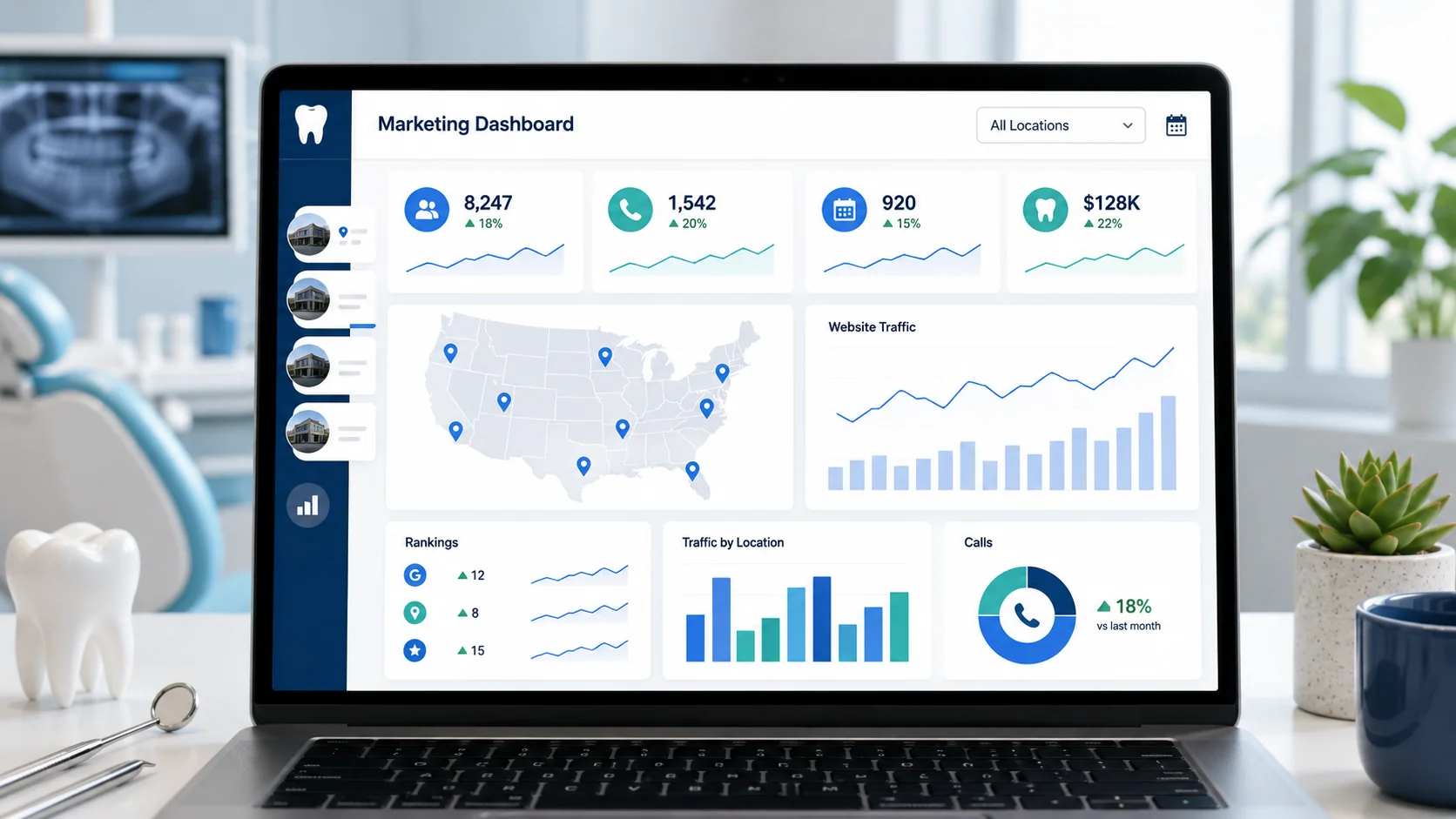 To build a dental group marketing dashboard that tracks every location, connect each office’s call tracking, GA4, Google Ads, Google Business Profile, and practice-management data into one view organized around new patients, cost per new patient, and channel performance by location—so DSO and multi-location practice leaders can compare locations, reallocate budget, and prove marketing ROI from a single screen. To build a dental group marketing dashboard that tracks every location, connect each office’s call tracking, GA4, Google Ads, Google Business Profile, and practice-management data into one view organized around new patients, cost per new patient, and channel performance by location—so DSO and multi-location practice leaders can compare locations, reallocate budget, and prove marketing ROI from a single screen.
The hard part isn’t the software. It’s deciding what to measure, standardizing those definitions across every location, and connecting marketing activity to the new patients who actually walk through the door.
Most dental groups don’t lack data—they drown in it. Each location has its own call tracking login, its own Google Business Profile, its own ad campaigns, and its own row in the practice-management system. Leadership ends up stitching together a dozen tabs to answer one simple question: which locations are growing, which are stalling, and where should the next marketing dollar go? A real dashboard answers that on one screen.
This guide walks through the full build: the metrics that belong on a group dashboard, the data sources you need to connect, how to pick a tool, how to lay out the views, how to handle multi-location attribution, and how to keep the whole thing HIPAA-safe. It finishes with a phased roadmap so you can ship a useful version in days, not months.
Running a single location? Most of this still applies—you can skip the location-comparison and rollup sections and focus on metrics and data sources.
Written for: DSO and dental group marketing directors, operations leaders, and multi-location practice owners who want one trustworthy view of marketing performance across every location.
TL;DR
If you build only the essentials, build these:
| • |
Start from decisions, not data - write the five to seven questions leadership needs answered, then choose metrics that answer them—don’t just visualize whatever is easy to export |
| • |
Anchor on two numbers - new patients per location and cost per new patient drive every budget decision; every other metric exists to explain those two |
| • |
Connect five sources - call tracking, GA4, Google Ads, Google Business Profile, and your practice-management system; everything else is optional |
| • |
Standardize definitions first - if “new patient” or “lead” means something different at each location, your comparisons will lie to you |
| • |
Ship an MVP, then expand - build the executive view in Looker Studio or a spreadsheet first, then add location comparison and drill-down |
| • |
Keep it HIPAA-safe - aggregate counts only, no patient-level detail, and a signed BAA with any vendor that records calls |
| • |
Give it an owner - one person and a weekly review cadence, or the dashboard goes stale within a month |
Table of Contents
Why a multi-location dental group needs a marketing dashboard
A single practice can often run on gut feel and a monthly call-tracking report. A group can’t. The moment you add locations, three problems appear that no individual platform report will solve.
The comparison problem. Leadership’s real question is relative, not absolute: is the Westside office underperforming, or is it just newer and smaller? Without standardized metrics side by side, you can’t tell a struggling location from a young one, and you can’t tell a marketing problem from a front-desk problem.
The allocation problem. Marketing budget is finite, and pouring more into a location that already converts well often returns less than fixing a location that leaks. You can only see that trade-off when spend and results sit in the same view, broken out by location and channel.
The replication problem. When one location wins—say its paid search dramatically outperforms—you want to copy what works everywhere else. That only happens if you can see the win clearly enough to diagnose why.
A pattern we see constantly with growing groups and DSOs: each location is measured well in isolation, but no one owns the cross-location view, so leadership flies blind on the exact decisions a dashboard is built to inform. The fix isn’t more reports. It’s one view that makes locations comparable.
> Back to Table of Contents
The metrics that belong on a dental group marketing dashboard
Build the metric list backward from the decisions leadership makes, not forward from whatever your tools happen to export. Start by writing the questions you need answered—where to spend, which locations need help, whether marketing is paying for itself—then choose the smallest set of metrics that answers them honestly.
The two numbers everything orbits. For most dental groups, the whole dashboard reduces to two figures per location: new patients and cost per new patient. New patients are the growth engine; cost per new patient (total marketing spend ÷ new patients) is the efficiency signal that tells you where the next dollar works hardest. Every other metric on the dashboard exists to explain movement in those two.
Organize the supporting metrics by funnel stage so you can see where a location is winning or leaking, not just the final score:
| • |
Visibility - Google Business Profile views and searches, local pack presence, and organic impressions by location; these are leading indicators that move before patient volume does |
| • |
Acquisition - calls, form submissions, chats, and direction requests, split by location and by channel (organic, paid, local, referral) so you can see what each marketing source actually produces |
| • |
Conversion - call answer rate, booking rate, and website conversion rate; a location can generate plenty of demand and still lose it at the front desk |
| • |
Value - new patients seen, production generated by new patients, and return on marketing spend; this is where marketing connects to the practice-management system and stops being a vanity exercise |
| • |
Retention signals - review rating and review velocity by location, since reputation quietly drives both new-patient volume and long-term value |
Leading vs. lagging: put both on the dashboard, but label them. Calls, impressions, and rankings move quickly and warn you early. New patients seen and production move slowly and confirm what actually happened. Groups that only watch lagging metrics react a month too late; groups that only watch leading metrics celebrate clicks that never became patients.
Cut the vanity metrics. Raw impressions, follower counts, and “reach” feel productive but rarely change a decision. If a metric can climb while new patients and cost per new patient get worse, it doesn’t belong on the executive view—move it to a diagnostic tab or drop it.
> Back to Table of Contents
Data sources you need to connect
A dashboard is only as trustworthy as the data feeding it. For a dental group, five sources cover the vast majority of what leadership needs—call tracking, GA4, Google Ads, Google Business Profile, and your practice-management system—and a few optional ones add depth.
| • |
Call tracking - the backbone of dental attribution; use dynamic number insertion and a unique tracking number per location and per major channel so every call is tied to a source, and review call outcomes (booked, missed, not a patient) rather than raw call counts |
| • |
GA4 - website behavior and key events by location, with channel groupings that separate organic, paid, and referral traffic; note that GA4 labels these tracked outcomes “key events,” the term that replaced “conversions” in 2024 |
| • |
Google Ads - spend, clicks, and conversions by campaign and location, which you’ll pair with call and new-patient data to calculate true cost per new patient |
| • |
Google Business Profile - per-location calls, direction requests, and search visibility; for most groups, local search often drives more new patients than any other channel, so this source is not optional |
| • |
Practice-management system - the source of truth for actual new patients and production; cloud, multi-location platforms built for groups make this far easier to pull than legacy single-site software |
Optional but valuable additions include your review platform (for rating and velocity), website chat or form tools (for lead detail), and a CRM if your group runs one for nurturing.
Expect your sources to disagree. The number of key events GA4 reports will almost never match the new patients your practice-management system records, because website events, phone calls, and actual booked-and-kept appointments are different things measured at different points in the funnel. That gap is normal. The dashboard’s job isn’t to force the numbers to match—it’s to show the funnel honestly: inquiries → booked → seen, with each number sourced from the system that measures it best.
> Back to Table of Contents
Choosing your dashboard tool: spreadsheet, Looker Studio, or Power BI
You don’t need expensive software to start. The right tool depends on how many sources you’re connecting, how much you need to automate, and who maintains it.
| • |
Spreadsheet (Google Sheets or Excel) - the fastest way to prove the concept; manually drop in each location’s monthly numbers and you’ll have a working comparison in an afternoon, which is often enough to expose your biggest problems before you invest in anything fancier |
| • |
Looker Studio - the sensible default for most dental groups; it’s free, connects natively to GA4, Google Ads, and Google Sheets, and refreshes automatically, so you get a live executive view without licensing costs |
| • |
Power BI - the upgrade path when you outgrow Looker Studio; it handles many data sources, heavier modeling, and complex location hierarchies, at the cost of more setup and a steeper learning curve |
| • |
Tableau or other enterprise tools - worth considering only for large DSOs with dedicated analysts and data infrastructure already in place |
Our recommendation for most groups: start in a spreadsheet to settle which metrics actually matter, move to Looker Studio for the automated executive and comparison views, and graduate to Power BI only when the manual work of joining sources—especially blending practice-management data with marketing data—becomes the bottleneck. Building the fancy tool first is one of the most common ways dashboard projects stall.
> Back to Table of Contents
How to structure your dashboard views
A dental group dashboard isn’t one screen—it’s a small set of views, each answering a different question for a different audience. Build them in this order, and follow one design rule throughout: the most important number goes top-left, and every location is laid out identically so comparisons are instant.
View 1: The executive summary
This is the one screen leadership opens first. Roll everything up across all locations: total new patients, blended cost per new patient, total marketing spend, and the trend versus the prior period. Add a simple ranked list of locations by new patients so the top and bottom performers are obvious at a glance. If a busy owner can only look for ten seconds, this view should still tell them whether the group is winning.
View 2: The location comparison
This is the leaderboard that makes the group manageable. Put every location in the same rows—new patients, cost per new patient, answer rate, booking rate, review rating—so a weak location can’t hide behind a strong group average. This is where you spot the office leaking demand at the front desk, the one overpaying for paid search, and the one quietly outperforming everyone.
View 3: The location drill-down
When the comparison flags a problem, this view explains it. For a single selected location, show the full funnel by channel: visibility, calls and forms, answer and booking rates, new patients, and production. This is the view a regional manager or marketing lead uses to diagnose why a location is off and what to fix first.
Two optional views earn their place once the core three are solid: a channel view that compares organic, paid, and local performance across the whole group, and a trends view that tracks the key numbers over many months so you can separate a real decline from normal seasonality.
> Back to Table of Contents
Solving multi-location attribution
Attribution is the hardest part of any group dashboard, because patients don’t move in straight lines and locations share a brand. You’ll never get it perfect—but a few practices get you close enough to make confident budget decisions.
| • |
Unique tracking numbers per location and channel - this is the single highest-leverage move; dynamic number insertion assigns different phone numbers to different sources so a call from organic search at one office is never confused with a paid call at another |
| • |
Location-specific landing pages and profiles - give each location its own optimized page and its own Google Business Profile so web and local activity attribute cleanly to the right office |
| • |
Standardized definitions across locations - decide once, group-wide, what counts as a “lead” and a “new patient,” and when each is counted; without this, your comparison view is measuring different things in each column |
| • |
A primary-source rule for double-counted journeys - a patient may search the brand, click an ad, then call a location; pick one consistent rule for which touch gets credit so the same patient isn’t counted three times |
Be honest about the limits. Brand searches blur location attribution, multi-touch journeys resist single-source credit, and some patients simply walk in. Treat attribution as a decision-support model, not absolute truth: it should be consistent enough that month-over-month and location-over-location comparisons are fair, even if no single number is perfect. Consistency, not false precision, is what makes the dashboard trustworthy.
> Back to Table of Contents
Keeping your dashboard HIPAA-compliant
A marketing dashboard should never become a compliance liability. The good news is that the metrics leadership actually needs are aggregate by nature, and aggregate data is exactly what keeps you safe.
| • |
Aggregate counts, never patient-level detail - a dashboard needs the number of new patients at a location, not names, appointment details, or anything that identifies an individual; protected health information has no place on a marketing dashboard |
| • |
Sign a BAA with vendors that handle protected data - call tracking platforms that record or transcribe calls may capture protected health information, so use a vendor that will sign a Business Associate Agreement and configure it for healthcare |
| • |
Control who sees what - use role-based access so the right people see group and location data, and review sharing settings whenever you build in tools like Looker Studio or share a spreadsheet |
| • |
Keep marketing and clinical data separated by design - the dashboard reports on marketing performance, not patient records; resist the urge to enrich it with clinical detail that pulls protected information into a marketing tool |
If you’re unsure whether a data point belongs on the dashboard, apply a simple test: could it identify a specific patient? If yes, it stays out. Aggregate performance metrics give leadership everything they need to allocate budget and manage locations without ever touching protected health information—and when in doubt, confirm your setup with your group’s compliance or legal counsel.
> Back to Table of Contents
Common dental group dashboard mistakes to avoid
Most dashboard projects fail for predictable reasons. Knowing them in advance saves months.
| • |
Tracking vanity metrics over economics - impressions and follower counts crowd out the two numbers that drive decisions; if new patients and cost per new patient aren’t front and center, the dashboard isn’t doing its job |
| • |
Inconsistent definitions across locations - the most common silent killer; when each office counts new patients or leads differently, the comparison view actively misleads leadership |
| • |
Too many metrics - a wall of thirty numbers gets ignored; a focused executive view of five to eight gets used |
| • |
Building the tool before the questions - teams spend weeks on connectors before deciding what they need to learn, then build a beautiful dashboard nobody can act on |
| • |
Never reconciling with the practice-management system - marketing metrics that are never checked against actual new patients drift into fiction |
| • |
No owner and no cadence - a dashboard with no one responsible for it and no standing review goes stale within weeks, no matter how good it looked on launch day |
The thread running through all of these is the same: a dashboard is a decision tool, not a reporting trophy. If it doesn’t change what leadership does next week, it needs fewer metrics, clearer definitions, or a real owner—not more charts.
> Back to Table of Contents
A step-by-step roadmap to build your dashboard
You don’t need to build everything at once. This phased path gets a useful dashboard live quickly and improves it over time.
| 1. |
Write the questions first - list the five to seven decisions leadership makes (where to spend, which locations need help, whether marketing pays for itself), because those questions define every metric that follows |
| 2. |
Standardize your definitions - lock in group-wide definitions for “new patient,” “lead,” and how each is counted, so every location reports the same way |
| 3. |
Inventory and connect your sources - confirm access to call tracking, GA4, Google Ads, Google Business Profile, and your practice-management system, and set up unique tracking numbers per location |
| 4. |
Build the executive view as an MVP - start in a spreadsheet or Looker Studio with the rolled-up numbers leadership cares about most; ship it even if it’s manual at first |
| 5. |
Add comparison and drill-down - layer in the location leaderboard and per-location detail once the executive view is trusted and stable |
| 6. |
Automate the refresh - replace manual updates with live connectors so the dashboard maintains itself and the team stops dreading the monthly rebuild |
| 7. |
Assign an owner and a cadence - name one person accountable for the dashboard, set a weekly or monthly review on the calendar, and lock down role-based access |
Ship the MVP before it’s perfect. A simple executive view in use this month beats a comprehensive dashboard that launches next quarter—you’ll learn more from leadership actually using a rough version than from polishing one nobody has touched yet.
> Back to Table of Contents
Build your dental group marketing dashboard with WEO Media
Building a marketing dashboard across multiple locations takes the right metrics, clean data connections, and standardized definitions—and most dental groups don’t have the time to assemble all of it in-house. WEO Media - Dental Marketing works with groups and DSOs to track performance across every location, connect marketing activity to real new-patient growth, and turn scattered data into one view leadership can act on—the same cross-location focus behind our DSO and multi-location case studies. To talk through what a dashboard would look like for your group, call us at 888-246-6906 or reach out through our website.
> Back to Table of Contents
FAQs
What metrics should a dental group marketing dashboard track?
Anchor it on two numbers per location: new patients and cost per new patient (marketing spend divided by new patients). Support those with funnel metrics—Google Business Profile visibility, calls and form submissions by channel, call answer and booking rates, and website conversion rate. Track new patients seen and production from the practice-management system so marketing connects to real revenue, and keep the executive view to roughly five to eight metrics so it stays usable.
What is the best tool to build a dental group marketing dashboard?
For most dental groups, Looker Studio is the best default because it is free and connects natively to GA4, Google Ads, and Google Sheets with automatic refreshes. Start in a spreadsheet to settle which metrics matter, move to Looker Studio for live executive and comparison views, and upgrade to Power BI only when you are blending many sources—especially practice-management data—and the manual work becomes the bottleneck.
How do you track marketing performance across multiple dental locations?
Give each location unique call tracking numbers through dynamic number insertion, its own optimized landing pages, and its own Google Business Profile so activity attributes to the right office. Then standardize what counts as a lead and a new patient across every location so the numbers are comparable. Roll the standardized metrics into one view that lets you compare locations side by side rather than checking each platform separately.
Is a marketing dashboard HIPAA-compliant?
It can be, as long as it uses aggregate data only and never patient-level detail. Report counts like new patients per location, not names or appointment specifics, and keep protected health information out of the dashboard entirely. Sign a Business Associate Agreement with any vendor that records or transcribes calls, use role-based access controls, and confirm your setup with your group’s compliance or legal counsel when in doubt.
How is a dental group dashboard different from a single-practice report?
A single-practice report answers how one office is doing; a group dashboard makes locations comparable and supports budget decisions across them. It adds a rolled-up executive view, a side-by-side location comparison, and per-location drill-downs, all built on definitions standardized across every office. That comparison layer is what lets leadership spot underperformers, reallocate spend, and replicate what works at the strongest locations.
What is cost per new patient and why does it matter for dental groups?
Cost per new patient is total marketing spend divided by the number of new patients it produced, measured per location and ideally per channel. It matters because it shows where each marketing dollar works hardest across a group, which is the core of smart budget allocation. A location with strong volume but a high cost per new patient may have a conversion or front-desk problem worth fixing before you add more spend.
How often should you update a dental group marketing dashboard?
Automate the underlying data so it refreshes daily or in real time through live connectors, then set a human review cadence that matches how fast you act. Most groups review the dashboard weekly for operational signals like call answer rates and monthly for budget and channel decisions. The data should always be current; what matters is a standing review on the calendar so insights turn into action.
What is the most common mistake when building a dental group dashboard?
The most common silent failure is inconsistent definitions across locations—when each office counts new patients or leads differently, the comparison view misleads leadership rather than informing it. Close behind is building the tool before deciding what questions it needs to answer, which produces a polished dashboard nobody can act on. Standardize definitions first, and let the decisions leadership makes drive every metric you include. |
|





