Dental Chat Scripts That Book Appointments
Posted on 6/21/2026 by WEO Media |
How to Turn Website Visitors Into Scheduled Patients
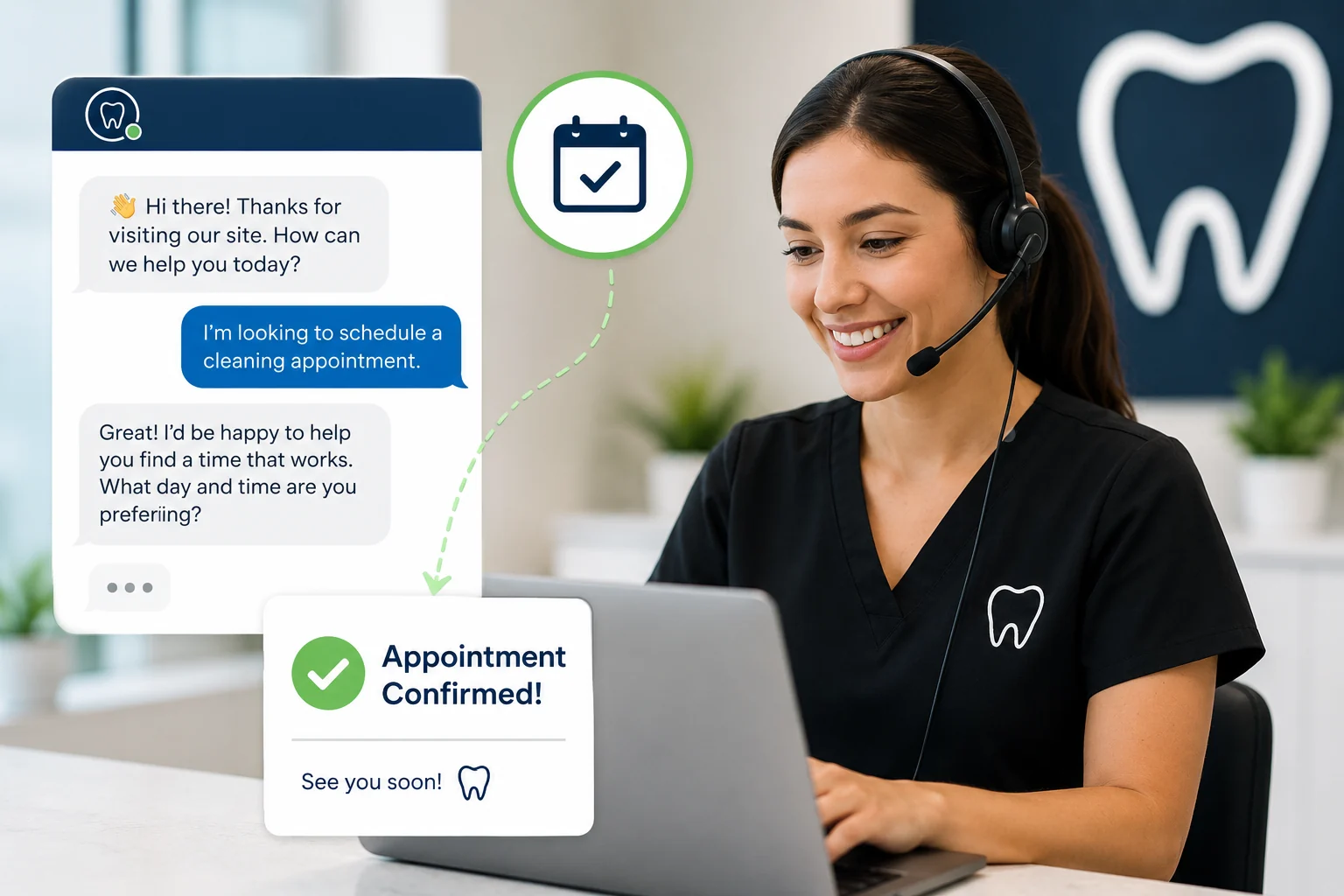 Dental chat scripts that book appointments are pre-written, structured message flows that help dental practices turn website visitors into scheduled patients — by answering their first question fast, qualifying intent, capturing contact details, and guiding them to a confirmed appointment time. Dental chat scripts that book appointments are pre-written, structured message flows that help dental practices turn website visitors into scheduled patients — by answering their first question fast, qualifying intent, capturing contact details, and guiding them to a confirmed appointment time.
Most practice chat widgets do the opposite. They answer a question, the visitor says “thanks,” and the conversation ends without a name, a number, or a booking. The script is the difference between a friendly chat and a filled chair.
Here’s the core problem: a website visitor who opens your chat is already showing intent — whether they arrived from organic search, paid ads, or a referral. They are on your site, thinking about their teeth, and willing to type. If your chat answers questions but never asks for the appointment — or asks for too much, too soon, and scares them off — that intent evaporates. The same friction that leaks phone calls and form fills leaks chat conversations, and the fix is the same: a deliberate path from first message to confirmed visit.
Already running website chat? Use the copy/paste scripts below to upgrade what you have. Just standing up chat for the first time? Read the setup and compliance sections first so you build it right.
This guide gives you a reusable script framework, copy/paste scripts for seven common scenarios (new patients, emergencies, insurance, cost questions, after-hours, fully booked, and rescheduling), guidance on live chat versus AI chatbots, the HIPAA, TCPA, and accessibility guardrails most practices miss, and the handful of numbers that tell you whether your chat is working.
Written for: dental practice owners, office managers, treatment coordinators, and marketing teams who want their website chat to book appointments instead of just answering questions.
TL;DR
If you only change five things about your dental chat, change these:
| 1. |
Answer fast, then ask for the booking - speed is the whole point of chat; help with the first question, then guide the visitor to a specific time instead of waiting for them to ask
|
| 2. |
Capture name and mobile early - get contact details before you answer everything, so a dropped chat still becomes a lead you can follow up
|
| 3. |
Collect less health information, not more - keep symptoms and medical details out of open chat; route anything sensitive to a secure form to stay HIPAA-safe
|
| 4. |
Get consent before you text back - if you follow up by text, ask permission in the chat and offer a clear opt-out
|
| 5. |
Measure chat-to-booking, not chat volume - track how many chats turn into booked and kept appointments, not how many conversations you had |
Table of Contents
What makes a dental chat script book appointments
A chat script books appointments when it treats the conversation as a path to a confirmed time, not as a help desk. The visitor’s question is the opening, not the goal. A good script answers the question honestly, learns what the person actually needs, captures a way to reach them, and offers a specific time — in that order. It is the same discipline that turns phone callers into booked patients, applied to the chat window.
The reason speed and structure matter so much comes down to how buying intent decays. Research on lead response time is blunt about it: a widely cited study by Dr. James Oldroyd analyzing inside-sales data found that contacting a new lead within five minutes rather than thirty made businesses roughly 100 times more likely to connect and about 21 times more likely to qualify that lead. A separate Harvard Business Review audit of thousands of companies found that firms responding within an hour were about seven times more likely to qualify a lead than those that waited just sixty minutes longer. These are odds ratios from specific datasets, not guarantees — but the direction has held across every serious study: the faster you respond, the more you book.
Chat is the only channel that can respond in seconds, every time, day or night. That is its entire advantage. A script that answers slowly, or that answers quickly but never moves toward a booking, throws that advantage away.
What “booking-focused” actually looks like:
| • |
It assumes the visit - the script offers times (“Tuesday at 2:00 or Thursday at 10:00?”) instead of asking whether they’d like to book
|
| • |
It captures contact early - name and mobile come before the deep answers, so the lead survives a dropped chat
|
| • |
It stays in its lane - no prices quoted, no symptoms diagnosed; it moves uncertainty into a consult or a callback
|
| • |
It always offers a next step - even “we’re fully booked” becomes a waitlist plus a callback, never a dead end |
> Back to Table of Contents
The anatomy of a chat script that converts
Almost every high-performing dental chat follows the same six-part shape. Once your team internalizes it, you can write a script for any page or scenario in minutes. In our work with practices, the scripts that book are rarely the cleverest — they are the ones that hit all six beats without skipping the contact capture or the booking ask.
1. A fast, specific opener
Greet within seconds and make the two real options obvious: book or ask. On a high-intent page (implants, Invisalign, emergency care), make the opener context-aware so it meets the visitor where they are. Generic “How can I help you?” openers convert worse than “Looking to book a visit or have a quick question? I can help with either.”
2. An intent qualifier
Ask one question that tells you what they need: new patient or returning, routine or urgent, which service. This single question lets you route the conversation correctly and signals that a real process is happening — not a generic bot loop.
3. A helpful, honest answer
Answer the first question without over-promising. This is where trust is won or lost. Do not quote prices, and do not interpret symptoms. If the honest answer is “that depends,” say so and explain that a short consult gives them an accurate answer.
4. An early, low-friction contact capture
Ask for name, mobile, and email before you answer everything — and say why (“so I can hold your spot and the team can follow up”). This is the most-skipped step and the most important one: if the visitor closes the tab, a captured contact is still a lead you can win. A great answer with no contact details is a missed opportunity.
5. The booking ask
Offer specific times or a self-scheduling link. Be assumptive but flexible: name two windows, then ask their preference. The goal is to end the chat with a time on the calendar, not a promise to “think about it.”
6. Confirmation and handoff
Confirm the details, set expectations for what happens next, and get permission to text. Define clearly when the conversation should jump to a human — complex insurance, a clinical question, an upset patient, or a visitor the bot has failed to help twice. A smooth handoff with full context is what keeps an automated chat from feeling like a wall.
> Back to Table of Contents
Copy/paste dental chat scripts for every scenario
Use these as starting points and adapt the wording to your practice’s voice. Each one follows the six-part anatomy above. A note before you copy: keep medical details out of the open chat and never quote a specific price — both are covered in the compliance section below.
New-patient appointment inquiry
The bread-and-butter conversation. Qualify, capture, and book without friction.
| • |
Chat opens: “Hi! Looking to book a visit or have a quick question? I can help with either.”
|
| • |
Visitor: “Are you taking new patients?”
|
| • |
Practice: “We are — welcome! Are you looking for a routine cleaning and exam, or is something specific bothering you?”
|
| • |
Visitor: “Just a cleaning and checkup.”
|
| • |
Practice: “Perfect, I can get you scheduled. What’s the best name, mobile number, and email to hold your spot? We’ll only use them to confirm your visit.”
|
| • |
Practice: “Thanks! I have Tuesday at 2:00 or Thursday at 10:00 — do either work, or do you prefer mornings?”
|
| • |
Visitor: “Thursday works.”
|
| • |
Practice: “You’re booked for Thursday at 10:00. Is it okay to text you a confirmation and reminder at this number? Reply STOP anytime to opt out.” |
Emergency or urgent tooth pain
Reassure, rule out a true emergency, then capture and fast-track — these are some of your highest-intent emergency searches. The chat should route urgency — it should not diagnose or give clinical instructions.
| • |
Visitor: “I’m in a lot of pain, can I be seen today?”
|
| • |
Practice: “I’m sorry you’re hurting — let’s get you help quickly. First, are you having any trouble breathing or swallowing, swelling spreading toward your eye or neck, or bleeding that won’t stop?”
|
| • |
Visitor: “No, it’s just a really bad toothache.”
|
| • |
Practice: “Understood. If any of those serious symptoms start, please call 911 or go to the nearest emergency room. For your tooth, we hold time for urgent visits. What’s your name and best mobile number? I’ll check today’s earliest opening and have someone call you within a few minutes.” |
Insurance questions
Acknowledge the question, offer to verify benefits, and pivot to booking — without quoting coverage you can’t confirm.
| • |
Visitor: “Do you take my insurance?”
|
| • |
Practice: “Great question. We work with a lot of PPO plans, and we’re happy to verify your specific benefits before your visit so there are no surprises. Are you looking to book a cleaning and exam, or something else?”
|
| • |
Visitor: “A cleaning. It’s Delta Dental.”
|
| • |
Practice: “Perfect — we’ll check your Delta benefits before you come in. What’s the best name and mobile number to confirm your appointment?” |
Cost and financing questions
High-value, high-anxiety conversations — especially for dental implants, ortho, and cosmetic care, where patient financing often makes or breaks the case. Don’t dodge the question, and don’t quote a number; move to a consult.
| • |
Visitor: “How much do dental implants cost?”
|
| • |
Practice: “Honest answer: implant treatment depends on a few things we’d want to look at, so the most accurate number comes from a short consultation. We also offer financing options to make it manageable. Would you like to book a consult to get a personalized plan?”
|
| • |
Visitor: “Yeah, I’d like to know my options.”
|
| • |
Practice: “Great. What’s your name and best mobile number? I’ll get you in with our team and they’ll walk you through everything, including financing.” |
After-hours messages
This is where chat earns its keep. Capture the lead, set expectations, and offer self-scheduling if you have it.
| • |
Visitor (9:40 PM): “Do you have any openings this week?”
|
| • |
Practice: “Thanks for reaching out! Our office is closed right now, but I can still get you started. What’s the best name and mobile number, and what would you like help with?”
|
| • |
Visitor: “New patient cleaning.”
|
| • |
Practice: “Got it. You can grab a time right now using our online scheduler, or our team will call you first thing in the morning — whichever you prefer. Is it okay to text you to confirm?” |
When you’re fully booked
Never let the conversation end at “we’re booked.” Offer the next real opening, a waitlist, and a callback.
| • |
Visitor: “Can I get in this week?”
|
| • |
Practice: “Our next routine opening is the following Monday, but I don’t want you waiting if something sooner frees up. Want me to add you to our priority list and text you the moment an earlier slot opens?”
|
| • |
Visitor: “Yes please.”
|
| • |
Practice: “Done — what’s the best name and mobile number? I’ll hold the Monday slot and reach out first if anything opens earlier.” |
Returning patients and rescheduling
Keep it simple and avoid pulling up health details in open chat. Capture enough to route, then let the team work from your secure system.
| • |
Visitor: “I need to move my cleaning to a different day.”
|
| • |
Practice: “Happy to help. What’s the name on the appointment and a good callback number? I’ll have the team pull up your file and find a new time that works.”
|
| • |
Visitor: “Sure — it’s under Maria Lopez.”
|
| • |
Practice: “Thanks, Maria. Someone will reach out shortly with a few new options. Is it okay to text you at this number?” |
> Back to Table of Contents
Live chat, AI chatbot, or hybrid?
The script matters more than the technology — but the technology decides who delivers the script and when. There are three common setups — and a few choices about how to set up live chat — but most growing practices end up with the third.
Live chat with real people
A trained team member (often your front desk or treatment coordinator) answers in real time. The upside is warmth, judgment, and the ability to truly book — the heart of converting more website visitors with live chat. The downside is coverage: humans can’t answer at 10:00 PM or during a busy Monday rush, which is exactly when a lot of chats arrive. Live chat is excellent during open hours and weak in the gaps.
AI chatbots
An automated assistant answers instantly, around the clock, and can collect a request or push a self-scheduling link without staff involvement. Modern bots handle routine questions — hours, location, services, “are you taking new patients” — very well. The risk is a bot that dead-ends on anything unusual, or one that collects health information it shouldn’t. A bot is only as good as its script and its escalation rules.
The hybrid setup most practices want
The bot covers instant response and after-hours capture; a human takes over for complex insurance, clinical questions, anxious patients, or anything the bot can’t resolve. This pairs 24/7 speed with human judgment, which is the combination the lead-response research rewards. The key is a clean handoff: when the bot escalates, the human should see the full conversation so the visitor never repeats themselves.
For dental specifically, patients increasingly accept chat for booking the same way online scheduling slowly became normal — provided it feels helpful and human, not like a wall of canned replies. Whatever you choose, the deciding factor is whether the setup lets you respond fast and book reliably.
> Back to Table of Contents
Keep your chat compliant: HIPAA, TCPA, accessibility
This is the part most “chat script” advice skips, and it is where practices get into real trouble. The moment your chat collects patient information, it stops being a marketing widget and becomes a regulated patient-communication channel. None of the below is legal advice — verify your specific setup with your compliance lead or counsel — but these are the guardrails to design around.
HIPAA and patient information in chat
A chat transcript becomes protected health information the moment it pairs an identifier (name, phone, email) with health information (a symptom, a diagnosis, an appointment reason). A standard retail chat widget is generally not enough to handle that. The practical playbook: collect as little health detail as possible in chat, and route anything sensitive to a secure intake form rather than letting it sit in a transcript. Require a signed Business Associate Agreement from your chat or AI vendor that explicitly covers the modules you use — live chat, the bot, file uploads, and any texting or integrations — because “HIPAA-ready” on a marketing page does not mean HIPAA-compliant for your use case. Make sure transcripts are encrypted, access-controlled, and not left sitting in a shared inbox. One more wrinkle worth knowing: a June 2024 federal court ruling in American Hospital Association v. Becerra vacated part of HHS’s guidance on third-party tracking technologies on unauthenticated public webpages, but the underlying rules against disclosing PHI to third parties still apply — so be careful about analytics or advertising pixels that could capture what people type into your chat.
TCPA and texting patients back
Chat is a natural place to capture a mobile number, but texting that number afterward triggers the Telephone Consumer Protection Act. Appointment confirmations and reminders are treated differently from marketing, but promotional texts generally require prior express written consent with a clear, conspicuous disclosure — and consent can never be a condition of treatment. The simplest safe pattern is to ask permission inside the chat (“Is it okay to text you to confirm?”) and always offer an easy opt-out like replying STOP, honored promptly. The regulatory landscape has been in flux: the FCC’s one-to-one consent rule was vacated by the Eleventh Circuit in 2025 and the prior consent standard reinstated, but enforcement and class-action litigation remain aggressive, with statutory damages assessed per message that add up fast across a contact list. Treat documented consent as non-negotiable.
Accessibility and the ADA
Your chat widget is part of your website, and courts and the Department of Justice treat the Web Content Accessibility Guidelines as the benchmark for ADA web compliance — specifically WCAG 2.1 Level AA, the standard the DOJ adopted in its 2024 Title II rule and the version courts apply to public-accommodation websites like a dental practice’s. WCAG 2.2 is the current published version and a smart target for future-proofing. Practically, that means a visitor must be able to open, type in, send, and close the chat using a keyboard alone, with no keyboard trap and a visible focus indicator that isn’t hidden behind the chat bubble (a criterion WCAG 2.2 added). New messages should be announced to screen readers through ARIA live regions, every control needs a real label (“Close chat window,” not just “X”), touch targets need to be large enough to tap, and text must resize without breaking. Always offer an alternative path — a phone number and a contact form — for people who can’t or won’t use chat. Ask your vendor for a current accessibility conformance report (a VPAT), and don’t take a “fully accessible” claim at face value without testing it.
> Back to Table of Contents
From chat to a kept appointment
A chat conversation is not a kept appointment. Between “great, you’re booked” and a patient actually sitting in the chair, the same leaks that drain phone and form leads apply — and chat adds a few of its own. Plugging them across your patient pipeline is mostly operational.
Respond fast, including after hours. Speed is the entire premise of chat, so define a response-time standard your team can actually hit during open hours, and use the bot or an after-hours capture flow so 9:00 PM inquiries don’t sit untouched until morning.
Route by type, not by default. Don’t funnel every chat to the front desk. Send booking requests, billing questions, and clinical concerns down separate paths so response times stay fast and sensitive details don’t spread wider than they need to.
Make handoffs and ownership explicit. When the bot escalates, the human should get the full transcript. Every captured chat lead should have one owner responsible for following up and one final outcome logged — booked, reached, or not — so nothing falls through the cracks and you can review without blame.
Then measure the few numbers that matter:
| • |
Chat-to-booking rate - booked appointments ÷ chats started; the single clearest signal your scripts are working
|
| • |
Median first-response time - how fast a visitor gets a real reply, measured separately for staffed hours and after hours
|
| • |
After-hours capture rate - share of after-hours chats that leave a name and number instead of vanishing
|
| • |
Escalation and handoff rate - how often the bot hands off to a human, and why — a window into where the script breaks
|
| • |
Kept-appointment rate - kept ÷ booked; the number that turns chat activity into actual production |
> Back to Table of Contents
Common chat mistakes that cost bookings
Most underperforming dental chat fails in predictable ways. A pattern we commonly see: the widget is installed, nobody owns it, and it quietly answers questions without ever booking anyone.
| • |
Slow or no response - a chat that takes hours to answer is worse than no chat; it advertises speed and then fails to deliver it
|
| • |
Asking for medical details too early - it scares patients and creates HIPAA exposure; keep symptoms out of open chat and route them to a secure form
|
| • |
No human fallback - a bot that dead-ends with no way to reach a person sends motivated patients straight to a competitor
|
| • |
No after-hours plan - if chat goes dark when your office closes, you lose the exact window where chat is most valuable
|
| • |
A pushy, salesy tone - pressure erodes the trust that makes someone comfortable booking; helpful beats aggressive every time
|
| • |
Texting without consent - following up by text with no permission or opt-out invites real legal risk
|
| • |
An inaccessible widget - if the chat can’t be used with a keyboard or a screen reader, you exclude patients and take on ADA risk
|
| • |
Quoting prices or giving clinical advice - both belong in a consult, not a chat box; move uncertainty to a real conversation
|
| • |
No owner and no measurement - without someone accountable and a chat-to-booking number, you can’t tell whether any of it is working |
> Back to Table of Contents
Talk to WEO about your chat strategy
Website chat is only as good as the strategy behind it — the scripts, the routing, the compliance, and the follow-up that turn conversations into kept appointments. At WEO Media - Dental Marketing, we help dental practices and DSOs build the full path from first click to filled chair, from 24/7 live chat to the front-desk workflow that books the patients your marketing attracts. If you want help getting your chat to book instead of just answer, schedule a consultation or call us at 888-246-6906 and let’s map it out together.
> Back to Table of Contents
FAQs
What is a dental chat script?
A dental chat script is a pre-written, structured set of messages your website chat uses to guide a visitor from their first question to a booked appointment. A good script greets the visitor quickly, asks one question to learn what they need, answers honestly, captures their name and mobile number, and offers specific appointment times. The point is to turn an open-ended conversation into a confirmed visit rather than just answering a question and letting the visitor leave.
Do dental chat scripts really book more appointments?
They can, because they fix the most common failure of website chat: answering a question without ever asking for the booking. The reason structure helps is speed and intent. Lead-response research consistently shows that responding within minutes dramatically increases the odds of connecting with and qualifying a prospect, and chat is the only channel that can respond that fast around the clock. A script that answers quickly and then guides the visitor to a specific time captures intent before it cools.
What should the first chat message say?
Make the two real options obvious and keep it specific. Something like “Looking to book a visit or have a quick question? I can help with either” converts better than a generic “How can I help you?” On high-intent pages like implants or emergency care, tailor the opener to the page so it meets the visitor where they are. The goal of the first message is to invite either a booking or a question while signaling that a real, helpful process is about to happen.
Is live chat or an AI chatbot better for a dental practice?
Each has a clear strength, and most growing practices combine them. Live chat with a real team member offers warmth and judgment during open hours but cannot cover nights and weekends, which is when many chats arrive. An AI chatbot answers instantly and around the clock and captures after-hours leads, but can dead-end on anything unusual. A hybrid setup — the bot for instant and after-hours response, a human for complex or sensitive conversations — pairs 24/7 speed with human judgment, which is what the lead-response research rewards.
Are dental website chatbots HIPAA compliant?
Not automatically. A chat becomes regulated under HIPAA the moment it pairs an identifier with health information, and a standard retail chat widget is generally not built for that. To use chat compliantly, collect as little health detail as possible and route sensitive information to a secure form, sign a Business Associate Agreement with your vendor that covers every module you use, and make sure transcripts are encrypted, access-controlled, and not sitting in a shared inbox. A “HIPAA-ready” label is not the same as being compliant for your specific setup, so confirm the details with your compliance lead.
Can we text a patient after they chat with us?
Yes, with consent. Texting a number you captured triggers the Telephone Consumer Protection Act, so the safe pattern is to ask permission inside the chat — for example, “Is it okay to text you to confirm?” — and always offer an easy opt-out like replying STOP. Appointment confirmations and reminders are treated differently from marketing texts, which generally require prior express written consent and cannot be made a condition of treatment. Document consent carefully, because TCPA enforcement and litigation remain active. This is general information, not legal advice.
How fast should we respond to a website chat?
As close to instantly as possible. The whole advantage of chat is speed, and lead-response research shows the odds of connecting with and qualifying a prospect drop sharply after the first few minutes. During open hours, set a response-time standard your team can actually hit and staff for it. Outside open hours, use an AI chatbot or an after-hours capture flow so late-night inquiries leave a name and number instead of disappearing until morning.
How do I measure whether our chat scripts are working?
Track outcomes, not conversation volume. The clearest signal is your chat-to-booking rate — booked appointments divided by chats started. Pair it with median first-response time (measured separately for staffed and after hours), after-hours capture rate, how often the bot escalates to a human and why, and ultimately your kept-appointment rate. Together these show whether chat is producing real, scheduled patients or just busy conversations, and where in the flow your script is breaking. |
|





