Dental Duplicate Content and Canonical Tags
Posted on 6/12/2026 by WEO Media |
How to Fix Indexing Issues and Protect Your Rankings
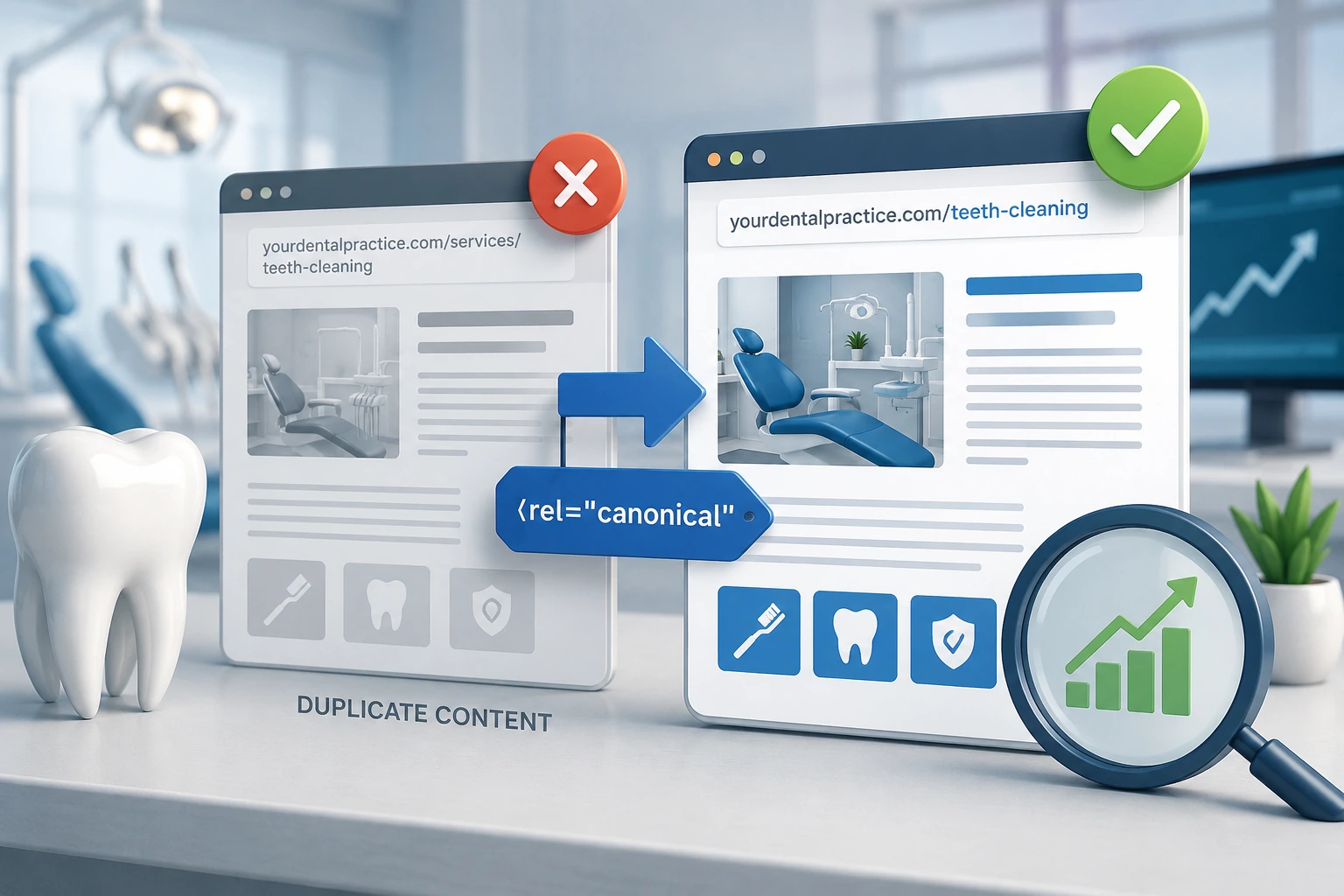 For dental practices, duplicate content does not trigger a Google penalty—but it does split your ranking signals, waste crawl budget, and let Google index the wrong version of a page; the fix is using canonical tags to point each group of near-identical URLs to one version, so your strongest page is the one that gets indexed and ranks. For dental practices, duplicate content does not trigger a Google penalty—but it does split your ranking signals, waste crawl budget, and let Google index the wrong version of a page; the fix is using canonical tags to point each group of near-identical URLs to one version, so your strongest page is the one that gets indexed and ranks.
If you have worried that having similar pages will get your practice penalized, that specific fear is a myth—but the underlying problem is real, common on dental websites, and very fixable once you know where to look.
Duplicate content rarely happens on purpose. It comes from how dental sites are built and run: service pages assembled from shared templates, location pages that change little more than the city name, the same page reachable at several web addresses, and procedure copy borrowed from manufacturers or syndicated across practices. Any of these can leave Google guessing which page to show.
This guide explains how Google actually handles duplicate content, how canonical tags work and where their limits are, how to find problems using free tools like Google Search Console, and how to choose the right fix for each situation—redirect, canonical tag, noindex, or a rewrite. By the end, you will be able to run a practical audit of your own site.
Written for: dental practice owners, office managers, DSO marketing teams, and specialty practices—orthodontic, endodontic, oral surgery, periodontal, prosthodontic, and pediatric—that want their best pages indexed and ranking instead of competing with their own near-duplicates.
TL;DR
If you only do five things to protect your rankings, do these:
| 1. |
There is no duplicate content penalty - Google has confirmed that some duplicate content is normal and not a spam violation; the real cost is split signals, wasted crawl budget, and Google indexing a page you did not choose
|
| 2. |
Canonical tags are a strong hint, not a command - a canonical tag names your preferred URL, but Google can override it if other signals disagree
|
| 3. |
Dental sites create duplicates in predictable ways - templated service pages, multi-location pages, syndicated boilerplate copy, and HTTP/HTTPS or www variants are the usual culprits
|
| 4. |
Google Search Console shows you exactly where it happens - the Page indexing report flags “Duplicate without user-selected canonical” and “Duplicate, Google chose different canonical than user”
|
| 5. |
Match the fix to the cause - use redirects for true duplicates, canonical tags for similar-but-live pages, noindex for thin variants, and unique content for pages that should stand on their own |
Table of Contents
The duplicate content “penalty”: myth vs. reality
If you have heard that duplicate content will get your dental website penalized, you can relax—that specific fear is a myth. Google’s own documentation states plainly that some duplicate content on a site is normal and is not a violation of its spam policies. What actually happens is more mundane, and more fixable.
When Google finds several pages that look the same or have very similar primary content, it groups them into a cluster and picks one URL to represent the group in search results. Google calls this canonicalization (also known as deduplication). The page it selects is crawled most often and is the version patients see; the others are filtered out of results. That is not a punishment—it is Google trying to avoid showing the same thing twice.
So why does duplicate content still hurt? Three reasons we see repeatedly on dental sites:
| 1. |
Split ranking signals - links, relevance, and authority that should reinforce one page get divided across several near-identical URLs, so none of them ranks as well as a single consolidated page would
|
| 2. |
Wasted crawl budget - every duplicate Googlebot crawls is time it does not spend on your new or updated pages, which can slow how quickly fresh content gets indexed
|
| 3. |
The wrong page wins - when you do not tell Google which version you prefer, it chooses for you, and it may index a thin location page, an old URL, or a printer-friendly version instead of the page you optimized |
It also helps to know the two kinds you are dealing with. Exact duplicates are the same content reachable through more than one URL, such as the HTTP and HTTPS versions of a service page. Near-duplicates are pages that are very similar but not identical—most often templated service descriptions repeated across pages or locations. Duplicates can be internal (within your own site) or external (the same boilerplate copy published across dozens of practice websites). Each type calls for a different fix, which we cover below.
> Back to Table of Contents
Where duplicate content comes from on dental websites
In our work with dental practices, duplicate content almost never comes from anyone copying on purpose. It comes from how dental websites are built and managed. These are the patterns we find most often:
| • |
Templated service pages - many dental sites are built on shared templates where the copy for procedures like root canals, implants, or teeth whitening is identical to the same pages on dozens of other practice websites; that is external duplication, and it makes it hard for any one site to stand out
|
| • |
Multi-location pages - location pages that swap only the city name and keep every other word the same read as near-duplicates to Google and to patients
|
| • |
Protocol and host variants - the same page reachable at HTTP and HTTPS, or with and without www, or with and without a trailing slash, creates multiple URLs for one piece of content
|
| • |
URL parameters - tracking tags, filters, and session IDs (think gclid, utm_source, or booking-widget parameters) generate endless URL variations of the same page
|
| • |
Syndicated and manufacturer copy - press releases, aligner or implant manufacturer descriptions pasted verbatim, and blog posts republished across multiple practices all duplicate content that exists elsewhere
|
| • |
Archive and pagination pages - tag pages, category pages, author archives, and paginated blog listings often surface the same snippets in several places
|
| • |
Leftover and alternate versions - separate mobile or AMP URLs, printer-friendly pages, and staging or demo sites accidentally left open to crawlers are common and easily overlooked |
A quick gut check: if you can reach the same content by typing two slightly different web addresses, or if a competing practice’s service page reads word-for-word like yours, you have duplicate content worth addressing.
> Back to Table of Contents
How canonical tags actually work
A canonical tag is a small line of code that lives in the head section of a page and points to the version of that content you want Google to treat as the original. In plain terms it says: this page is one of several similar URLs, and the one at this address is the one you should index and rank. When Google honors it, the ranking signals from the duplicates—links, relevance, engagement—consolidate onto your chosen URL.
The single most important thing to understand is that a canonical tag is a strong hint, not a command. Google considers it alongside other signals and can choose a different canonical if those signals disagree—for example, if your internal links, sitemap, and redirects all point somewhere else. Google’s documentation on canonicalization explains how it selects the most complete and useful version from a cluster of duplicates. Your job is to make your preference unmistakable so Google has no reason to override it.
A few practical rules:
| • |
Use self-referencing canonicals - every important page should carry a canonical tag, even one that points to itself; this tells Google “this exact URL is the definitive one” and guards against accidental duplication
|
| • |
Always use absolute URLs - write the full address including HTTPS and the domain; relative URLs are a common cause of broken canonicals
|
| • |
Keep the tag in the head - a canonical tag placed in the page body is ignored
|
| • |
One canonical per page - multiple or conflicting canonical tags, often added by plugins, confuse the signal |
For most dental practices on a single domain, the platform or marketing team sets these automatically. The problems usually start when a site has been rebuilt, migrated to HTTPS, or assembled from templates—which is exactly when an audit pays off.
> Back to Table of Contents
Canonical tags are only one signal
A canonical tag works best when every other signal agrees with it. Google weighs several inputs when it picks a canonical, and according to Google’s guidance on consolidating duplicate URLs, they carry different weight:
| 1. |
Redirects - the strongest signal; a permanent redirect tells Google the destination should be the canonical
|
| 2. |
The canonical tag - a strong signal that names your preferred URL
|
| 3. |
Sitemap inclusion - a weaker signal; listing only the canonical URL in your XML sitemap nudges Google toward it |
These signals stack. The more of them that point to the same URL, the more likely Google is to respect your choice. Just as important, they must not contradict each other. Google specifically warns against naming one URL as canonical in your sitemap while pointing to a different URL with a canonical tag—mixed signals make Google fall back on its own judgment.
Two more inputs round out the picture:
| • |
Consistent internal linking - your internal linking strategy should always point to the canonical version of a page from your menus, body content, and footers; if your own site links to the non-canonical URL, you are voting against your own canonical tag
|
| • |
A clear HTTPS preference - serve and link to the HTTPS version everywhere, and make sure your canonical URLs use HTTPS rather than HTTP |
A couple of cautions Google calls out: do not try to manage duplicates with your robots.txt file, because Google can still index a blocked URL without its content, and do not use the URL removal tool to handle duplicates, because it hides every version from search rather than just the duplicate.
> Back to Table of Contents
How to find duplicate content and canonical issues
You cannot fix what you cannot see. Three tools will surface almost every duplicate-content and canonical problem on a dental site, and the first one is free.
Google Search Console’s Page indexing report
This is the fastest place to start. In the Page indexing report, scroll below the chart to the reasons pages are not indexed. Two statuses point directly at canonical issues:
| • |
Duplicate without user-selected canonical - Google found a page it considers a duplicate, you did not specify a canonical, so Google chose one for you; if it chose a page you would not have picked, add a canonical tag
|
| • |
Duplicate, Google chose different canonical than user - you set a canonical, but Google overrode it because other signals disagreed; this is your cue to check your redirects, internal links, and sitemap for conflicts |
When everything is working, your preferred page shows as indexed and its duplicates show as “Alternate page with proper canonical tag,” which is exactly what you want to see.
The URL Inspection tool
For any single URL, the URL Inspection tool in Search Console shows the Google-selected canonical next to the user-declared canonical. When those two disagree, you have found a page where Google is ignoring your preference—and you can investigate why. This is the most direct way to confirm a fix worked after you make a change.
A site crawler
A crawler such as Screaming Frog, with other options including Sitebulb and the site audits in Semrush or Ahrefs, walks your whole site the way Google does and flags duplicate titles, duplicate meta descriptions, near-duplicate body content, missing or conflicting canonical tags, and redirect chains in one pass—the kind of technical SEO issues that quietly suppress indexing. For a multi-page dental site—especially one with several locations—this is the practical way to find duplication at scale.
A quick manual check
You do not always need software. Type both versions of a URL into your browser, with and without HTTPS, with and without www, and with and without a trailing slash, and confirm they all resolve to one address. Searching your own brand or a distinctive sentence from a service page can also reveal whether the same copy appears on other sites.
> Back to Table of Contents
Choosing the right fix: canonical, redirect, noindex, or rewrite
Duplicate content has four main fixes. The skill is matching the fix to the cause—using a canonical tag where you needed a redirect, or the reverse, is a common way to make things worse.
| • |
Permanent redirect — for true duplicates and retired pages - when a URL should no longer exist on its own, such as an old HTTP page, a www variant, or a discontinued service URL, redirect it permanently to the canonical version; this is the strongest signal and passes ranking equity to the destination
|
| • |
Canonical tag — for similar pages you want to keep live - when two pages need to stay accessible but one should represent them in search, such as a service variant or a page reachable through tracking parameters, point the duplicates at the preferred URL with a canonical tag
|
| • |
Noindex — for thin or utility pages - when a page should stay on the site for visitors but does not belong in search results, such as some tag archives, internal search results, or certain filtered views, use a noindex tag so it is not indexed at all
|
| • |
Rewrite for uniqueness — for pages that should stand on their own - when two pages genuinely serve different patients or locations, the answer is not a canonical at all; it is original, specific content for each one so both can rank |
These tools can work together, but never aim them at cross-purposes. Do not place a noindex tag and a canonical tag that points elsewhere on the same page—the two send opposite instructions and Google may handle the page unpredictably. And do not redirect a page you still want patients to visit, because a redirect removes the original entirely.
The rewrite option deserves emphasis for dental sites. Templated service pages and near-identical location pages are not a tagging problem—they are a content problem. No canonical setup will make a thin, copied page rank; differentiating it will, which is the focus of our guide to building dental service pages that rank and convert.
> Back to Table of Contents
Multi-location dental practices and keyword cannibalization
Multi-location practices and DSOs face a sharper version of this problem. When several location pages target the same services with nearly the same words—changing only the city name—two things go wrong. Google may treat them as near-duplicates and filter most of them out, and the pages can compete against each other for the same searches, a problem known as keyword cannibalization. A patient searching in one city can end up seeing the page for another.
The instinct to “fix” this with canonical tags is usually wrong. Canonicalizing all of your location pages to a single page would tell Google to ignore the others—and you need every location indexed to show up in its own local results. The real fix is to make each location page genuinely its own:
| • |
Write unique content per location - go beyond a city-name swap and describe that office, its team, the services it offers, parking and access, and the neighborhoods it serves
|
| • |
Tie services to the locations that offer them - if only one office provides sedation or implants, say so on that office’s page rather than repeating an identical service list everywhere
|
| • |
Use a clear, consistent URL structure - a predictable pattern, such as a city-and-service path, helps both patients and search engines understand which page belongs to which office
|
| • |
Keep each location’s details consistent - the practice name stays uniform, but each office’s address and phone number must be unique and match its Google Business Profile and local citations
|
A useful test: if you could swap the city names on two location pages and a reader would not notice, Google will not see two distinct pages either. Specific, local detail is what separates them—and what helps each one rank in its own market.
> Back to Table of Contents
Canonical mistakes that quietly hurt dental sites
These are the canonical errors we see most often when auditing dental websites—each one quietly undermines the page you meant to promote:
| • |
Canonicalizing everything to the homepage - pointing service and location pages at the homepage tells Google those pages do not deserve their own listing; each page that should rank needs its own canonical
|
| • |
Canonicalizing paginated lists to page one - on a multi-page blog archive, pointing every page back to page one can hide the content on later pages; let paginated pages self-canonicalize
|
| • |
Using relative instead of absolute URLs - a canonical URL should include the full HTTPS address and domain; relative paths are a frequent cause of broken canonicals
|
| • |
Placing the tag in the page body - a canonical tag only counts when it is in the head section; in the body it is ignored
|
| • |
Pointing to a redirected, broken, or error URL - the canonical should resolve directly to a live page, not to a URL that redirects again or returns an error
|
| • |
Sending conflicting signals - when your sitemap, internal links, and canonical tag name different URLs, Google decides for you; line them all up on the same address
|
| • |
Combining noindex with a canonical to another page - these instructions contradict each other and lead to unpredictable handling
|
| • |
Canonicalizing pages with genuinely different content - a canonical should join near-duplicates, not unrelated pages; pointing a distinct page at another removes it from search for no reason |
One nuance worth flagging: a canonical tag can point to a page on another domain—this is how syndicated content credits the original—but cross-domain canonicals should be used deliberately and sparingly, never as a blanket setting.
> Back to Table of Contents
Run a duplicate-content audit this week
You can complete a first pass in an afternoon, and it pairs well with a broader dental SEO audit. Work through these steps in order:
| 1. |
Confirm your site has one home - type your URL with and without HTTPS, with and without www, and with and without a trailing slash; every version should land on a single address, and if they do not, set up redirects to your preferred HTTPS version
|
| 2. |
Review the Page indexing report - in Search Console, look for “Duplicate without user-selected canonical” and “Duplicate, Google chose different canonical than user,” and list the pages affected
|
| 3. |
Spot-check important pages - run your top service and location pages through the URL Inspection tool and compare the Google-selected canonical with your declared one
|
| 4. |
Crawl the whole site - use a crawler to surface duplicate titles and meta descriptions, missing or conflicting canonical tags, and redirect chains across every page
|
| 5. |
Audit location and service pages for templated copy - flag any pages that differ only by a city name or that share boilerplate descriptions, and mark them for rewriting
|
| 6. |
Check for external duplication - search a distinctive sentence from a few of your service pages to see whether the same copy appears on other practice websites
|
| 7. |
Apply the matching fix and align your signals - redirect true duplicates, add canonical tags to similar live pages, noindex thin utility pages, rewrite pages that should stand alone, and make sure your sitemap and internal links all point to the canonical URLs
|
| 8. |
Verify the result - after changes are live, re-inspect the affected URLs in Search Console to confirm Google has adopted your canonical |
Canonicalization can take time, because Google has to recrawl and reprocess your pages, so check back over the following weeks rather than expecting an instant change.
> Back to Table of Contents
Get expert help with your dental SEO
Sorting out duplicate content and canonical signals across a multi-page or multi-location dental website takes a careful technical audit and the right fix for each page. At WEO Media - Dental Marketing, our dental SEO team helps dental and specialty practices diagnose indexing problems, consolidate ranking signals onto the right pages, and build location and service content that actually competes in local search. If you want a clear picture of what is happening with your site’s indexing, call us at 888-246-6906 to talk through an audit.
> Back to Table of Contents
FAQs
Does duplicate content hurt my dental website’s SEO?
Duplicate content will not get your site penalized, but it can still hold back your rankings. When several pages are very similar, Google splits ranking signals among them, may index a page you did not choose, and spends crawl time on duplicates instead of your fresh content. The result is that no single page performs as well as it could.
Will Google penalize my practice for duplicate content?
No. Google has stated that some duplicate content is normal and is not a violation of its spam policies. Instead of penalizing, Google groups similar pages and shows one in results while filtering out the rest. The exception is deliberately deceptive, scraped, or spun content, which is a different issue from the everyday duplication most dental sites have.
What is a canonical tag in simple terms?
A canonical tag is a line of code in a page’s head section that tells Google which version of similar content you want indexed and ranked. It points the duplicates at your preferred URL so their ranking signals consolidate onto that one page. Google treats it as a strong recommendation, though it can choose differently if other signals disagree.
Should I use a canonical tag or a redirect?
Use a permanent redirect when a URL should no longer exist on its own, such as an old HTTP address or a discontinued page, because the redirect sends both visitors and ranking equity to the right page. Use a canonical tag when both pages need to stay live but one should represent them in search. In short: redirect to remove, canonicalize to keep.
Why is Google ignoring my canonical tag?
A canonical tag is a hint, not a command, so Google can override it when other signals point elsewhere. Common causes are internal links or a sitemap that name a different URL, a canonical that points to a redirected or broken page, a relative instead of absolute URL, or the tag sitting in the body instead of the head. In Search Console this appears as “Duplicate, Google chose different canonical than user,” and aligning every signal on the same URL usually resolves it.
How do I fix duplicate content across multiple dental office locations?
Do not canonicalize your location pages to a single page, because you need each one indexed to rank in its own area. Instead, give every location page unique content that describes that office, its team, the services it offers, and the neighborhoods it serves, and keep each office’s address and phone number consistent with its Google Business Profile. Specific local detail is what separates the pages and prevents them from competing with each other.
Is it bad that my service pages match other dental websites?
It is not a penalty, but it does make it harder to stand out. Many dental sites built on shared templates carry identical procedure descriptions, so search engines have little reason to favor one over another. Rewriting those pages in your own voice, with details specific to your practice and patients, gives them a real chance to rank.
How long does it take for canonical changes to take effect?
There is no fixed timeline. Google has to recrawl and reprocess the affected pages before it adopts your canonical, which can take days to weeks depending on how often your site is crawled. You can confirm the change by re-inspecting the URL in Search Console once it has been reprocessed. |
|





