Google Search Console for Dentists: Find & Fix SEO Issues
Posted on 6/22/2026 by WEO Media |
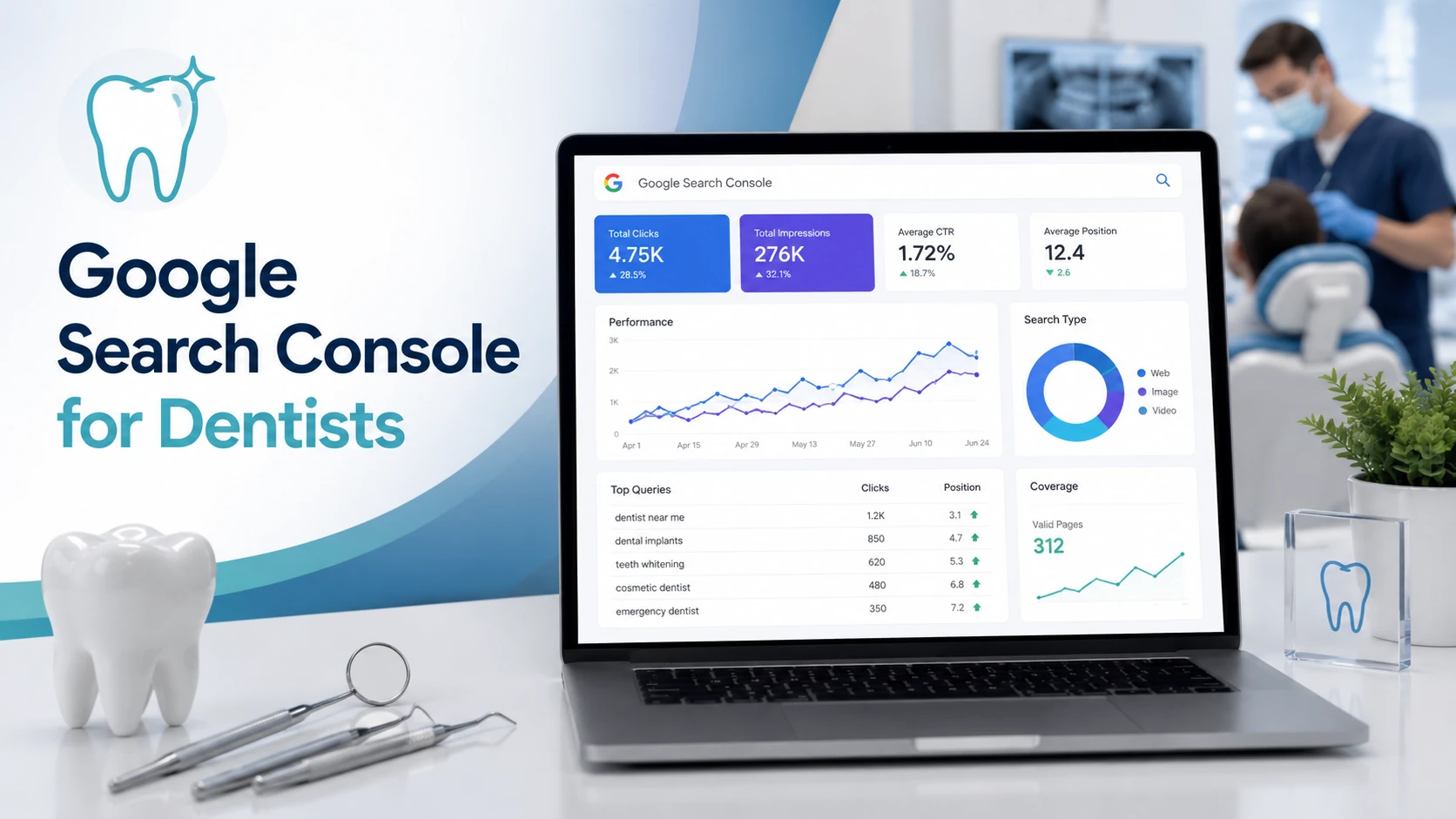 Google Search Console is a free Google tool that dental practices can check monthly to find and fix the SEO issues costing them new patients: it shows the exact searches patients use to find you, which of your service and location pages Google has actually indexed, and the technical problems quietly draining your new-patient traffic. Most practices either never set it up or log in once and never return—leaving real, fixable problems hidden in plain sight. Google Search Console is a free Google tool that dental practices can check monthly to find and fix the SEO issues costing them new patients: it shows the exact searches patients use to find you, which of your service and location pages Google has actually indexed, and the technical problems quietly draining your new-patient traffic. Most practices either never set it up or log in once and never return—leaving real, fixable problems hidden in plain sight.
Here’s the short version: you don’t need to be technical to get value from Search Console. You need to know which five or six reports matter for a dental website, what “good” looks like, and what to do when something is off. This guide walks through setup, the reports that surface new-patient opportunities, how to fix pages Google isn’t showing, and how Search Console now reflects AI Overviews and AI search.
Written for: dental practice owners, office managers, and in-house marketing coordinators who want a practical, jargon-light way to use Google Search Console to protect and grow new-patient traffic.
TL;DR
If you only do a handful of things in Search Console, do these:
| • |
Set it up and claim access - verify your practice website, or get added as a user if your web vendor already manages it, so data starts accumulating now
|
| • |
Read the Performance report - see the real searches bringing patients in, and separate branded searches for your practice name from non-branded searches that find new patients
|
| • |
Chase striking-distance keywords - find treatment and city searches where you already rank near the bottom of page one and give those pages a push
|
| • |
Check the Pages report - confirm your important service and location pages are actually indexed, because an unindexed page cannot rank or be cited
|
| • |
Watch for AI shifts - on informational pages, rising impressions with falling clicks is a sign AI Overviews are answering the question before patients click |
Table of Contents
What Search Console does for a dental practice (and how to set it up)
Google Search Console is a free tool that shows you how your website appears in Google Search. It is the counterpart to Google Analytics: where Analytics (GA4) measures what visitors do once they land on your site, Search Console measures how you show up in results before the click—which searches you appear for, how often patients click, and whether Google can properly crawl and index your pages.
For a dental practice, that translates into four practical jobs: seeing the real search terms that bring in patients, confirming your service and location pages are indexed, catching technical problems early, and getting alerted to manual actions or security issues that could quietly sink your visibility.
Setting up your property: in Search Console, a website is called a “property,” and you can add one of two types.
| • |
Domain property - covers every version of your site (www and non-www, http and https, plus subdomains) and is verified through your domain provider’s DNS settings; this is the cleaner option if you can access where your domain is registered
|
| • |
URL-prefix property - covers one specific address and can be verified several ways, including an HTML file upload, an HTML tag, your Google tag, or a linked Google Analytics account |
If a web company built your site, there is a good chance Search Console already exists for it. Rather than starting over, ask to be added as a user so you own and can see your own data. Whoever holds Owner access can add your office manager or marketing coordinator under Settings → Users and permissions.
One reason to do this today, not “later”: Search Console stores up to 16 months of data, and it starts collecting from the moment you verify. Even if no one on your team plans to log in for a few weeks, verifying now means you’ll have a full history to look back on when you need it.
> Back to Table of Contents
Read the Performance report: the searches bringing patients to your site
The Performance report is where most of the new-patient insight lives. It answers a question every practice wants answered: what are people actually typing into Google when they find—or almost find—your website?
The four metrics every dentist should read
At the top of the report are four numbers. Turn all four on so you see the full picture.
| • |
Clicks - how many times a patient clicked through to your site from Google
|
| • |
Impressions - how many times your site appeared in results, whether or not anyone clicked
|
| • |
Average CTR - click-through rate, or clicks divided by impressions, which tells you how compelling your listing is
|
| • |
Average position - your typical ranking spot for the queries you appear in, where lower numbers are better |
The pattern to watch for is high impressions paired with low clicks or a weak average position. That combination means patients are seeing you but not choosing you—usually a title, ranking, or relevance problem you can fix.
Separate branded searches from new-patient searches
Search Console includes a branded-queries filter that splits searches containing your practice name from everything else, and the distinction matters more than it sounds. Branded searches—your practice name, your dentists’ names—usually come from people who already know you through referrals, returning visits, and your own marketing. Non-branded searches like “dental implants,” “emergency dentist near me,” or “Invisalign” plus your city are where genuinely new patients discover you. If almost all of your clicks are branded, your reputation is working but your site isn’t winning new demand yet—which is exactly where SEO effort pays off.
A few features worth using here: switch the chart to weekly or monthly views to see real trends instead of daily noise, add custom annotations to mark when you launched a page or changed a title, and try the natural-language report builder by typing a request like “mobile clicks for the last three months compared with the prior period” to skip the manual filters. Use the Pages tab to see which specific pages earn impressions and clicks, and filter the Queries tab by treatment terms or “near me” to understand local intent.
> Back to Table of Contents
Find striking-distance keywords: the fastest dental SEO wins
The fastest wins in dental SEO usually aren’t brand-new keywords—they’re searches where you already rank near the bottom of page one or the top of page two and just need a nudge. These are often called striking-distance keywords, and Search Console is the best place to find them because it shows your real rankings rather than estimates.
How to find them: open the Performance report, add average position, and look for queries sitting roughly between positions 5 and 20 that already pull meaningful impressions. In dental accounts, these are frequently high-value terms like “dental implants” or “emergency dentist” paired with a city or neighborhood—searches with clear treatment intent that are close to breaking through.
Once you have a short list, the work is straightforward: strengthen the page that already ranks instead of building something new. A pattern we see constantly is a practice ranking a generic services page for a specific treatment search—and the fix is usually a dedicated, in-depth page for that treatment, with the search phrase reflected naturally in the title and opening, more useful detail than competitors offer, and a few common patient questions answered on the page. Small, focused improvements to a page already sitting on page one tend to move the needle faster than starting from zero.
> Back to Table of Contents
Fix indexing problems so your pages show up in Google
A page Google hasn’t indexed cannot rank in search results and cannot be pulled into an AI answer—it simply doesn’t exist as far as Google is concerned. For dental practices, the pages most worth protecting are your core treatment pages and, for multi-location groups, each individual location page. The Pages report—found under Indexing, and formerly called the Coverage report—is where you confirm they are all accounted for.
The report sorts your URLs into indexed and not-indexed buckets, with a reason listed for anything excluded.
Why your service or location pages might not be indexed
A handful of reasons account for most dental-site indexing gaps, and knowing what they mean tells you what to fix.
| • |
Crawled or discovered, currently not indexed - Google knows about the page but chose not to index it, often a sign the content is thin or too similar to other pages
|
| • |
Duplicate without user-selected canonical - Google sees several near-identical pages and picked a different one to show, common with template-heavy location pages
|
| • |
Excluded by noindex tag - the page is deliberately telling Google to stay away, sometimes left behind by mistake after a site build
|
| • |
Blocked by robots.txt - crawling is blocked at the site level, so Google never reaches the content
|
| • |
Soft 404 - the page loads but looks empty or error-like to Google, so it is treated as missing |
The workflow is the same each time: identify which important pages are missing, open the listed reason, make the corresponding fix (add real depth, resolve the canonical, remove a stray noindex, unblock the path), then use the report’s Validate Fix button so Google re-checks them.
> Back to Table of Contents
Use URL Inspection to check and re-submit individual pages
The URL Inspection tool sits in the search bar at the top of Search Console, and it answers a simple question for any single page: is this indexed, and if not, why? Paste in the address of a service or location page and it reports the current index status, the canonical Google selected, and when the page was last crawled.
The most useful button here is Request Indexing. When you publish a new page—say you just added a dental implants page or opened a second office—inspecting the URL and requesting indexing flags it for Google’s crawl queue so it can be discovered faster. It is equally useful after a meaningful update to an existing page.
One honest caveat: requesting indexing asks Google to crawl the page—it does not make the page rank faster or guarantee a top spot. Ranking still depends on relevance and quality. Use the tool for individual new or updated pages, not as a bulk shortcut.
> Back to Table of Contents
Keep your foundation healthy: sitemaps, Core Web Vitals, and mobile
A few technical checks keep the rest of your SEO working, and none require a developer to monitor, even if some fixes will.
Submit your sitemap: under Indexing → Sitemaps, submit your XML sitemap address, commonly your domain followed by /sitemap.xml. A sitemap helps Google discover every page on your site, which matters most for practices with many service and location pages. Check back occasionally to confirm it was read without errors.
Watch Core Web Vitals: this report measures real-world page experience using three metrics—Largest Contentful Paint (how fast the main content loads), Interaction to Next Paint (how quickly the page responds to taps and clicks, which replaced the older First Input Delay metric in 2024), and Cumulative Layout Shift (how much the layout jumps around as it loads). Search Console groups your URLs into Good, Needs improvement, and Poor. Treat these as one input into a good patient experience rather than a magic ranking lever—Google has been clear that strong scores alone don’t guarantee rankings.
Don’t go looking for the old mobile report: Search Console retired its standalone Mobile Usability report at the end of 2023, so it is no longer there. Mobile still matters enormously—Google ranks based on the mobile version of your site, and most dental patients search on phones—so check mobile-friendliness with Google’s PageSpeed Insights or Lighthouse instead. Search Console also keeps an HTTPS report so you can confirm your pages are served securely.
> Back to Table of Contents
What Search Console tells you about AI Overviews and AI search
AI is changing what your Search Console data means, and the effect differs by the kind of dental search. Understanding the split keeps you from misreading your own numbers.
The local-versus-informational split: as of 2026, Google generally does not show an AI Overview for local “dentist near me” or provider searches, so those still behave like traditional search and your query and click data for them stays reliable. Informational and treatment-research searches are the opposite: questions like “how long does a root canal take” or “is a dental implant painful” trigger AI Overviews the large majority of the time, with the AI answering on the results page itself.
What that looks like in your reports: impressions and clicks from AI Overviews and AI Mode are already folded into your main Performance totals. So on your informational and blog pages, the telltale sign is impressions holding steady or rising while clicks and CTR slip—a signal the question is being answered before the patient ever reaches your site. Google did launch a dedicated set of generative-AI performance reports in 2026 that isolate impressions inside AI features, but they are rolling out to a limited group of sites first, so most practices will not see them in their account yet.
What to do about it: keep producing strong informational content, since being the cited source in an AI answer still builds authority and brand recognition—but make sure the pages that actually book patients, your local and treatment pages, are genuinely excellent, because that is where clicks still convert into appointments. Google’s own guidance is that optimizing for AI search is still SEO rather than a separate discipline, so the fundamentals carry over. It is also worth keeping a genuinely useful FAQ section on relevant pages. Google retired FAQ rich results from standard search listings in May 2026, and it has said no special schema is required to appear in AI features—so the real value now is that clear, plainly written question-and-answer content is exactly what AI Overviews, featured snippets, and voice results tend to pull from.
> Back to Table of Contents
A 15-minute monthly Search Console routine
You don’t need to live in Search Console. A short, consistent monthly pass catches the problems that matter while they are still small. Here is a simple routine an office manager or coordinator can run.
| 1. |
Check Performance - compare the last 28 days with the prior period and note any meaningful swing in clicks, impressions, or position, along with which queries and pages moved
|
| 2. |
Scan the Pages report - confirm no important service or location page has slipped into the not-indexed bucket since last month
|
| 3. |
Inspect anything new - for any page you launched or substantially updated this month, run URL Inspection and request indexing
|
| 4. |
Glance at Core Web Vitals - look for new pages flagged Poor and pass real problems to whoever maintains the site
|
| 5. |
Confirm you are clean - check Manual actions and Security issues to be sure neither shows a warning
|
| 6. |
Leave a note - add a custom annotation for anything you changed so next month’s data has context |
Done consistently, this routine turns Search Console from a tool you forget about into an early-warning system for your practice’s visibility.
> Back to Table of Contents
Get help turning Search Console data into new patients
Search Console will show you the opportunities and the problems—the harder part is consistently acting on them while running a busy practice. If you would rather have a dental marketing team monitor your reports, fix what is holding pages back, and build the content that wins new-patient searches, WEO Media - Dental Marketing works with practices nationwide to do exactly that. Reach out at 888-246-6906 to talk through where your site stands and where the quickest wins are.
> Back to Table of Contents
FAQs
Is Google Search Console free for dental practices?
Yes. Google Search Console is completely free for any website, including dental practices. You only need a Google account and a way to verify that you own or manage the site. There is no paid tier and no cost tied to how many pages you have or how much traffic you get.
What is the difference between Google Search Console and Google Analytics?
They measure two different sides of your website. Search Console shows how you appear in Google Search before the click—the searches you rank for, impressions, clicks, and whether your pages are indexed. Google Analytics (GA4) shows what visitors do after they arrive, such as pages viewed and key events like form submissions or calls. Most practices benefit from using both together.
How often should a dental practice check Search Console?
For most practices, a short monthly review is enough to catch indexing issues, ranking shifts, and technical problems early. Check more often—weekly, or even daily for a short stretch—during a website redesign or migration, or any time you notice a sudden drop in traffic, since those are the moments problems appear fastest.
Why is my dental website not showing up in Google Search Console?
The most common reasons are that the site has not been verified yet, that it is very new and Google has not finished crawling it, or that specific pages are not indexed. Confirm your property is verified, then open the Pages report to see whether your important pages are indexed and, if not, what reason Google lists.
How long does Google Search Console keep my data?
Search Console retains up to 16 months of performance data, and it only begins collecting once your site is verified. Because there is no way to recover history from before you set it up, the practical advice is to verify your site as early as possible, even if you do not plan to review the reports right away.
Can Search Console show whether my practice appears in AI Overviews?
Partly. Impressions and clicks from AI Overviews and AI Mode are already included in your overall Performance totals, so a rise in impressions alongside a drop in clicks on informational pages is a practical clue that AI is answering questions on the results page. Google also introduced dedicated generative-AI performance reports in 2026 that isolate AI-feature impressions, but they are rolling out gradually and are not available to every site yet.
Does requesting indexing make my page rank faster?
No. Requesting indexing through the URL Inspection tool simply asks Google to crawl and consider the page—it does not improve where the page ranks or guarantee a high position. Rankings depend on the page’s relevance, quality, and how it compares with competing pages. The tool is best used to speed up discovery of genuinely new or freshly updated pages.
Do I still need Search Console if an agency manages my SEO?
Yes. Even when an agency handles the day-to-day work, having your own verified access means you own the data, can see the same reports they do, and can confirm the work is paying off. Ask to be added as a user on the property so the account stays with your practice if your marketing arrangements ever change. |
|





