Dental Email List Segmentation: How to Boost Patient Engagement
Posted on 6/30/2026 by WEO Media |
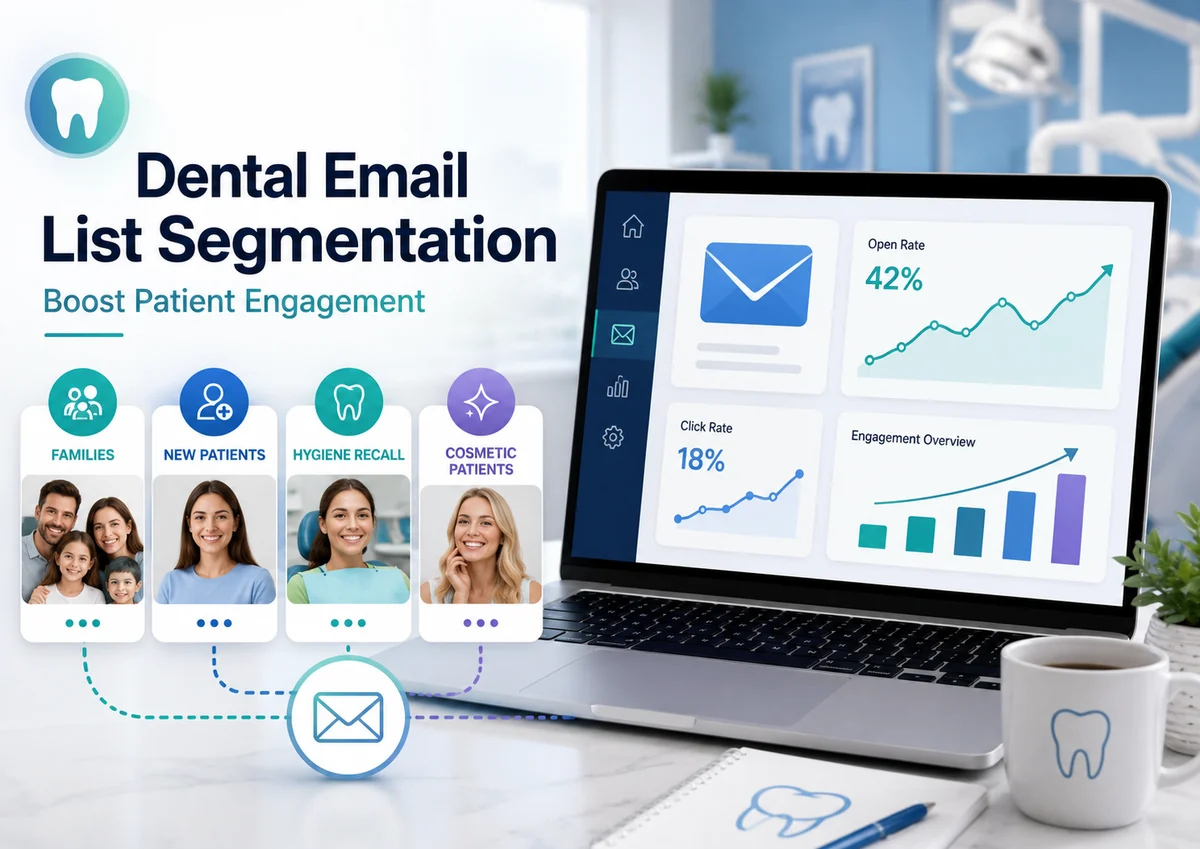 Dental email list segmentation means dividing your patient email contacts into targeted groups — by lifecycle stage, treatment interest, engagement level, or communication preference — so dental practices and their marketing teams can send relevant, well-timed messages that boost patient engagement, from clicks and booked appointments to long-term retention, instead of blasting one generic email to the entire list. Dental email list segmentation means dividing your patient email contacts into targeted groups — by lifecycle stage, treatment interest, engagement level, or communication preference — so dental practices and their marketing teams can send relevant, well-timed messages that boost patient engagement, from clicks and booked appointments to long-term retention, instead of blasting one generic email to the entire list.
In our work with dental practices, the biggest email problem we see usually isn’t how often you send — it’s relevance. When every patient gets the same message, engagement drops, unsubscribes climb, and inbox providers quietly start routing your email to spam. Segmentation fixes the root cause: it lets a new patient, a family overdue for cleanings, and someone who asked about clear aligners each receive something that actually fits where they are.
Below, you’ll learn which segments matter most for a dental practice, how to build them from the data already sitting in your practice management software, which engagement metrics to trust now that open rates are unreliable, and how to keep the whole program compliant with HIPAA and modern sender requirements. The goal is fewer, smarter emails that earn clicks, replies, and booked appointments.
Written for: dental practice owners, office managers, and marketing teams who want higher engagement from the patient email list they already have — without adding more sends or risking compliance.
TL;DR
If you only change five things, change these:
| 1. |
Stop sending one email to everyone - group patients by lifecycle stage, treatment interest, engagement, and stated preferences so each message is relevant
|
| 2. |
Build segments from data you already have - last visit date, recall status, treatment history, family links, and preference-center choices live in your practice management software
|
| 3. |
Trust clicks and booked appointments, not opens - Apple’s Mail Privacy Protection inflates open rates, so use clicks, replies, and conversions to define your engaged and lapsed segments
|
| 4. |
Keep protected health information out of the email - segment on safe attributes and preferences, keep clinical details in the patient portal, and use a platform that will sign a business associate agreement
|
| 5. |
Protect deliverability - authenticate your domain, honor unsubscribes fast, and remove chronically unengaged contacts so the whole list keeps landing in the inbox |
Table of Contents
Why dental email segmentation drives engagement
Segmentation works because relevance drives engagement, and engagement drives everything else. A patient who receives a message that matches their situation — a new-patient welcome, a reminder that they’re due for a cleaning, or an answer to the cosmetic question they asked at their last visit — is far more likely to click and book than one who gets a generic newsletter. Higher engagement then compounds: inbox providers watch how recipients interact with your mail and use those signals to decide whether future emails reach the inbox or the spam folder.
The opposite is also true, and it’s where most practices lose ground. When you send the same email to your entire list, a large share of recipients ignore it. Some unsubscribe; a few mark it as spam. Those negative signals accumulate against your sending domain and drag down deliverability for everyone on the list — including the patients who would have booked. In other words, batch-and-blast doesn’t just underperform; it actively erodes the channel over time.
Segmentation reverses that cycle. Fewer, more relevant sends produce higher click and conversion rates, lower complaint rates, and a healthier sender reputation — which means more of your email reaches the inbox in the first place. For a dental practice, that shows up as more booked hygiene visits, more consultations for high-value services, and fewer patients quietly slipping away between recall cycles.
> Back to Table of Contents
The dental email segments that move engagement
You don’t need dozens of segments to see results. Most dental practices get the majority of the benefit from four practical dimensions: where the patient is in their journey, what they’re interested in, how engaged they are, and what they’ve told you they want. Start with a handful of segments across these dimensions and expand only when you have the content to support them.
Segment by patient lifecycle stage
Lifecycle segmentation groups patients by their relationship to your practice, and it’s usually the highest-impact place to start. Common groups include new patients (first visit within the last few months), active patients (seen within the last year), and lapsed or overdue patients (no visit in twelve to eighteen months or more). Each group needs a different message: new patients respond to welcome sequences and what-to-expect content, active patients to timely recall reminders, and lapsed patients to gentle reactivation outreach. A well-built reactivation segment is often the fastest win, because these are people who already know and trust you.
Segment by treatment interest and history
Patients care about different things depending on why they come to you. Grouping by treatment interest — general and preventive care, cosmetic services like whitening and veneers, orthodontics and clear aligners, implants, or families with young children — lets you send content that matches real intent. Someone who asked about aligners will engage with aligner content that would be irrelevant to a preventive-care patient. Handle this dimension carefully, though: treatment history tied to a named patient is protected health information, so keep the sensitive detail out of the email body and lean on general, service-focused messaging (more on that in the compliance section).
Segment by engagement (clicks and conversions, not opens)
Engagement segmentation separates patients who interact with your email from those who have gone quiet, so you can reward the former and re-earn the latter. The important nuance in 2026 is how you define engagement. Because Apple’s Mail Privacy Protection automatically loads tracking pixels and inflates open rates, opens are no longer a reliable signal of who’s paying attention. Build your engaged and lapsed segments from actions that require deliberate intent — clicks, form submissions, replies, and booked appointments — rather than from opens.
Segment by demographics, source, and preferences
A few more dimensions round out a strong program. Life stage and household role let you speak differently to parents managing family appointments than to individual adults. Acquisition source — a website form, an in-office signup, or an online booking — can shape your welcome messaging. Most valuable of all is zero-party data: what patients tell you directly through a preference center, such as which topics they want and how often they want to hear from you. Preference-based segments tend to be both the safest and the most engaged, because the patient chose them.
> Back to Table of Contents
How to build and maintain your dental email segments
The data you need for segmentation almost always already exists — it’s just sitting in systems that don’t talk to each other by default. The work is connecting it, tagging it consistently, and keeping it clean.
Start with the source data. Your practice management or dental software (systems like Dentrix, Eaglesoft, Open Dental, or Curve) holds the fields that power most segments: last visit date, recall or reappointment status, treatment history and planned treatment, family or household links, birthdays, and contact preferences. Your email or patient-communication platform holds engagement history — clicks, conversions, and unsubscribes. The goal is to sync the two so segments update automatically instead of being rebuilt by hand.
Tag consistently. Segments are only as good as the labels underneath them. Decide on a small, standard set of tags — lifecycle stage, primary interest, engagement tier, and preference selections — and apply them the same way every time, ideally at the point of intake or booking. Inconsistent or free-text tagging is the most common reason segmentation stalls.
Keep the list clean. Deduplicate contacts, correct or remove hard bounces, and standardize formats so the same patient isn’t split across three records. Multi-touch behavior is normal — a patient might submit a form, then reply to an email, then book by phone — so decide how you’ll resolve those into one record rather than double-counting. Set a regular cadence (monthly is a reasonable start) to review list health, because dirty data quietly degrades every segment you build on top of it.
Capture consent and preferences up front. Build a simple preference center into your signup and confirmation flows so patients can choose topics and frequency. This does double duty: it improves relevance and it gives you a documented, permission-based foundation for everything you send.
> Back to Table of Contents
Which engagement metrics to trust (and why open rate can mislead)
If your segments are built on the wrong metric, they’ll point you in the wrong direction. The single most important measurement shift for dental email today is to stop treating the open rate as a measure of engagement.
Why open rate became unreliable. Apple’s Mail Privacy Protection, introduced with iOS 15, preloads email content — including the invisible tracking pixel that registers an open — whether or not the recipient ever reads the message. Apple Mail accounts for roughly half of all email opens, so a large portion of your reported opens are automated rather than real. Practices often see open rates jump well above their historical norm for this reason. Open rate can still be useful as a rough, directional trend line — a sudden drop can flag a deliverability problem — but it should not drive segmentation, automation, or subject-line decisions.
What to trust instead. Lean on metrics that require a deliberate action:
| • |
Clicks - the most reliable universal engagement signal, unaffected by Mail Privacy Protection
|
| • |
Conversions - booked appointments, completed forms, and other real outcomes tie email directly to results
|
| • |
Replies - a direct response is one of the clearest signs a patient is engaged
|
| • |
List health signals - unsubscribe rate, spam-complaint rate, and list growth show whether your program is sustainable |
A practical definition swap. When you build re-engagement or sunset segments, replace “hasn’t opened in 90 days” with “hasn’t clicked in 90 days.” It’s a stricter and more honest definition of disengagement, and practices that make this switch commonly see inbox placement improve because they stop treating machine-generated opens as signs of life.
> Back to Table of Contents
HIPAA, deliverability, and compliance for dental email
Segmentation and compliance aren’t in tension — done right, the compliant approach is also the higher-engagement approach, because it forces you toward relevance and permission. Because a dental practice is a HIPAA covered entity, a patient’s email address combined with information about their care is protected health information, and that shapes how you segment.
Mind the line between operations and marketing. Communications tied to treatment, care coordination, and appointment reminders generally don’t require special authorization. Promotional messages that use protected health information to target patients often do. A newsletter can even cross into regulated marketing if it uses clinical data to target — for example, sending condition-specific content only to patients known to have that condition. When in doubt, get written patient authorization before using protected health information for marketing, and keep records of it.
Segment on safe attributes; keep clinical detail in the portal. You can get almost all of the engagement benefit while minimizing risk by building segments around lower-sensitivity data and stated preferences — lifecycle stage, ZIP code, language, age band, household role, and preference-center topics — rather than diagnostic detail. Keep protected health information out of subject lines and email bodies entirely, and route anything personal to the patient portal or a secure message. Marketing sent to prospective patients who aren’t yet in your practice should contain no protected health information at all — keep it general and educational.
Use a platform that will sign a business associate agreement. Any vendor that stores, transmits, or can access protected health information — including your email platform and any agency that touches patient data — must sign a business associate agreement. Read the scope carefully: some platforms will sign an agreement that covers data stored in their cloud but not the actual transmission of each email, so confirm the agreement covers both. Emails containing protected health information must be encrypted in transit and at rest.
Honor unsubscribes and follow email law. Marketing email is also governed by the CAN-SPAM Act, which requires a working unsubscribe mechanism, honoring opt-outs promptly, a valid physical mailing address, and honest subject lines. Treat every opt-out as immediate, and sync preferences across your systems so a patient who unsubscribes in one place isn’t emailed from another. Treat this as general guidance rather than legal advice, and confirm your specific policies with your practice’s compliance advisor.
> Back to Table of Contents
A 30-day plan to launch dental email segmentation
You don’t need a full rebuild to start. This four-week plan gets a focused, compliant program live and producing results, then expands from there.
| 1. |
Week 1 — Audit and authenticate - clean and deduplicate your list, confirm your sending domain is authenticated with SPF, DKIM, and DMARC, verify your platform’s business associate agreement covers storage and transmission, and choose two or three starter segments
|
| 2. |
Week 2 — Build and template - create those segments from your practice management data, set up a simple preference center, and draft reusable templates for each segment’s core message
|
| 3. |
Week 3 — Launch the highest-value sends - start with a lapsed-patient reactivation campaign and a new-patient welcome, since these reliably produce quick, measurable wins
|
| 4. |
Week 4 — Measure and refine - review clicks and booked appointments (not opens) by segment, prune chronically unengaged contacts, and add one new segment only if you have content to support it |
> Back to Table of Contents
Common dental email segmentation mistakes to avoid
A few predictable missteps undercut otherwise good segmentation. Watching for these keeps your program effective and sustainable.
| • |
Over-segmenting - too many tiny segments become impossible to maintain and starve each one of content, so start small and expand deliberately
|
| • |
Defining engagement by opens - Mail Privacy Protection makes open-based segments unreliable, so anchor engagement on clicks and conversions
|
| • |
Ignoring authentication and deliverability - even perfect segments fail if your domain isn’t authenticated and your list isn’t clean
|
| • |
Putting protected health information in the email - keep clinical detail in the portal and segment on safe attributes and preferences instead
|
| • |
Set-and-forget - segments decay as patients move between lifecycle stages, so refresh them on a regular cadence
|
| • |
Generic content within a segment - segmenting the list only helps if the message actually changes to match each group |
> Back to Table of Contents
Get help with your dental email program
If you’d rather have segmentation, compliance, and deliverability handled for you, WEO Media - Dental Marketing builds and runs patient email programs designed to turn your existing list into booked appointments. To talk through your practice’s email strategy, call 888-246-6906 or send a message through the contact form on our website.
> Back to Table of Contents
FAQs
What is dental email list segmentation?
Dental email list segmentation is the practice of dividing a practice’s patient email contacts into targeted groups so each group receives more relevant messages. Common segments include lifecycle stage (new, active, or lapsed patients), treatment interest, engagement level, and stated communication preferences. The goal is to lift engagement and booked appointments by replacing one generic email to everyone with messages that match where each patient actually is.
Why does segmenting a dental email list improve engagement?
Relevant email earns more clicks and bookings, and inbox providers use those engagement signals to decide whether future messages reach the inbox. Sending one email to your whole list means many recipients ignore it, some unsubscribe, and a few report it as spam — signals that hurt deliverability for the entire list. Segmentation raises relevance, which raises engagement and protects your sender reputation at the same time.
What are the best segments for a dental practice email list?
Most dental practices get the majority of the benefit from four dimensions: lifecycle stage (new, active, and lapsed patients), treatment interest (preventive, cosmetic, orthodontic, implant, or family), engagement level based on clicks and conversions, and stated preferences captured in a preference center. Starting with a lapsed-patient reactivation segment and a new-patient welcome segment usually produces the fastest measurable results.
Is open rate still a reliable email metric for dental practices?
No. Apple’s Mail Privacy Protection preloads email content and fires the tracking pixel whether or not a recipient reads the message, which inflates open rates. Because Apple Mail accounts for roughly half of all opens, a large share of reported opens are automated. Use clicks, replies, and conversions to gauge engagement and to build segments, and treat open rate only as a rough directional trend.
Does dental email marketing have to comply with HIPAA?
Yes. A dental practice is a HIPAA covered entity, so a patient’s email address combined with information about their care is protected health information. Communications about treatment, care coordination, and appointment reminders generally don’t require special authorization, but marketing that uses protected health information to target patients often does. Keep clinical detail out of the email, segment on safe attributes and preferences, and use an email platform that will sign a business associate agreement.
What software do I need to segment a dental email list?
You typically need two connected systems: your practice management software (such as Dentrix, Eaglesoft, Open Dental, or Curve), which holds visit dates, recall status, treatment history, and family links, and an email or patient-communication platform that stores engagement history and supports segments. The key is syncing the two so segments update automatically, and confirming the email platform will sign a business associate agreement that covers both storage and transmission.
How do I re-engage inactive dental email subscribers?
Build a lapsed segment based on patients who haven’t clicked or booked in a defined window rather than those who haven’t opened, since opens are unreliable. Send a short reactivation series with a clear, relevant reason to return, such as an overdue-cleaning reminder. If a contact still doesn’t engage after a few attempts, remove them, because carrying chronically unengaged contacts drags down deliverability for your whole list.
How many segments should a dental practice start with?
Start with two or three. A common starting point is a new-patient welcome segment, a lapsed-patient reactivation segment, and an engaged segment defined by recent clicks. Over-segmenting early creates tiny groups that are hard to maintain and starve each message of content. Add segments only as you build the content and data to support them. |
|





