Pediatric dental website design that earns parent trust starts with answering the three questions every caregiver asks before booking: “Will my child be safe and comfortable here?”, “Is this practice legitimate and credentialed?”, and “Can I get a real appointment without a phone-tag nightmare?”
If your pediatric dental site looks colorful but skips those answers, parents bounce—not because they didn’t like the design, but because they didn’t feel reassured. This guide walks pediatric dental practices and marketing teams through how to build a website parents actually trust—the trust signals, content patterns, and conversion mechanics that turn parent searches into booked first visits.
The pattern is predictable: a parent searches “pediatric dentist near me,” lands on a practice site, and within roughly 10 seconds decides whether to keep reading or hit back. Whether your traffic comes from SEO, paid ads, or word-of-mouth, the website does the heavy lifting of qualifying the practice in the parent’s mind before the phone ever rings. The four most common trust failures are vague provider information, missing or unclear new-patient pathways, generic stock-photo experiences, and no visible policies on safety, sedation, or special needs. These are content and design problems, not personality problems—and they’re fixable.
Already getting traffic but not new patients? Keep reading. If traffic itself is the issue, start with pediatric dental SEO foundations first.
Written for: pediatric dental practice owners, office managers, and dental marketing teams who want a website that converts cautious, comparison-shopping parents into kept first visits.
TL;DR
If you only do six things, do these:
1.
Lead with parent reassurance, not pediatric jargon - the homepage should answer “is my child safe and welcome here” in the first scroll, not deep in an “About” page
2.
Show real people and real spaces - team photos, the actual operatory, and the waiting area beat stock photography for trust every time
3.
Make credentials and safety policies findable - board certification, sedation protocols, special-needs accommodations, and emergency procedures should be one click from the homepage
4.
Design for the parent’s phone, not the desktop preview - over half of pediatric searches happen on mobile, often with one hand and a child on the other hip
5.
Remove insurance and cost friction up front - list accepted plans, financing options, and what a first visit typically includes so parents don’t bounce to call the front desk
6.
Offer a real booking pathway - online scheduling, a same-day callback promise, or a clearly named contact person so parents aren’t shouting into a voicemail void
A pediatric dental website carries a higher trust burden than a general practice site because the visitor isn’t the patient. A parent is making a decision on someone else’s behalf—usually a child who can’t advocate for their own comfort, can’t describe pain accurately, and may already be anxious from past dental experiences. That changes what the website has to communicate before a parent will even pick up the phone.
In our work with pediatric practices, we consistently see three trust thresholds parents need to clear:
•
Safety threshold - is this practice clinically credentialed, child-trained, and equipped to handle behavior management or sedation when needed
•
Compatibility threshold - will my specific child (anxious, autistic, sensory-sensitive, very young, in pain) be welcomed and accommodated
•
Logistics threshold - can I actually get an appointment that fits my family’s schedule, with insurance I can use, without spending a week playing phone tag
Sites that clear all three thresholds in the first scroll convert. Sites that bury those answers behind cute graphics or generic dental copy lose parents to whichever competitor answered them faster.
The implication for design: color, illustration, and friendly tone are the wrapper—not the trust signal. Parents will absolutely click away from a colorful, well-illustrated site that doesn’t tell them who the dentist is, what training they have, and how a first visit actually works. The visual identity sets the mood; the content earns the appointment.
Eight design elements parents look for on pediatric dental websites
A parent scanning a pediatric dental website is doing rapid pattern-matching against an internal checklist—often without realizing it. The eight elements below show up repeatedly in the sites that convert well and are conspicuously absent from the ones that don’t.
1. A clear pediatric specialty signal above the fold
Parents want to know in the first three seconds that they’re in the right place. A homepage hero that says “Family Dentistry” or “General & Cosmetic Dentistry” with a generic image of an adult patient creates immediate doubt—even if the practice does treat kids well. The pediatric specialty signal should be explicit: a hero headline naming pediatric dentistry, an image showing a child being treated comfortably, and a one-sentence description of who the practice serves (ages, special-needs experience, sedation availability).
2. A visible team page with real photos and credentials
Stock photos of generic smiling dentists are a near-instant trust killer. Parents want to see the actual person who will be in the operatory with their child. A strong pediatric team page includes a real headshot, the dentist’s board certification status (e.g., American Board of Pediatric Dentistry diplomate), residency training, years in practice, and at least one personal sentence that signals the dentist is a human being, not a credential list.
3. Photos of the actual office and operatories
What does the waiting room look like? Are there toys, books, or distraction TVs? What does the operatory look like from a child’s point of view? Photos of the real space—not stock dental chairs—help parents prepare their child mentally and reduce first-visit anxiety. They also signal transparency: the practice isn’t hiding what the visit actually feels like.
4. A “first visit” walkthrough
What happens when we arrive? How long does the visit take? Will my child be alone or can I come back? Can my child watch a tablet during the cleaning? A dedicated new patient experience walkthrough page that answers these questions sets expectations and removes the unknown—the single biggest source of parent and child anxiety.
5. Insurance, payment, and financing transparency
Parents bounce when cost feels opaque. A pediatric site should list accepted insurance plans (or clearly state “most major plans accepted” with examples), explain whether the practice is in-network or out-of-network and what that means for reimbursement, describe payment plan or dental membership plan options, and acknowledge HSA/FSA acceptance. Vague promises (“we’ll work with you”) without specifics don’t reassure—they raise suspicion.
6. Special-needs and sensory accommodation information
A growing share of pediatric searches include phrases like “pediatric dentist for autistic child,” “sensory friendly dentist,” or “special needs dental.” Practices that explicitly describe their accommodations—quiet rooms, weighted blankets, social stories, longer appointment slots, desensitization visits—capture a high-intent, often-underserved audience. Even practices not specializing in special needs can describe their general flexibility (no upcharge for extra appointment time, comfort items welcome, parents-in-room policy).
7. Real reviews with parent-specific context
A wall of generic five-star reviews is less trust-building than a smaller curated selection of reviews that mention specific scenarios: “My anxious 4-year-old,” “our first dental visit after moving,” “they handled my son’s sensory issues beautifully.” Pull these from your five-star Google reviews, with permission and with the reviewer’s first name and child’s age (if shared) for authenticity. Parents trust other parents’ specifics far more than star averages.
8. A real, low-friction booking pathway
The contact section should make booking feel possible, not like a maze. The minimum: a click-to-call phone number that works on mobile, an online scheduling option (or a clearly stated “request appointment” form with a same-business-day callback promise), office hours including any evening/weekend coverage, and a named contact (“Ask for Maria, our new-patient coordinator”) instead of a generic email box.
Design gets parents in the door of the website. Content keeps them there long enough to book. The content gap on most pediatric dental sites is predictable: heavy on services lists (“exams, cleanings, fluoride, sealants”) and light on the questions parents actually search.
What parents are actually searching for:
•
Age-specific guidance - “when should my baby first see a dentist,” “is thumb-sucking at age 4 a problem,” “what age do permanent molars come in”
•
Symptom-driven questions - “child has tooth pain at night,” “baby tooth knocked out,” “swelling in child’s gum”
•
Behavior and anxiety - “how to prepare anxious child for dentist,” “dentist for child who won’t open mouth,” “sedation for pediatric dental work”
•
Insurance and access - “does Medicaid cover pediatric dentist,” “pediatric dentist with payment plan,” “CHIP dental coverage”
•
Special situations - “pediatric dentist for autistic child,” “dental care for medically complex child,” “teen orthodontic consult”
Building a pediatric content library that addresses these questions accomplishes two things at once: it captures organic search traffic, and it positions the practice as the credible voice in the parent’s decision. This kind of content depth is the foundation of effective pediatric dental marketing—a practice that has clearly thought about thumb-sucking guidance feels more trustworthy than one that hasn’t, even before the parent has met the dentist.
Tone calibration: warm without being saccharine
The most common pediatric content mistake is over-sweetening the tone—baby talk, excessive exclamation points, cartoonish phrasing aimed at children. The actual reader is a parent, often a tired one, who wants competent and clear information. Warm and reassuring is the right register; cutesy is not. A useful test: would a pediatrician’s patient handout read this way? If not, dial back the sugar.
Reading level and scannability
Pediatric content should aim for roughly an 8th-grade reading level, short paragraphs (two to four sentences), and frequent subheadings. Parents are often reading on a phone while a child watches a video next to them—the content has to be scannable, not scholarly.
Mobile-first design for the way parents actually search
The majority of pediatric dental searches happen on mobile devices, and parents are often searching at inconvenient moments—in a pediatrician’s waiting room, after a 2 a.m. tooth-pain incident, during a school pickup line. Mobile UX isn’t a checkbox; it’s the primary experience.
What mobile-first means in practice for pediatric sites:
•
Tap targets are large enough for a parent holding a child - Google Lighthouse recommends a minimum 48×48 pixel tap target; phone numbers, booking buttons, and primary navigation should all clear that
•
Phone numbers are click-to-call - one tap dials, no copy-paste; this is non-negotiable
•
Page weight stays light - Google’s Core Web Vitals threshold for Largest Contentful Paint is 2.5 seconds; large hero videos and uncompressed photos blow that up fast and require site speed fixes to recover
•
Forms are short and thumb-friendly - a parent shouldn’t need a desktop to request an appointment; ask for name, child’s age, phone, and best contact time, and stop there
•
Maps and directions are one tap away - integrated Google Maps, with the option to open in the parent’s preferred maps app
A pediatric site that loads slowly, hides the phone number behind menus, or buries the booking form three taps deep is leaking patients before content ever has a chance to do its job.
Accessibility is part of mobile-first
Parents of children with disabilities are also frequently parents who themselves have accessibility needs. ADA compliance for dental websites means meeting WCAG 2.2 AA standards—sufficient color contrast, alt text on images, keyboard navigability, captions on any video—which serves a meaningfully broader audience and reduces legal exposure. Accessibility is not a separate “special-needs” checkbox; it’s baseline good design.
Safety, sedation, and special-needs disclosures that earn trust
This is the section most pediatric websites get wrong by omission. Parents researching pediatric dental care—especially for a first visit, a procedure, or a child with anxiety—want clear answers about how the practice handles the harder cases. Vague reassurance (“we love working with kids”) doesn’t replace specifics.
Safety and clinical disclosures parents look for:
•
Provider credentials and continuing education - board status, residency training, ongoing CE in pediatric dentistry or behavior management
•
Sedation options and protocols - what’s offered (nitrous oxide, oral conscious sedation, IV sedation, hospital-based general anesthesia), who administers it, and what monitoring is in place
•
Emergency response procedures - whether an emergency dentist is on-call after hours, and what parents should do for after-hours dental emergencies
•
Infection control standards - a brief, plain-language description of sterilization and cross-contamination procedures
•
Behavior management approach - tell-show-do, parental presence policy, when (if ever) protective stabilization is used, and the practice’s position on trauma-informed care
A practice that lays this out plainly—ideally on a dedicated “Safety & Sedation” page linked from the main navigation—signals to parents that nothing is being hidden and that the team has thought carefully about the harder questions.
Special-needs accommodations as a content category
A practice that serves neurodivergent children, medically complex children, or children with sensory processing differences should have a dedicated page describing accommodations: longer appointment slots, sensory-friendly room options, social stories or pre-visit videos, weighted blankets or noise-reducing headphones, desensitization or “practice” visits, and any staff training in autism-specific care. Parents searching for these accommodations are often searching with high intent and have been turned away or had bad experiences elsewhere—a clear page can be the deciding factor.
HIPAA and patient privacy basics
Any forms collecting protected health information should be transmitted over HTTPS with encryption in transit and at rest using AES-256 standards. The privacy policy should be accessible from the footer of every page and should specifically address how patient and parent data is handled. The broader HIPAA privacy risks in dental digital marketing go beyond form encryption—tracking pixels, ad platforms, and chat tools can all transmit PHI to third parties if not configured carefully. Parents notice missing privacy policies more than agencies often credit.
A trustworthy pediatric site that doesn’t convert is a brochure. Conversion design for pediatric sites has its own pattern—parents need slightly more time to decide than typical adult-dental visitors, and they need more than one path to action.
Three conversion paths every pediatric site should offer:
1.
The decisive path - a parent ready to book today; needs a click-to-call number, an online scheduler, or a request-appointment form prominently visible on every page
2.
The researching path - a parent comparing two or three practices; needs a way to capture an email or phone number for follow-up (a “new patient guide” download, a no-pressure consultation request)
3.
The lurking path - a parent reading content with no immediate intent to book; needs to be retargeted with paid ads or nurtured through clear blog content and an option to subscribe to occasional updates
Practices that only build for the first path miss the majority of website visitors. Most parents researching pediatric dental care will visit a site multiple times before booking—a single, high-pressure “Book Now” popup isn’t the answer. Multiple soft entry points are.
Tracking what works
Conversions can be tracked properly in Google Analytics 4 using key events for phone clicks, form submissions, and online scheduling completions. A pediatric practice that doesn’t measure which page, source, or campaign produced each new patient is making decisions in the dark. Even basic source tracking—was it organic search, paid, referral, or direct?—separates the “our website is great” gut feeling from the actual data.
Patterns we commonly see when reviewing existing pediatric dental sites—each one a fixable trust leak.
Treating the website as a brochure for the practice owner
The site reads as a celebration of the dentist’s philosophy or accomplishments rather than as a resource for parents. Parents care about the dentist’s credentials, but the homepage shouldn’t feel like a CV. Lead with what parents need; lead biography content on the dentist’s individual page.
Overdesigning the visual identity
Bright primary colors, cartoon characters, and balloon-themed iconography can crowd out the practical content parents are scanning for. Visual identity should set tone, not dominate the screen. The most-converting pediatric sites tend to feel friendly and clean—not theme-park busy.
Hiding the phone number
A surprising number of pediatric sites have the phone number only in the footer, or only on the contact page, or styled so small on mobile that it’s missable. The phone number should be in the top right of every page, visibly formatted, and tap-to-call enabled.
Generic services pages
A “Pediatric Cleanings” page that reads identically to a general-practice cleanings page is a missed opportunity. Pediatric service pages that rank and convert should explain what’s different about a pediatric exam, how the practice approaches behavior during the cleaning, and what parents should expect at each developmental stage.
Ignoring the post-visit experience
Parents whose children had a great first visit are the practice’s best marketing asset. A pediatric site without any pathway for asking for reviews, sharing on social, or referring friends is leaving easy growth on the table. Build review-request and patient referral program pathways into the site, the post-visit email, and the front-desk script.
Talk with WEO Media about your pediatric dental site
For over a decade, WEO Media has been building dental websites that earn parent trust and convert searches into kept appointments, and we work with pediatric specialists across the country on full-stack pediatric dentist marketing. If your current pediatric site isn’t doing the heavy lifting, we’d be glad to walk through it with you and show you specifically where the trust and conversion gaps are. Call us at 888-246-6906 or visit our contact page to start a conversation. No pressure—just a clearer picture of what’s working and what’s not.
What makes a pediatric dental website different from a general dental website?
A pediatric dental website has to earn the trust of a parent making a decision on a child’s behalf, which raises the bar on transparency, safety disclosures, and reassurance. General dental sites can focus on the patient as the decision-maker; pediatric sites have to address parent fears (safety, anxiety, comfort), child compatibility (special needs, age-appropriate care, sedation options), and family logistics (insurance, scheduling, parents-in-room policies) all at once. Visual tone is also calibrated differently—warm and child-aware without becoming cartoonish or losing clinical credibility.
What information do parents most want to see on a pediatric dental website?
Parents most want to see the dentist’s real photo and credentials, photos of the actual office and operatories, a clear walkthrough of what a first visit looks like, accepted insurance plans and payment options, sedation availability and protocols, special-needs accommodations, recent reviews from other parents with specific context, and a low-friction way to book or call. Hiding any of these creates doubt—and doubt sends parents to the next search result.
How important is mobile design for pediatric dental websites?
Mobile design is the primary experience for pediatric dental websites, since most parent searches happen on a phone—often one-handed, often in inconvenient moments like waiting rooms or after-hours pain incidents. Pediatric sites should be designed mobile-first with click-to-call phone numbers, large tap targets, fast load times under 2.5 seconds for Largest Contentful Paint, and short, thumb-friendly forms. A site that works only on desktop loses the majority of its potential patients before content can do its job.
Should a pediatric dental website include sedation information?
Yes—sedation is one of the most-searched and most-anxiety-producing topics for pediatric dental parents, and clear information builds substantial trust. The site should describe which sedation options are offered (nitrous oxide, oral conscious sedation, IV sedation, hospital-based general anesthesia where applicable), who administers and monitors them, what parents should expect on the day of, and what the safety protocols are. Vague reassurance is not enough; specifics signal competence.
How should a pediatric dental website address special-needs care?
A dedicated page describing specific accommodations is far more effective than a single bullet on the homepage. Useful content includes longer appointment slots, sensory-friendly room options, social stories or pre-visit videos, weighted blankets or noise-reducing headphones, desensitization or practice visits, parents-in-room policies, and any team training in autism or trauma-informed care. Even practices that don’t specialize in special-needs care can describe their general flexibility, which captures a high-intent audience that’s often been turned away elsewhere.
What kinds of photos work best on pediatric dental websites?
Real photos of the actual team, the actual office, and the actual operatories outperform stock photography for trust by a wide margin. Parents are pattern-matching for authenticity, and stock images of generic dentists or models posing as patients undercut credibility. The strongest photo libraries include team headshots with personality, candid shots of the team interacting with real (consented) patients, the waiting area from a child’s eye level, and the operatory setup including any comfort items like distraction TVs.
How many reviews should a pediatric dental website display?
Quality and specificity matter more than volume. A curated selection of 5 to 15 recent reviews with parent-specific context (mentioning anxious children, special-needs accommodations, first-visit experiences, sensory issues handled well) builds more trust than dozens of generic five-star quotes. Reviews should be sourced from verified platforms like Google Business Profile, displayed with the reviewer’s first name, and rotated periodically so the most recent and relevant ones surface.
Should a pediatric dental website use cartoon characters or mascots?
Cartoon characters or mascots can work as a small accent in the visual identity, but they should not dominate the design or replace clinical credibility signals. The actual reader of the website is a parent, not a child, and parents are looking for competent care first. Sites that lean too heavily on mascots can read as theme-park busy and may obscure the credentials, safety information, and practical content parents are trying to find. A clean, warm, child-aware design without heavy cartoon styling typically converts better.
How often should a pediatric dental website be updated?
Substantive updates—new team members, new services, refreshed photos, updated insurance lists—should happen as the practice changes, ideally within 30 days of any change. Content updates like blog posts, seasonal patient education, or refreshed FAQs should be ongoing, with a target of one to two new pieces per month for SEO health. A full website redesign typically makes sense every three to four years, or sooner if the site fails core mobile, accessibility, or trust-signal benchmarks.Pediatric Dental Website Design: How to Build a Site Parents Actually TrustWEO Media - Dental MarketingDental Marketing ExpertsWEO Media - Dental MarketingA practical guide to pediatric dental website design that earns parent trust—walking pediatric practices and marketing teams through provider transparency, mobile-first conversion paths, safety and sedation disclosures, special-needs accommodations, and the content patterns that turn cautious parent searches into booked first visits.
We Provide Real Results
WEO Media helps dentists across the country acquire new patients, reactivate past patients, and better communicate with existing patients. Our approach is unique in the dental industry. We work with you to understand the specific needs, goals, and budget of your practice and create a proposal that is specific to your unique situation.
+400%
Increase in website traffic.
+500%
Increase in phone calls.
$125
Patient acquisition cost.
20-30
New patients per month from SEO & PPC.
Schedule a consultation that works for you
Are you ready to grow your practice? Talk to one of our Senior Marketing Consultants to see how your online presence stacks up. No strings attached. Just a free consultation from experts in the industry.



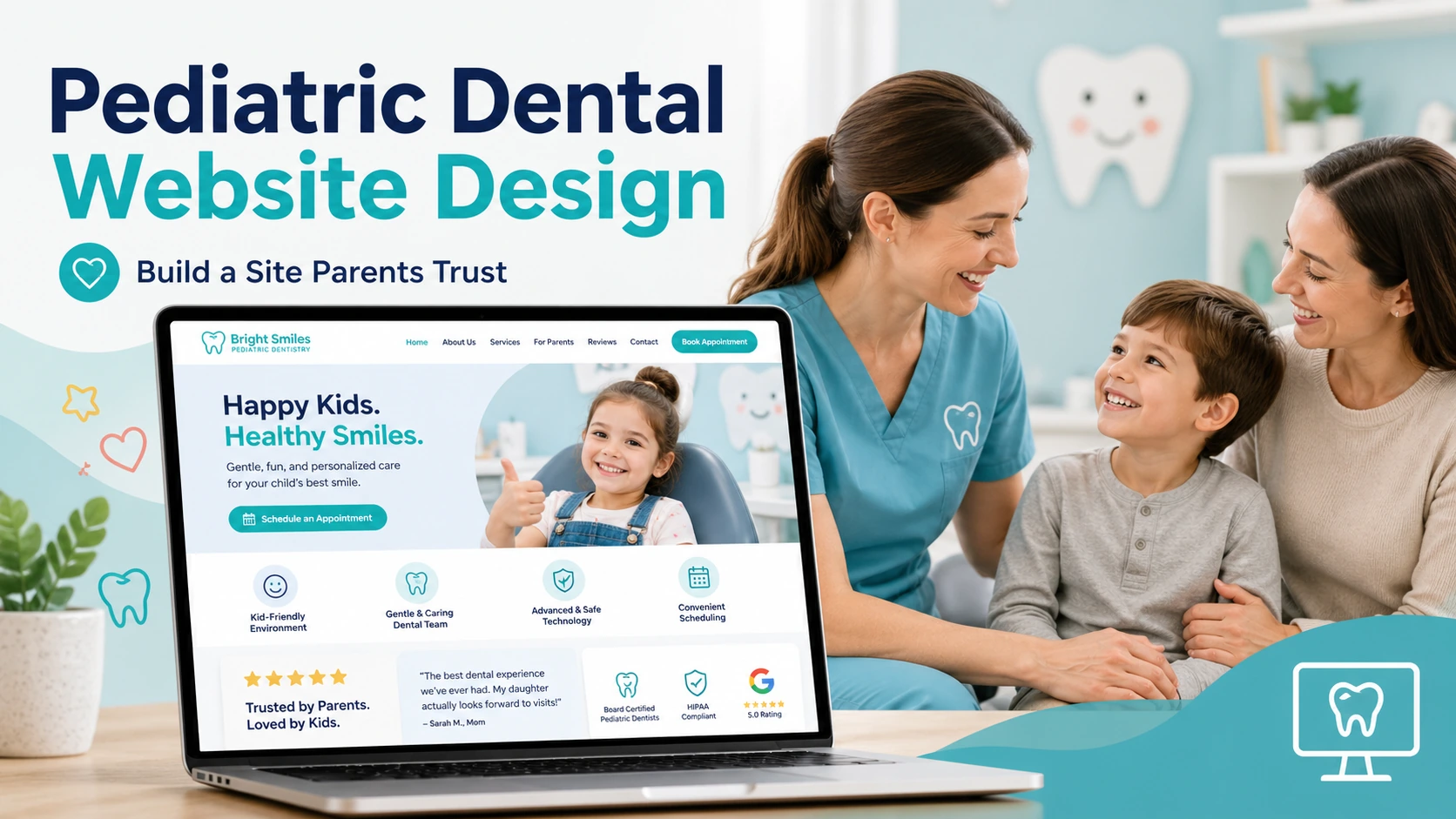 Pediatric dental website design that earns parent trust starts with answering the three questions every caregiver asks before booking: “Will my child be safe and comfortable here?”, “Is this practice legitimate and credentialed?”, and “Can I get a real appointment without a phone-tag nightmare?”


