Reduce Patient Anxiety With Your Dental Website
Posted on 6/5/2026 by WEO Media |
How to Calm Nervous Patients Before the First Visit
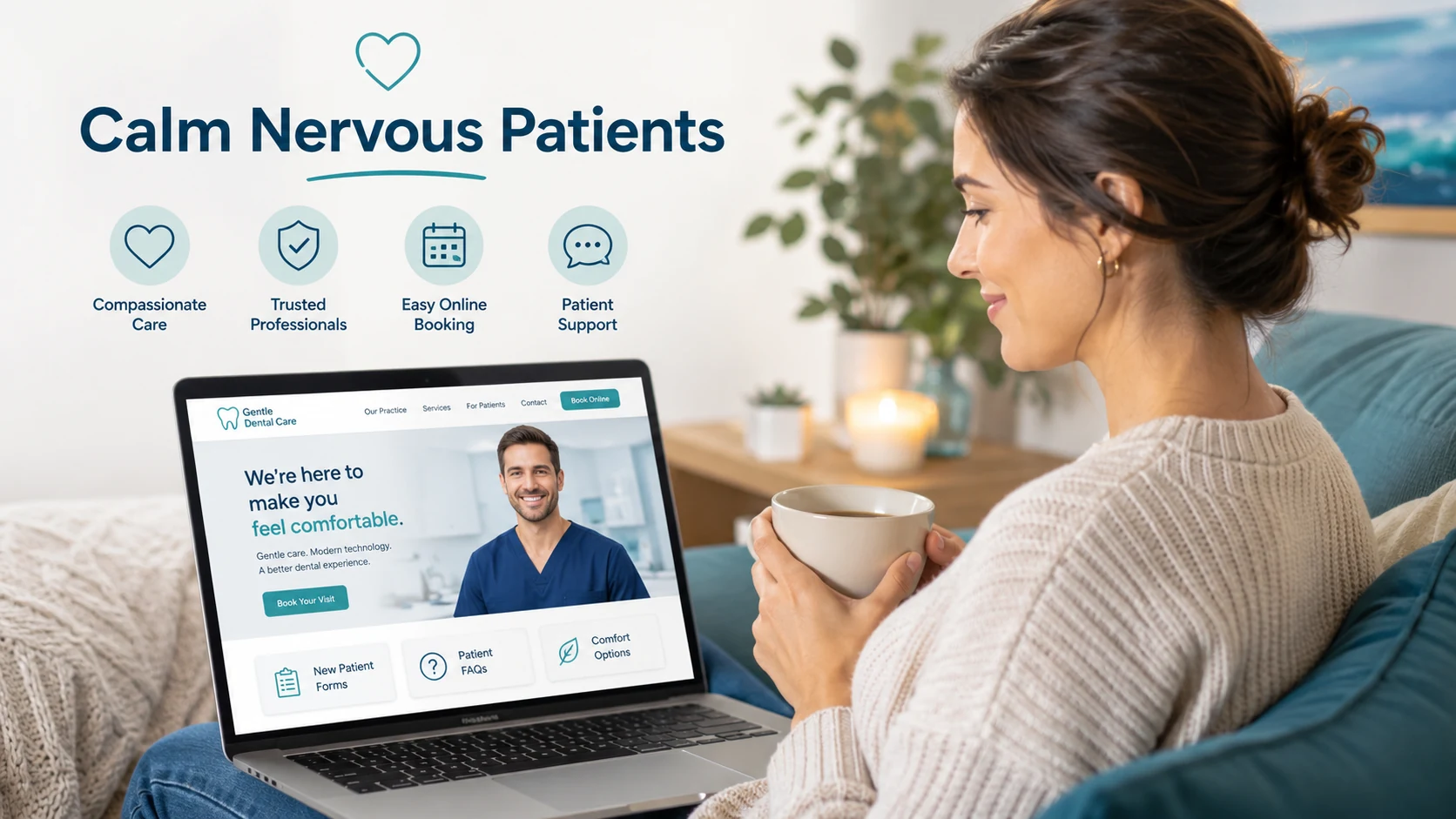 Dental practices can reduce patient anxiety with their dental website by showing nervous patients exactly what to expect before the first visit—clear procedure explanations, real team photos, transparent scheduling, and visible comfort and sedation options. Dental practices can reduce patient anxiety with their dental website by showing nervous patients exactly what to expect before the first visit—clear procedure explanations, real team photos, transparent scheduling, and visible comfort and sedation options.
For most anxious patients, the website is the very first encounter with your practice, and it sets the emotional tone long before any clinical care begins. A site that feels cold, confusing, or sales-driven can quietly confirm a fearful patient’s worst expectations. A site that feels clear, warm, and honest can do the opposite—turning “I’ve been putting this off” into “I think I can do this.”
Anxiety doesn’t wait for the appointment. It builds in the days before—often fueled by uncertainty about what will happen, how much it will hurt, what it will cost, and whether they’ll be judged for how long it’s been. Your website is where that uncertainty either grows or gets resolved. Every page is a chance to replace a worst-case assumption with a calm, specific answer.
Below, you’ll find a practical framework for designing an anxiety-aware dental website: what nervous patients are actually afraid of, the specific pages and content that ease those fears, how to write copy that reassures instead of sells, the design and accessibility choices that lower stress, and how to measure whether any of it is working.
Written for: dental practice owners, office managers, and marketing teams who want their website to convert anxious, hesitant visitors into booked patients who actually show up.
TL;DR
If you only change a few things, start here:
| • |
Treat your website as anxiety care, not just advertising - for nervous patients it’s the first appointment, and it sets the emotional tone before clinical care begins
|
| • |
Remove the unknown - explain procedures in plain language and walk patients through exactly what a first visit looks like
|
| • |
Make it human - real team and office photos, a warm and judgment-free tone, and a clear “you’re in control” message
|
| • |
Lower the pressure to book - offer private online scheduling, easy rescheduling, and obvious next steps so no one has to make a stressful phone call
|
| • |
Name the big fears directly - address pain and comfort, sedation options, and cost transparency instead of hoping patients won’t ask
|
| • |
Measure it - watch scheduling-page completion, engagement on comfort and procedure pages, and your no-show and cancellation trends |
Table of Contents
Why dental anxiety starts on your website
For a nervous patient, the scary part of dentistry doesn’t begin in the operatory. It begins the moment they decide to look you up. By the time someone anxious lands on your site, they’ve usually been putting off care for months or years, and they’re scanning for reasons to either trust you or close the tab. That makes your website the real first appointment—the place where fear is either calmed or quietly confirmed.
This matters for marketing, not just bedside manner. Anxiety is one of the most common reasons people delay dental care, and the cost of that hesitation shows up directly in your numbers: fewer booked appointments, more last-minute cancellations, and higher no-show rates among exactly the patients who need care most. A website built only to look modern or rank well can still lose these patients if it ignores how they feel.
A pattern we see often: a practice invests in traffic through dental SEO and paid ads, but the site speaks past the most hesitant visitors. The procedure pages read like clinical brochures, the only path to booking is a phone number, and there’s nothing that says “we treat anxious patients gently and without judgment.” Traffic goes up; nervous patients still bounce. The fix isn’t more traffic—it’s a site that meets fear with reassurance at every step.
> Back to Table of Contents
What nervous dental patients are actually afraid of
You can’t reduce anxiety you haven’t named. Most dental fear clusters into a handful of specific worries, and nearly every page on your site is a chance to answer one of them before it grows:
| • |
The unknown - not knowing what a procedure involves, how long it takes, or what the room and sounds will be like
|
| • |
Pain and needles - the expectation that treatment will hurt, or a specific fear of injections and drills
|
| • |
Loss of control - lying back while someone works in your mouth, unable to talk, unsure how to ask them to stop
|
| • |
Judgment and shame - embarrassment about the condition of their teeth or how long it’s been since their last visit
|
| • |
Cost and surprise bills - fear that they can’t afford care or will be hit with charges they didn’t expect
|
| • |
Past bad experiences - a previous painful, rushed, or dismissive appointment that taught them to stay away |
Two ideas tie these together. First, anticipation is usually worse than the event—the dread built up beforehand often exceeds the actual visit, which is exactly why pre-visit content does so much work. Second, predictability and control lower fear. When patients know what will happen and feel they can pause it at any time, the same procedure feels dramatically less threatening. Your website’s job is to deliver that predictability and control in advance.
> Back to Table of Contents
Replace the unknown with plain-language procedure pages
The single most powerful anxiety tool on a dental website is clear, honest information about what actually happens. Fear feeds on vagueness; specifics starve it. Every procedure you offer—from a routine cleaning to a root canal to an extraction—deserves its own dental service page that answers the questions a nervous patient is too anxious to ask out loud.
For each procedure, write in plain language and cover:
| • |
What it is and why it’s done - in everyday words, not clinical shorthand
|
| • |
What the visit actually feels like - step by step, including how numbing works and what they’ll hear, feel, and see
|
| • |
How long it takes - a realistic time range so the appointment feels finite
|
| • |
How comfort is managed - the specific ways your team keeps patients comfortable during and after
|
| • |
What recovery looks like - honest aftercare, so there are no unpleasant surprises |
A “What to Expect on Your First Visit” page is just as important. Walk a new patient through the entire experience: where to park, what to bring, who they’ll meet, how long it will take, and what will and won’t happen at that first appointment. Reassuring a nervous patient that the first visit is usually an exam and a conversation—not immediate treatment—removes a huge source of dread.
A note on accuracy and trust: the clinical specifics on these pages should be written or reviewed by your dental team, not borrowed from a generic template. Patients (and search engines) reward content that reads like it comes from the people who actually do the work—a real signal of experience and expertise (E-E-A-T). Use real, accurate detail—and avoid overpromising outcomes or making medical guarantees.
> Back to Table of Contents
Show the real people and place behind your practice
Fear of the unknown isn’t only about procedures—it’s about people and places. Anxious patients are walking into a room full of strangers to be physically vulnerable. The more familiar your team and office feel beforehand, the less threatening that feels.
Replace stock photos with the real thing—ideally professional dental practice photography—wherever you can:
| • |
Real team photos and short bios - warm, approachable pictures of the actual dentists, hygienists, and front-desk staff, with a sentence or two of personality
|
| • |
Photos of the actual office and operatories - clean, calm, well-lit images of the spaces patients will be in, so nothing is a surprise
|
| • |
A short welcome video - even a brief, friendly clip of the dentist speaking directly to camera builds trust faster than any paragraph, and dental video marketing makes producing one simple
|
| • |
A virtual tour - let patients “walk in” from home and see exactly where they’ll go |
When you show team photos, keep the tone genuinely warm rather than stiff and corporate. Relaxed images that look like real people signal that the practice is approachable. For an anxious patient, seeing a friendly face attached to a name turns an intimidating “the dentist” into a specific person they already feel they’ve met.
Be thoughtful about clinical imagery. Photos of the team and the space reassure; close-ups of needles, drills, or graphic procedures can do the opposite. Save anything potentially triggering for context where it’s clearly helpful, and lead with the human, welcoming side of your practice.
> Back to Table of Contents
Make booking feel safe, private, and low-pressure
For many anxious patients, the phone call is its own barrier. Having to call, explain why it’s been so long, and negotiate a time in real time can be enough to make them give up. A website that offers a calmer path to booking captures patients a phone-only practice loses.
| • |
Offer online scheduling - let patients book an appointment online privately, on their own time, without rehearsing a phone conversation
|
| • |
Make rescheduling easy and guilt-free - clear, low-pressure language about changing an appointment removes the fear of being “locked in”
|
| • |
Show the next steps - tell patients exactly what happens after they book, from confirmation to the first visit, so the process feels predictable
|
| • |
Reduce the form burden - ask only for what you need up front; a short, simple booking flow feels far less daunting than a wall of fields |
The wording of your calls to action matters as much as the buttons themselves. “Request a gentle, no-pressure consultation” lands very differently than a clinical “Schedule Appointment.” Invite hesitant patients explicitly: a line like “Nervous about the dentist? Tell us when you book and we’ll take extra care” signals that anxiety is welcome here, not a problem.
Keep contact and scheduling options visible on every page—ideally including a click-to-call option, live chat, and an online form—so a patient who finally feels ready can act in the moment, before the hesitation returns.
> Back to Table of Contents
Address comfort, pain control, and sedation openly
Pain is the fear patients are most reluctant to raise and most desperate to have answered. Don’t make them dig for reassurance—put your comfort and pain-management approach where anxious visitors will find it.
If your practice offers them, give sedation and comfort options their own clear, easy-to-find content:
| • |
Sedation options you offer - describe the choices available at your practice and the kind of patient each one tends to help, in plain language
|
| • |
Comfort amenities - blankets, headphones, music, sunglasses, numbing gel before injections, or whatever your team actually provides
|
| • |
A “stop signal” you honor - tell patients they can raise a hand to pause at any time; few things restore a sense of control faster
|
| • |
Gentle, judgment-free care - state plainly that you welcome anxious and phobic patients and adjust the pace to them |
Frame these as options the patient controls, not as a sales pitch. The goal is to let a fearful reader think, “there’s a version of this visit I could actually handle.” Because sedation and pain management are clinical matters, keep the specifics accurate and let your dental team own the medical details—describe what you offer without promising a pain-free experience or any particular outcome. The same reassurance-first approach guides root canal marketing without patient fear: name the worry, then answer it.
> Back to Table of Contents
Be transparent about cost so money fear doesn’t block care
Money is a quieter anxiety than pain, but it stops just as many patients. The fear isn’t only “can I afford this”—it’s “will I be blindsided by a bill I didn’t agree to.” Surprise and opacity drive that fear; clarity dissolves it.
You can ease cost anxiety on your website without publishing exact prices:
| • |
Explain how payment works - the insurance you accept, financing or payment plans available, and any in-house membership or savings plan options
|
| • |
Set expectations about estimates - reassure patients they’ll get a clear treatment plan and cost discussion before any work begins
|
| • |
Answer the new-patient cost questions - address common worries about exams, consultations, and what to expect financially at a first visit
|
| • |
Be upfront about the no-pressure conversation - make it clear that discussing options and budgets is normal and welcome |
The reassurance patients need most is that they’ll never be surprised—that nothing happens, and nothing gets charged, without a conversation first. A page that calmly explains the financial process tells anxious patients they can come in to learn their options without committing to anything they can’t handle.
> Back to Table of Contents
Use calm copy, design, speed, and accessibility to lower stress
How your site sounds and feels is as important as what it says. The same information can read as reassuring or alarming depending on the words, the visuals, and how easily a stressed person can use the page on their phone.
Write in a calm, human voice
Anxious readers are scanning for threat. Warm, plain, second-person language (“you,” “we’ll”) calms; cold clinical jargon and hard-sell urgency both raise the temperature. Acknowledge feelings directly—“It’s completely normal to feel nervous about the dentist”—and pair every potentially scary topic with what you do about it. Keep sentences short, avoid pressure tactics, and never shame patients for waiting—the same principles behind dental website copy that converts.
Design for calm, not clutter
Visual chaos reads as stress. Give pages generous white space, a soft and consistent color palette, and a clear single path for the eye to follow. One obvious primary action per page—usually “book” or “learn what to expect”—beats a screen full of competing buttons. Calm, uncluttered design quietly signals a calm, organized practice, and it’s central to dental homepage design that converts.
Make the site fast and easy on a phone
Most anxious patients are searching on a phone, often late at night, so strong mobile UX is critical. A slow, clumsy mobile site adds friction at the worst possible moment. Aim to load the main content in about 2.5 seconds or less, keep pages responsive as patients tap and scroll, and use large, well-spaced buttons that are easy to hit. Google evaluates much of this through Core Web Vitals—metrics like Largest Contentful Paint (loading) and Interaction to Next Paint (responsiveness)—so a calmer experience and stronger search visibility tend to go hand in hand.
Make it accessible to everyone
Accessible, ADA-compliant design helps anxious, older, and neurodivergent patients alike. Aim to meet WCAG 2.2 AA: readable text sizes and color contrast, full keyboard navigation, descriptive alt text on images, captions on videos, and clear labels on every form field. Reducing cognitive load—simple language, predictable layouts, and clear instructions—lowers stress for everyone and makes sure no patient is shut out by a confusing or inaccessible page.
> Back to Table of Contents
Build trust with reviews and real patient stories
Nothing reassures a nervous patient like other nervous patients who came in and were glad they did. Social proof answers the unspoken question—“will people like me be treated well here?”—more credibly than anything you can say about yourself.
Smart reputation management puts authentic proof to work for anxious visitors:
| • |
Feature reviews that mention gentleness - highlight testimonials where patients describe feeling calm, unrushed, or cared for, not only “great results”
|
| • |
Tell anxious-patient stories - with permission, share how a fearful patient’s first visit went—a patient testimonial video does this especially well—since that mirrors exactly what your hesitant reader is feeling
|
| • |
Keep reviews fresh and visible - recent, specific reviews carry more weight than a stale star rating, and a steady stream of new five-star Google reviews signals an active, trusted practice
|
| • |
Respond to reviews with warmth - thoughtful, human responses show prospective patients how you treat people |
Be careful with before-and-after photos. They can be powerful, but graphic clinical images may unsettle the very patients you’re trying to reassure—introduce them gently and in context, and always with patient consent and HIPAA compliance. When you collect and display testimonials, follow review-platform rules and never fake, incentivize, or edit reviews in ways that misrepresent them.
> Back to Table of Contents
Measure whether your website is reducing anxiety
Reducing anxiety isn’t only a feeling—it shows up in behavior you can track. You won’t find a single “anxiety score,” but a handful of signals together tell you whether your site is calming patients or losing them:
| • |
Scheduling and form completion - how many people who start booking actually finish; with conversion tracking in place, a high drop-off mid-form points to friction or fear
|
| • |
Engagement on comfort and procedure pages - time on page and scroll depth show whether your reassurance content is being read or skipped
|
| • |
Calls and form submissions from key pages - which pages actually move hesitant visitors to reach out
|
| • |
No-show and cancellation trends - patients who arrive informed and reassured are more likely to keep appointments—and steps like online scheduling that cuts no-shows help—so watch whether these rates improve over time
|
| • |
New-patient mix - over time, an anxiety-aware site should help convert more of the hesitant first-timers who used to slip away |
Pair the numbers with words. Add a simple, optional question to your intake or post-visit follow-up—“How were you feeling before your visit?”—and ask new patients what almost stopped them from booking. The patterns in those answers tell you which fears your website still needs to address. Treat this as a model for measuring impact, not a guarantee; results vary with your patient base, staffing, and the rest of your marketing.
> Back to Table of Contents
Common website mistakes that make dental anxiety worse
Sometimes the fastest win is removing what’s actively scaring people off. These common missteps quietly raise anxiety and cost practices the patients they most want to reach:
| • |
Hiding behind clinical jargon - technical language signals “this isn’t for you” to an already nervous reader
|
| • |
Phone as the only way in - forcing a call filters out everyone who finds calling stressful
|
| • |
Faceless stock photography - generic models tell patients nothing about who will actually treat them
|
| • |
Graphic or clinical lead images - opening with needles, drills, or surgical close-ups confirms a fearful patient’s worst fears
|
| • |
Silence on pain and cost - ignoring the two biggest fears doesn’t make them go away; it leaves patients to assume the worst
|
| • |
Hard-sell, high-pressure copy - urgency and upselling read as untrustworthy to someone who is already on guard
|
| • |
A slow or confusing mobile site - friction at the moment of decision sends hesitant patients straight back to avoidance, so fix a slow website fast |
Audit your own site through a nervous patient’s eyes: open it on your phone, and ask whether each page makes the next step feel safer or scarier. Fixing even a few of these often does more for anxious-patient conversion than adding new content.
> Back to Table of Contents
Talk to WEO Media about an anxiety-aware website
An anxiety-aware website does more than look good—it quietly converts the hesitant patients other sites lose. At WEO Media - Dental Marketing, we help dental practices with dental website design and content that meet patients’ fears with reassurance, from plain-language procedure pages to calm design and low-pressure scheduling. If you’d like a site that turns nervous visitors into booked, comfortable patients, reach out to our team at 888-246-6906 or schedule a consultation to start the conversation.
> Back to Table of Contents
FAQs
How can a dental website reduce patient anxiety?
A dental website reduces patient anxiety by replacing uncertainty with clear, reassuring information before the visit. The most effective elements are plain-language procedure pages, real team and office photos, a “what to expect on your first visit” page, private online scheduling, and openly addressing pain, comfort, sedation, and cost. Together these give nervous patients the predictability and sense of control that lower fear.
What pages should an anxious-patient-friendly dental website include?
At minimum, include detailed procedure pages written in everyday language, a “What to Expect on Your First Visit” page, a warm team page with real photos and bios, a comfort-and-sedation page describing the options you offer, a clear page about insurance and payment, and an easy online scheduling option. Each one should answer a specific fear before the patient has to ask.
Does online scheduling really reduce dental anxiety?
For many patients, yes. The phone call itself is a barrier—having to explain why it’s been so long and arrange a time out loud can be enough to make an anxious person give up. Private online scheduling lets patients book on their own terms without rehearsing a stressful conversation, which is why offering it alongside a phone option tends to capture hesitant patients a phone-only practice loses.
How do you write dental website copy that calms nervous patients?
Use warm, plain, second-person language, keep sentences short, and acknowledge feelings directly with lines like “It’s normal to feel nervous about the dentist.” Pair every potentially scary topic with what you do to make it easier, avoid clinical jargon and hard-sell urgency, and never shame patients for how long it’s been. The goal is to sound like a calm, trustworthy person rather than a brochure or a sales pitch.
Should a dental website show photos of treatment rooms and equipment?
Show the room, not the scary instruments. Calm, well-lit photos of your office and operatories build familiarity and remove the fear of the unknown, while close-ups of needles, drills, or graphic procedures can heighten anxiety. Lead with warm team photos and welcoming spaces, and reserve any clinical imagery for places where it’s clearly helpful and clearly in context.
Can a dental website mention sedation and comfort options?
Yes, and it should—clearly and where anxious patients can find it. Describe the sedation and comfort options your practice actually offers and the control patients have, such as a hand signal to pause. Because these are clinical matters, keep the details accurate, let your dental team own the medical specifics, and describe what you provide without promising a pain-free experience or any particular outcome.
How do I know if my dental website is reducing patient anxiety?
Watch a combination of signals rather than one number: how many visitors who start booking actually finish, engagement on your comfort and procedure pages, and your no-show and cancellation trends over time. Add a simple optional question like “How were you feeling before your visit?” to your intake, and ask new patients what almost stopped them from booking. Those answers reveal which fears your site still needs to address. |
|





