Dental Google Ads Quality Score: How to Improve It and Pay Less Per Click
Posted on 6/6/2026 by WEO Media |
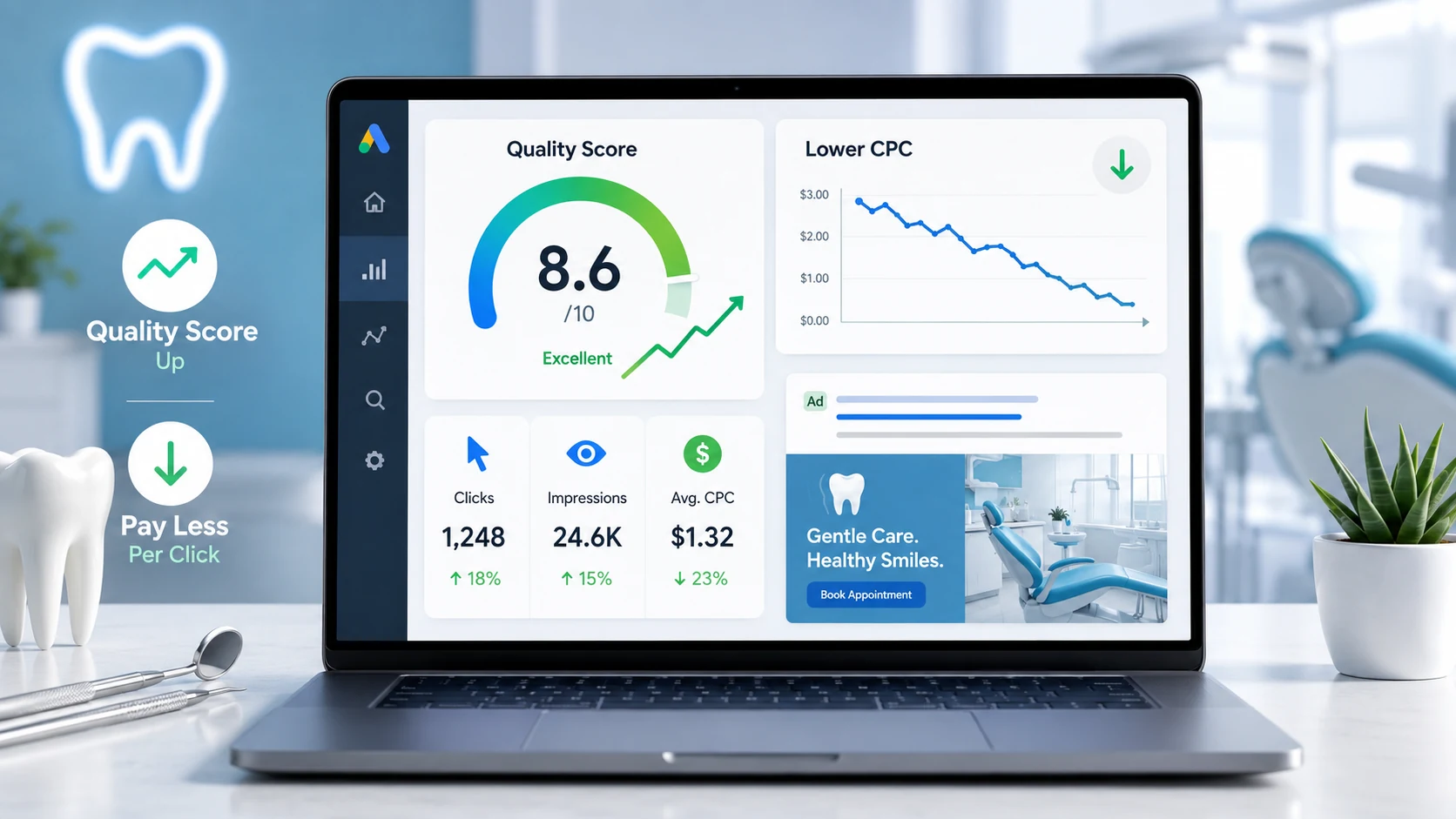 To improve your dental Google Ads Quality Score and pay less per click, focus on the three components Google measures for each keyword: expected click-through rate, ad relevance, and landing page experience — the levers every dental practice can control. To improve your dental Google Ads Quality Score and pay less per click, focus on the three components Google measures for each keyword: expected click-through rate, ad relevance, and landing page experience — the levers every dental practice can control.
Quality Score is a 1–10 diagnostic Google assigns to each keyword in your Search campaigns, and a low one usually means you’re overpaying for clicks — or that your ads aren’t showing at all.
Here’s the catch most advertisers miss: Quality Score itself is not used in the ad auction. Google has confirmed it’s a diagnostic tool — a warning light, not the engine. What actually decides your cost and position is Ad Rank, which evaluates real-time versions of those same three components every time someone searches. So the number on your screen is a lagging summary of how well your ads, keywords, and landing pages serve searchers — improve the underlying components and both your Quality Score and your results follow.
Below, you’ll learn how Quality Score works, how it affects what your practice pays, how to check it inside Google Ads, and a component-by-component playbook for raising expected CTR, ad relevance, and landing page experience — plus the dental-specific mistakes that quietly inflate cost per click.
Short on time? Jump to how to check your Quality Score or the component-by-component playbook.
Written for: dental practice owners, office managers, and marketing coordinators who run or oversee Google Ads and want more new-patient calls for the same budget.
TL;DR
Quick Important Tips:
| • |
Know what it is - Quality Score is a 1–10 diagnostic of expected CTR, ad relevance, and landing page experience, scored per keyword in Search campaigns
|
| • |
Know what it does - the score itself isn’t in the auction, but its real-time components feed Ad Rank, so higher quality can mean a lower cost per click and a better position
|
| • |
Tighten your ad groups - group keywords by a single dental service so your ad copy can match the search and lift expected CTR and ad relevance
|
| • |
Send clicks to a matching page - point each ad to a dedicated, fast, mobile-friendly service page, not your homepage, to fix the most common dental landing page problem
|
| • |
Use it as a gauge, not a goal - chase lower cost per new patient, not a perfect 10; reported conversions don’t even affect Quality Score |
Table of Contents
What is the Google Ads Quality Score?
Quality Score is a 1–10 rating Google assigns to each keyword in your Search campaigns to estimate how relevant and useful your ads are to the people searching. It’s reported at the keyword level, and you’ll only see it on standard Search campaigns, not Performance Max, Display, or video. Google calculates it from three components: expected click-through rate (how likely your ad is to be clicked when shown), ad relevance (how closely your ad matches the intent behind the search), and landing page experience (how relevant and useful your page is to people who click).
Each component is reported with a status of above average, average, or below average. Those labels aren’t absolute — they compare your performance against other advertisers whose ads showed for the exact same search over the previous 90 days. In plain terms, a “below average” landing page experience means searchers were better served by competitors’ pages for that query, not that your page is broken.
One nuance that trips up dental advertisers: a broad match keyword can show a Quality Score even with no impressions of its own, as long as a corresponding exact match keyword has impressions in the last 90 days. The number you see is an estimate, not a live reading.
> Back to Table of Contents
Why Quality Score matters for your dental ad budget
A higher Quality Score generally lowers what you pay per click and helps your ad win a better position. The mechanism is widely misunderstood, though, so it’s worth getting right. The 1–10 number in your account is not an input in the auction — Google states plainly that it’s a diagnostic tool. What runs in the auction is Ad Rank, recalculated every time your ad is eligible to appear.
Ad Rank weighs several things together: your bid, the real-time quality of your ad and landing page (the same expected CTR, ad relevance, and landing page experience signals that feed Quality Score), the context of the search (the person’s location, device, and the rest of the query), the relevant Ad Rank thresholds, and the expected impact of your assets and ad formats. Because quality is part of that calculation, a dental practice with strong relevance can often outrank a competitor who bids more, and pay less for the click.
That’s why the visible Quality Score is best treated as a warning light. It won’t tell you whether a campaign is profitable, but a cluster of “below average” components is a reliable sign you’re leaving money on real auctions you enter every day.
> Back to Table of Contents
The three components of Quality Score
Quality Score is only as useful as the three diagnostics beneath it. Always look at the components before the overall number — they tell you what to fix, not just that something is off.
Expected click-through rate (CTR)
This estimates how likely your ad is to be clicked when it shows for a given keyword, set apart from position and other factors. It reflects whether searchers find your ad compelling and relevant. For a dental practice, expected CTR climbs when your ad speaks directly to the search — an ad headlined “Same-Day Emergency Dentist” will almost always out-earn a generic “Trusted Local Dental Care” ad for the query emergency dentist near me.
Ad relevance
This measures how closely your ad’s wording matches the intent behind the keyword. It’s the easiest component to influence through account structure: when an ad group holds one tight service theme, your headlines and descriptions can mirror the search term naturally. Mixed ad groups — implants, whitening, and cleanings jammed together — force one generic ad to serve very different searches, and ad relevance suffers.
Landing page experience
This rates how relevant, useful, and trustworthy your page is to someone who clicks. Google looks at whether the page delivers what the ad promised, whether the content is original and substantive, whether it’s transparent about who you are and how to reach you, whether it’s easy to navigate, and whether it loads fast on mobile. In our experience auditing dental accounts, landing page experience is the most common drag on Quality Score, and the most overlooked, because the fix lives on the website rather than in the Google Ads dashboard.
> Back to Table of Contents
How to check your dental practice’s Quality Score
Quality Score isn’t shown by default, so you’ll add it as a column. Here’s the path in your Google Ads account:
| 1. |
Open your Google Ads account and select Campaigns, then expand Audiences, keywords, and content and choose Search keywords
|
| 2. |
Click the columns icon above the table, then open Modify columns
|
| 3. |
Find the Quality Score section and add four columns: Quality Score, Expected CTR, Ad Relevance, and Landing Page Experience
|
| 4. |
For trends over time, also add the historical versions: Qual. Score (hist.), Expected CTR (hist.), Ad Relevance (hist.), and Landing Page Exp. (hist.)
|
| 5. |
Click Apply, then sort by Quality Score from lowest to highest and focus on high-spend keywords that show any “below average” component |
If the interface shifts, Google keeps the current steps in its own documentation — see About Quality Score for Search campaigns.
> Back to Table of Contents
How to improve each Quality Score component
There’s no button that raises Quality Score directly — you improve it by improving what searchers experience, component by component. Here’s the playbook we use on dental accounts.
Improve expected click-through rate
Expected CTR rewards ads that earn the click. The fastest wins:
| • |
Write specific, benefit-led headlines - name the service and the value (“Free Invisalign Consult,” “Same-Day Crowns,” “New Patients Welcome”) instead of generic slogans
|
| • |
Fill out every responsive search ad asset - provide the full set of headlines and descriptions so Google can test combinations and surface the strongest for each search
|
| • |
Add relevant assets - sitelinks, callouts, structured snippets, location, and call assets give searchers more reasons to click and can lift expected click-through
|
| • |
Add negative keywords - filter out searches you don’t want (jobs, “free,” do-it-yourself, unrelated specialties) so your ads show mainly to qualified patients
|
| • |
Pause chronic underperformers - keywords that consistently draw few clicks drag the whole ad group; cut or rework them |
Improve ad relevance
Ad relevance is mostly an account-structure problem. Tighten the connection between keyword and copy:
| • |
Build single-theme ad groups - one service per ad group (implants in one, Invisalign in another, emergency in a third) so the ad can match the search
|
| • |
Echo the keyword in your headlines - if the keyword is “dental implants,” the phrase “Dental Implants” should appear in a headline
|
| • |
Split ad groups that have drifted - if one group has collected a grab-bag of services over time, break it apart by theme
|
| • |
Mirror the searcher’s language - use the words real patients use (“tooth pain,” “missing teeth,” “straighten teeth”) rather than clinical jargon |
Improve landing page experience
This is where dental practices gain the most ground, because so many send every ad to the homepage. Fix the after-the-click experience:
| • |
Match the page to the ad - send “emergency dentist” clicks to an emergency-dentist page whose headline repeats that promise, not to a general homepage
|
| • |
Build a dedicated page per service theme - a focused page for implants, one for Invisalign, one for new-patient exams, each with substantive, original content
|
| • |
Make it fast and mobile-first - most dental searches happen on phones; test with Google’s PageSpeed Insights and watch your Core Web Vitals (Largest Contentful Paint for loading, Interaction to Next Paint — which replaced First Input Delay in 2024 — for responsiveness, and Cumulative Layout Shift for visual stability)
|
| • |
Size tap targets for thumbs - buttons and links should be comfortably tappable (Lighthouse flags targets smaller than 48 by 48 pixels) so patients can book without pinching and zooming
|
| • |
Earn trust on the page - show your practice name, address, phone number, real reviews, and clear next steps; transparency is an explicit part of how Google judges the page
|
| • |
Keep one clear action - a single obvious prompt to book or call beats a cluttered page with competing links |
> Back to Table of Contents
Common dental Google Ads Quality Score mistakes
A pattern we see across dental accounts: the score is low for a handful of predictable, fixable reasons — many of them the same Google Ads mistakes that quietly waste budget. The most common:
| • |
Sending all ad traffic to the homepage - the homepage answers no specific search well, so landing page experience and ad relevance both suffer
|
| • |
One giant ad group - dozens of mixed-service keywords sharing one generic ad guarantees weak ad relevance
|
| • |
Generic ad copy - ads that never name the service or the city blend into the results and earn fewer clicks
|
| • |
Slow mobile pages - a page that takes several seconds to load on a phone frustrates patients before they ever see your offer
|
| • |
No negative keywords - paying for job seekers, students, and do-it-yourself searches drags expected CTR and wastes budget
|
| • |
Chasing a perfect 10 - over-optimizing low-spend keywords for a vanity number while ignoring cost per new patient |
Most of these trace back to two root causes — loose account structure and a one-size-fits-all landing page. Fix those — usually by tightening ad groups and building dedicated service pages — and the components tend to rise together.
> Back to Table of Contents
What Quality Score is not
Several persistent myths push dental practices toward the wrong work. Clearing them up keeps your effort where it pays off:
| • |
It’s not affected by your conversions - Google confirms that reported conversions don’t factor into ad quality, so a strong booking rate won’t inflate the score
|
| • |
It’s not a KPI - it’s a diagnostic; judge campaigns by cost per booked new patient, not by the 1–10 number
|
| • |
It’s not changed by shuffling campaigns - moving an ad group with the same ads and keywords to a new campaign doesn’t change quality, though moving a keyword into a group with different ad text can
|
| • |
It’s not raised directly by Smart Bidding - automated bidding doesn’t lift Quality Score on its own, but by steering spend toward better-fit auctions it can strengthen the underlying signals over time; fix the components first, then layer bidding on top
|
| • |
It’s not instant - because the score leans on historical data, improvements show up gradually as new performance accumulates |
Treat Quality Score as a guide that points to friction, then measure success by patients and cost — the numbers that actually run your practice.
> Back to Table of Contents
Turn a higher Quality Score into more patients
Improving Quality Score is rarely about one setting — it’s tighter ad groups, sharper ad copy, and dedicated, fast, trustworthy landing pages working together. If you’d like a second set of eyes on your dental Google Ads, the team at WEO Media - Dental Marketing builds and manages campaigns designed to lower cost per click and bring in more new-patient calls. Call 888-246-6906 or reach out through our site to talk through your account.
> Back to Table of Contents
FAQs
What is a good Quality Score for dental Google Ads?
A Quality Score of 7 to 10 is generally considered strong, signaling that your ad, keyword, and landing page are relevant and useful for the search. Scores around 5 to 6 are middling, and anything consistently below 5 usually means you’re paying a premium per click. Focus less on hitting a perfect 10 and more on lifting any component marked below average on your highest-spend keywords.
Does Quality Score affect how much I pay per click?
Indirectly, yes. The visible Quality Score is a diagnostic and isn’t used in the auction itself, but the real-time quality signals it summarizes — expected click-through rate, ad relevance, and landing page experience — feed Ad Rank, which sets your position and cost per click. Stronger quality can earn a better position at a lower cost, sometimes beating a competitor who bids more.
Why is my dental landing page experience below average?
The most common cause is sending ad clicks to a homepage or general page instead of one that matches the specific search. Other frequent culprits are slow mobile load times, thin or generic content, missing trust signals like reviews and contact details, and cluttered navigation. Building a dedicated, fast, mobile-friendly page for each service theme usually resolves it.
Do my conversions improve my Quality Score?
No. Google has confirmed that reported conversions don’t affect ad quality. A high booking or call rate is great for your business, but it won’t raise the Quality Score number directly. Quality Score reflects expected click-through rate, ad relevance, and landing page experience, not whether a visit became a patient.
How long does it take to improve Quality Score?
There’s no instant reset. Because Quality Score leans on historical performance, changes to ad copy, structure, or landing pages show up gradually as new data accumulates, often over a few weeks of meaningful impressions. Consistent, well-themed improvements move it faster than one-time tweaks.
Does Quality Score apply to Performance Max or Local campaigns?
No. The 1 to 10 Quality Score is reported only for keywords in standard Search campaigns. Performance Max, Display, video, and other automated campaign types don’t show a keyword-level Quality Score, though the same ideas — relevance, useful landing pages, and strong creative — still shape performance.
Should I pause keywords that have a low Quality Score?
Not automatically. A low score on a keyword that books patients profitably is worth keeping and improving. Pause or rework a keyword only when a low score combines with high spend and poor results. Use Quality Score to decide where to look, then let cost per new patient decide what to cut. |
|





