Google Business Profile Setup for a New Dental Practice: Step-by-Step Guide
Posted on 9/2/2026 by WEO Media |
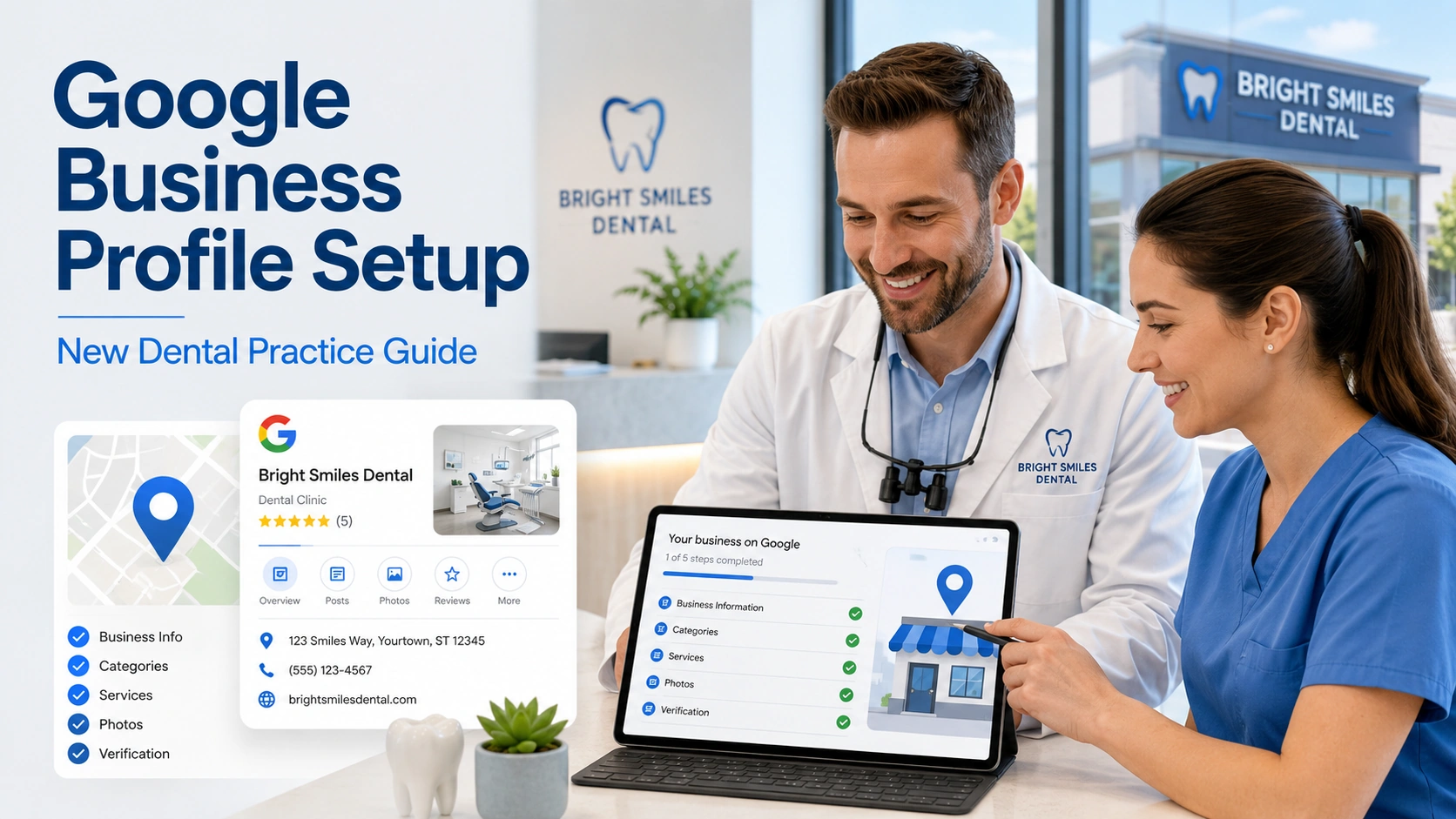 New dental practice Google Business Profile setup runs as a pre-opening sequence: create the GBP, choose your primary category, set an opening date, verify by video once permanent signage is installed, then populate every field before day one. This step-by-step guide walks dentists, practice owners, and startup advisors through each stage for a dental office that has not opened yet. Google supports creating the profile up to a year before you open, but nearly every field and feature stays gated behind verification — and for a de novo practice, verification depends on physical realities like permanent exterior signage that most startup timelines schedule far too late. New dental practice Google Business Profile setup runs as a pre-opening sequence: create the GBP, choose your primary category, set an opening date, verify by video once permanent signage is installed, then populate every field before day one. This step-by-step guide walks dentists, practice owners, and startup advisors through each stage for a dental office that has not opened yet. Google supports creating the profile up to a year before you open, but nearly every field and feature stays gated behind verification — and for a de novo practice, verification depends on physical realities like permanent exterior signage that most startup timelines schedule far too late.
The sequencing is what practices get wrong. A profile created without a verified opening date sits invisible. A profile verified before your sign is installed fails the video review. A booking link added before the website is crawlable gets stripped out. Each of these is recoverable, but each one costs you days or weeks of map-pack visibility during the exact window when your schedule is emptiest and your overhead is already running.
Opening in the next six months? Start here. If you are buying an existing practice instead of building one, the ownership-transfer path is different — see the acquisition note in the first section below.
Two things separate this from generic Google Business Profile advice: how to pass video verification inside a clinical space without exposing patient information, and which review and compliance rules actually changed between 2024 and 2026.
Jump to where you are: still in buildout, ready to create the profile, ready to verify, verified and filling it in, or open and building visibility.
Written for: dentists and specialists opening a de novo practice, practice startup consultants, DSO development teams, and the marketing coordinators responsible for launch.
TL;DR
If you only do six things, do these:
| 1. |
Create the profile on a practice-owned Google account - never a temporary employee’s personal address, or you will lose the profile when they leave
|
| 2. |
Install permanent exterior signage before you attempt verification - the video review requires your business name on a permanent fixture that matches the profile exactly
|
| 3. |
Set the opening date and verify - Google surfaces the profile roughly 90 days before your stated opening date, and only after verification
|
| 4. |
Get the primary category right the first time - for a general practice that is almost always “Dentist,” not “Medical Clinic” or “Health”
|
| 5. |
Make the website crawlable before adding a booking link - Google’s link verification crawler ignores robots.txt and removes links it cannot reach
|
| 6. |
Build a compliant review workflow before day one - patients cannot review you until you are officially open, and the 2026 solicitation rules ban quotas and scripted content |
Table of Contents
Why a new dental practice Google Business Profile is different from claiming an existing one
Most Google Business Profile advice assumes a business that already exists, already has a sign, and already has customers. A de novo dental practice has none of those on the day you want the profile live. Google accounts for this, but with rules that change the whole sequence.
You can create the profile before you open. Google supports adding an opening date up to one year in the future. Once you enter that date and complete verification, your profile begins showing on Google roughly 90 days before your stated opening date. Only the year and month are strictly required, though a specific date gives you a cleaner countdown.
You cannot collect reviews or photos until you are officially open. This is the constraint that surprises practice owners most. To prevent inaccurate information from appearing, Google blocks users from suggesting edits or posting content — including reviews and photos — on a profile that is not yet open. Any plan that assumes you can bank reviews from friends, family, or staff during construction is both technically blocked and, as covered in the compliance section, a policy violation.
Once you open, you get a short credibility window. Google displays a “Recently opened” tag on the profile for 90 days after your opening date. That tag is one of the few things a brand-new practice has that an established competitor does not, and it works best when the profile is already fully populated on day one rather than half-built.
If you are acquiring rather than building: the path is ownership transfer, not creation. Google’s guidelines treat a minor name change as a rebrand only when the proper nouns and services in the name are unchanged and the category stays the same. A genuine name change beyond that is treated as a new business, which means marking the existing profile closed and creating a new one — and forfeiting the review history attached to the old profile. Before you decide, read our guide on how to protect SEO rankings during a dental practice sale or acquisition, because the profile decision and the domain decision have to be made together. If the transition involves a new name, our guide to rebranding a dental practice without losing patients or rankings walks through the sequencing.
Assuming you are building rather than buying, this is the realistic sequence:
| 1. |
Five to six months before opening - settle the practice name, address, phone number, and Google account ownership, and get exterior signage into the permitting queue
|
| 2. |
Four to five months before opening - create the profile, choose categories, and set the opening date
|
| 3. |
As soon as permanent signage is installed - verify by video and allow up to five business days for review
|
| 4. |
Immediately after verification - add the description, services, photos, attributes, and booking link
|
| 5. |
Opening day - publish the first post and start the review request workflow
|
| 6. |
First 90 days open - maintain weekly, respond to every review, and extend to other listing platforms |
> Back to Table of Contents
The pre-setup checklist: what to lock down before you open the create form
Every avoidable GBP failure we see in new practice launches traces back to something that was not settled before the profile was created. Work through this list first.
Decide who owns the Google account. Create the profile on an account the practice controls permanently — not a temporary office manager’s personal Gmail, not a contractor’s address, not the account of a startup consultant who will be gone in six months. Recovering a profile after the owning account disappears is a slow, uncertain process, as we cover in what to do when a Google Business Profile is locked behind a deleted account. Add a second owner on a separate practice-controlled account the day verification completes.
Schedule permanent signage into the buildout, not after it. Google expects businesses that display an address to maintain permanent fixed signage of the business name at that address, and the verification video must show your business name clearly printed on a permanent fixture such as a signboard, wall, or window, matching the profile name. Vinyl banners, sandwich boards, and “coming soon” wraps do not reliably satisfy this. Signage permitting in many municipalities runs six to twelve weeks, which is why this belongs on the construction schedule and not the marketing schedule.
Settle your exact name, address, and phone in writing. Pick one legal-facing practice name, one address format, and one local phone number, and use them identically everywhere from that point forward. Suite numbers go on Address Line 2, not appended to the street line. Google’s guidelines ask you to use a local number rather than a central call center line wherever possible. Our guide to NAP consistency for dentists covers the audit process; doing it once at launch is far cheaper than fixing it across dozens of directories later.
Confirm your address type is eligible. A virtual office or rented mailing address you do not operate from is not eligible for a profile. A co-working office qualifies only if it has clear signage, receives patients during business hours, and is staffed by your team. Practices planning mobile or in-home care should review the service-area rules separately, since a service-area business hides its address entirely.
Get the website live at a real, crawlable URL. Google verifies business links with an automated crawler that, importantly, does not follow robots.txt rules. A site sitting behind a staging password, an aggressive bot-protection layer, a geo-block, or a placeholder page returning anything other than a success code will cost you your booking link. Our walkthrough on building and launching a new dental practice website before opening day sequences this correctly against the profile timeline, and our guide to dental site crawlability covers the technical checks that determine whether Google can reach the page at all.
Search the address for a pre-existing profile. If a dentist, medical office, or any other business previously occupied your suite, an unverified or abandoned profile may still sit on that pin. Creating a second profile at the same address invites a duplicate flag. Search the address in Google Maps first. If a claimed profile exists, request access — the current owner has three days to respond before you may get the option to claim it.
> Back to Table of Contents
How to create the Google Business Profile for a new dental practice
With the checklist settled, the creation itself is straightforward. Go to the add-a-business flow at Google’s add or claim your Business Profile page and work through the fields in this order.
Business name
Enter the practice name exactly as it appears on your signage, stationery, and website — nothing more. Google’s guidelines for representing your business prohibit marketing taglines, service or product descriptors, location descriptors, phone numbers, URLs, and legal suffixes without real-world proof. “Cedar Ridge Dental” is compliant. “Cedar Ridge Dental – Implants, Invisalign and Emergency Dentist in North Tampa” is a suspension risk, and the keyword benefit people chase with it is not worth the profile.
Practitioner naming for multi-dentist offices
When several public-facing dentists work at one location, Google’s guidance is one profile for the organization plus separate practitioner profiles whose titles contain only the practitioner’s name and credential — not the practice name. When a single public-facing dentist represents a branded organization, Google prefers one shared profile named in the format brand name, then practitioner name. A practitioner should not hold multiple profiles for different specializations, and support staff are not eligible for their own profiles at all. Groups opening several locations should read our guidance on Google Business Profile for multi-location dental groups before creating the first one, since naming and category decisions have to stay consistent across the footprint.
Primary category
Choose the category that completes the sentence “this business is a,” not “this business has a.” This is the single highest-leverage field on the profile and is covered in depth in how to optimize Google Business Profile categories for dentists.
Address and suite number
Street address on Line 1, suite or unit on Line 2. Do not put keywords, neighborhood names, or URLs in the address lines. If the street number does not resolve, pin the location on the map manually rather than approximating.
Phone number and website URL
Use the local number patients will actually reach and a URL that points to the specific location, not a corporate or multi-location hub page. If you intend to run dental call tracking, settle the number strategy now rather than swapping numbers after launch, since changes to core business information can trigger re-verification and a number that disagrees with your citations undoes the consistency you just built.
Business hours
Enter your planned customer-facing hours. Entering them during the pre-open window means they are correct and complete the moment the profile goes public. If you plan to offer emergency or extended availability, the “More hours” feature lets you flag those as a subset of your primary hours.
Opening date
Set it last, and set it honestly. Marking a practice open before patients can actually be seen creates a mismatch between the profile and the real world, which is precisely what Google’s verification and quality systems are built to detect. If your buildout slips, update the date rather than leaving a stale one in place.
> Back to Table of Contents
How to pass Google Business Profile video verification in a dental office
Verification is the gate. Google decides which methods you are offered based on business type, region, public information, and hours, and for new profiles in healthcare categories, video verification is frequently the only option presented. You cannot choose your method, and there is no reliable way to request a different one.
What Google requires of the video. Per Google’s video verification requirements, the recording must be unedited, unique, and complete with no breaks; at least 30 seconds long; and captured live and uploaded from a mobile device through your Business Profile. Pre-recorded footage is not accepted — you cannot film it earlier and upload it later. It must not include sensitive information such as bank, tax, or ID numbers, private information about you or others, or other people’s faces.
The three proofs you must show. Google is confirming location, existence, and management authority. In practice, that means one continuous walk covering all three:
| 1. |
Location - start outside with the street sign, building number, and a neighboring business or landmark that anchors the pin on Maps
|
| 2. |
Existence - move to your permanent signage and hold on it long enough for the name to be legible and clearly match the profile
|
| 3. |
Management - go inside and show something only a staff member could access: unlock the front or a staff-only door, open the sterilization area, access the supply room, or log into the practice management software |
The clinical-space caution that matters most. A dental office is full of protected health information, and a verification video is a recording you are handing to a third party. Film during a closed block or before patients arrive. Keep faces out of frame entirely. Do not pan across schedule monitors, treatment room displays, sign-in sheets, charts, or radiographs. If you log into your practice management software as proof of management, show the login screen or a settings panel rather than a patient list. Google explicitly asks you to keep other people’s faces and private information out of the recording, and HIPAA obligations reinforce it independently. Our overview of HIPAA privacy risks in dental digital marketing covers the same exposure across photos, video, and website analytics.
What happens next. Review can take up to five business days. If the video is not accepted, Google returns specific reasons under a “Review issues” prompt — commonly that the business name was not visible on the storefront, no nearby area was shown, or proof of authorization was missing. In new practice launches, the two rejections we see most often are signage that is still temporary and a walkthrough that never leaves the reception area to demonstrate staff-only access. Re-record with everything from the first attempt plus whatever was missing. Keep in mind that later changes to core business information can trigger re-verification, which is another argument for settling your name, address, and phone before you start rather than after. Since you will already be walking the space with a camera, it is an efficient day to capture footage for a dental office video tour as well — just as a separate take, since the verification recording has to run continuous and unedited.
> Back to Table of Contents
Choosing primary and secondary categories for a dental practice
Google describes local results as driven mainly by relevance, distance, and prominence. Distance you cannot change and prominence takes time; the primary category is the fastest, most direct relevance lever you control on launch day. Our breakdown of the top local SEO ranking factors for dentists puts the remaining levers in order.
Use the fewest categories that describe your core business. Google’s guidance is to choose categories that are as specific as possible while still representing the main business, and not to use categories as keyword slots or to describe attributes. Selecting a specific category implicitly covers more general ones, so redundant additions add nothing.
For a general practice, the primary category is “Dentist.” It maps to the broadest range of dental-intent searches. Choosing a narrower category like “Cosmetic Dentist” as your primary restricts eligibility for general dentistry queries without meaningfully improving cosmetic performance, and choosing something broader and vaguer, such as “Medical Clinic,” moves you out of dental intent altogether. “Dental Clinic” is the substitution we see most often; it is defensible for a large multi-provider group, but for a single-doctor startup it trades the most literal match for a less-searched sibling.
For a specialty-only practice, lead with the specialty. An office that performs no general dentistry should set its primary category to the specialty it actually practices. This is where the profile has to match the real world: setting an orthodontic primary category on a general practice that places a handful of aligner cases a year is the kind of mismatch that erodes relevance rather than building it. Category and positioning strategy diverge meaningfully by discipline, and our specialty marketing guidance covers oral surgery, periodontics, endodontics, orthodontics, prosthodontics, and pediatric dentistry.
Add secondary categories only for services you genuinely deliver with real capacity. Google does not publish a hard numeric limit in its written guidelines, but the interface currently allows one primary plus up to nine additional categories. Sensible additions for a general dental startup are the specific services you are staffed and equipped to provide from day one. Adding categories you do not operate in is a policy risk, not a shortcut.
Revisit categories as the practice matures. A practice that adds a full-time specialist in year two has a different category profile than it did at launch. A quarterly review sits naturally inside a broader 20-point local dental SEO audit checklist and takes a few minutes once the habit exists.
> Back to Table of Contents
What to fill in on the profile before opening day
Everything in this section can be completed during the pre-open window, and all of it should be. A profile that goes live fully populated converts from the first impression; one that fills in over the following month does not.
Business description
Explain what the practice is, the services offered, and the mission or history behind it. Google’s content rules for this field are specific: no links of any kind, no promotional or pricing content, and no low-quality or gimmicky text. Write it for a patient deciding whether to call, not for a keyword tool.
Services
Populate the service list against the categories you selected, with plain-language names patients actually use. For a service business, Google expects the list to represent what is genuinely available at the location.
Photos
Upload exterior shots that show your signage and the approach from the street, interior shots of reception and operatories, and team photography. Stock imagery is the single fastest way to look interchangeable with every other new office in the market, and our comparison of stock versus unique dental photography shows what patients actually notice. Purpose-shot dental practice photography pays for itself across the profile, the website, and paid media simultaneously.
Attributes and insurance networks
Complete accessibility attributes, parking, languages spoken, and accepted insurance networks. Insurance and language filters are among the first things prospective patients screen on, and a blank attribute set silently removes you from consideration for patients who filter by them. Our guide to dental insurance SEO covers carrying the same information onto the website, where most insurance-driven searches actually land.
Booking link
Add this only after verification — unverified profiles cannot carry business links. Google’s business links policies require the link to lead to a dedicated landing page for that specific location and to let the patient actually complete the booking. Social media pages, messaging links, app store links, and link shorteners are all disallowed. The crawlability requirements are strict and worth reading before launch: the destination must return a success status code, load completely including images and scripts, and must not sit behind a CAPTCHA, login, IP block, geo-block, or bot-protection layer that blocks Google’s verification crawler. If you are standing up online appointment scheduling for the first time, confirm the scheduling page is publicly reachable before you point Google at it.
Posts
Draft your first two or three posts during the pre-open period so something publishes the week you open. Note that post content may not include a phone number — Google treats that as phone stuffing and provides a call button instead. Our library of Google Business Profile post examples and templates for dentists gives you a starting cadence.
> Back to Table of Contents
Reviews and compliance rules that catch new dental practices
Reviews are the prominence engine for a new profile, and the rules governing how you ask for them tightened substantially between 2024 and 2026. A launch playbook written before those changes will now expose you to review removal, profile restrictions, and in some cases federal penalties.
You start at zero, and you start on opening day. Because Google blocks user contributions on a not-yet-open profile, your first legitimate review can only come from a patient you actually treated. Build the request workflow during the pre-open period so it runs from your first week of production rather than your third month.
What Google now explicitly prohibits. Under Google’s current prohibited and restricted content policy, merchants may not offer incentives such as payment, discounts, or free goods and services in exchange for a review, revision, or removal. Merchants may not discourage or prohibit negative reviews, or selectively solicit positive ones — the practice commonly called review gating. When soliciting reviews, merchants must not require or pressure patients to leave a review while on the premises, nor request that specific content be included.
What changed in April 2026. Google added two explicit clauses to the rating manipulation policy: practices may not ask staff to solicit a set number of reviews, and may not ask staff to solicit reviews containing specific content, including content that identifies a staff member by name. Front-desk tablets, kiosk stations, per-review staff bonuses, and scripts asking patients to mention their hygienist by name all now sit on the wrong side of the line.
What Google still allows. Asking every patient, without incentive and without steering the rating or the content. A neutral post-visit request sent to the patient’s own device after they leave is the durable pattern. A patient who chooses to name a team member on their own is perfectly fine — Google’s policy permits naming public-facing professionals who conduct business under their own names. The violation is the practice engineering that mention, not the mention itself. Our Google review policy guide for dental practices and our workflow for generating more five-star Google reviews both reflect the current rules.
The federal layer sits on top of the platform layer. The FTC’s rule on the use of consumer reviews and testimonials, codified at 16 CFR Part 465, took effect October 21, 2024. It prohibits fake or false reviews, buying positive or negative reviews, and undisclosed insider reviews from owners, employees, or their immediate families. Maximum civil penalties for rule violations currently stand at 53,088 dollars per violation. A staff member reviewing the practice they work at is not a gray area under either Google’s conflict-of-interest language or the federal rule. Our practical guide to FTC advertising rules for dentists covers how the same rule reaches testimonials, before-and-after claims, and new patient offers.
Responding to reviews carries HIPAA exposure that most businesses never face. The HHS Office for Civil Rights has taken enforcement action against multiple dental practices specifically for disclosing protected health information in responses to online reviews — including a 2019 settlement with a Dallas practice, a 50,000 dollar civil monetary penalty against a North Carolina practice, and a 2022 settlement with a California practice that included a two-year corrective action plan. The disclosures involved were ordinary-sounding: confirming someone was a patient, referencing appointment history, mentioning treatment plans or insurance. Confirming an individual is a patient at all can be a disclosure.
Build the review response workflow before the first review lands. Train one or two named people to respond, keep responses generic and empathetic, and move every specific conversation offline. State dental board advertising rules add a further layer in some jurisdictions, so confirm your board’s position on testimonial and review content before you finalize the workflow. Our review response SOP with examples and templates gives you compliant language, our overview of HIPAA compliance for dental marketing covers the written policies that should sit behind it, and ongoing reputation management keeps the workflow consistent as volume grows.
> Back to Table of Contents
The first 90 days after your practice opens
Verification and population get you live. The first quarter is where a new profile either builds prominence or stalls out next to established competitors with a decade of review history.
Use the recently-opened window deliberately. The 90-day tag signals newness, and newness is a differentiator for patients who want a modern office and open availability. Pair it with your grand opening activity rather than treating them as separate efforts — our dental grand opening marketing ideas connect the two, and our playbook for getting your first 100 dental patients covers what fills the schedule while the profile is still building history.
Understand where profile questions go now. Google confirmed in December 2025 that it is replacing the customer-facing question-and-answer entry point in Maps with an AI-powered Ask button. Patients now type a question and receive a generated answer drawn from your profile data and relevant reviews rather than browsing a thread. Google has said businesses can continue answering existing questions in the Q&A section of their profile, and that published answers still inform Google’s understanding. The practical consequence for a new practice is that seeding your own questions is no longer a viable tactic. The content that answers patient questions now has to live in your services list, your attributes, your dental FAQ pages, and your reviews. Our guide to preparing a dental practice for AI search covers how to structure that content so the systems reading it get the answer right.
Set a maintenance cadence you will actually keep. Weekly is realistic for most new practices: respond to every review, publish one post, and add a photo or two. Monthly, review your performance metrics for calls, direction requests, and website clicks. Quarterly, re-check categories, hours, and attributes.
Extend beyond Google. Consistent listings elsewhere reinforce the prominence signal that Google is reading. Build out Bing Places for dentists and your Apple Maps business listing for dentists, then work through structured citations using our dental citation SEO guide and the current list of dental directories worth listing on. A periodic local SEO audit catches drift before it costs rankings, and our overview of local SEO for dentists and the Google map pack shows how the profile fits the larger picture.
Connect the profile to the rest of the launch. The GBP is one component of a coordinated opening. Our new dental practice pre-opening marketing timeline sequences the profile against website, paid media, and community outreach, and the broader de novo dental practice marketing guide covers channel decisions for the first year. For the money side, see how to set a new dental practice marketing budget; for the organic side, SEO for new dentists with zero authority sets realistic expectations for year one.
> Back to Table of Contents
Common new dental practice GBP setup mistakes
These are the failure patterns we see repeatedly in de novo launches, roughly in order of how expensive they are to unwind:
| • |
Keyword-stuffing the business name - the short-term visibility is not worth a suspension on a profile with no review history to fall back on
|
| • |
Attempting verification before permanent signage is installed - a failed video costs days and the second attempt still needs the sign
|
| • |
Creating the profile on a personal or contractor-owned account - recovery is slow, uncertain, and entirely avoidable
|
| • |
Setting the wrong primary category - the most common single cause of a technically fine profile that does not rank for dental intent
|
| • |
Marking the practice open before it is - patients call an office that cannot see them, and the profile-to-reality mismatch invites scrutiny
|
| • |
Adding a booking link the verification crawler cannot reach - staging passwords and bot-protection layers silently strip the link
|
| • |
Duplicating a profile that already exists at the address - request access to the prior tenant’s profile instead of creating a second pin
|
| • |
Building the review workflow after opening - the first sixty days of production are your best and least repeatable source of reviews
|
| • |
Letting staff or family post the first reviews - a conflict of interest under Google’s policy and a violation of the federal rule
|
| • |
Responding to a negative review with case details - the fastest route from a marketing problem to a regulatory one |
Every one of these is cheaper to prevent than to fix, and all of them are decided in the weeks before the profile goes live — which is why the profile belongs on the same timeline as your dental website design and dental SEO work rather than somewhere after it.
> Back to Table of Contents
Launch support from WEO Media
WEO Media - Dental Marketing works with de novo and startup dental practices nationwide on profile setup, verification, and first-year local visibility — see our dental marketing case studies for what that looks like in practice, or our DSO solutions if you are opening several locations at once. If you want the sequencing handled alongside your website and launch marketing, schedule a consultation or reach our team through our contact page or at 888-246-6906.
> Back to Table of Contents
FAQs
How far in advance should a new dental practice create its Google Business Profile?
Create it as soon as your address, name, phone number, and opening date are settled and your permanent signage is scheduled. Google allows an opening date up to one year in the future, and a verified profile begins appearing on Google roughly 90 days before that date. Most practices are best served creating the profile four to five months out and verifying as soon as signage is installed, which leaves buffer if the video review requires a second attempt.
Can I verify a Google Business Profile before my dental office opens?
Yes. Verification is separate from being open for patients. What you need is a real, finished-enough space with permanent signage bearing your business name, plus something inside that demonstrates you control the premises. An office in final buildout with signage installed can typically verify. An empty shell with no sign cannot, which is why signage timing drives the whole schedule.
What primary category should a new general dental practice use?
For a practice that provides general dentistry, the primary category should be Dentist. It covers the widest range of dental-intent searches. Narrower categories such as Cosmetic Dentist restrict eligibility for general searches, and broader healthcare categories move you out of dental intent entirely. Practices that perform no general dentistry should lead with the specialty they actually practice, then add secondary categories only for services they genuinely deliver.
Can associate dentists have their own Google Business Profiles?
Google permits individual practitioner profiles for public-facing professionals who can be contacted directly at the verified location during stated hours. When multiple public-facing dentists work at one location, the organization keeps its own profile and each practitioner profile is titled with only the practitioner name and credential, without the practice name. A practitioner should not maintain separate profiles for different specializations, and support staff are not eligible.
Why did my dental practice booking link disappear from Google?
Google re-checks business links regularly with an automated crawler and removes links it cannot verify. Common causes for a new practice are a scheduling page behind a login or CAPTCHA, a bot-protection or rate-limiting layer blocking the crawler, a geo-block, a page returning an error code, or a link that points to a general homepage rather than a dedicated page for that location. Link shorteners, social media pages, and messaging links are not permitted at all.
Can I ask patients to leave a Google review before my practice officially opens?
No. Google blocks users from posting content, including reviews and photos, on a profile that has not reached its opening date. Beyond the technical block, reviews from people who have not been treated at the practice violate both Google’s genuine-experience requirement and the FTC rule on consumer reviews. Build the request workflow during the pre-open period and run it from your first week of patient care.
Is it a HIPAA violation to respond to a negative Google review?
Responding is not automatically a violation, but disclosing protected health information in the response is. The HHS Office for Civil Rights has penalized dental practices for exactly this, including cases where the response confirmed the person was a patient or referenced appointments, treatment plans, or insurance. Confirming that an individual is a patient can itself be a disclosure. Keep public responses generic, invite the person to contact the office directly, and handle specifics offline.
What happens to my Google Business Profile if I buy an existing dental practice?
If you keep the practice name and category, request that the previous owner add you as an owner and transfer primary ownership, which preserves the review history. Google treats a name change as a rebrand only when the proper nouns and services stay the same and the category is unchanged. A more substantial rename is treated as a new business, requiring you to mark the existing profile closed and create a new one, which forfeits the accumulated reviews.
How long does Google Business Profile video verification take?
Google reviews the video within up to five business days. If it is not accepted, you receive specific reasons under a review-issues prompt, such as the business name not being visible on the storefront, no surrounding area shown, or missing proof of authorization to operate. Record a new video that includes everything from the first attempt plus the missing elements. Build at least two weeks of buffer into your launch schedule for this step. |
|